



Skip to content

How to remove boot spoiler?
Featured Replies

Hi

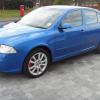
The lacquer is coming off my boot spoiler, and a mate of mine is going to respray it who works for BMW, however he has asked me to remove the spoiler so he can take it in to work with him. It's probably been covered on here how to remove the spoiler, but as I'm new on here I just want to be pointed in the right direction.

Thanks

Think it bolts on, 2 bolts either side, you might see the bolts when you lift up the tailgate or you might have to remove some trim

I removed mine so it could be painted,if you open the tailgate & look up you will see 2 bolts either side holding the spoiler onto the tailgate,just undo these & the spoiler will lift off,it might be stuck on a bit,mine was,i think mine were torx bolts but i cant remember without looking,this is for the hatch,not sure about the estate. 

  • Author

Thanks Auric Goldfinger and Mikey VRS it sounds simple enough, I'm not sure if I will do it tomorrow as the weather is meant to be crap, however I will do it this week and upload some pics. Oh and it is the hatch and in race blue

Same thing has happened to mine (also race blue). I must get it sorted.

Its a very common problem,mine started to go when it was around 6 years old,mine went really bad very quickly after the first signs of the laquer peeling off. 

I think i'm correct in saying its torx headed screws holding it down. 2 either side?

Handy someone has asked. Mine needs to come off for a respray as it has faded now and polishing it is just not doing the trick anymore. (Red)

I've got the same laquer issue nearly all peeled off now.

  • 2 years later...

Hi just want to know was it sticky pads holding the spoiler down aswell as torque screws as I have major lacquer peel, black vrs saloon mk2

  • 8 months later...

I have the same problem with mine 57 plate... not bothering with it at the moment as i will be getting the roof, the offending spoiler and the wing mirrors wrapped

Create an account or sign in to comment

Recently Browsing 0

  • No registered users viewing this page.

Important Information

Welcome to BRISKODA. Please note the following important links Terms of Use. We have a comprehensive Privacy Policy. We have placed cookies on your device to help make this website better. You can adjust your cookie settings, otherwise we'll assume you're okay to continue.

Account

Navigation

Configure browser push notifications

Chrome (Android)
  1. Tap the lock icon next to the address bar.
  2. Tap Permissions → Notifications.
  3. Adjust your preference.
Chrome (Desktop)
  1. Click the padlock icon in the address bar.
  2. Select Site settings.
  3. Find Notifications and adjust your preference.
