



Skip to content

vrs 2.0 tdi cr other tuning options
Featured Replies

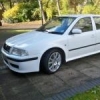
Hi I've got a 2010 vrs tdi cr with a stage 1 map and feel the car has more to give what other tuning options are there for this engine or what have other people noticed have made a diffrence to the cars performance

Tbh mate, without getting into serious money (i.e. DPF removal, fitment of miltek exhaust system, stage 2 map etc), you'll struggle to pull anymore power out of a common rail. That is what I've heard and even spoken to someone in the know. The earlier incarnation, being the PD seems to be although not as efficient, more 'punchier' and had tighter rev ranges and gave that bit more excitement that your looking for. Doing some research alone on here will give you the answers you need.


All in all, want more from your car, your gunna have to be prepared to spend a lot just to get it to a stage 2 remap and only for an increase of 10 - 15bhp.


Someone I'm sure, can kindly disagree with me or correct me as there are far more experienced oil burner owners on here.

After stage 2 remap and exaust your looking at a darkside turbo kit which with added parts to go with it you can push about 270bhp buts that's not a cheap option , upgrades to the suspension are bang for buck mods which make all the difference

DPF gutting, delete and map tweak will make a difference, reportedly about 5-10% extra can be gainined.


As Atkins says any more than that you're looking at alot of money.


One of Top Gears best ever advise is that if you want a fast car buy a fast car in the first place...... I've had 5 cars mapped and after a while always wanted more.

Create an account or sign in to comment

Recently Browsing 0

  • No registered users viewing this page.

Important Information

Welcome to BRISKODA. Please note the following important links Terms of Use. We have a comprehensive Privacy Policy. We have placed cookies on your device to help make this website better. You can adjust your cookie settings, otherwise we'll assume you're okay to continue.

Account

Navigation

Configure browser push notifications

Chrome (Android)
  1. Tap the lock icon next to the address bar.
  2. Tap Permissions → Notifications.
  3. Adjust your preference.
Chrome (Desktop)
  1. Click the padlock icon in the address bar.
  2. Select Site settings.
  3. Find Notifications and adjust your preference.
