



Skip to content

Carista app turning off auto door lock/anti hijack feature
Featured Replies

Has anyone had any success doing this?

I've set the option in Carista for the doors not to lock when moving, and saved it. But the car just won't seem to accept the change.

I can't see any other option that would affect it

ac059bdfc6beb6aebc9763e71ee54808.jpg

Sent from my iPhone using Tapatalk

Not tried I'm afraid - but it is a feature I like, so don't want to disable it.

  • Author

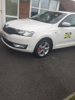
As a private car it is a useful feature, but using it as a taxi it's just a nuisance.

Every time I pull up outside someone's house or on the rank, I have to remember to press the unlock button or I have people swinging on my door handles.

Suppose I will have to just wait until I have a reason to go to dealers and then get them to do it with their computer, just can't understand why all the other things I've done with carista work perfectly but this one won't take affect

Some of these setting changes can be hit and miss - it took me several goes over multiple days to get speed-sensitive wipers actually enabled with Carista. Got there eventually, but car kept bouncing it at first.

I like the feature as it saves me booting people out because I'm not for them. Joys of private hire over taxi.

My speed sensitive wipers are enabled but they don't work, need to play about with it again

  • Author

Lol yeah, speed sensitive wipers worked first time. So did all the other things like large MPH speedo, tear drop wipe, dial staging etc.

I've tried about 20 times now to get it to accept the setting of not locking the doors when moving.

It keeps saving it in the app, but just won't take affect.

Looks like I will have to admit defeat on this one.

Create an account or sign in to comment

Recently Browsing 0

  • No registered users viewing this page.

Important Information

Welcome to BRISKODA. Please note the following important links Terms of Use. We have a comprehensive Privacy Policy. We have placed cookies on your device to help make this website better. You can adjust your cookie settings, otherwise we'll assume you're okay to continue.

Account

Navigation

Configure browser push notifications

Chrome (Android)
  1. Tap the lock icon next to the address bar.
  2. Tap Permissions → Notifications.
  3. Adjust your preference.
Chrome (Desktop)
  1. Click the padlock icon in the address bar.
  2. Select Site settings.
  3. Find Notifications and adjust your preference.
