



Skip to content

Bolero unit

Featured Replies

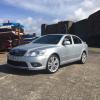
Ive not long had my VRS and am going through a few bits and pieces and sorting them as I go. I just want to confirm a few things. My car has an aftermarket parrot handfree kit installed, but neither that or the phone option on the headunit work. Im pretty sure its a disconnected cable, vcds shows an iso lead error, but the question is, if the bolero comes with a phone option doesnt that mean it was capable of being bluetooth anyway? Or am I wrong, please educate me :) Ive partially taken the trim off sorting a glovebox issue but didnt want to remove all trim in the footwell at the time, ive also had the headunit out and cant get access to the connectors, but it does look like an aftermarket loom connector has been used inside there. But im drifting, if I disconnect the parrot eventually (im in no rush) will the headunit be a handfree unit, if I connect the parrot is it better than the standard handsfree? Open to suggestions

  • Author

No hints or advice available? Thought the bolero unit would be a common item

You will require a Bluetooth module, usually situated under passenger or driver seat, for the phone option on the Bolero to work in addition to this a microphone which sits in the roof panel where the centre interior light is also some coding using vcds to get it working. I used to have the Parrot system but upgraded Bolero to Columbus and added bluetooth module looks neater than the Parrot

Like Daz says. The bolero is bluetooth capable but you will need to add the module and microphone for it to work.

  • Author

Ahh so the bolero hasnt it actually built into the headunit that makes sense as to why the parrot was installed in first place. Thanks for that

Create an account or sign in to comment

Recently Browsing 0

  • No registered users viewing this page.

Important Information

Welcome to BRISKODA. Please note the following important links Terms of Use. We have a comprehensive Privacy Policy. We have placed cookies on your device to help make this website better. You can adjust your cookie settings, otherwise we'll assume you're okay to continue.

Account

Navigation

Configure browser push notifications

Chrome (Android)
  1. Tap the lock icon next to the address bar.
  2. Tap Permissions → Notifications.
  3. Adjust your preference.
Chrome (Desktop)
  1. Click the padlock icon in the address bar.
  2. Select Site settings.
  3. Find Notifications and adjust your preference.
