



Skip to content

Productive day

Featured Replies

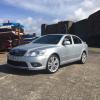
Well today ive had a good day, started to see if I could find out why the parrot kit that was in car didnt work, so stripped out glovebox and dash trim, removed bolero and ventilation controls and then started to trace wires back. Long story short, no idea what was wrong, so just removed it completely, would never use it anyway and makes the dash look a lot neater (bar two tiny holes). Then changed the pollen filter, must be one of the easiest ive ever done, literally 10 minutes start to finish. While I was on roll I thought id just continue with a service although it was supposed to have been done 2k before I got it. Air filter another dead easy job, whip it out in replace, then drain oil and replace with nice yummy fully synth, again one of the easiest ive ever done, oil filter so handy. Reset service interval and thats me good for another while, think ill do it every 7k as ive always done with other cars seeing as it was so handy. Checked tyre pressures, scan with VCDS and bobs your uncle. And to finish off went up the ladders and cleared the gutters at front and back of house and removed a starlings nest, put gutter brushes in to stop them coming back and all being well that will help to put an end to the constant crapping on my car as they take off. Now I think ill have a little beer in the sun and tick off today :) 


Anyone else been up to much 

Had a parrot kit in my jetta. Hot days it would do what it wanted more often than not wouldnt work then others would conect and diconect from phone. Most anoying it would tell radio there was a call and kill sound for a while.

  • Author

Hell of an amount of wiring and adapters back there, feel better now its back to standard. Theres still a fault code coming up for radio, still works perfectly so ill live with it until I can be bothered checking it on google sometime. Something to do with iso connector. 

Create an account or sign in to comment

Recently Browsing 0

  • No registered users viewing this page.

Important Information

Welcome to BRISKODA. Please note the following important links Terms of Use. We have a comprehensive Privacy Policy. We have placed cookies on your device to help make this website better. You can adjust your cookie settings, otherwise we'll assume you're okay to continue.

Account

Navigation

Configure browser push notifications

Chrome (Android)
  1. Tap the lock icon next to the address bar.
  2. Tap Permissions → Notifications.
  3. Adjust your preference.
Chrome (Desktop)
  1. Click the padlock icon in the address bar.
  2. Select Site settings.
  3. Find Notifications and adjust your preference.
