



Skip to content

Android Auto (Google Maps) vs MirrorLink (Apps)?
Featured Replies

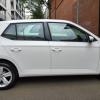
Skoda Fabia Hatch SE L 1.2 TSI 110PS DSG (Auto)


Android Auto:

I have been using Android Auto for the past couple of days. It is mostly useful. The interface is neat and user friendly. However, I have a problem with Google Maps. I can't see the speed limit displayed in the navigation screen. I live in Birmingham where recently the speed limit was reduced to 20mph in most of the roads within the inner circle. Is it possible to get that option in Google Maps in Android Auto?


MirrorLink

I also tried to connect my Galaxy S6 using MirrorLink. However, the only app that I can see in there was Parkopedia and I got a message asking me to upgrade to Parkopedia Premium. I can't find any other apps in MirrorLink.


Perhaps the answer will be no, but is it possible to use HERE Maps via Android Auto or Mirror Link?


Thanks,

Shiva

Edited by shivapillai

Unfortunately the wonderful HERE Maps apps aren't compatible with any of these technologies. Android Auto and Apple CarPlay because Google and Apple don't let other companies mapping systems on their services, and MirrorLink because it's a weakly supported technology I presume. I've got a cheap vent holder for my phone when I need to use HERE (EG when there's no decent phone signal)

Doh... I wrote a reply yesterday to this but I've got dodgy wifi at the moment!

I do know that Waze (a brilliant app) is coming to Android Auto in the very near future, possibly when Android N comes into force? That does give you speed limits etc and alerts you if you're going over them etc.

That's only because they're owned by Google now ;-)

Yep... still much better than Google Maps in my opinion. The great thing with these systems is that we're seeing updates that impact our cars and how we interact with them. Intrigued to see how the next few software updates to smartphones, both Google and Apple, improve the experience for all of us. Now if only Google and Apple wouldn't be so finicky about who's apps end up on which system. They got over that with the smartphones, now it's time to give us choice and get over it with the in-car apps, too...

You might try Sygic Mapping. They have an offer at the mpment and that allows off-line mapping and is android auto compatible.


https://www.sygic.com/gps-navigation


I have never used Sygic (cos I have a Lumia and really like HERE mapping) but when I get an Android, I think Sygic might well be purchased (if an offer is on).

Create an account or sign in to comment

Recently Browsing 0

  • No registered users viewing this page.

Important Information

Welcome to BRISKODA. Please note the following important links Terms of Use. We have a comprehensive Privacy Policy. We have placed cookies on your device to help make this website better. You can adjust your cookie settings, otherwise we'll assume you're okay to continue.

Account

Navigation

Configure browser push notifications

Chrome (Android)
  1. Tap the lock icon next to the address bar.
  2. Tap Permissions → Notifications.
  3. Adjust your preference.
Chrome (Desktop)
  1. Click the padlock icon in the address bar.
  2. Select Site settings.
  3. Find Notifications and adjust your preference.
