



Skip to content

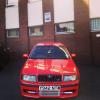
2002 Skoda Fabia 1.4 16V Auto
Featured Replies

Hi all, my sisters Fabia up for sale.

Details;

2002 "02" Skoda Fabia 1.4 16V Automatic

Classic spec

Fantasy Green

36,300ish miles, all genuine

FSH

MOT til May 2017

My sister is the second or third owner, will confirm.

Good bits:

Car drives very nice and smooth. Very comfortable and relaxing to drive,being an automatic.

Bodywork is in good condition and so is the interior.

Car hardly is driven, as it is used for school runs on the rare occasion.

Very low mileage.

Oil, oil/ air filter, spark plugs were all changed less than 2000milea ago.

Bad bits;

A few days car turns over but doesnt start. Have had the car diagnosed and comes up with the following faults;

ECM no communication

ECT fault

Ive had abit of advice from the forum about having the car diagnosed in order to completely identify what the issue is.

Ive unplugged the ECT sensor to see if the car starts, however it does not.

Reason for sale is, ive had a quote from a local garage stating they can diagnose and fix the issue but itll cost £45 an hour and the garage doesnt know how long theyll hold the car for as they are extremely busy.

Therefore my sister wants to sell the car and just buy another.

This would make a great buy to someone who has access to VCDS and is in the know about cars and troublefixing.

Location;

Birmingham, Smethwick, near the West Albion football stadium.

Pictures will be uploaded later today.

Alternatively i can be messaged on Whatsapp and i can send photos that way if need be.

Price; Not too sure what to price at, as im sure itll be a fairly cheap fix for someone in the know;

£600 or offers.

Contact; 07719910477

Cheers all

Any pictures?

And you say it doesn't start some days, how do you get it to eventually start? Does it stay running once started, in other words get from A to B without fault?

Thanks

Create an account or sign in to comment

Recently Browsing 0

  • No registered users viewing this page.

Important Information

Welcome to BRISKODA. Please note the following important links Terms of Use. We have a comprehensive Privacy Policy. We have placed cookies on your device to help make this website better. You can adjust your cookie settings, otherwise we'll assume you're okay to continue.

Account

Navigation

Configure browser push notifications

Chrome (Android)
  1. Tap the lock icon next to the address bar.
  2. Tap Permissions → Notifications.
  3. Adjust your preference.
Chrome (Desktop)
  1. Click the padlock icon in the address bar.
  2. Select Site settings.
  3. Find Notifications and adjust your preference.
