



Skip to content

Numberplate surround / sticker removal
Featured Replies

I would like to..


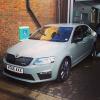
1) Get rid of the dealer supplied number plate surround with a plain one, no fancy vRS surrounds just plain black will be fine


2) Remove dealer stickers from the windows


Can anyone recommend a decent surround and also a way of removing the stickers without leaving behind an awful mess!


I hate being a free mobile advertising board for the dealer!

2)  The easiest way to remove the Dealer Sticker is to ask them not to stick on one in the first place.


I did and reminded them if the stick one on they will be taking it off before the car leaves the forecourt. 


Simples

  • Author
1 minute ago, Auric Goldfinger said:

2)  The easiest way to remove the Dealer Sticker is to ask them not to stick on one in the first place.


I did and reminded them if the stick one on they will be taking it off before the car leaves the forecourt. 


Simples


Yes all good in hindsight however I have had the car 2 months now so going to remove myself. 

There is a product called Label Remover which does a fantastic job of removing the 'awful mess' that remains after taking the stickers off.


propower_label_remover.jpg

Edited by john999boy

I have removed my stickers immediately from all my new cars. Concerned about adhesive and plastics being baked onto the heated rear window elements and making removal impossible.

Partial blocking of the rear view is a safety factor as well. Not concerned about the minuscule name on number plates and we have no advertising tax disc holders anymore (although a guy down the road has a 2015 disc on his Morris).

Up in Scotland, many display a large yellow sticker on their car. Now that is aesthetically offensive albeit effective advertising for AC.

Buy a tin a panel wipe from your local automotive paint supplier. It will remove sticker adhesive in minutes and is not harmful to trim, paint etc.

Create an account or sign in to comment

Recently Browsing 0

  • No registered users viewing this page.

Important Information

Welcome to BRISKODA. Please note the following important links Terms of Use. We have a comprehensive Privacy Policy. We have placed cookies on your device to help make this website better. You can adjust your cookie settings, otherwise we'll assume you're okay to continue.

Account

Navigation

Configure browser push notifications

Chrome (Android)
  1. Tap the lock icon next to the address bar.
  2. Tap Permissions → Notifications.
  3. Adjust your preference.
Chrome (Desktop)
  1. Click the padlock icon in the address bar.
  2. Select Site settings.
  3. Find Notifications and adjust your preference.
