



Skip to content

6 Speed gearbox in Estate. :)
Featured Replies

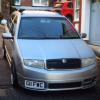
Just done the 6 speed conversion into my estate again! 


Different car, as I stupidly sold the last one in a time of weakness! :( 


at least it was a lot easier this time, despite me forgetting to remove some important parts that were needed from the VRS I took the gearbox from. Ended up costing more because I had to buy those parts new from TPS. 


Its well worth the change,  so anyone thinking of putting a VRS gearbox in their Fabia, these are the things you will need; (I may have done a list before) 


-Gearbox 

-gear cables and tower 

-starter motor and bolts 

-drive shafts and all bolts 

-Bell housing bolts 

-Flywheel bolts 

-pressure plate bolts (they look the same but -the 6sp clutch uses smaller ones)

-clutch kit for 6sp

-Concentric slave cylinder 

-clutch pipe (from master cylinder to slave) 

-dog bone mount 

-VRS Speedo (the Vrs takes its speed from the wheels, where as the 5 speed box takes its speed from the plug on the gearbox) 


And then swap all those bits :) 


Thanks for that quick list do you know which is the best gearbox code to go for ?

Does the clutch bolt into different holes or do you need a flywheel aswell ?

Is there anyway of re-coding the speedo instead of a new one ?

  • Author
47 minutes ago, garethw said:

Thanks for that quick list do you know which is the best gearbox code to go for ?

Does the clutch bolt into different holes or do you need a flywheel aswell ?

Is there anyway of re-coding the speedo instead of a new one ?


You will need the flywheel too from a 6speed box. DMF flywheel :) the 5 speed boxes are single mass as standard. 


No way of re coding the Speedo as far as I am aware, much easier to just fit the VRS Speedo, I did so and just mapped out my immo 


Create an account or sign in to comment

Recently Browsing 0

  • No registered users viewing this page.

Important Information

Welcome to BRISKODA. Please note the following important links Terms of Use. We have a comprehensive Privacy Policy. We have placed cookies on your device to help make this website better. You can adjust your cookie settings, otherwise we'll assume you're okay to continue.

Account

Navigation

Configure browser push notifications

Chrome (Android)
  1. Tap the lock icon next to the address bar.
  2. Tap Permissions → Notifications.
  3. Adjust your preference.
Chrome (Desktop)
  1. Click the padlock icon in the address bar.
  2. Select Site settings.
  3. Find Notifications and adjust your preference.
