



Skip to content

Front end

Featured Replies

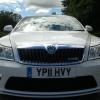
These are the 3 vrs ive owned which do think has the best front end? 

FB_IMG_1590051662587.jpg

FB_IMG_1590051618984.jpg

IMG_20200521_100608.jpg

5 minutes ago, mark1 said:

These are the 3 vrs ive owned which do think has the best front end? 

FB_IMG_1590051662587.jpg

FB_IMG_1590051618984.jpg

IMG_20200521_100608.jpg

White 14 plate. I never liked the front of the Mk2 so didn't buy that version.

If you could have the top half of the Mk3 pfl and the bottom half of the Mk3 fl that’d be ideal.  As individuals though, I actually prefer the Mk3 fl. I think the split lights work on the vRS and make it more aggressive. Something the pfl lacks. IMO. 

All of them,  because I can't afford a vrs and certainly couldn't own three at once! 😃

Edited by paulski

Mk3 facelift. Could do with a black grille though! 

Im going pfl mk2. Yes it isn't an option but it is my favourite version. I dont like the fl mk3 and the split lights look horrible. 

I really like the Mk3 PFL however have never owned one.


Previously owned a Mk2 FL vRS in black that had the grille surround wrapped to match. That looked pretty mean.


Now own a Mk3 FL vRS in Race Blue. Wasn’t a fan of the split lights when they first came out but it’s really grown on me. Looks much more modern and aggressive.


@mark 1 did you fit black mirror caps to your Mk3 FL? I’d have expected it to have had a black grille surround if it came the black pack that included the mirror caps.

Create an account or sign in to comment

Recently Browsing 0

  • No registered users viewing this page.

Important Information

Welcome to BRISKODA. Please note the following important links Terms of Use. We have a comprehensive Privacy Policy. We have placed cookies on your device to help make this website better. You can adjust your cookie settings, otherwise we'll assume you're okay to continue.

Account

Navigation

Configure browser push notifications

Chrome (Android)
  1. Tap the lock icon next to the address bar.
  2. Tap Permissions → Notifications.
  3. Adjust your preference.
Chrome (Desktop)
  1. Click the padlock icon in the address bar.
  2. Select Site settings.
  3. Find Notifications and adjust your preference.
