



Skip to content

Hi - sorry it's been 2 years....+
Featured Replies

What can I say!?

Long time no read/write!

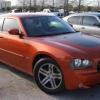
Although I still have my Octavia, I have been somewhat busy abroad and now have a new car that will hopefully be joining my Skoda in the UK.

I have just replied to a PM that I got onver two years ago! Is that a record???? :D

Anyway, it ay not be long before I darken the fair shores of the UK once more. So thought I'd drop in and say Hi! :thumbup:

Hopefully, I'll have more to bring to these forums once I have settled back into life in the UK.

Cheers,

Arf :)

What time d'you call this? Where the hell have you been? You walk out on us two years ago..... etc:D

  • Author
What time d'you call this? Where the hell have you been? You walk out on us two years ago..... etc:D

Sorry mum..... :o

Been in the US - also been giving the Americans h3ll on another forum! I would post a link, but I'd be embaressed!

p.s. The money was better over here...... :rofl:

Well you'll not get any special traetment over here sonny boy! Go and post some sh!te on Brisky and think about what you've done!

(welcome back BTW)

  • Author
Well you'll not get any special traetment over here sonny boy! Go and post some sh!te on Brisky and think about what you've done!

(welcome back BTW)

LOL - thanks for the welcome!

I would expect nothing less than the same amount of carp as the other members here! :thumbup:

Welcome back to briskoda

Create an account or sign in to comment

Recently Browsing 0

  • No registered users viewing this page.

Important Information

Welcome to BRISKODA. Please note the following important links Terms of Use. We have a comprehensive Privacy Policy. We have placed cookies on your device to help make this website better. You can adjust your cookie settings, otherwise we'll assume you're okay to continue.

Account

Navigation

Configure browser push notifications

Chrome (Android)
  1. Tap the lock icon next to the address bar.
  2. Tap Permissions → Notifications.
  3. Adjust your preference.
Chrome (Desktop)
  1. Click the padlock icon in the address bar.
  2. Select Site settings.
  3. Find Notifications and adjust your preference.
