Rigor
Members
-
Joined
-
Last visited
Everything posted by Rigor
-
I’m also seriously thinking about selling my car. Just like the fellow member above, I’m sick and tired of the service staff and Skoda’s extremely outdated procedures. I have a major issue with the driving range: the dashboard overestimates it by about 300 km. For example, my dash showed 320 km of remaining range, but when I pulled into the gas station, I managed to pump 69 liters! That means I was just a hair away from running completely out of gas. On top of that, the "Since refueling" fuel consumption memory resets on its own without me even opening the fuel cap. I took photos and videos, showed them to the service advisors, but they just look at me blankly and don’t understand. I spend 30 minutes explaining everything, only for them to ask me at the end: "But is it a diesel?" or "How many liters is the fuel tank?". So far, I’ve been to the dealership 4 times for this: 1st time: They reset a few modules. 2nd time: They updated the software to PV4. 3rd time: They disconnected the battery terminal (the classic "fix"...). 4th time (today): They did another update, this time to PV4 Plus. I explicitly asked them to check the auxiliary fuel pump. I found other owners online with the exact same car and the exact same issue, and in their case, replacing that pump fixed it completely. The dealership's response? "We can’t find any error codes on the scanner, so we won't investigate any further without a fault code." Today they also opened a ticket with the factory, and the response they got back was... to perform the PV4 Plus update. Since the "Since refueling" memory keeps resetting by itself, I can’t track my fuel consumption at all. I’ve resorted to taking notes on my phone every time I fill up and doing all sorts of math just to make sure I don't get stranded on the road. The second issue started right after the PV4 update. The suspension has days when it behaves normally, just like it used to, and other days when it feels extremely harsh. Even in full Comfort mode, I feel absolutely every single crack and bump in the asphalt, as if the DCC isn't working at all. I’ve been paying close attention on every drive, and I even started checking the tires, thinking maybe the rubber had aged and hardened. I’ve tested different tire pressures (2.5, 2.7, 2.9 bar) – all for nothing. Some days it feels like a boat, other days it feels like the car is going to break in half. Same roads, same outside temperature, same people in the car. And no, I'm not talking about the well-known DCC "thumping" noise, but a random, structural stiffness. So now I ask you guys: is it really worth spending €50,000 on a car, only to then pay inflated dealership prices for routine servicing, Haldex flushes, brake pads, discs, spark plugs, etc., just to have the service department treat you like an idiot? I honestly wish them a happy bankruptcy. I’d rather just buy a Tesla Model Y and be done with this whole circus!
-
@ducu stai liniștit, nu sunt probleme 😀
-
@Fr13ndlyGhost Hello, I have the same problem as you, identical, except that I have a Superb 4 2.0 TSi 4x4 2024. Did you manage to solve the problem?
-
It’s from Waze. It does that when you exceed the speed limit.
-
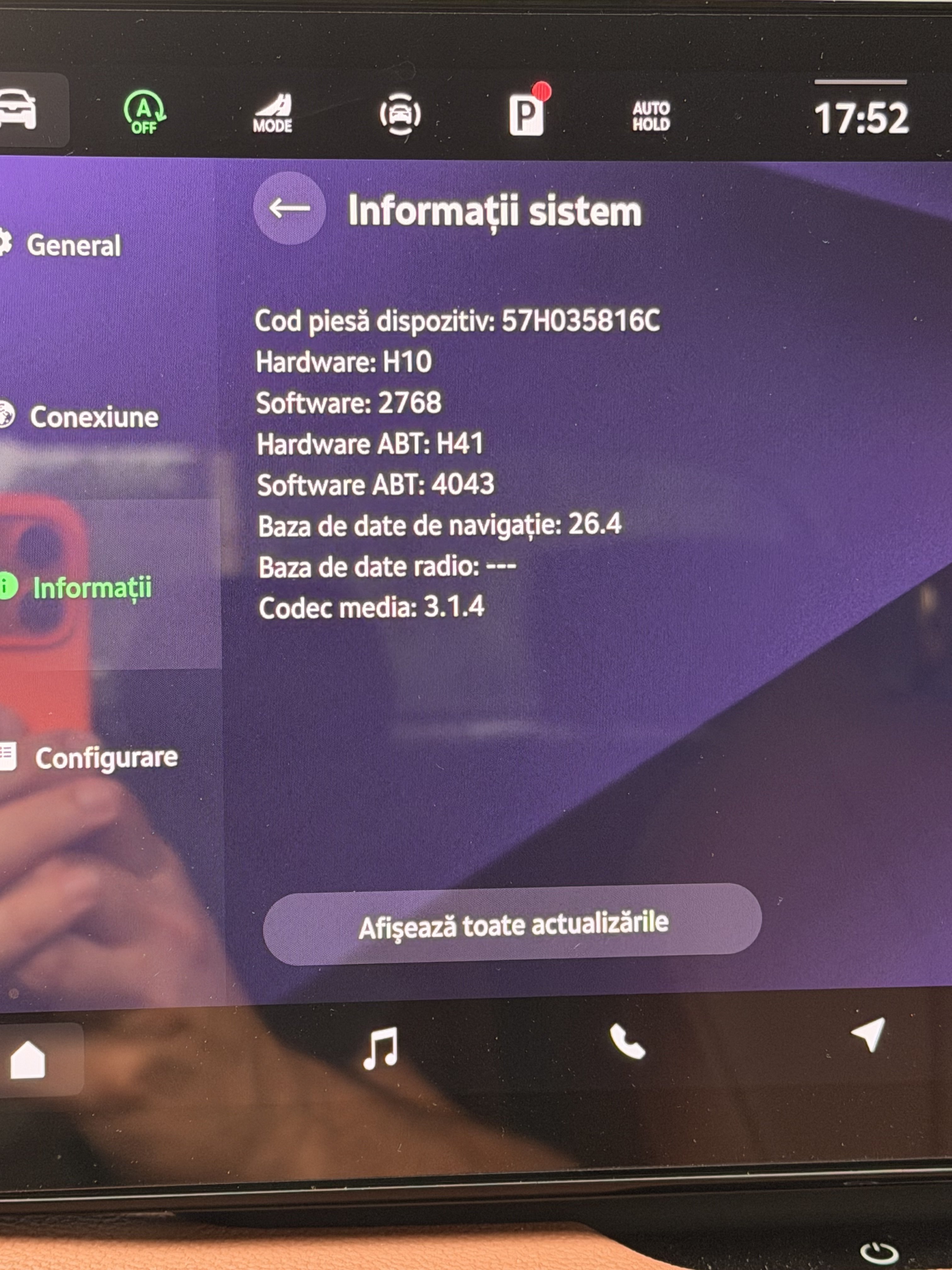
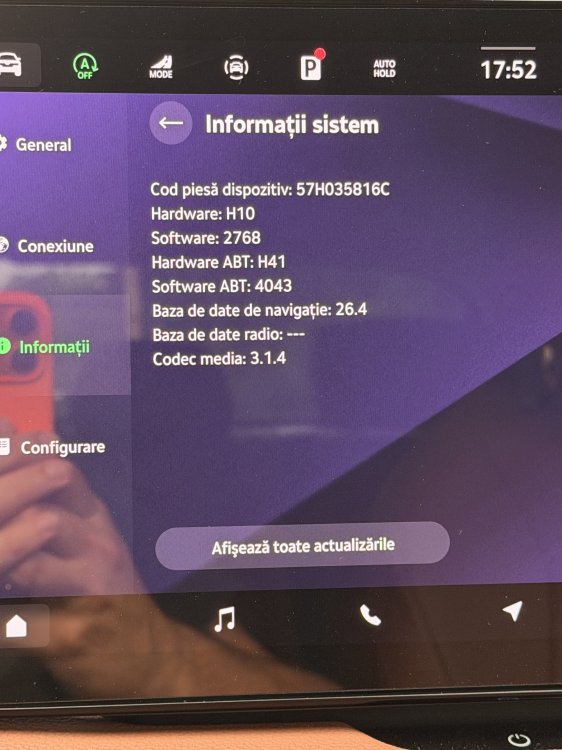
I managed to update to version 2630. Everything went fine. I’m glad I got rid of the black screen bug and the camera issue. The only problem I’m having now is that the car no longer connects to the internet. The globe icon in the top right corner has completely disappeared. Traffication is no longer available in the menu, the Shop doesn’t work, and I get the message: “The connection to the Shop could not be established.” In the top right corner, I also see a message saying that an update is available. When I press “Install,” it says that the application cannot be used at the moment and to try again later. I should mention that the MyŠkoda app on my phone works without any issues. Has anyone else experienced this? Any ideas?
-
Thanks for the pictures, it looks good and clean installed, I like it. I'm going to buy Viofo but I haven't decided on the model yet. 👍
-
Hi everyone, I went to the dealer for an oil change, and while I was there, I also reported a few issues (bugs) related to the infotainment system: a black screen in certain situations, the camera sometimes not activating, and aggressive braking during parking maneuvers. Other than that, I haven’t had any major problems. My car was manufactured in 08/2024 and currently has software version 2460. After some discussions, they agreed to update it to the latest compatible version, which I believe is 2630. I would like to hear from those of you who updated from 2460 to 2630, did you experience any issues, or is everything working fine after the update? Thx!
-
Thank you all for your replies. I’ve been looking at different dashcams, and Viofo seems to fit best in the upper part of the windshield. @Rifleman could you please show me a few photos of the two cameras installed in your car? Thx.
-
Hi everyone, I’m looking to install a dashcam on my Superb Mk4 and I’d like to know what setups other owners are using. I’m mainly interested in something compact, reliable, and with good image quality (day and night). My plan is to power it directly from the USB-C port in the rear-view mirror, but I’ve noticed that not every USB-C cable works with that port, and I’d prefer to avoid using adapters if possible. Could you please share: What dashcam model you are using? What USB-C cable you are using ? Photos of your installation? Thanks in advance!
-
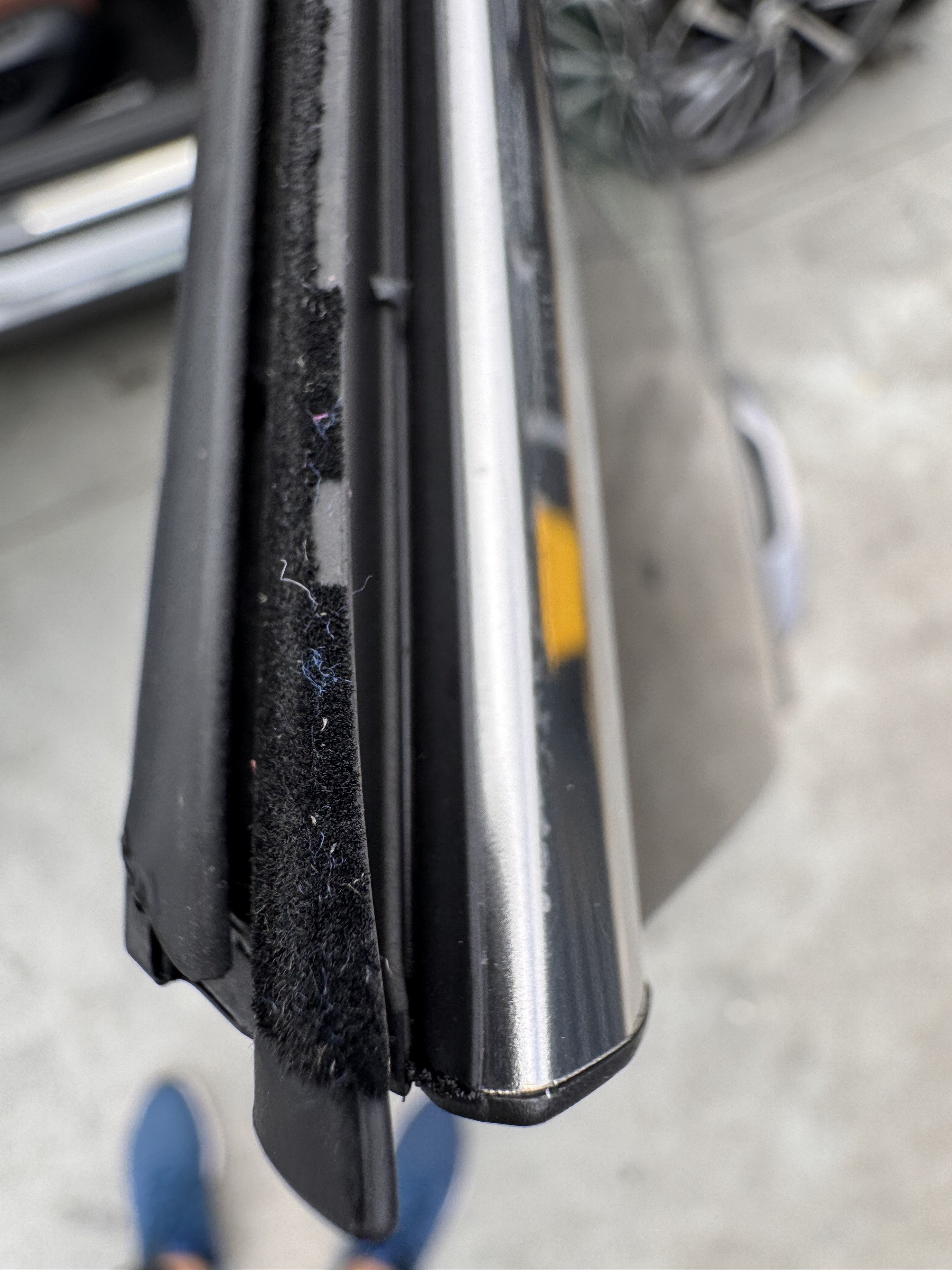
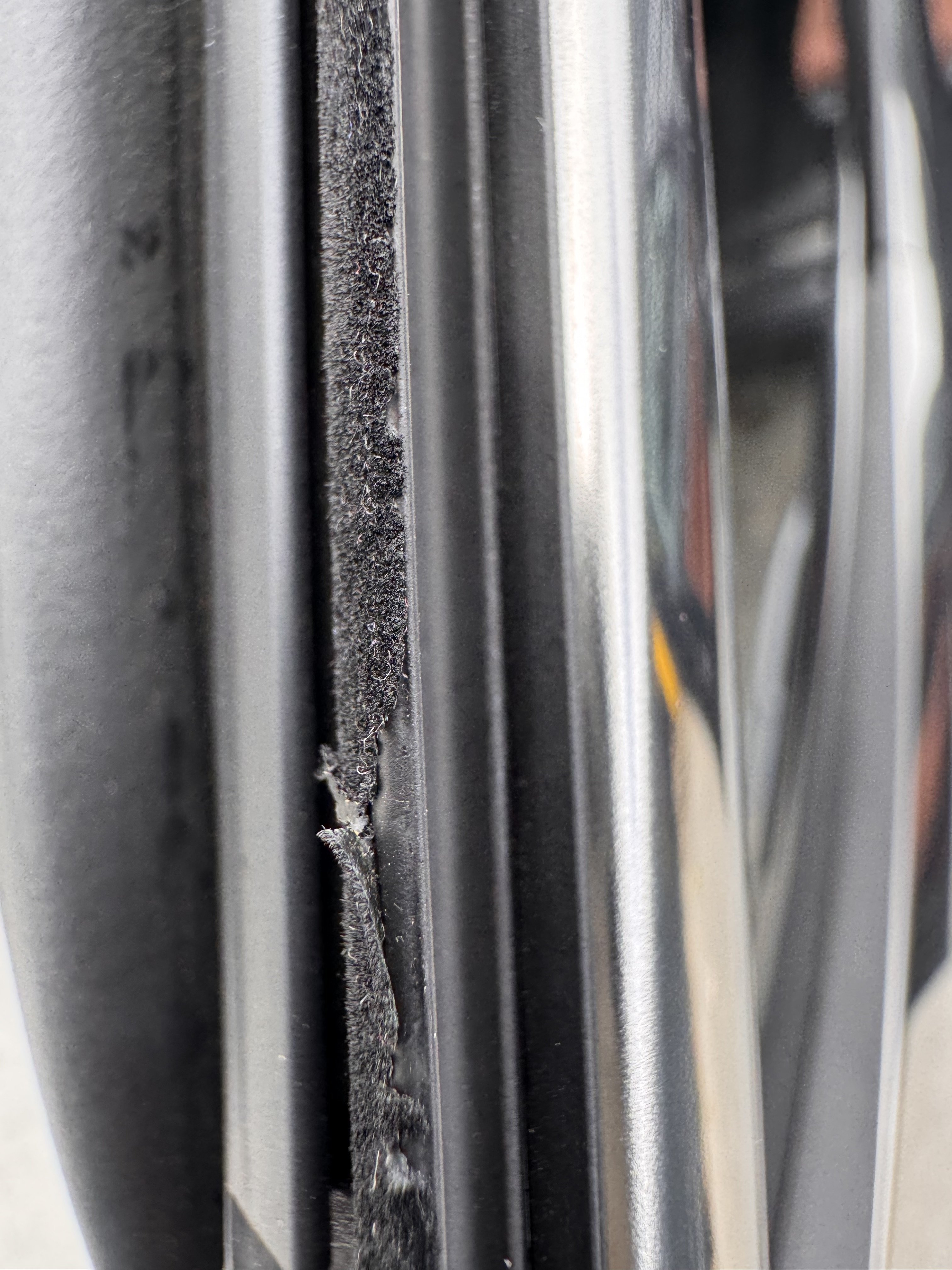
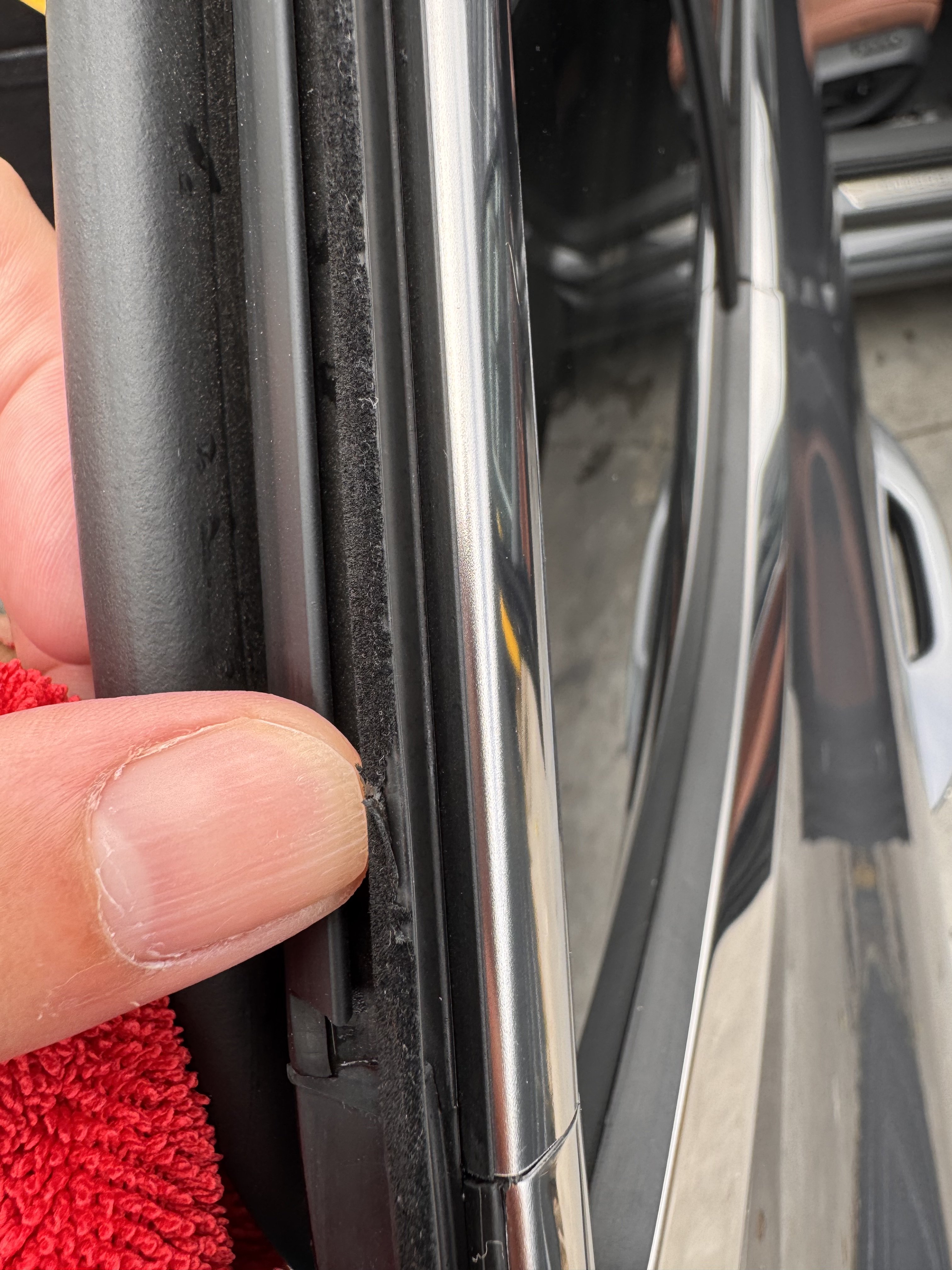
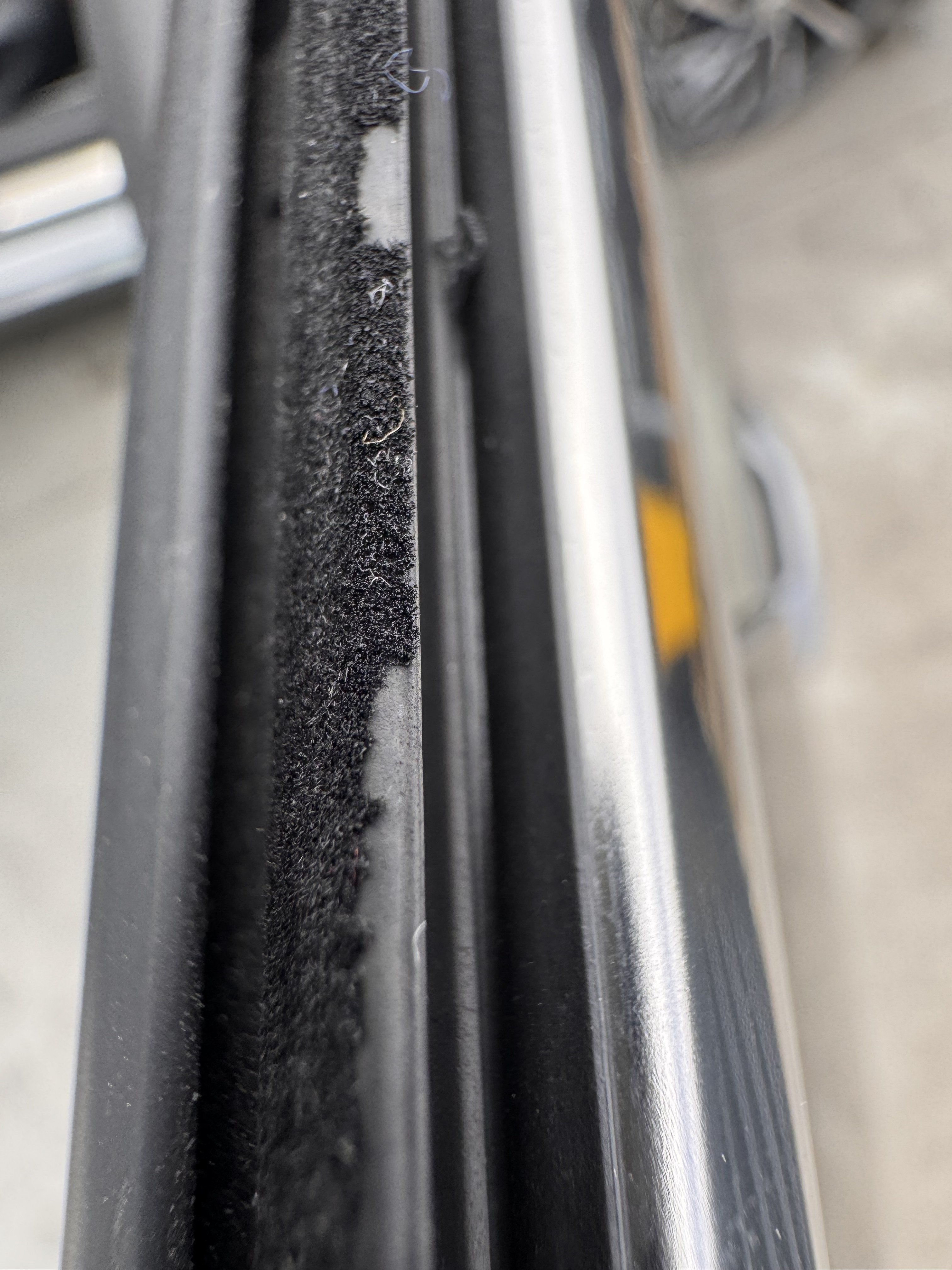
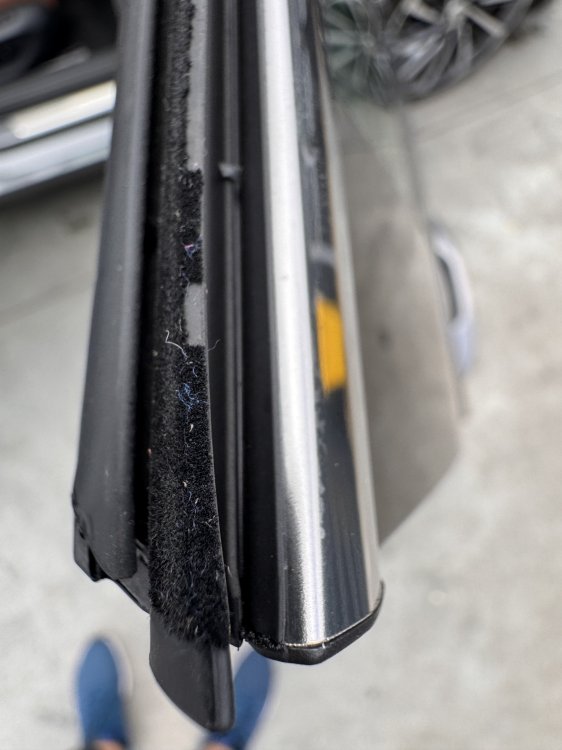
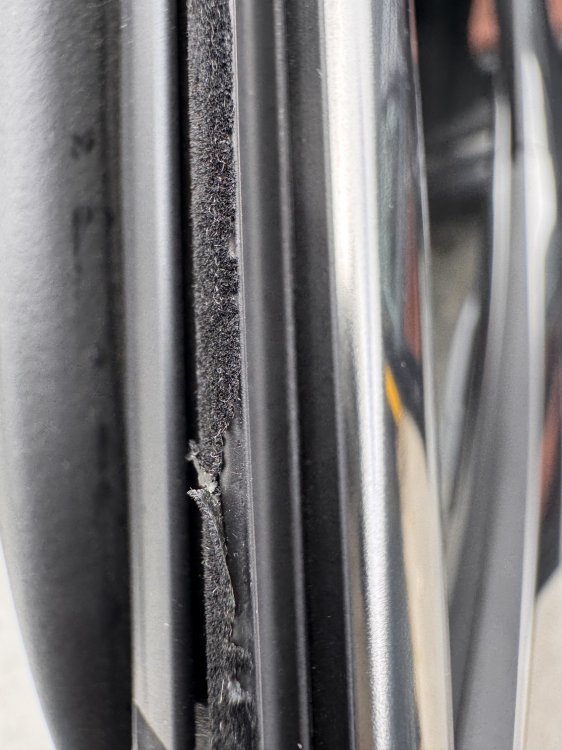
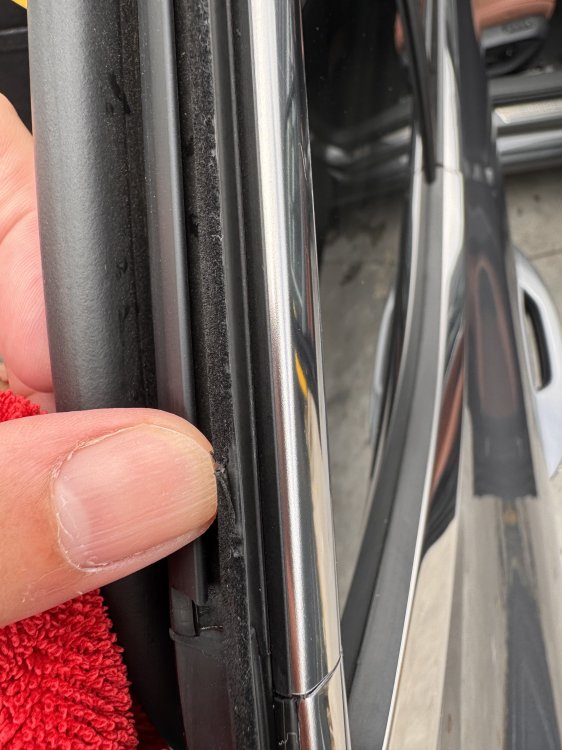
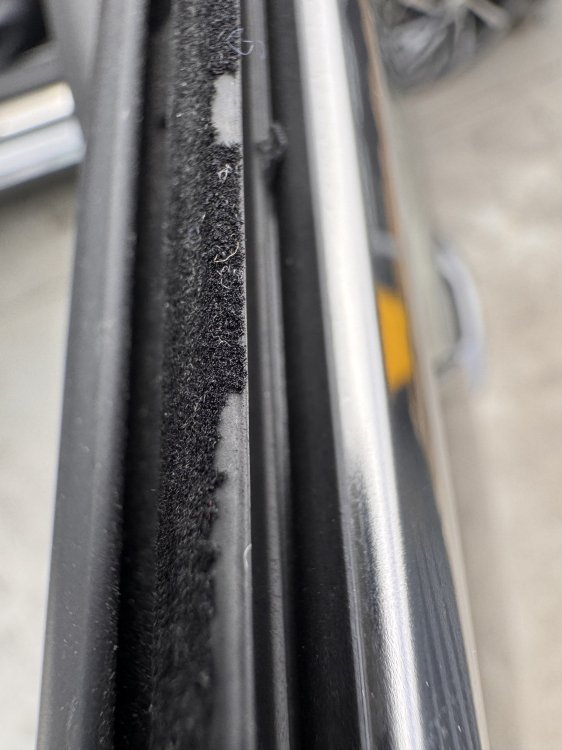
Anyone else having issues with the upper door seals? L&K 08.2024
-
I have the same issue with the black screen. There have been several new versions released for the infotainment system. You should go to the dealer and tell them about the problem, they’ll check if they can install the latest version for your car. The thing is, some people have received newer updates, while others haven’t. Next month, when I go for the oil change, I’ll ask about it as well.
-
Yes, I have the same problem, every time I cross the border, CarPlay disconnects.
-
Yes, it does seem like the issue goes beyond just door or seat sensors, especially if the system doesn’t warn you before or after it shifts to “P” during low-speed movement. That’s definitely not how it should behave. Still, insist with the dealer and, if possible, show them a video of the issue.
-
If I understood correctly, the car brakes on its own and automatically shifts the gearbox into “P”? It’s a good idea to check a few things, as similar issues have been reported: Make sure your seatbelt is fastened. If it’s not, the car might interpret that you’re not ready to drive. Driver’s door, if it’s open or not fully closed, the gearbox may shift into “P” automatically for safety reasons. Seat sensor, it’s possible that it no longer detects your presence properly. Most of us are actually dealing more with the issue of automatic braking, especially during parking maneuvers. Here are some useful tips: When parking, move slowly and keep your foot on the brake. The safety system may detect movement around the car (people, animals, tall grass, objects, other cars) and suddenly brake, even if those things are a few meters away and not a real threat. After you exit a parking spot, check if the system has exited parking mode. If not, press the “P” button on the tablet to manually deactivate it. Also, the car can brake without any warning sound, which can be confusing. These systems are designed with safety in mind, but in certain situations they can become intrusive. Ideally, you should learn how the car reacts and adapt your driving style especially in tight or crowded areas. Hopefully, a software update will improve this behavior in the future.
-
I also tested the seat ventilation at 40°C, with the car left in direct sunlight, and I can confirm that you can’t feel anything at all anymore. When the outside temperature was around 30°C, it still had a somewhat decent effect, you could feel a weak but noticeable airflow. But now, in extreme heat, the effect completely disappears. From what I understand, the seat ventilation in the Superb 4 is based solely on fans, without active cooling like some premium models have. The air is drawn from the cabin, not from a separate or cooled circuit. So if the interior has been baking in the sun, there’s no cool air to pull in, at least not until the climate system starts cooling the cabin aggressively. I also tried various seat and A/C settings, but the result was always the same, no noticeable improvement.
-
Honestly, I’m not exactly sure why Skoda is taking so long with these updates. Considering the hardware is theoretically the same or very similar, it should be technically possible. It probably comes down to stability, internal validation, or other priorities but at some point, they really should release an update for the older software versions. As for the CarPlay issue, yes, I’m experiencing the same. Sometimes I get a black screen in CarPlay when opening the climate control settings, and other times, when switching to the camera view, the screen stays black and doesn’t come back. Other than that, everything works fine, but this issue pops up from time to time and can be quite annoying. Hopefully they’ll fix it in a future update.
-
Yes, check the infotainment system when the car appears on the screen (in the main menu), swipe your finger toward the trunk area. There you should find a few settings related to the tailgate, usually under something like “Easy Open.” From that menu, you can completely disable the foot sensor function if it’s causing issues.
-
If you have version 2460, it means your car was manufactured no later than August 2024, because starting around September, version 2565 started to appear. I’m in the same situation, my car also has version 2460, and my dealer told me that there is currently no available update for the infotainment system. Regarding the HUD, it’s likely just a settings issue. Check the menu for: HUD position — it might be set too high or too low, so it’s out of your line of sight. Brightness — if it’s too low, you might barely see it during the day.
-
Please disregard what I wrote above , it’s incorrect information, probably posted by someone else. 94EW seems to be the stalk for the cruise control ACC. If anyone else has official information, please share it here.
-
I don't know if this is true, but I found this on another forum: “The Skoda recall 94EW likely refers to a recall for a 2024 Skoda Superb and Octavia due to a potential fire risk. The issue is a manufacturing defect where the heat shield between the brake master cylinder and the exhaust may have been incorrectly fitted, potentially causing a connection to the brake fluid reservoir to melt. “
-
You can give it a try if you haven’t already, just go to the Drive Mode Selection menu, then to the DCC suspension settings. There’s one level softer than Comfort, and it makes the ride a bit smoother.
-
@YavorB To give you an idea, the 2.0 TSI 4x4 engine typically consumes about 1–2 liters more than the 2.0 TDI 4x4 under similar driving conditions. For example, on the highway at a steady speed of 140 km/h, the 2.0 TSI 4x4 averages around 8–8.5 liters per 100 km. The best thing you can do is take both versions for a test drive. That way, you’ll get a real feel for which one suits your driving style and preferences better. I faced the same dilemma myself, and in the end, I chose the 2.0 TSI and I’m very happy with it.
-
I’m in the same situation. I asked the dealer and got the same answer, that there’s no update available for my car, even though several newer versions have already been released.
-
That means your car was manufactured before September 2024. At the moment, the dealership doesn’t perform infotainment updates. In the newer versions, the black screen issue has been resolved.
-
It’s not bad that you changed the oil, but I don’t understand why you used 5W30 instead of the recommended one. What oil temperatures do you get while driving?