




maxychat
Members
-
Joined
-
Last visited
Everything posted by maxychat
-
I couldn't recreate it on my car. The petrol pump symbol only show for range but the number has "mi" written after it
-
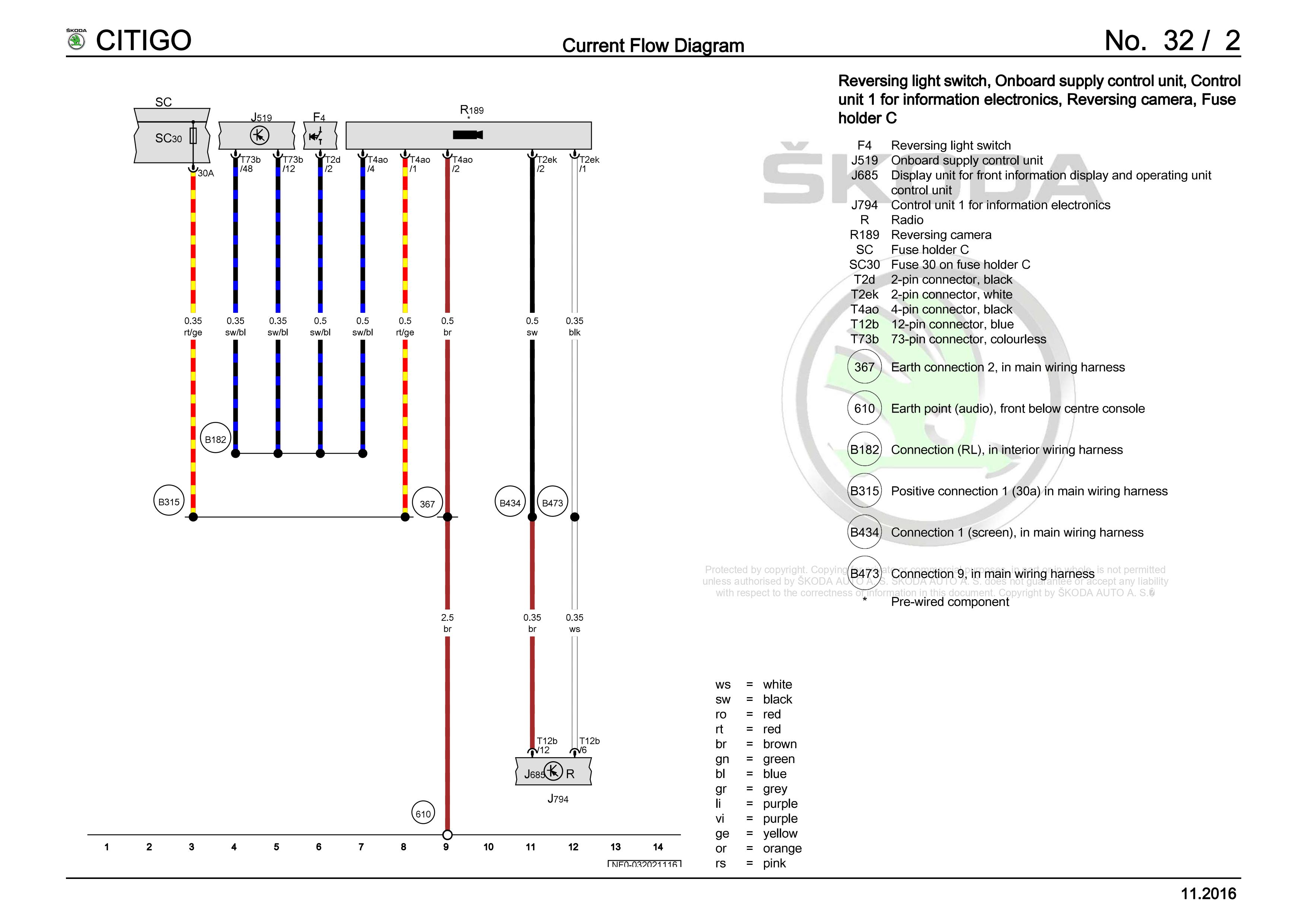
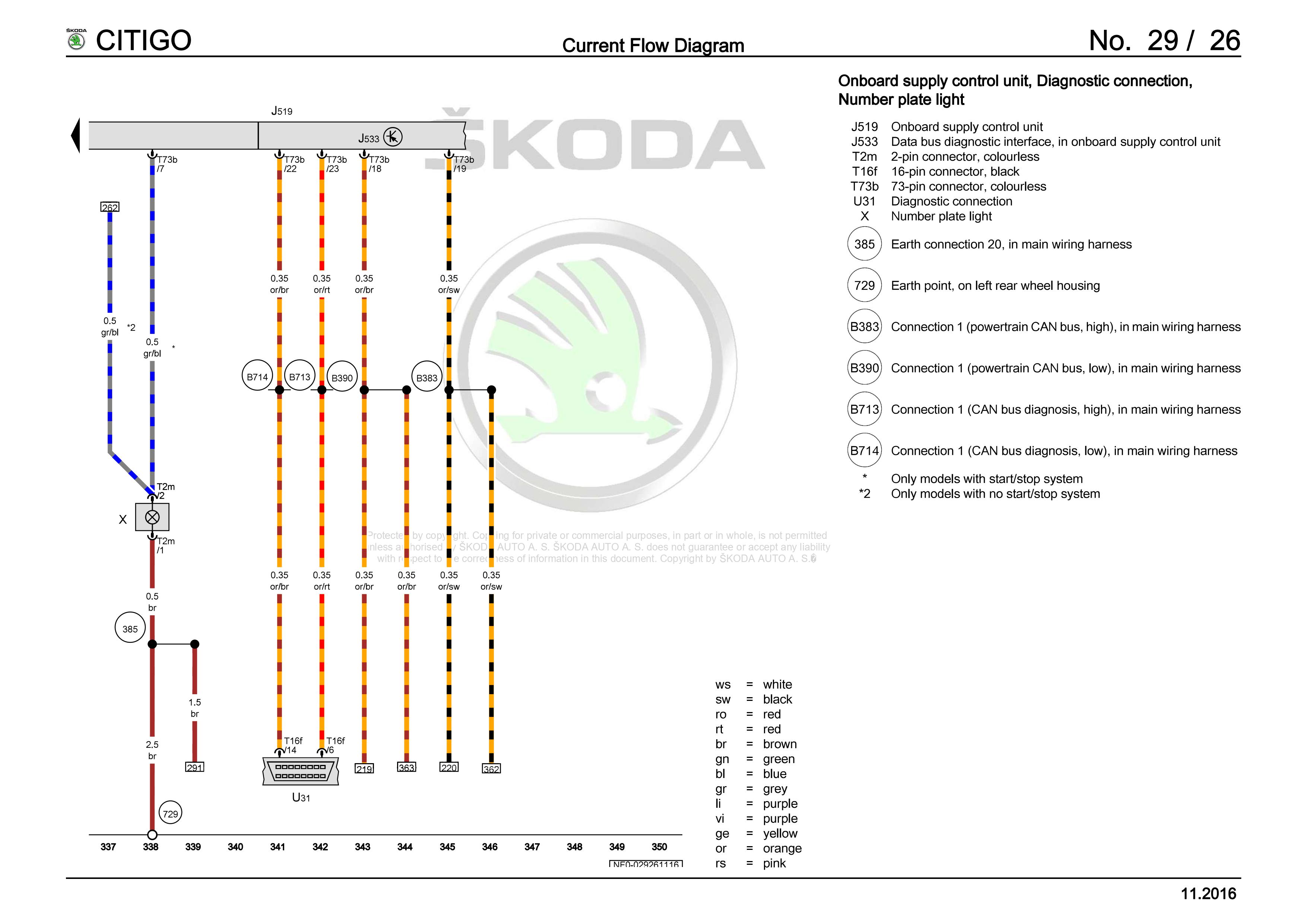
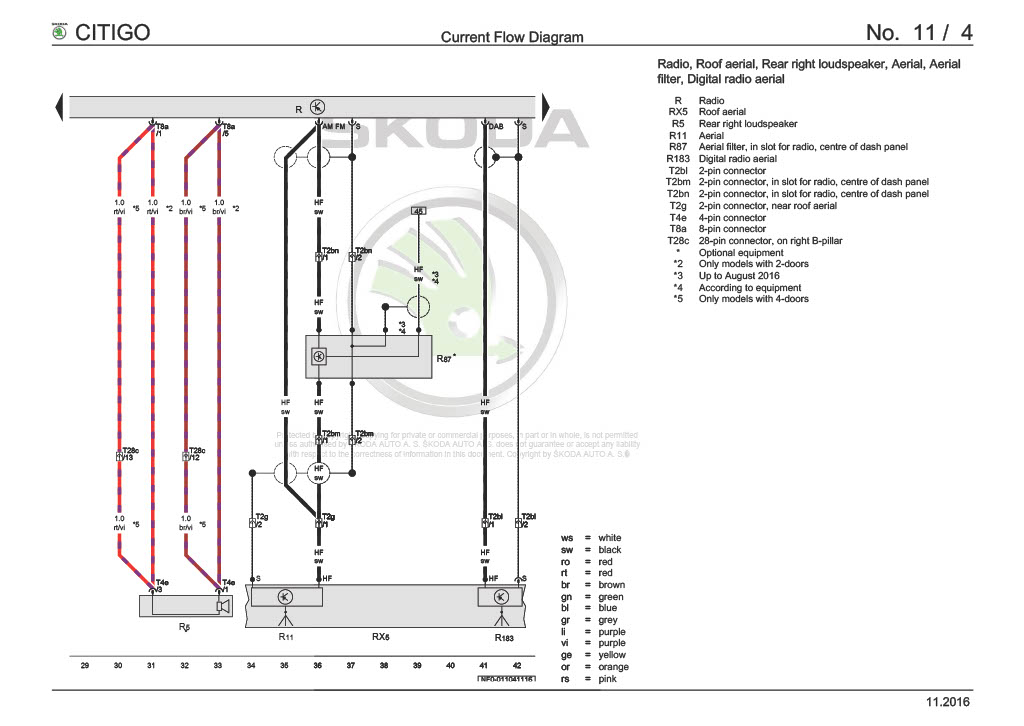
N/S trim - 1S0 858 831 F 82V - £15.36 inc vat (number 2 on below image) O/S trim - 1S0 858 832 F 82V - £15.36 inc vat (also number 2) Edge Protection x2 - 1S0 845 437 - £6.02 each inc vat (number 😎 Screws x6 - N 910 268 02 - £2.15 each inc vat (number 7) Raised boot floor - 1S0 858 855 E 1BS - £126.89 inc vat (number 3) Credit to Lupogtiboy for the information above. I've retrofitted this to my Citigo, I bought the parts off ebay. If you've bought a used floor then make sure the it came with the plastic side retainers, I see the floors for sale on ebay and often they're missing - it'll be quite a loose fit without them. I also forgot to get the rubber sedge protection when I fitted mine and it worked just fine but I did add them later onYeah to preserve the Yeti key shell I had to bash the pin through using a punch - and then I could open it with a pair of plies and brute force without totally destroying it. It's definitely not made to be opened or re-usedGreat effort and great enterprise. The key on my 2017 is equally dilapidated - it's really cheap soft plastic. I bought a unused genuine Yeti one to use to re-shell it - it has the old logo but the plastic is so much nicerI've looked into this before, on other European forums but at the time I hadn't found anyone who's fitted one to a Citigo. If I remember correctly it was deduced it certainly wouldn't work on some models of Citigo because the radio doesn't come with a fitted video encoder inside - but which radio models it was unclear to me. But looking at the wiring diagram it's definitely in there. The wiring is fairly simple - 5 wires, one to ground and one to power and one to the reverse light switch - and then 2 into the radio - exactly as stated on carsystems. Never got far enough to look into the coding
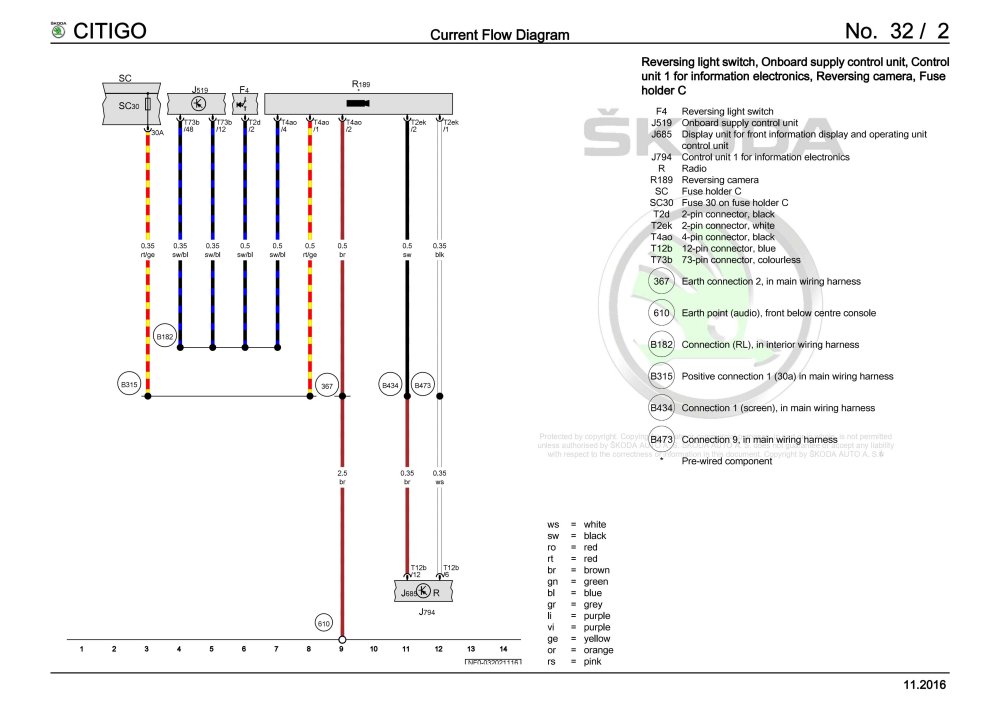 From the wiring diagram it's 2 wires, earth being pin 1
 On my SE L to go from FM to DAB you push the RADIO button again and it offers you FM or DAB. I'm sure you already tried that but if you haven't.
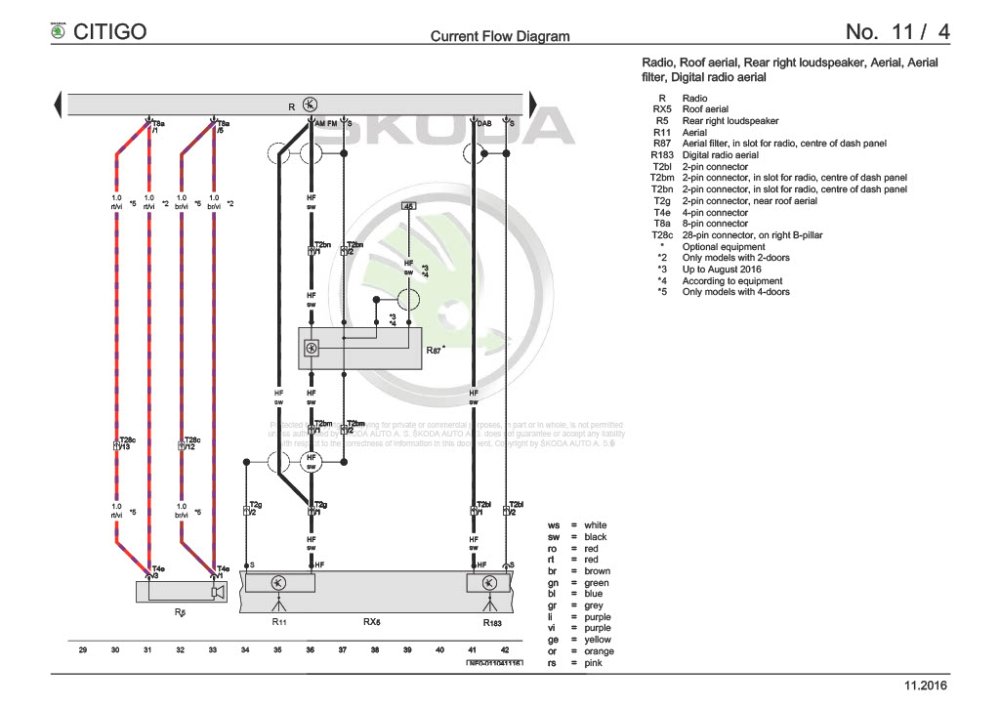
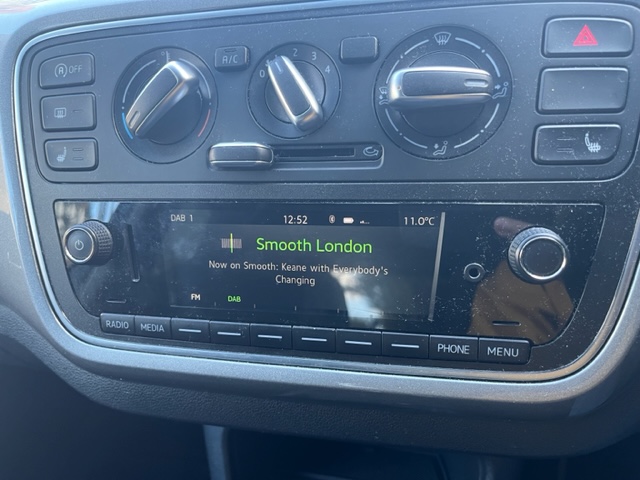 I really would have though there's only one configuration of the Facelift radio, especially in an SE L. The wiring manual suggests one integrated aerial RX5. Comparing the wires at the back of your radio to the diagram should give you an absolute answer though. Sorry if a stupid question and no insult intended but are you sure you don't have DAB? I can send pictures of how it's switched between FM/AM and DAB from my facelift radio if that could help
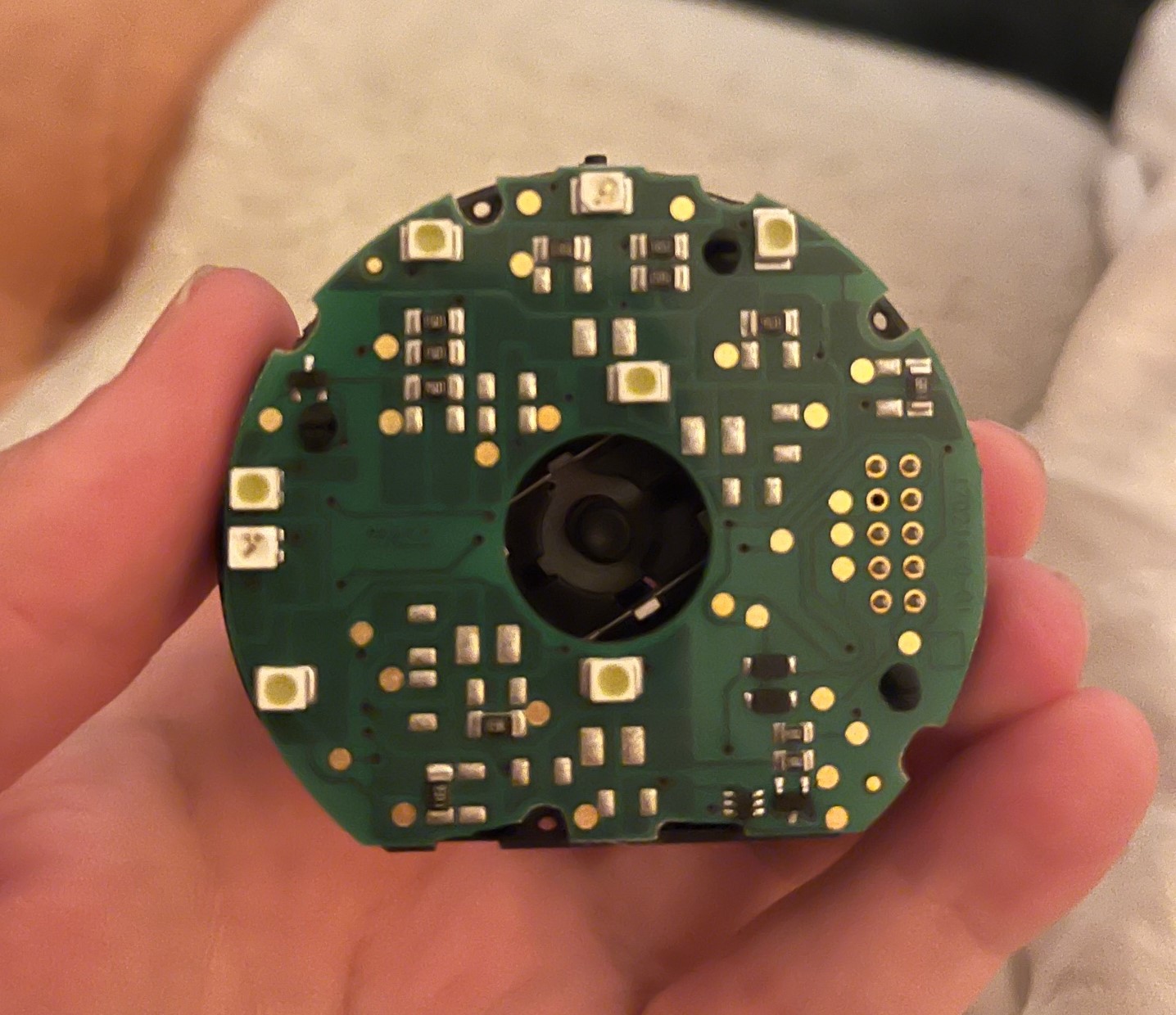
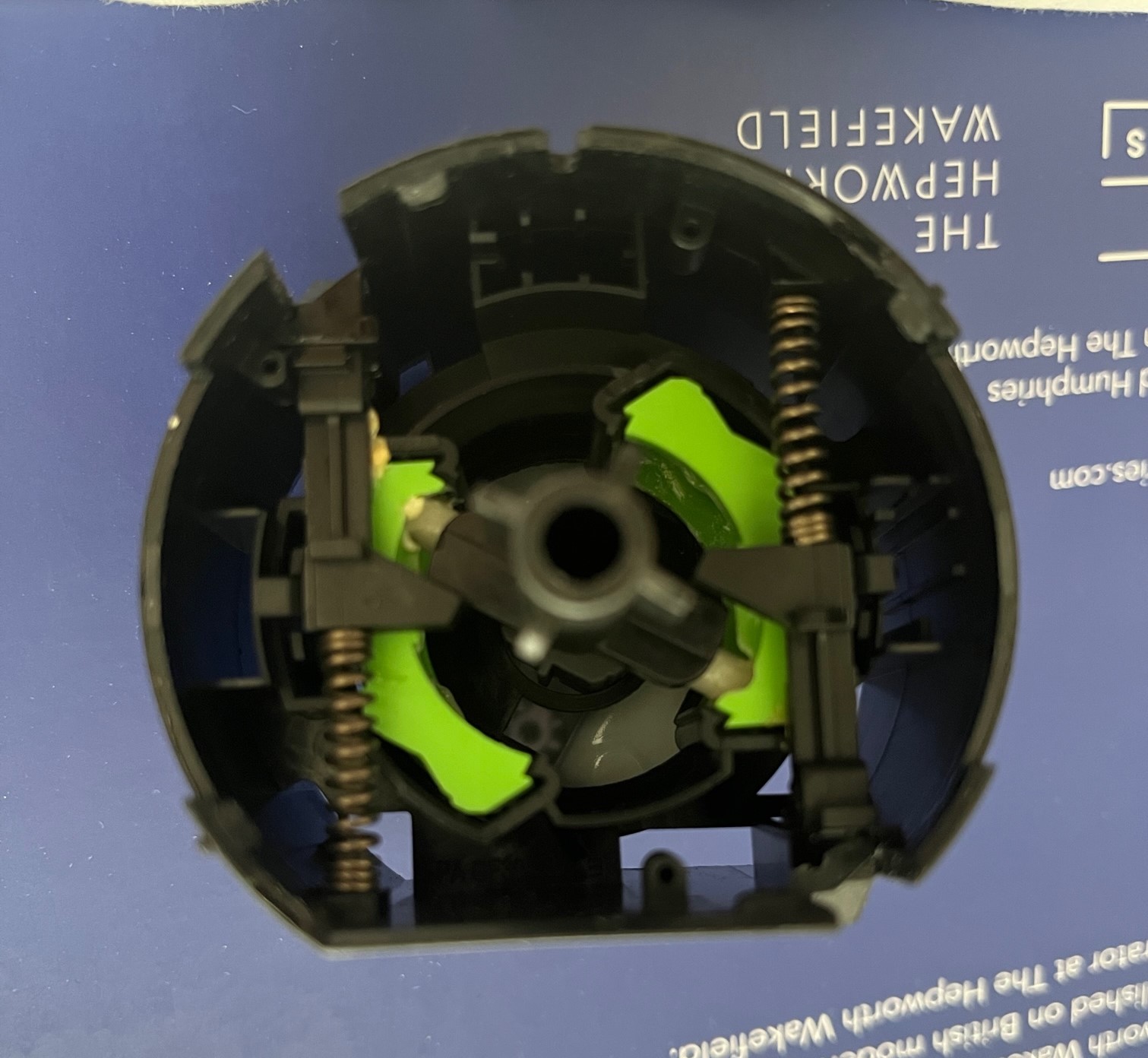
 If I understand correctly then I think you’re missing the standard reinforced carpet piece part number 1S0863463Skoda Move&FunThat's my first hand experience but maybe it was something else, I did find it very strange. Either way these switches are fairly simple and can be fixed or modified. Here's some pictures of mine when split into 2, perhaps can be some help to the OP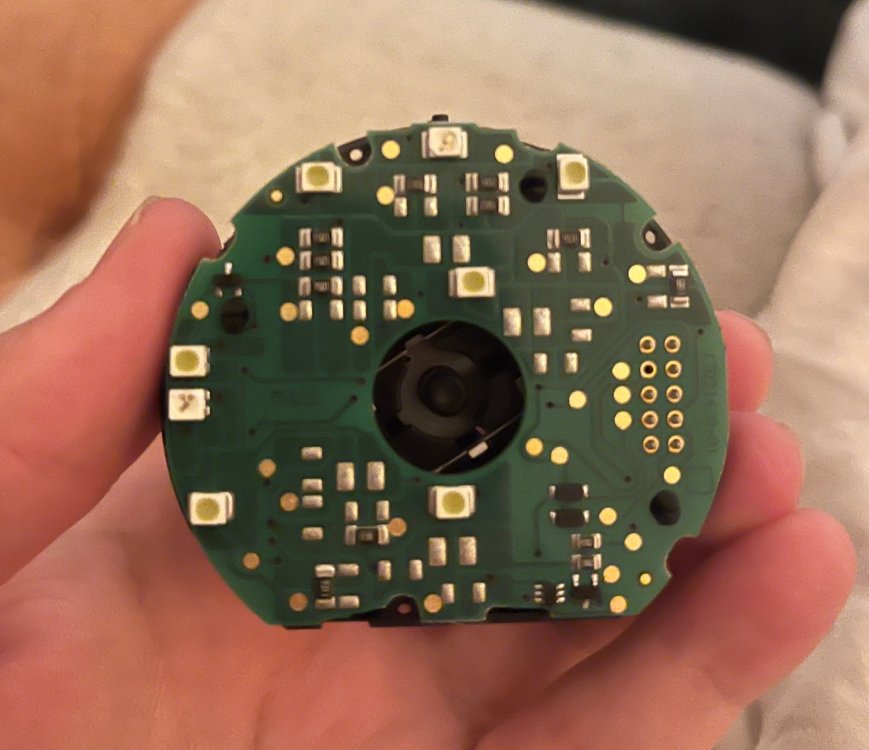
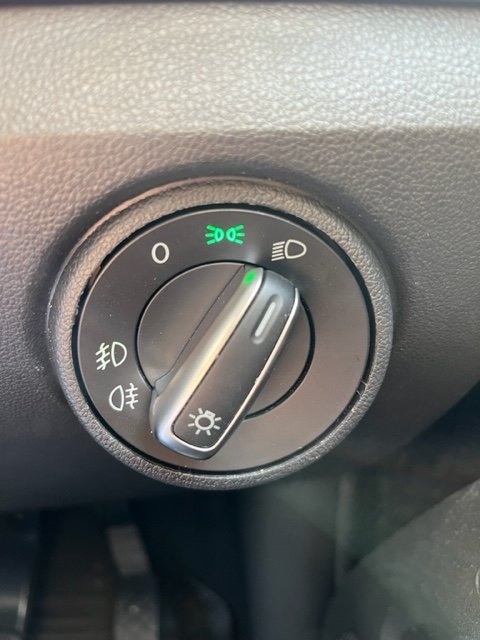
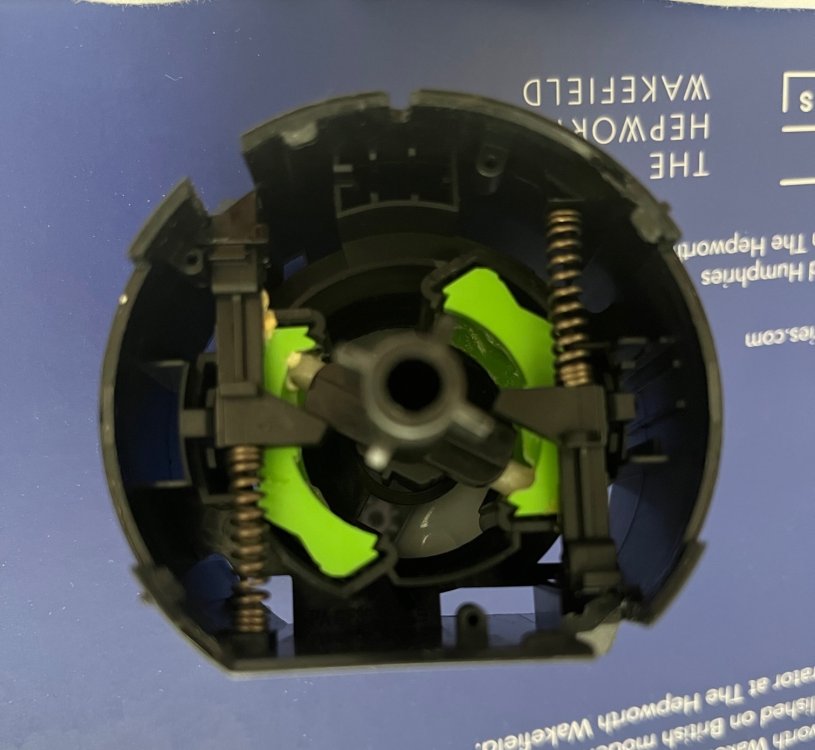 These switches are not that complicated and can be taken apart. I've done it on my car to swap the knob to a chrome effect one. Start by taking the back plate off, its held on by 3 tabs and then you can see what plastics are broken in the mechanism. They're quite hardy so I imagine it may just have jumped out of it's runner and needs resetting. The headlight switch also stores the mileage for some reason so if you swap in a used one when you scan with VCDS it'll note a mileage discrepancyAh OK great. I did wonder if that was possible but I just couldn't figure it out! I'll be doing anther one on an auto-lights switch [if I ever get that working] and will try it that way. Looks really great on the car too, much nicer than the standard one. Feels nicer tooOne thing that I'd prefer about the my Citigo is if black headlight switch knob were to match the silver heater control knobs. I'm sure one off another Skoda would work but for ease of compatibility I just bought one from VW UP! being broken. Only problem is that it illuminates red... but using a screwdriver taking off the back plate is all that's needed and is easily swapped with the old one on the car currently. [^This method also works a bit better than just using one straight from a donor car since VCDS notes the mileage discrepancy between the donor headlight switch an the rest of the car too]
 Interesting about the LED fog lights. I had a quick look this morning and they seem to be from the Seat Mii electric car and are used as DRLs on it. I'm not exactly sure how it works but perhaps it's different bulbs for the DRLs and for the fog lights all in the same housing since there's 4 LEDs in there. And if you wanted the full facelift look you'd also need a new bonnet too 😄 but the I'd say the facelift headlights look good on the pre-facelift car too, at least I really like the look on my car 😍 especially the DRLsThey sell repair kits for this on eBay, I used on before on a Polo that had failed I wouldn't even know where the next connection is, maybe even all the way back to the washer bottle 🤣@P3P5I great work dude! your pre-face lift is now more facelift than my actual facelift since you have the upgraded cluster which mine is missing 🤬🤣 If I'm seeing correctly I can see you have the Bluetooth working, fantastic work. Is the data passthrough on the top of the dash working?Yeah that's exactly what I have, probably early production FL model and definitely pre-facelift cluster inside! It's actually really nice looking - I really do prefer it to full FL exterior. If you get the radio and cluster working then you'll only need FL headlights and your car would be indistinguishable from my early FL modelYeah I was wondering which speedometer you got since I don't think Citigo ever came with a Maxidot, only the VW UP, and I think it's just reused from a VW Beetle too. The black screen ones are really nice, I'm still don't understand why my facelift car doesn't have it!I'm 100% certain the radio can work in your car, it was working before the CP kicked in. Also my Citigo is pretty much a pre-facelift model with the new radio and headlights swapped in, it still has pre-facelift exterior and fog lights and pre-facelift instrument cluster too [i.e. the little screen illuminates green]. I suspect your speedometer along with the radio will need adapting for the radio to workhey there @anto0844 yeah it's the exact same as the UP! I tried quite a few things but I couldn't get it to work and then slowly lost interest. I think the wiring is all correct but I think the coding isn't wrong, or the sensor is faulty but that's unlikely since the auto wipers work. Maybe next summer I'll try again. If both can be made to work then it would be a really good mod to do for the Citigo/UP!/Mii If anyone want's to help me work it out please do say!Hey @P3P5I yeah as mentioned above it's does data plus charging but slowly. From an iPhone/iPad it's reads all the song names or audiobooks etc. The charging is so slow if an iPad mini has a dead battery it's unable able to start it up annoyingly. On a long journey the iPad mini would lose a few % battery but it's fine as long as it has a bit to start with. On my set up Apple Music and Google Maps come through the data cable from the iPad Mini but it's also connects at the same time to my iPhone via Bluetooth for calls. ie it connects to both. I tested this today by disconnecting the iPad mid call and it just lost the music and maps but didn't drop the call.Did you try a main dealer? I've read before on other head units they can code it to your VIN.



Important Information
Welcome to BRISKODA. Please note the following important links Terms of Use. We have a comprehensive Privacy Policy. We have placed cookies on your device to help make this website better. You can adjust your cookie settings, otherwise we'll assume you're okay to continue.