Soko1982
Members
-
Joined
-
Last visited
Everything posted by Soko1982
-
I'm not a tech guy but what they seem to do is they reset all protocols and load them up again (updated with the new ones from Skoda factory). I was numerous times at the dealers shop having such an "updates" and they always reported some errors described by some numbers and i was always told once these errors appear they get locked or something into the main board computer so they need to reset them. Also they download latest protocols from factory servers which they hope will resolve the issues. These protocols do not have anything in common with SW version, since i have the same SW 1668 since i got the car (August 2020, HW ending with C). Based on my experience, software glitches do not appear on regular basis, so if your not having them in the last couple of hundred miles or so it does not mean it wont pop up in the next 2k miles. History of my car was that majority of errors appeared in the period before it was 6 months old, during the autumn and winter time ( don't know if weather conditions has got to to anything with that) , but now these errors are extremely rare (could be 1-2k km between each error, which appears and disappears). May be that even these new protocols do help actually.
-
Ordered it July2020 and got it end of August 2020, so either july or august it is. HW ending with C and SW 1668, which i doubt it has got anything to do with it. Will give it a ride again this week also recording it with my dashcam before storming at the Skoda dealer
-
rewoking the thread... after ca. 15.000 km i finally had a chance to test the matrix lights on a longer journey in ideal environment full dark, empty regional roads and empty highway. What i find rather interesting is (i'm not sure if that is a fault or not) when driving on a highway, which was almost totaly empty of any traffic i tested using AUTO mode, so the matrix light were "working" i found it strange that only right headlight had its matrix funcition working, while the left light was not engaded. After switching the "auto" function off, leaving on only the long beam, it is rather obvious that the left light lit up the left part of the driving path. So conclusion was that long beam was much brighter than when matrix function is on. After noticing that i tought that there is a malfunction with the lights, but on the way back i had a 50km drive on a regional road in total dark, with minimum traffic arround and matrix worked perfectly, working with both left and right headlights, lighting up both sides of the road perfectly. So my question is, is this normal? I haven't found any information on that. Is it possible that with higher speeds on highways only right matrix works and on lower speeds also the other light comes to life? My location is Slovenia, so i have a left hand drive vehicle (driving on the right side of road) https://www.youtube.com/watch?v=JcUAT5y5Zaw
-
same as scrolling throught the menus to find the phone section...i can tap infotainment menu almost with no looking...sure neither is perfect, same goes for ac setting....
-
if u r in a call, than there is at the bottom center of infotainment the icon with a phonecall...if you tap it once the phonescreen pops up and u just tap the red dial...much faster than scrolling through the menus in the front display
-
yes, I did both 19 & 30
-
So, i also did the fuse trick and it seems to work fine again, though the trip data is reset. Will see if the data reapears once i go for a drive. Knowing that we dont live in a perfect world, this trick is fine for me, but i guess for the majority of users who dont know for this, it is a pain and unnecessary hasle being forced to visit the dealers shop for resolving the prob.
-
Mine ramains grey for couple of days now... Still dont want to unplug the fuses, hoping it will resolve by itslef (as it did times before, we knew about the fuses trick).
-
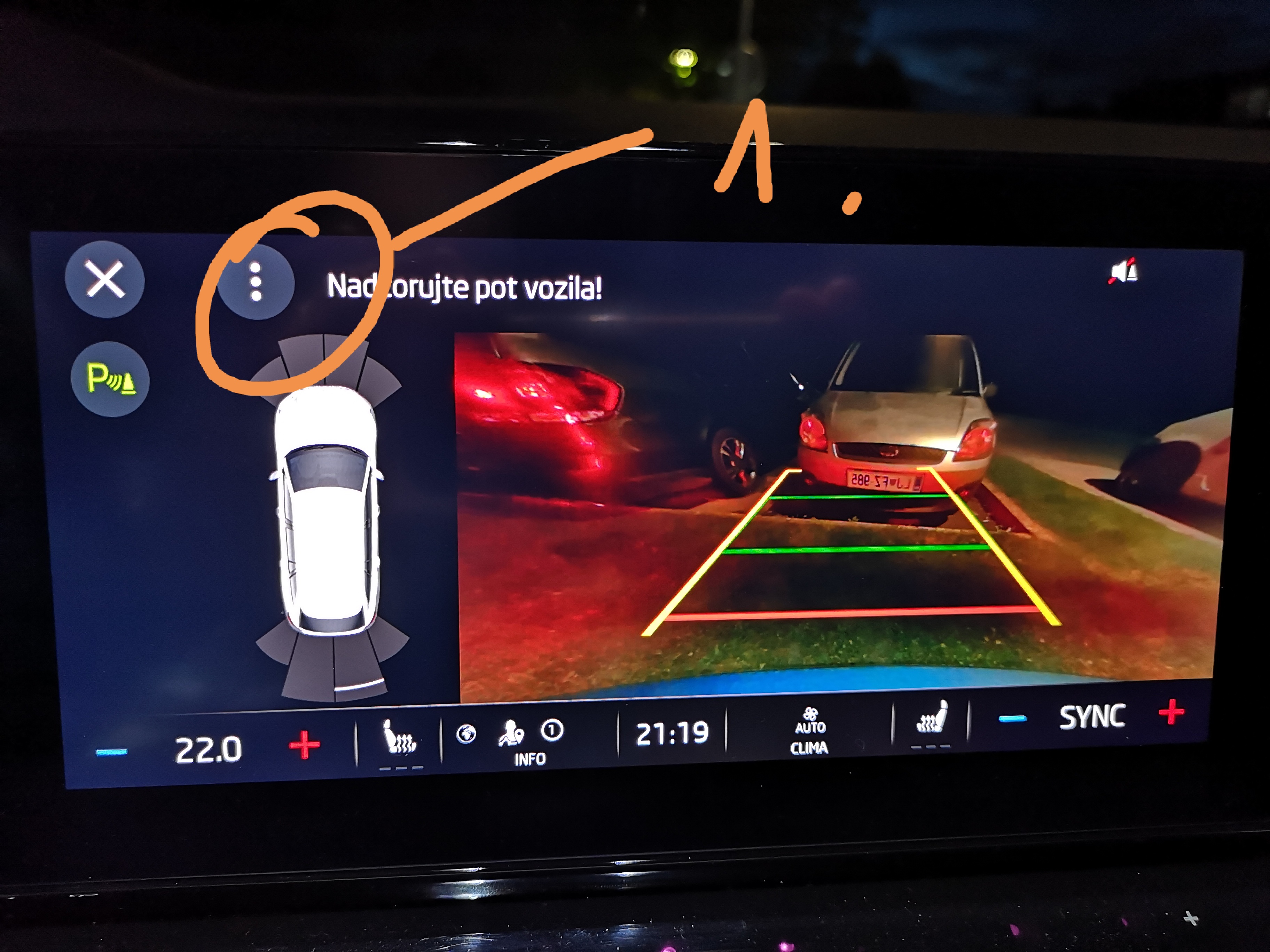
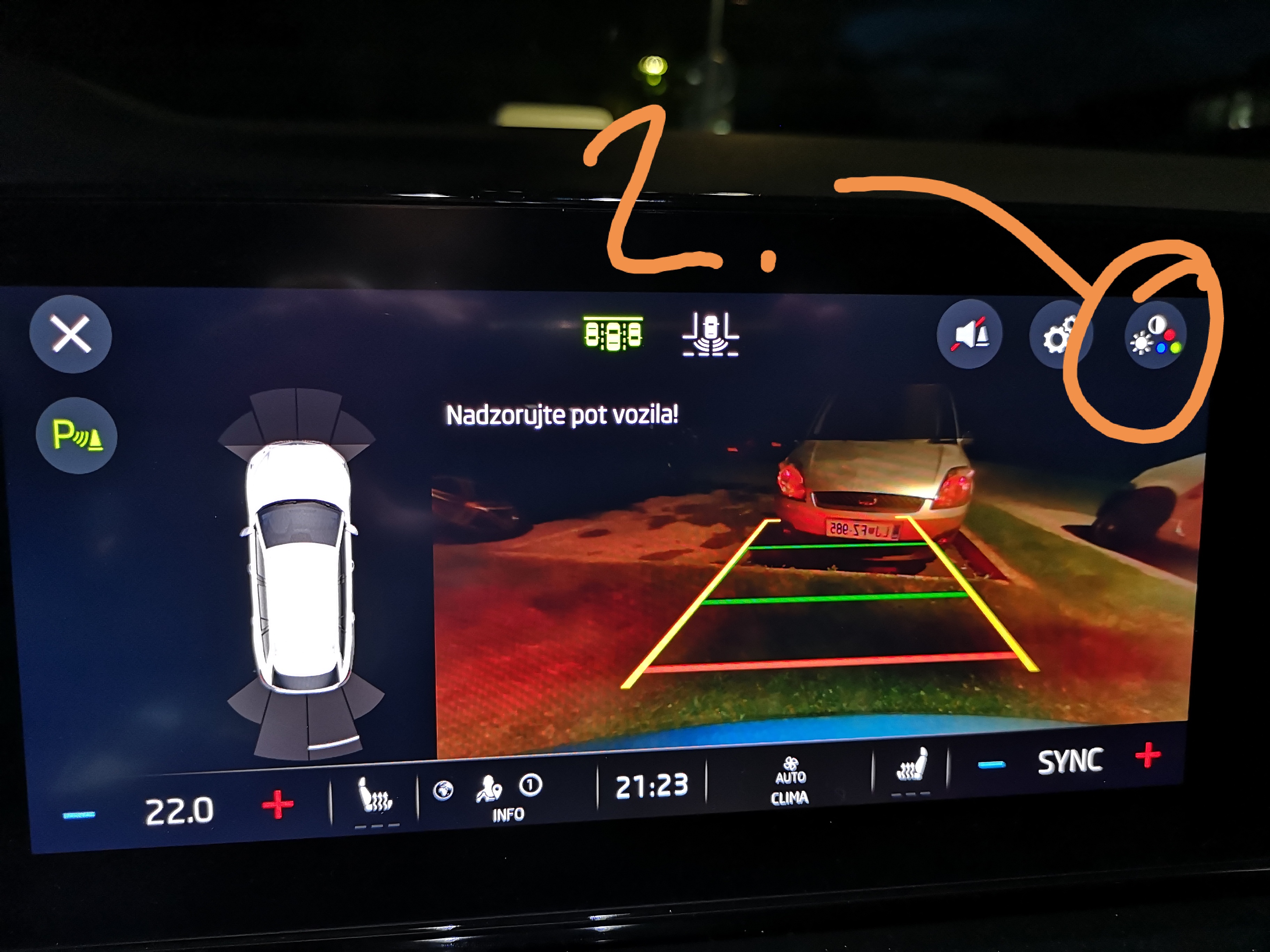
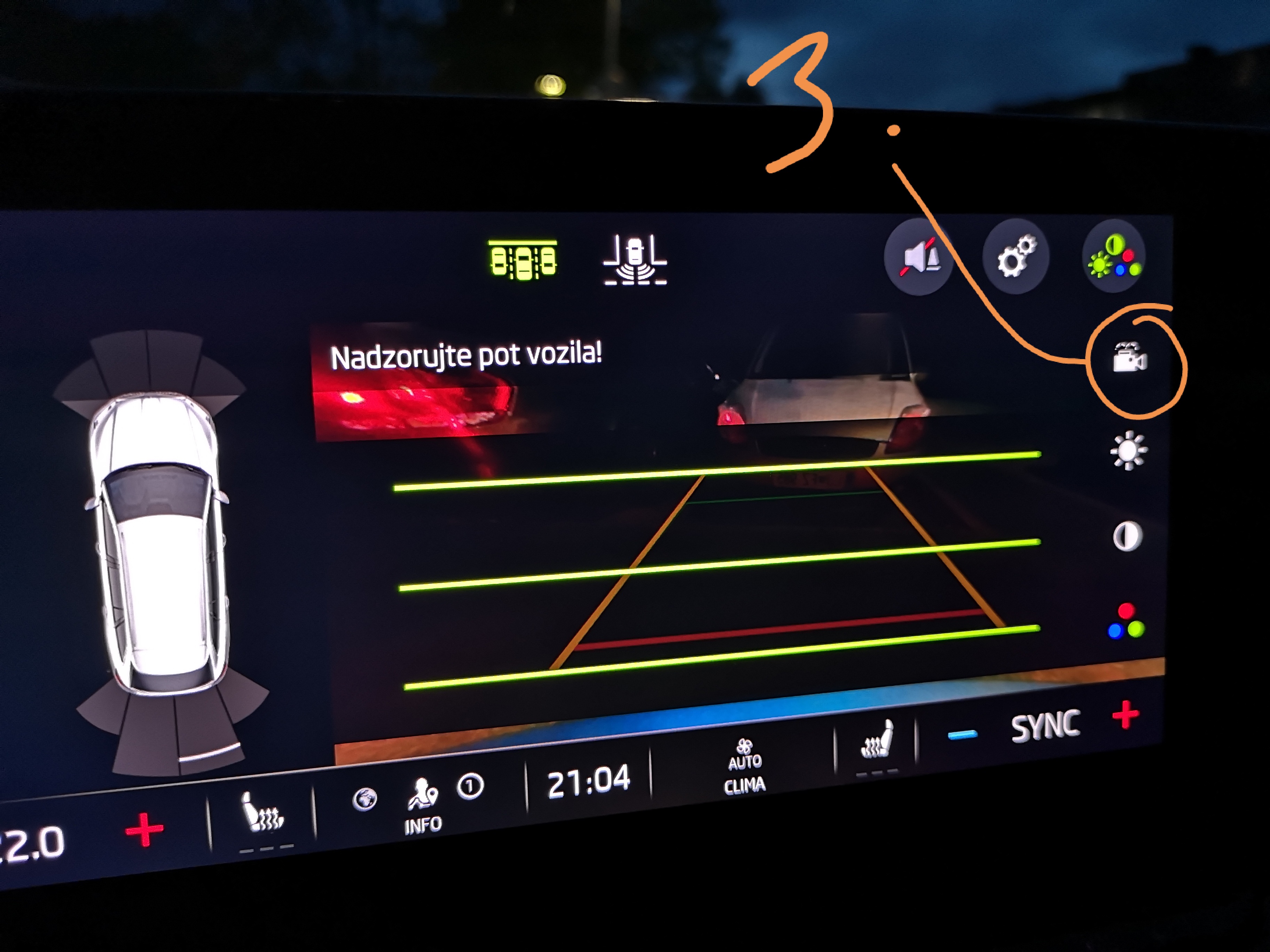
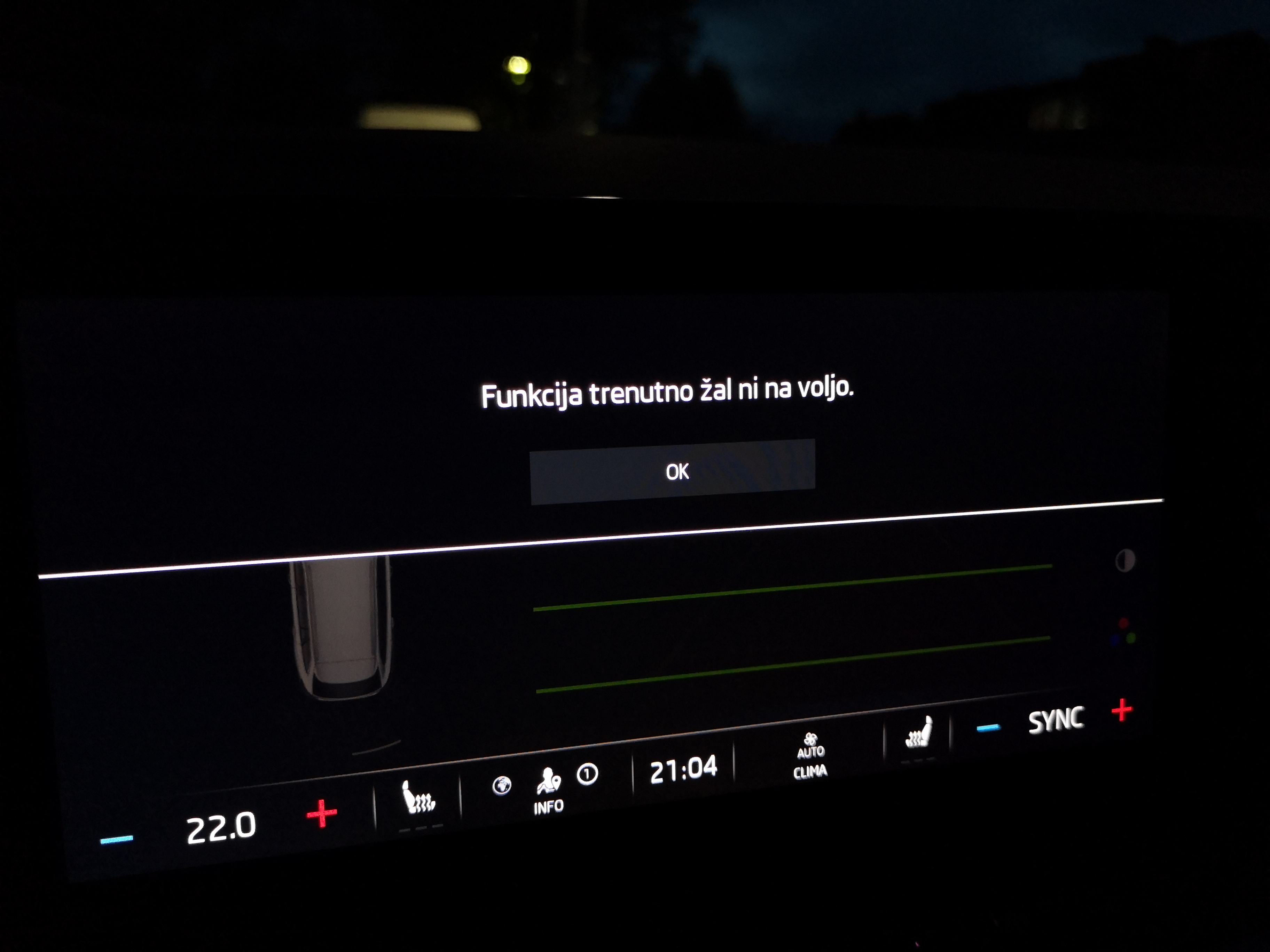
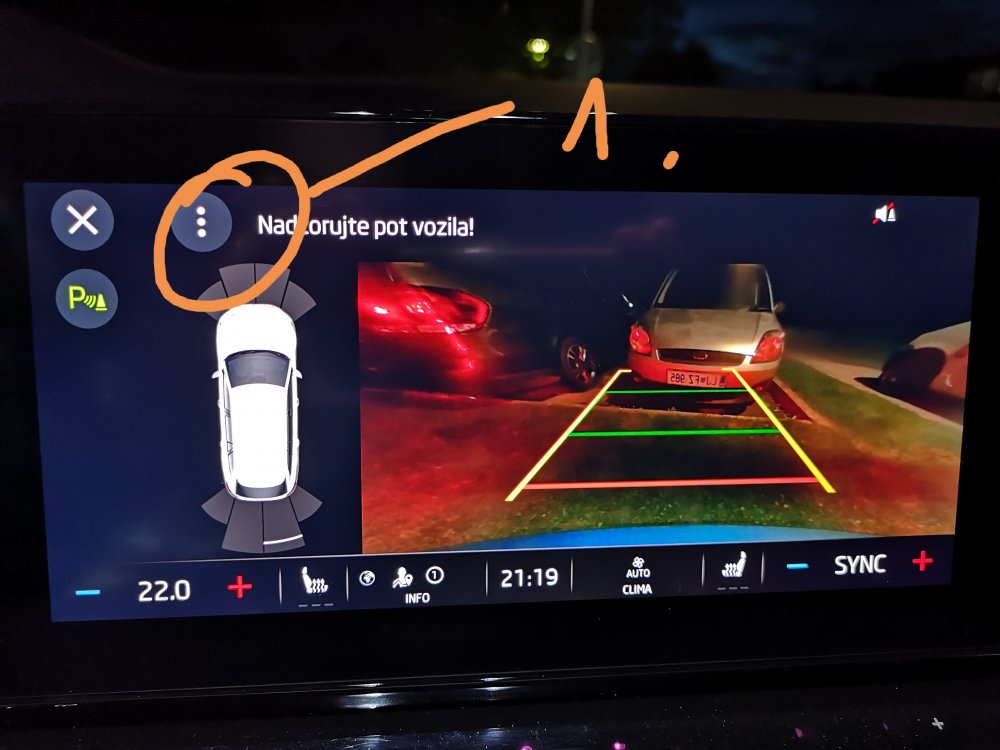
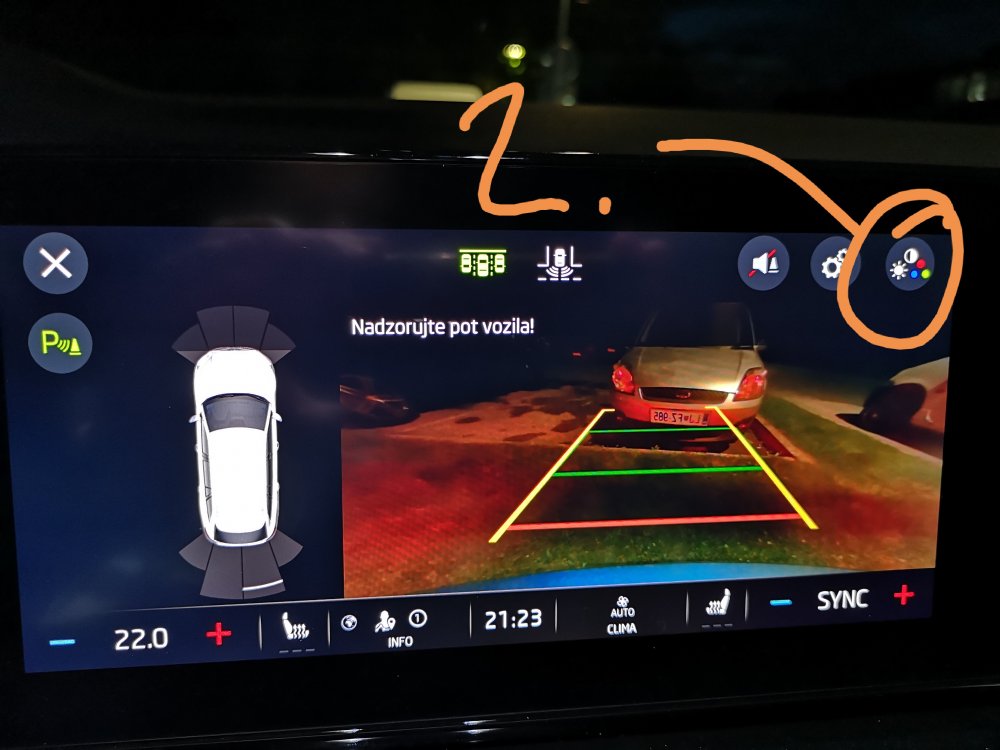
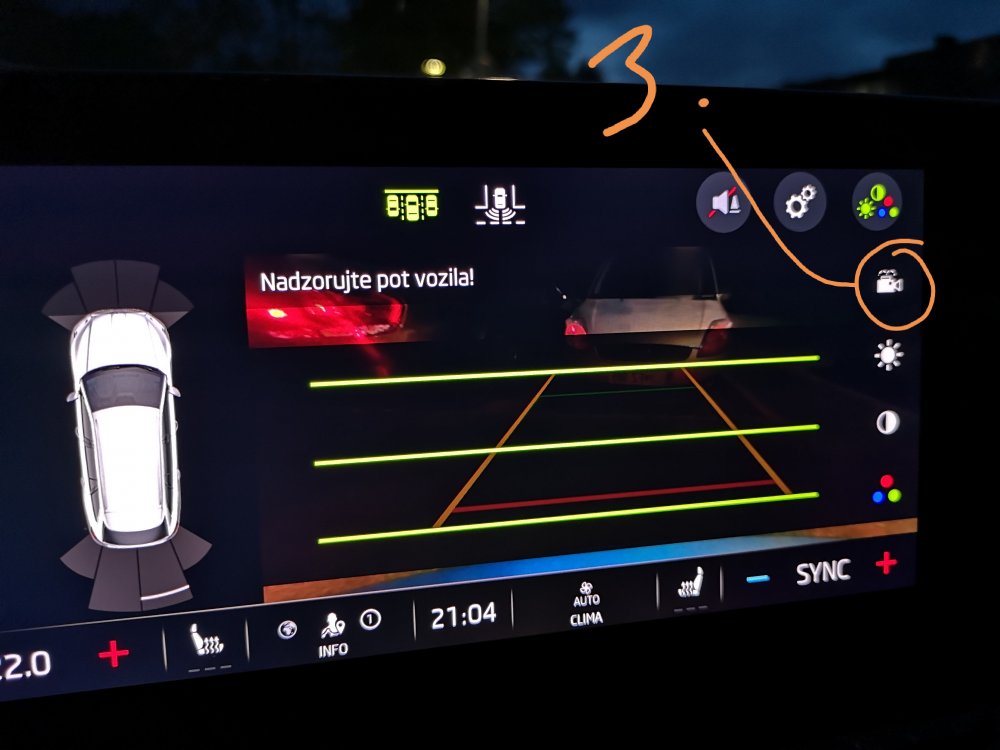
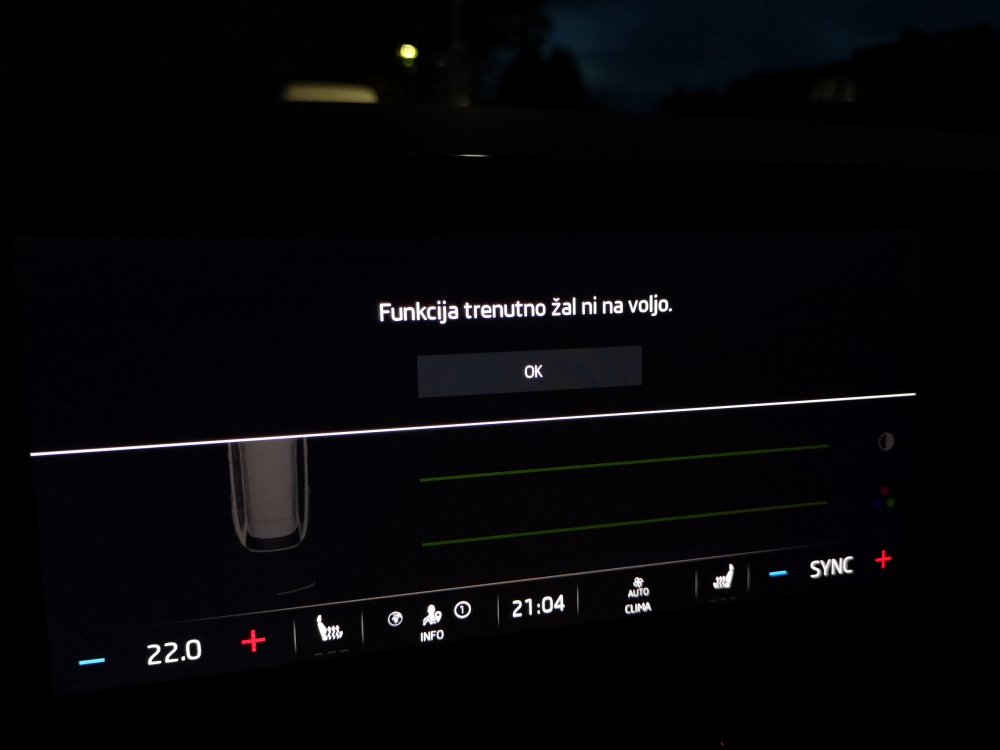
Sure, here you go... When in parking mode follow steps 1-3. After pressing the camera icon i get a message saying function is currently not available.
-
I also have problems with grey logo aswell, so i have no traffic data on may nav. Also had to log in as primary user yesterday so i think this is something up with Skoda servers. Didnt try yet to unplug the fuses though
-
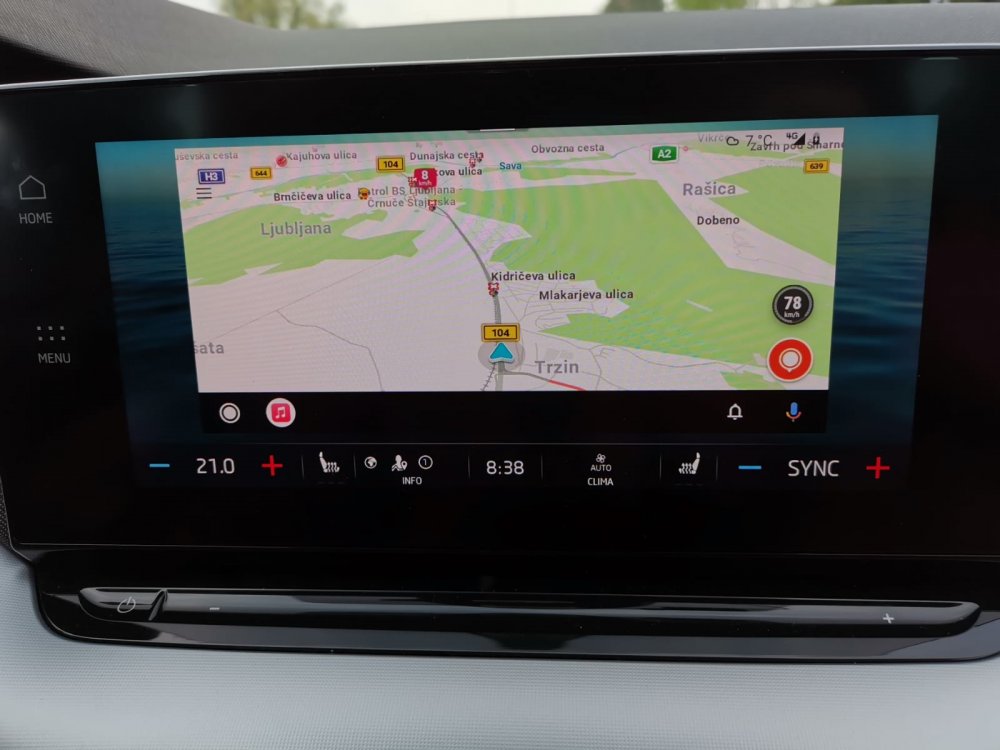
I use the same solution, but if i want to use only nav on the screen there is a frame around it... Is it the same with apple car play?
-
while my issue is not related to stricktly wireless thing i wonder is it possible to see the full screen when using android auto? There is always a frame around the android auto screen on display so i just cant utilize the whole screen any suggestions?
-
i had the same problem with SOS errors. Received a new SOS module and the issue is gone.
-
Exactly same with mine.
-
yes, on a virtual display you need to choose the "telephone" display and than with right wheel you select a contact to call. But its way faster by finger tapping on the infotainment, especially if you have the person you want to call in the favourites.
-
thanks mate...will check 2morro
-
rearview camera can be washed when squirting the rear screen? Seriously that works? I didn't know that feature is possible...i have to try that tomorrow
-
1. combination of good looks with Titan blue colour. 2. Matrix lights - works absolutely great and visibility is amazing 3. safety assistances - i.e. when reversing it brakes automaticaly if you missed the oncoming car, saved me couple of times already. Ofcourse there are other great things such as ACC, DSG and DCC....overall i love my car and served me well for almost 14k km already.
-
I also have it. Built August 2020
-
beacause thiefs, especially organized car crime, are smart and i am sure first thing, when a car is stolen, they disable and gps modules...
-
i dont know...i just dont see the big benefit of it...if someone steals your car, you just get a notification it is gone, you cant track it anyway, so maybe its just for tracking our wifes lol regarding Skoda Connect reliability i use it quite a lot, but sometimes it just dont refresh data for days...the feature i use the most, Lock&Unlock, works fine, but couple of times when i needed it the most it just froze, so i had to go out of the residence building to unlock the car by key as i couldn't use the key from the building .... so yeah, it works fine most of the time, but there is no big benefit at least not for me... i'm dissapointed that i dont have that simple feature as remote ventilation, since i didn't spec the auxilary heater i was looking forward to at least having remote ventilation as i'd have some benefit at least from that
-
thats yet another rather useless feature at least by my opinion. Yes, you set the radius from your car and you get notified once the car leaves that area...but its not reliable as it is not the whole skoda connect app...you never know when it works or not and emails arrive with some delay...
-
lucky you :P i find this option quite usefull comparing to other connect features like route planning, honk&blink, lock&unlock, etc...especially in our region in hot months from june-sept
-
found the answer i was looking for...unfortunatelly as it states on the link, remote ventilation is only avialable in Octavia IV and regular Octavias with production date 11/2020 or later... :( https://availability.skoda-auto.com/004/en-com?_ga=2.74485328.336459690.1618480196-afeb59ab-e5c5-4edd-a9de-2c80d56d2a26#/service/40 So @DuncanW was your Octy produced after 11/2020? I wonder what could be the difference in hardware/software in order that this option is available or not in octavias made prior to 11/2020?? I just dont get it
-
Amazing... Can you tell me type and spec of your car? You have webasto or is the car a hybrid version? Also what is your software version?