Ber31inger
Members
-
Joined
-
Last visited
Everything posted by Ber31inger
-
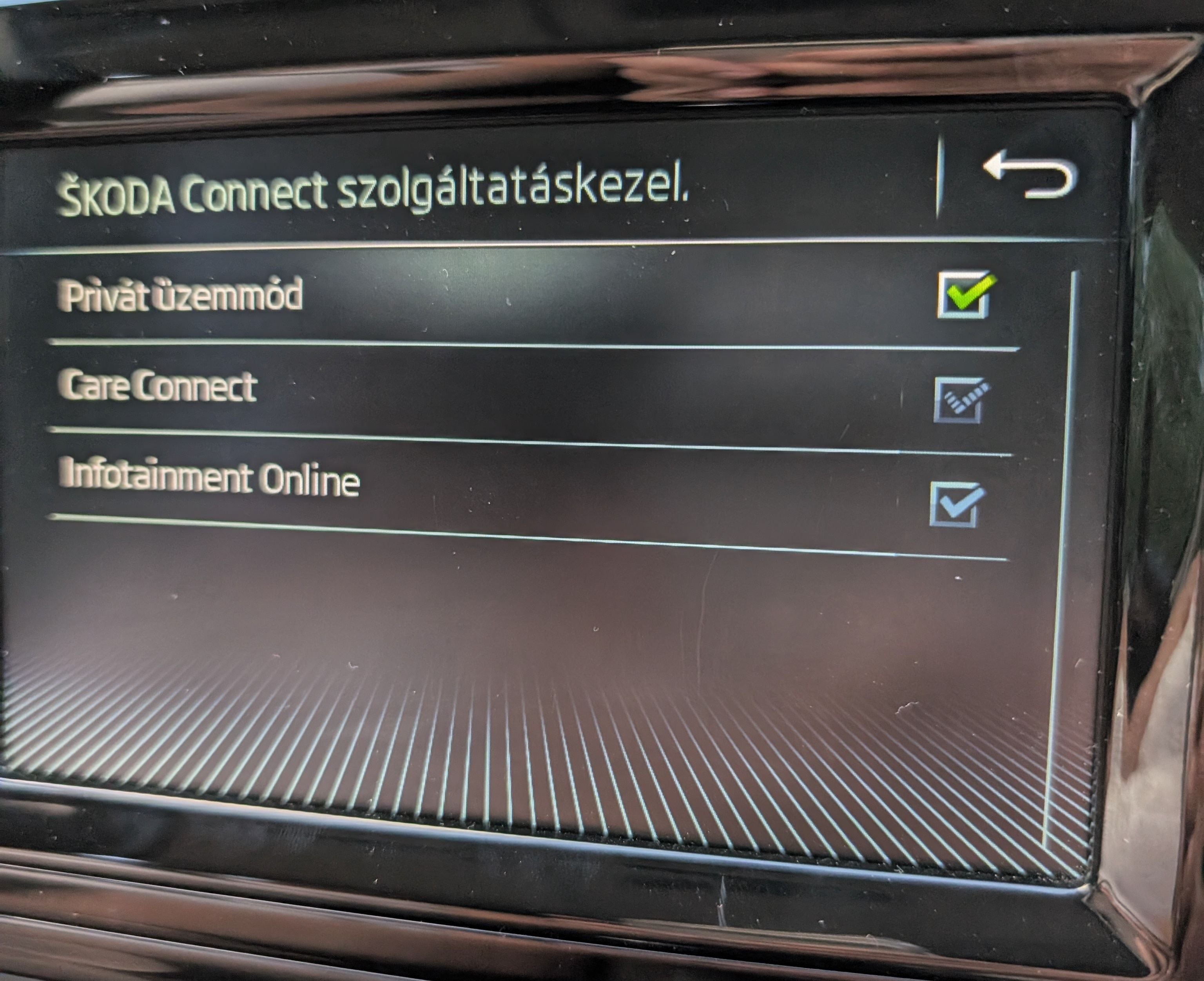
Hey, can you advice what was the fix? I have the same issue and can't disable Private mode
-
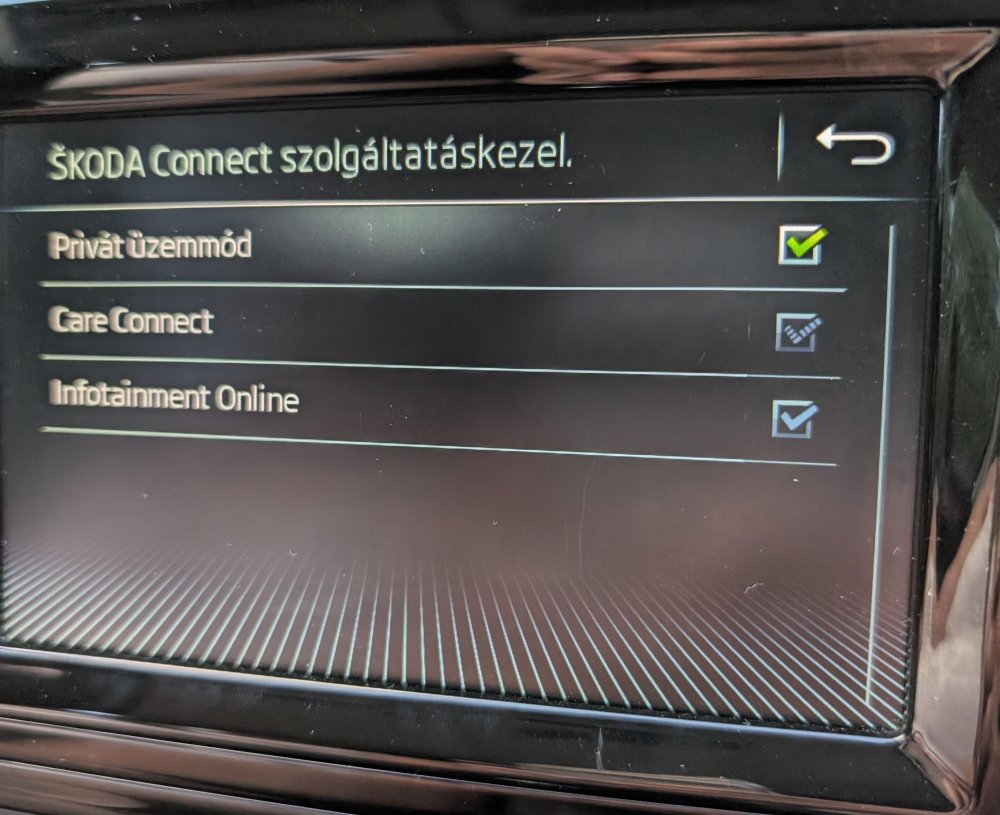
Hi team, hope you can help me please. I just activated Infotainment online and care connect, but the app and the car are not communicating due to the car being in " Private Mode" The app is showing that this Private Mode should be deactivated first in the car. So I went to Settings, found the Private Mode Menu, but however I click on it, it's jist stuck and I am unable to deactivate it. Tried to touch the green tick, the name, everything. None worked. Any idea please?
-
Hi team, hope you can help me here....my purchased data from Cubic Telecom expired so I got a notification in my MIB Infotainment system that I run out of data, but the purchase is possible - so I went ahead and purchased a new set of data (5GB). Despite that, I still have the following error message appearing in the notification panel: “Media streaming unavailable, please connect to the internet first. Consult vehicle wallet” eSim is activated, Wifi unchecked, I can see the purchased data through the shop (and my cubic telecom profile), but this error message is still there....interestingly the WiFI hotspot is working and I can use the data on the linked device, but for example when I want to use internet Radio, it`s not working and showing me that I need to create a data connection first and that I should refer to the notification which is saying the above. Tried to hard reset the MIB system, but it did not help. Did somebody else experienced this? Thank you
-
Absolutely - will do! Divide and conquer
-
Hi Florin, unfortunately no...and since summer was over that time I had no longer trips in hot days, I did not really focus on it anymore....but I would need to do now, as summer is again approaching. I tried to reset the flaps several times, but it did not help unfortunately. Let me know if you find out something please.
-
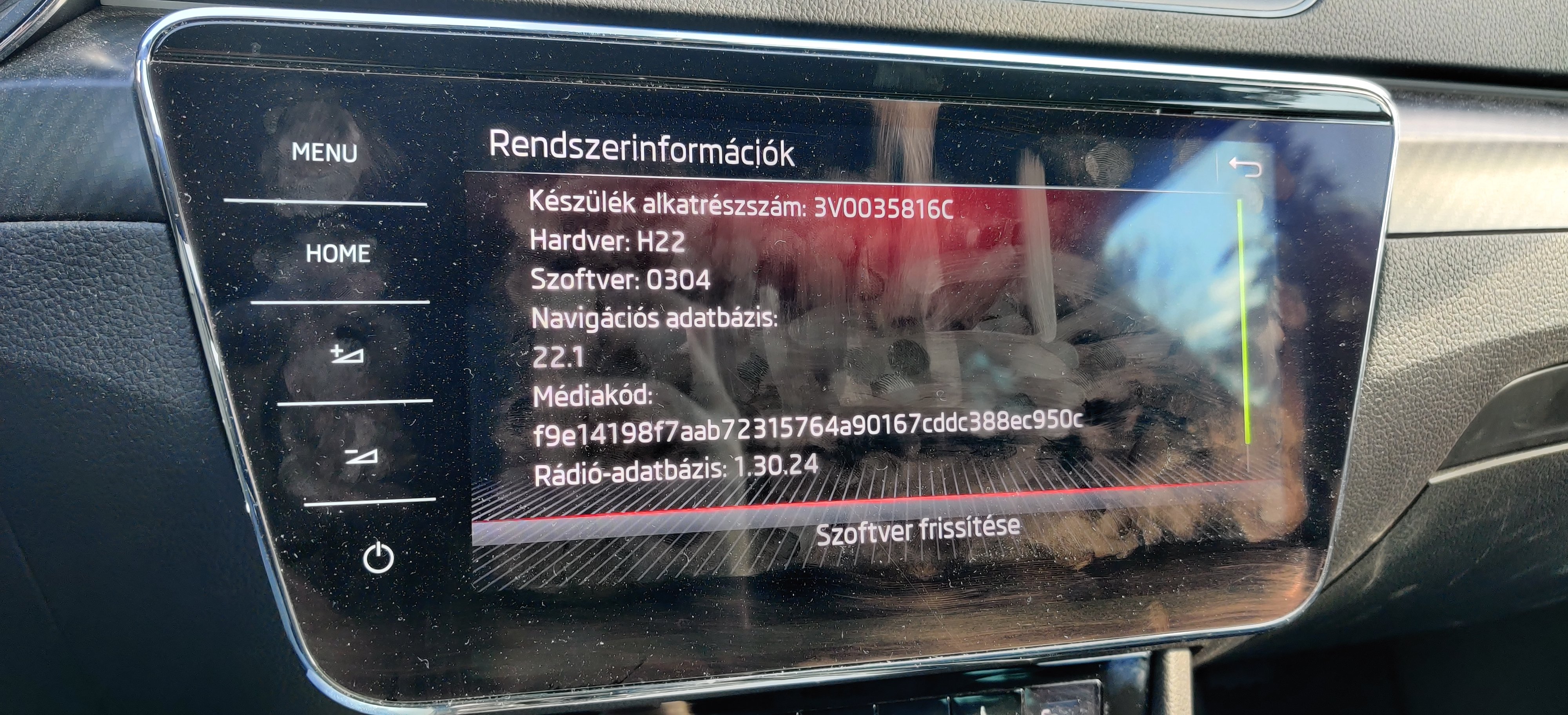
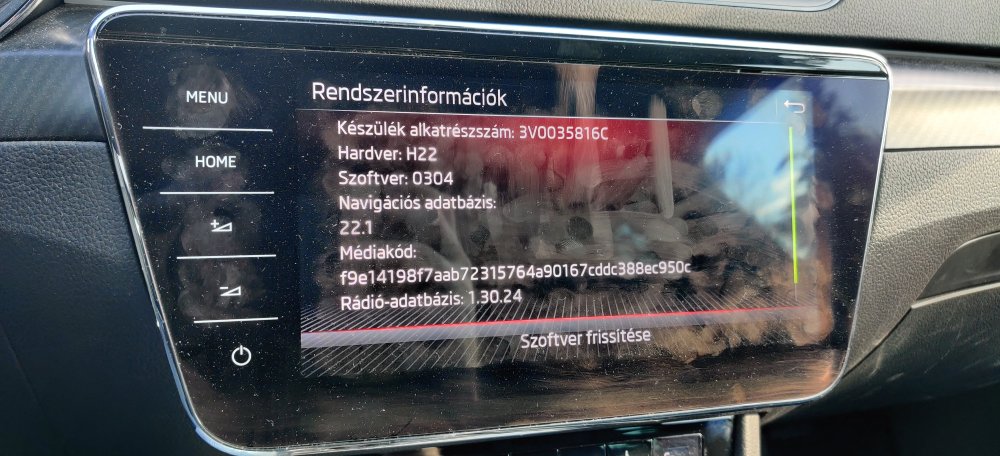
SW 304 with this the USB-C update finally works with maps...downloaded the latest from Skoda Update, plugged in and voila...22.1 version
-
No, did not notice that
-
And on 21.7 😀
-
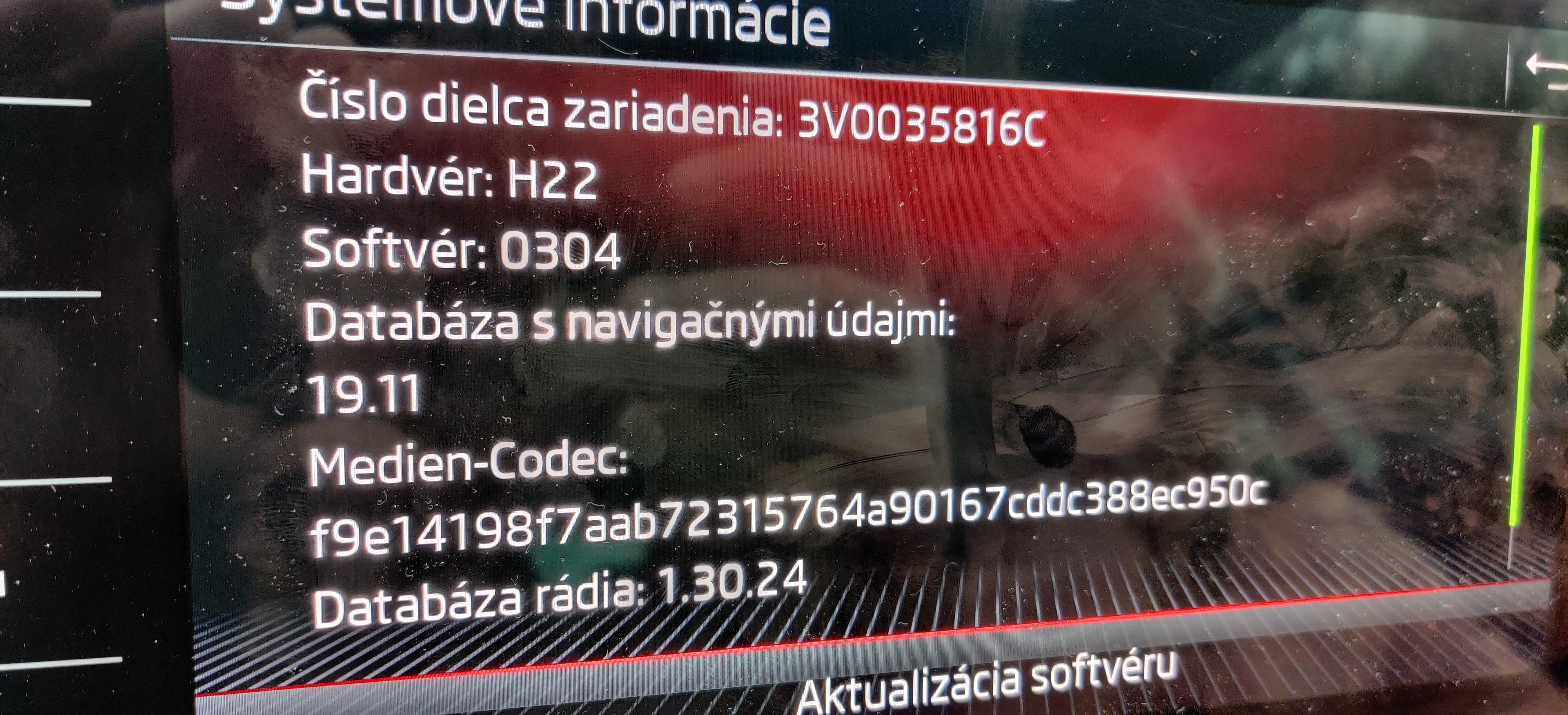
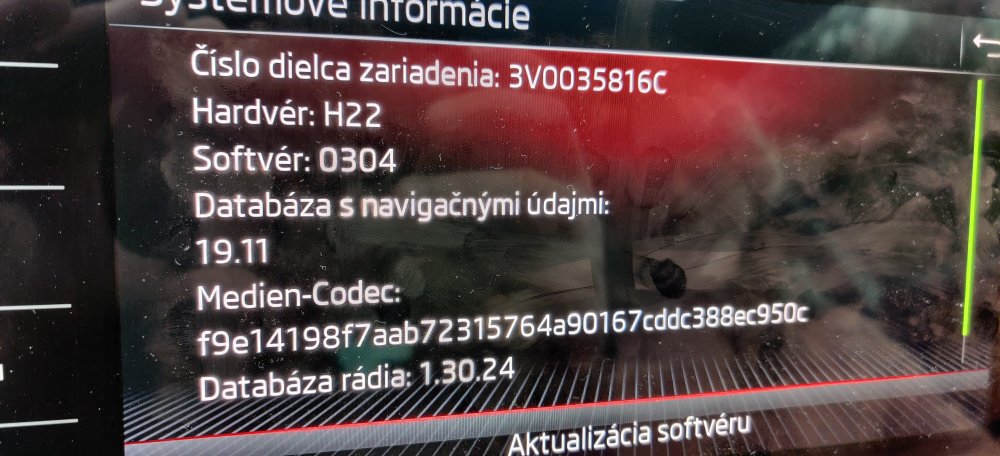
Finally...still need to find out how to update the Navi version as it did not change
-
I agree, the data should be always available...when I used a router, I saw data trafic late night while my car was parking...was probably updating something.
-
My dealer just confirmed that SW version 0276 is now available for my car and will be updated next Thursday...will report back the changes and whether it fixes the Map update procedure
-
Hey, I am just wondering what kind of router are you using in your car? Tried a few 4G routers, but they all have just a very small battery
-
Thanks Farfar, would you mind taking a picture of the system information page? Would like to use it if my dealer says there are no available updates 😉
-
Thank you so much Sir for the offer...we are travelling home on Friday early morning and they are forecasting max 24-25 so should be OK until we arrive. Will still try to stop for 2x 30 minutes break and try to reset the flaps. I think one of the flaps is still a problem and long way can cause icing on the AC so the performance drops. But with 2 breaks, it should melt down by then. Poor that we need to solve such a thing on a 40k$+ car
-
Just a quick update...resetting the flaps did the job, at least I thought so. Did couple of times a 120km trip and it went without a problem. However we just went for a summer holiday to Croatia and after 600kms it just dropped again. Was a disaster to spend the last 45 minutes in the car with 30 degrees inside. Resetting the flaps did not help. Need to bring the car back to the service.
-
That is correct Wino...I just asked Skoda for a diagnostic, and will bring in the car on Friday...let`s see
-
Yes, I can hear that it starts...I can also hear the fan, it goes on maximum, you cannot hear that it would slow down or anything like that, but of course you feel that the temperature in the car starts to increase and slowly the air flow slows down :-( just can`t understand where that air goes if the fans are on maximum and you can hear it`s running
-
Yeah, just trying to pit together the puzzle and that would explain why it works again fine if I stop for 20 minutes and I can see water under the car
-
Thank you team, I will definitely try resetting the flaps, however I don't think it's the problem as it again works after 20-30 minutes of break? Can it be really the ice? What can cause that?
-
Hi team, I got a weird issue with the air conditioning which now happened twice in 2 weeks so I think it's a pervasive issue and not something unique. Both times it happened on longer journey 100km+. I have the A/C turned on and working fine, however after approximately 100km of driving it stops working. I mean it still gives cold air out of the ventils, however it's 70-80% weaker than it was. I tried to put the fan to maximum, did not help. Tried to lower the temperature, did not help and soon we had a 30 degrees in the car as the air outlet was very low. Once stopped for 15-20 minutes and restarted the car, it worked fine again. Its very annoying as we plan to to travel to Croatia which will be 700km but without A/C and kids it will be a big problem. Any ideas how to fix? Thank you.
-
Yeah exactly, I think if Skoda would not show the Nav map version, nobody would really care
-
What I realized is that the map version does not really matter...near to my home location they are building a new highway, it`s not opened yet, but it already appeared on my map? Marked as closed so it`s pretty in sync...I am on 19.11 since November 2020 when I got the car but looks like it`s still updating?
-
Agree...probably it's something needed to connect with the MySkoda server and have the app up to date...but I would also expect it would do only when requested
-
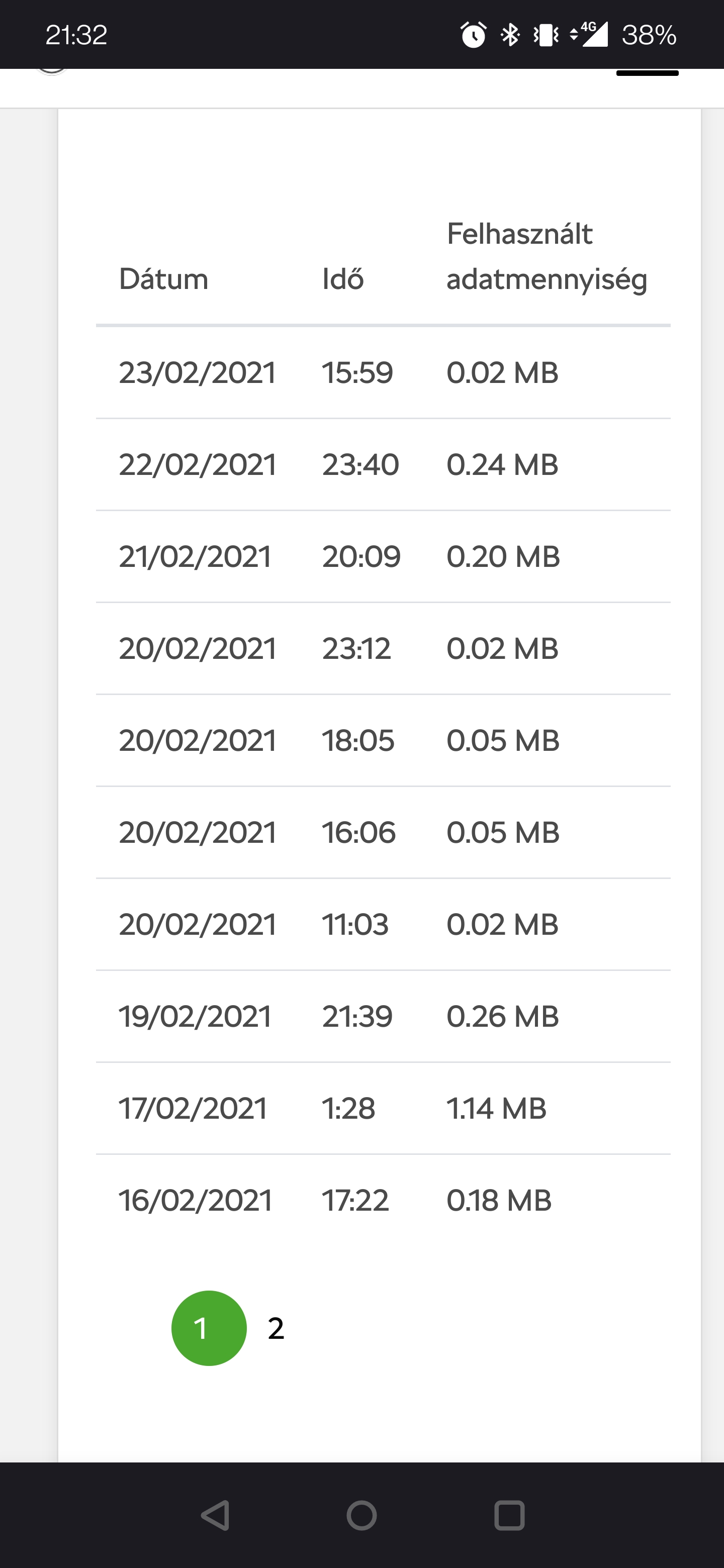
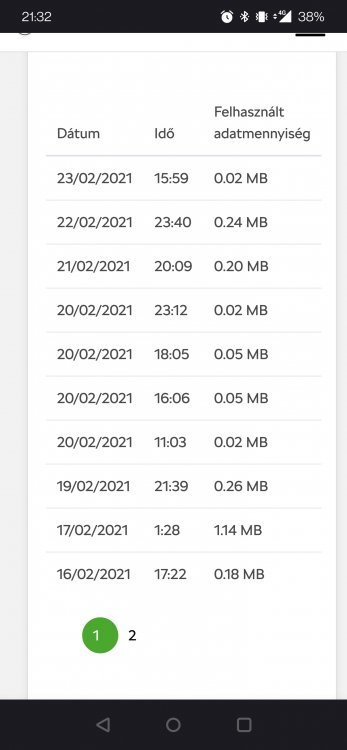
Just an interesting fact...since I purchased my dataplan from Cubictelecom, there is almost a daily dataflow...not a big one, but still, so there is something happening in the background...wondering what that could be as it's still consuming data, especially at 1AM? The car was not used at all these days
-
https://skoda.cubictelecom.com