TAY18
Finding my way
-
Joined
-
Last visited
Everything posted by TAY18
-
Not sure this helps but the only times I have this problem is when my phone goes on battery saving mode.
-
Any kind soul out there to tell me if this problem occurs to you or not?... Here's a video with the problem. You can hear google just stuttering. The music plays find though. PXL_20210328_151848916.mp4
-
After a bit of researching, it seems this happens while playing music on android auto. It appears that wireless Android auto uses WiFi band, whereas music and phone uses Bluetooth. What happens is when notification or Google assistant is played, it tries to compete with the Bluetooth signal from music and causes the first to cut off. This is a bit annoying and doubt the dealer knows anything about it. Probably will just look for a small cable and use wired Android auto instead. Very disappointed I can't use the wireless charging feature. Does anyone else experience this problem or is it only me?...
-
It's been a month with my Karoq 21. Since the beginning I noticed that the notification voice (i.e. Google maps guiding voice, Google assistant) appears to have some sort of disruption and keeps cutting. Phone and other functionalities remain normal. Someone on Reddit posted something similar but for the wired Android auto. https://www.google.com/amp/s/amp.reddit.com/r/AndroidAuto/comments/k9wmy1/google_assistant_voice_and_notification_sound_cut/ Has anyone had similar issues? I also have a facelift mk 3 Octavia and never had any issues.
-
Does anyone has issues with wireless Android auto? Never had a problem with my Octavia but from time to time when connecting in my Karoq the sound from Google maps and Google assistant keeps cutting. Music and phone calls are fine though. Unsure if it has to do with it being wireless in my Karoq Vs my Octavia wired.
-
Yes that's what I thought. Just tried it today as Ive just got the data plug. It works! You don't share the points though and I'm not sure if I need to change car every time, hopefully not.
-
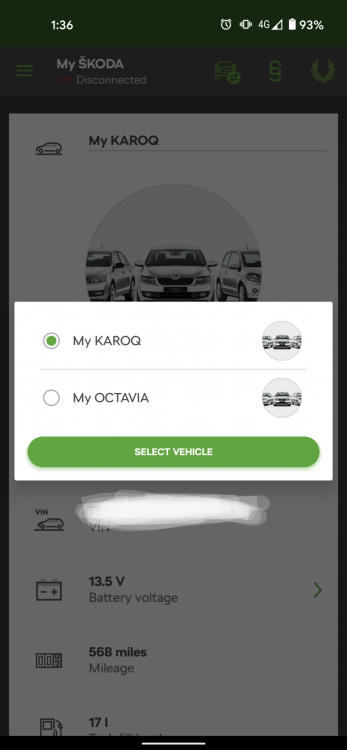
Does anyone know how to connect a second Skoda to connect lite?
-
Hi, is this normal? Drive mode rests to normal every time I turn ignition on. The manual states so so it seems a factory design. However, my mk3 Octavia stays on the last drive mode I used. Also it happens to me that every time I start a route on android auto's Google maps, the information display on my virtual cockpit turns to sat nav automatically rather than staying on vehicle status (which I prefer to track my mpg). Are these things you guys see on yours? Mine is a MY21 Karoq Edition.
-
I'm still awaiting mine, ordered in December before price increase and expected to deliver in March. I ended up choosing Edition over Sportline and SEL because of the many extras the latter ones doesn't have such as leather seats, 9in Columbus and electrically adjustable seats. Also some packages are cheaper on Edition like driver assistance. However I must say it was a hard decision as the Sportline clearly stands out among the rest for looks and I'm not very keen on the thick bumpers... My only concern is I feel I may have made a mistake for ordering manual instead of DSG. Time will tell...
-
Having yourself a DSG, would you reckon it would have been better the Karoq was also dsg rather than manual? My Karoq Edition is arriving to the UK soon but I somehow regret not having it on DSG...
-
Great! Can't wait, mine is en route to the UK now and getting 21 reg :).
-
Random question. Is the steering wheel you got standard in MY21? Or is that the two-spoke heated option?