GarySN
Members
-
Joined
-
Last visited
Everything posted by GarySN
-
Interesting. It was in my 2020 L&K iV, which I bought used. I'd also be disappointed if I'd paid extra, but because of lack of bass. I think the higher-frequencies, midrange and separation are excellent. I only find it a little quiet when streaming from my phone compared with the radio.
-
Thanks, I've come across those ones, but they don't cover the estate/combi hatchback, which I think has more hidden torx screws to deal with, as the lower panel is bigger.
-
Found one now, though pictures have expired. Seems 2020 model is no different in this respect from earlier MkIIIs.
-
All searches I've tried, on this forum and the wider net, find guides to removing the trim from pre-2020 models. Does anybody know where I can find a guide for the latest please (ideally with pictures 😊)?
-
What's the difference between basic and dynamic lane assist? Can these be enabled with OBD?
-
I was using the cable that came with the dashcam. https://www.amazon.co.uk/Conecta-BlackVue-Parking-Hardwire-Installation/dp/B07FM1DTTV/ref=sr_1_1?keywords=blackvue+conecta+obd+power+cable&qid=1645285672&sprefix=blackvue+con%2Caps%2C205&sr=8-1 I guess if I want parking mode I'll have to use the Power Magic Pro.
-
Yes, will try that. Cheers.
-
No change to Blackvue instructions. Thought ferrite core was standard practice for all dashcams. I wonder if the problem is down to the OBD port cable? Anybody here have any experience?
-
Mocked up the fitting of my Blackvue dashcam using the OBD connector that came with it. Ran the cable up the right-hand A-pillar and across the headlining to the rear-view mirror. I've added a ferrite core to the cable about 3 inches from the camera. As soon as I turn on the power, the DAB signal drops to nothing. Have I bought a dodgy ferrite core, or is this a futile exercise? Seriously considering selling the dashcam on if this can't be resolved.
-
Does this mean a rear dashcam, powered by plugging into the front dashcam, will need a ferrite core? I already intend to use one on the main power supply to the front camera.
-
So who were the two dealers involved?
-
Thanks for the reassuring info. The camera does have such a mode, so shouldn’t be an issue.
-
That’s the very camera I’ve gone for. How is parking mode activated/deactivated if you have a permanent live connected. Or do you?
-
Exactly my plan. 🙂 Ta very much.
-
That's a concern, as mine's an iV, so not sure how that affects things.
-
I'm considering a Blackvue dashcam, which can utilise a cable that uses the OBD port as a power supply and has an integrated switch to activate/deactivate parking mode. Most guides show the rear camera cable being routed along the left side of the car, as that's the side the fuse box is on. Is there any reason I shouldn't be able to route along the right side, such as increased DAB interference?
-
I think they're there to hold your velcro holders, which appear to be missing.
-
Nor had I, hence my question.
-
Thought the screenwash had to be fan-jet compatible? Doesn't the Superb have fan washers on the headlights?
-
I'm an idiot. The pictograms in your second picture do indeed appear on the label. Thanks for taking the trouble.
-
Bought some standard VW screenwash (G 052 164 M2) over the weekend, but the dilution ratio is not stated anywhere. Peeling back labels on back and front just shows multilingual safety information. Various search results have suggested anything from 1:1 to 1:200! Can anybody (particularly in the UK) enlighten me please?
-
Cool. Thanks.
-
Thanks for the replies. I'm looking at a Garmin MIni 2, as I'm not a fan of 'big' cameras with displays. I'm not sure their hardwire kit includes a ferrite core. If I add one, does it need to be at the camera end or the voltage reducer end?
-
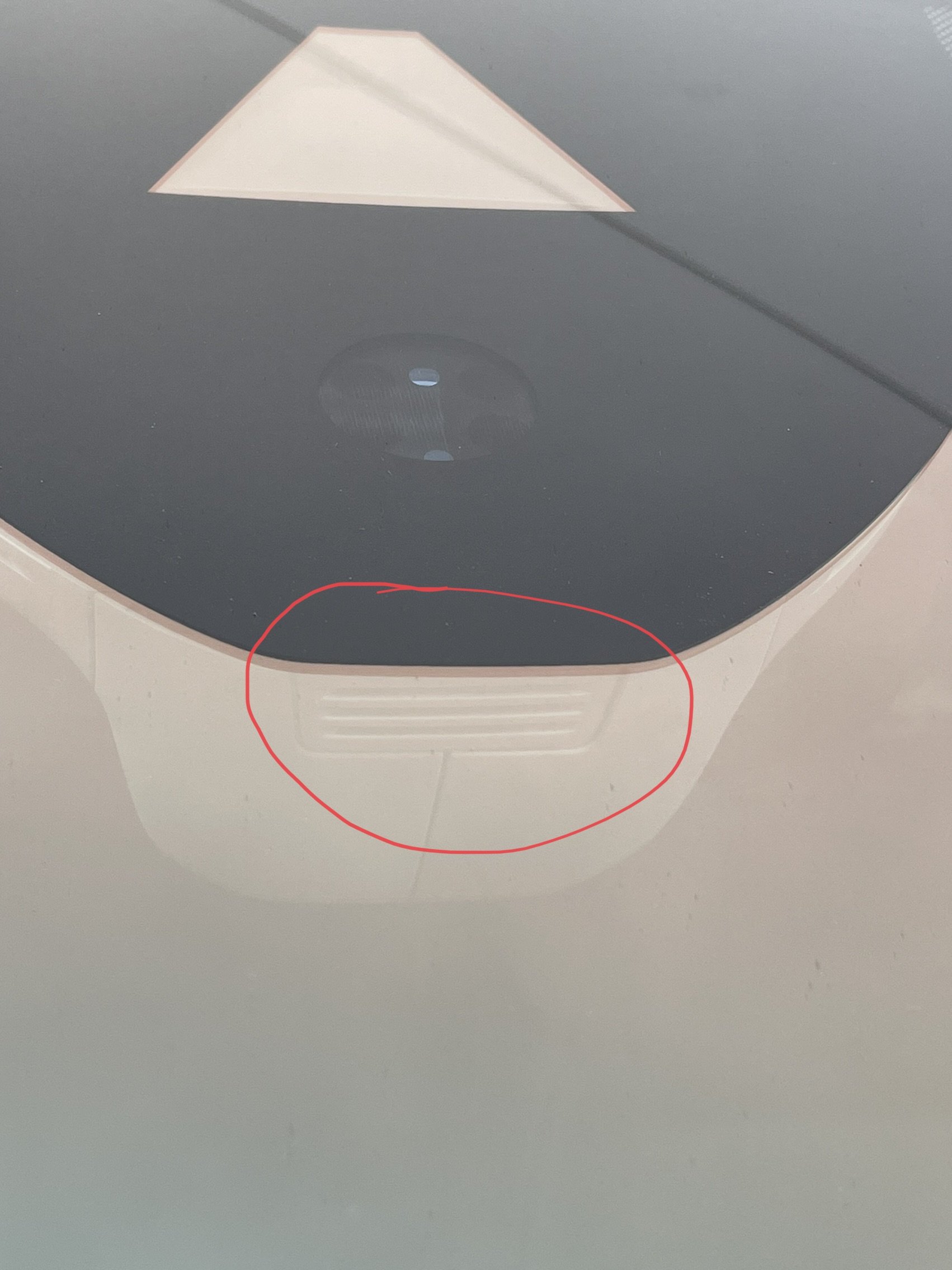
Can anyone tell me what the gizmo is in the attached pic? I’m guessing it’ a light sensor, but it’d be good to know for sure, as I’m thinking of placing a dash cam mount close to it.
-
I know this is an old post, but wondered if you could post a picture or two of the U1000 from inside and outside the car?