
botondbtr
New here
-
Joined
-
Last visited
-
Regarding to the Hengst fuel filter I recieved the E483KP through my workplace as I can purchase cheaper and its slightly shorter than the previous Mann PU 8028 filter (Like 4cm) Do you guys think is it going to be a problem or am I safe, AUTODOC says it fits my Superb 3v5 150 PS 2018
-
botondbtr changed their profile photo
-
-
Hello there! I ran into the same problem, have you found where the fillhole plug is?
-
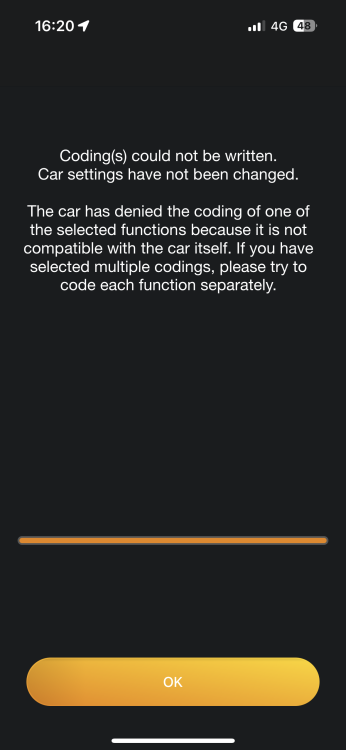
Hi all, I own a Skoda Superb mk3 and recently purchased a Carly adapter for coding some stuff on my car. After receiving it, unfortunately I realised I can’t code out the start/stop function but I other stuff seems to work (turning on video, seatbelt etc.) Any of you guys has some ideas or happened as well? There are 3 option available in this ecu, like main start/stop and alternative 1 and 2. The alternatives I can turn off but they don’t do anything, tried combinations with the alternatives and the main but still nothing.
-
Hi, I own a Superb Mk.3 Estate and the phonebox lid won't close properly, and I can't figure it out what is wrong with it or how is it working. Anyone has any suggestions how should I fix it without taking it to the dealer or reapair shop, or is it even DIY repairable? Thanks for any suggestions in advance 413634567_7243484962375367_2024897540862133060_n.mp4