Lukas_2611
Members
-
Joined
-
Last visited
Everything posted by Lukas_2611
-
I have the same problem and its driving me crazy! Its not the brake pedal, i replaced all parts. I also doubt that its the brake booster.. when the car stands still and i hit the brake pedal with the engine is on no sound.. Try to put your car in "N" while driving and brake.. also no sound at all! So maybe there is a point with the MHEV System.
-
I dont think this is a relais or something like that. I am working on a solution and got a used BKV for testing at home, investigated the function and parts of the brake booster. The tests look promising, i well test my solution on my own car now.
-
@Dready I recorded mine.. is it similiar to your noise? Bremsenknarzen.m4a
-
@Dready Did Skoda actually tell you which relay or module it was? ABS/ESC, brake booster, Auto Hold or something else? Can you describe the sound? Was it a sharp electrical click or more like a creak (like an old sofa)?
-
Hi Dready, I have an 1.5 E-Tec DSG 2024. In my opinion its interesting that in my case its really loud, and other octavia driver dont have this noise. Does your noise only come when the car is running? When the engine is off mine doesnt make any sound.. It also not always.. just when i press lightly the brake pedal.. the first few millimeters.. for me its hard to make a soundfile cause it only comes when driving..
-
I know this is an old thread @Dready but i am also having these noises when pressing the brake pedal.. I already changed the pedal, pedalbox, everthing related to the brake pedalanf its still there.. Can you maybe reuoload your noisefile? Did you find a solution? Please.. the noise is driving me crazy
-
These noises are sometimes pain.. i am happy that our input helped you. Dont give up.. when its getting better you know youre coming close.. removing the console is for me now a 30 second job.. so no big deal anymore.. its a game.. try something.. put the console back in and drive and so on.. the sunglasses box can also be a source of rattle.. some felt tape where the button is and it closes tighter..
-
-
-
-
-
-
Under the blind buttons on the left and right side are screws. After removing the screws you can pull it out. Its a bit tricky to remove those buttons..
-
Cause of that i used the krytox spray.. cause its too much.. and this stuff gets everywhere
-
This part in the video i have tried with krytox.. made it better in my opinion
-
Keep us updated please.. I reduced with my method a lot of noise but sometimes there is still something
-
Show us how you installed the stripe on the big trim.. maybe you have a pic?
-
-
it is a know issue that VAG has problems with GPS. Skoda know the Probem, it looks like its not a hardware issue. There should be a fix still this year.. it is a know issue that VAG has problems with GPS. Skoda know the Probem, it looks like its not a hardware issue. There should be a fix still this year..
-
Hello there! I am trying to get my door handles quiet cause they make noise.. on the picture i cant really see where to put the tape.. please can you help me?
-
No, didnt find the reason yet.. it is only the driver window, all other windows a dead quiet. I tried to lube all seals.. nothing changed.. lubed the door trim.. no change..
-
Thank you, Giannis! Now i am thinking about how to make the OEM Ambilight escpecially at the dashboard brighter.. but i dont know yet how to do it.. since the LED is a RGB it is more dfficult than single color.. I guess changing the LED on the PCB will not do it.. Do you have an idea?
-
Ist there a way to make the ambientlight brighter? In my opinion it is too dark and maybe there is a coding for it? Thanks for any help!
-
Yes, I changed LED and resistor on the OEM Platine/PCB
-
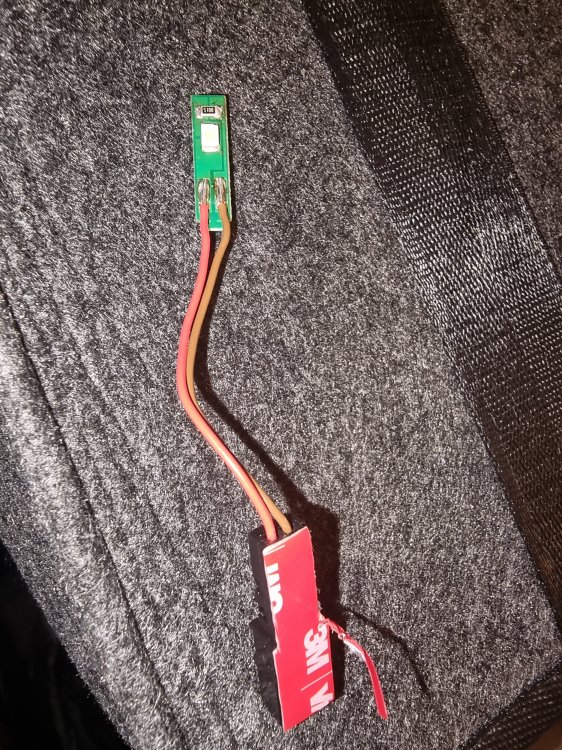
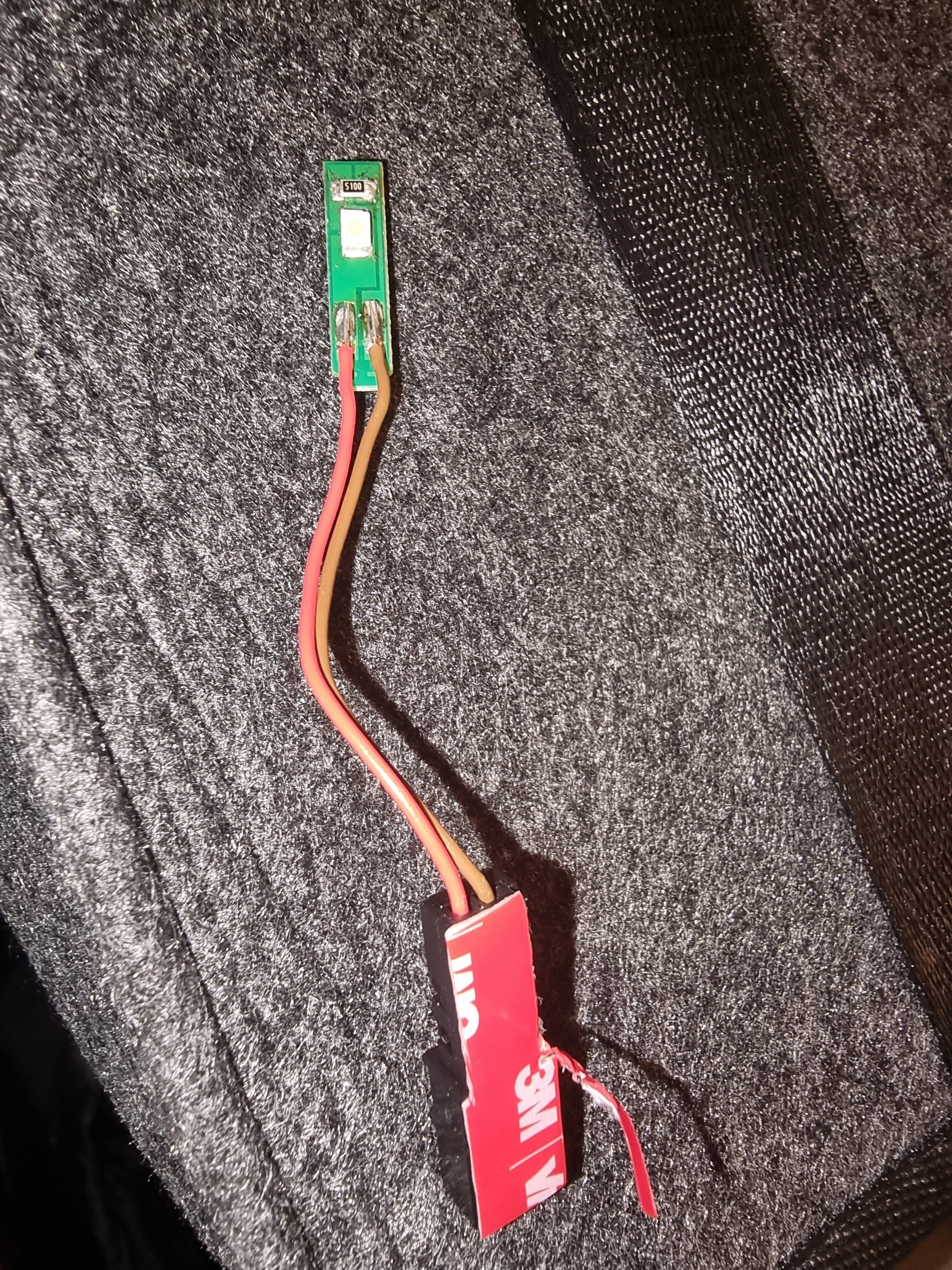
Yes, i soldered this 3528 PLCC2 LED with a 510 Ohm Resistor on the Platine. https://amzn.eu/d/bbysBb0 The pic is from my "tester" so it is not soldered very nice... cause i have tried some different versions and didnt want to clean the platine everytime ;-)