jay982bea
FREEDOM
-
Joined
-
Last visited
Everything posted by jay982bea
-
My car is back from the dealer with 1941.
-
I'm about to collect my car from the dealer after an upgrade from 1806, so it will be interesting to see what version I got.
-
I get that occasionally - it was doing it this morning, in fact, when I was taking the car to the dealer for software updates! Usually Android Auto is not available either when this happens. Sometimes it just seems to be a delay in the phone connecting and it either sorts itself out later or next time I start the car.
-
I did a quick video whilst waiting for Lidl to open this morning. This is on a 2021 iV PHEV. The video is too big to upload, so I have popped it on YouTube. To select items to display on the left or right: Click the scroll wheel to select. The first click will bring up the green arrows on the right display, and the second on the left The sub-menu green arrow (either right or left depending on which display you are configuring) only appears where there is a sub-menu, which appears to be Backgrounds and Settings. To enter the sub-menu click the left or right button below the wheel, corresponding to whether the green arrow is on the left or right. You then enter the sub-menu. In Settings, selecting or deselecting determines which items become available for display. When you have selected what you want, exit out of the menu (scroll to Back and click the wheel). You can then select what items you want to see but scrolling up and down using the wheel. Video:
-
I've got the 64Gb version of the same drive and it was plugged for a month, including a 6 hour drive, and it did not update. Media is seen fine, so it is just the map update that is not working. I've paid for the map updates as well, but they don't download over the air either. But my software version is 1806 so if you need greater than 1896 for offline map updates, it explains why it does not work.
-
That is good news, because mine is going in next week for the same thing - currently on 1804 and map stuck on 20.*.
-
I am not sure whether the 1.5 MHEV is the same, but our 1.4 PHEV does not have a wheel well, because the battery is under the floor of the boot, so it is can of foam only.
-
I use the TomTom app and it is good, although route planning on the phone is a bit tricky - it is much better to plan routes in advance via the website at plan.tomtom.com. The built-in maps in our car are very out of date (2020) but I am hoping to get that rectified via the dealer since I paid for updates. I like the integration with the virtual dashboard with the built-in system and would prefer it for shorter trips, whilst TomTom is very good on live traffic information for longer trips. TomTom's pronounciation of place and street names is terrible. Since out Infotainment system has not been particularly reliable, having a phone-based backup is good.
-
Our 2021 model, which we got in July has been working fine until driving back from Cornwall yesterday, when the screen started turning itself on and off constantly. It looks like it is still doing it now, having being sat on the drive for 12 hours (plugged in, so hopefully it won't have flattened the 12v battery). It is already booked in for a diagnostic in early October, and I managed to get a video of it turning itself on and off. I assume that this is a different fault from the reboots? The turning on and off is accompanied by the click sound you get from the power button on the Infotainment system, and it goes from the display being on to showing the time and back on being on, sometimes once a second, at other times going for 15 minutes, with the occasional full reboot. Built-in Navigation remains active on the virtual cockpit unless it reboots, but if it reboots it forgets the destination. Very annoying, particularly if you are relying on it for navigation. Are there particular hardware versions affected? The Display unit/control panel hardware on ours is H47 (software 2092).
-
You could use a plug-in timeswitch. One designed for heaters should work fine if you are using the granny charger (the one with a standard plug on the end). If you need something weatherproof, have a look at the range of charging cables with timers available from Tough Leads, but they are quite expensive. We have the Octopus Go tariff and the car charger is plugged into a timer, although the one I have also allows for remote control so I can programme it to take advantage of any free electricity sessions that Octopus have.
-
I've got 1803 on mine and usually Android Auto works fine with my Pixel 8 and has from when we got the car (second hand) a few months ago. I do find that all the wireless options vanish occasionally, so I can't connect with bluetooth or Android Auto, and my wife, who has a Motorola G50, has more problems with the infotainment system crashing. The car is going in for an upgrade of the infotainment system and navigation database (which refuses to update from 20.3) in early October under warranty, so it will be interesting to see whether that will fix the connection problems.
-
The last few charges, on Octopus Go's cheap rate, have cost us £2.12 for 25kWh rather than £5.60 on the standard rate. I did a quick calculation on the potential saving over a year and it saved money even after getting an EV-rated external socket installed. The day rate on the Go tariff is slightly higher than the flexible tariff we were on, but by shifting some washing machine cycles onto the cheap rate, this should offset the increase in cost.
-
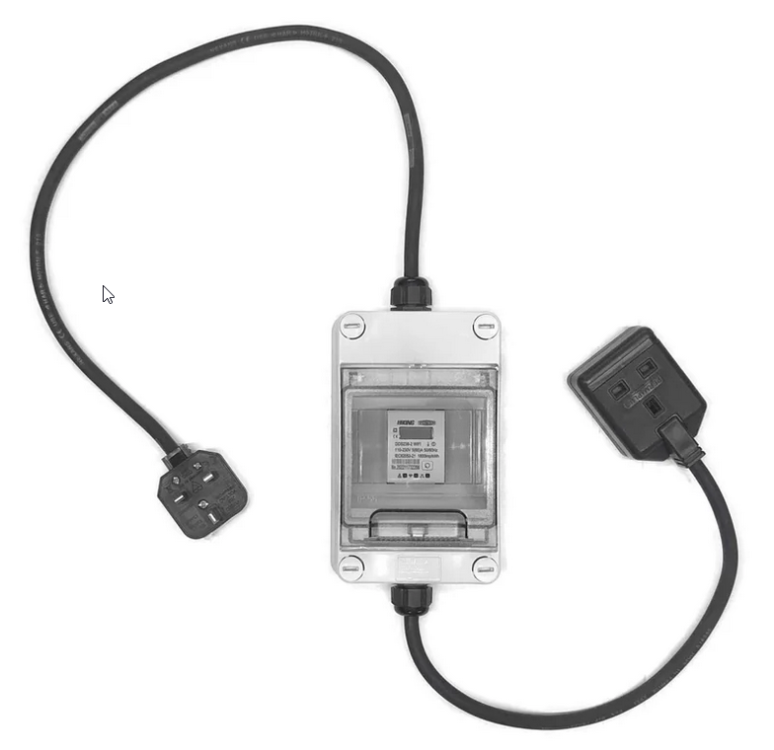
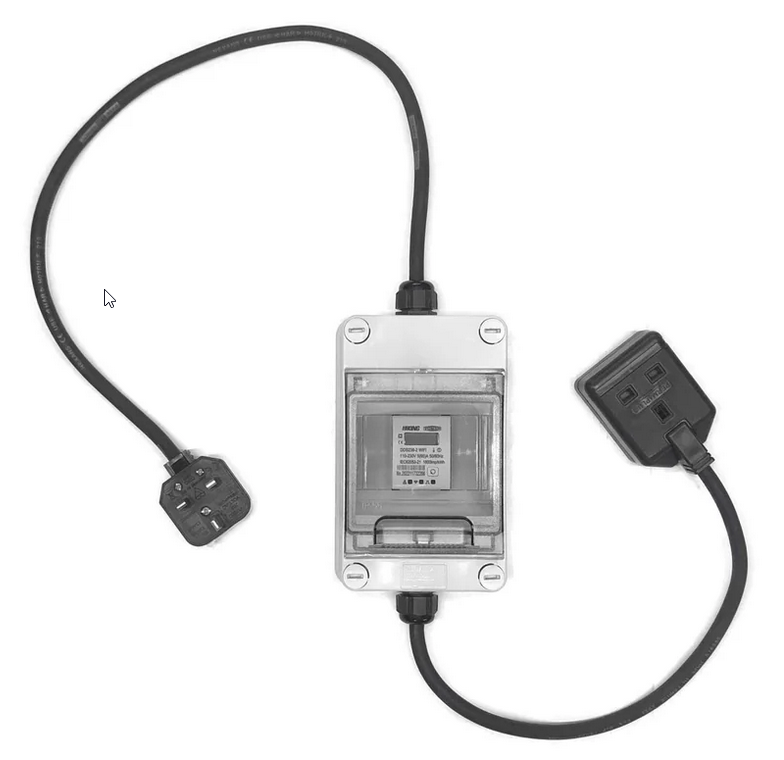
I came across Tough Leads and they do a "13A Wi-Fi (Tuya) kWh power meter with remote on/off for measuring EV charging or hot tub use". Although a regular smart plug may be ok given the limited current the iV draws, I got one of these and schedule it to turn on between 12:30am and 5:30am to get the Octupus Go cheap rates. I am automating this a bit further to get it to turn on when Octopus have a free electricity session, and I have done something similar with the washing machine, which is on a standard smart socket. The meter also provides a range of data about energy consumption so I can see how many kWh were used.