blackh0le
Members
-
Joined
-
Last visited
Everything posted by blackh0le
-
How you decided exactly for this part number?
-
You tried the Privacy Settings?
-
Looks like you found a good version of the long piece. Such an even light strip I have never seen till now.
-
You mean the Data you buy on Skoda Cubictelecom? It's a separate account from Skoda ID. Delete Skoda ID account would also kill all your paid subscriptions I think. Won't work. The only thing that the already updated system runs is the Post Script of all the install positions when u use the same update 1989 files. But maybe someone else knows more.
-
Its an update for the OCU "Onboard Connectivity Unit" which handles Emergency Calls and Internet Connection for the Infotainment. O3A8 Thread As far as I know yes. Golf 8 looks like its on 1990 Golf 8 1990 Update Video This Error I encountered today as I did a factory reset. With this Error the installation of the digital handbook fails now all the time. Before I wasn't able to log in to my Connect Account for days and the globe stayed after engine start 10 -20 minutes gray without connection
-
Ah Facelift
-
Did the software Version of your Infotainment change at all?
-
Sometimes you can only gamer themmto notice something with the correct TPI Number. But as always Software update first. So I have second appointment for Display getting louder, restart and starts from delve middle in the night. But software is always the solution nowadays -.-
-
I think Traffication warns only if you some amount over the speed limit when you approaching a speed camera. Red light cameras I get always notification. Road closure I get, but only if my path will maybe lead to a closed road ahead, so if the closed road is in my way
-
So in the end, it was just the normal VW Software shenanigans 😑 My Traffication Version is now 10.0.3
-
Just in the moment I made an appointment, Traffication said Install done. Maybe they pushed an update which ist failing on a fresh install? BTW after Infotainment reset a new app called " Service Scheduling" appeared, I know on Facelift it was already available but mine is pre Facelift.
-
Ok. Hope you tell us what was done. The Fuse trick didn’t work by the way ( OCU and Infotainment )
-
Ok. But what did they do to solve the problem?
-
Got extended warranty
-
So what did you say to the garage to get it sorted? Or has Škoda Support called them with instructions?
-
1,5 weeks ago. After my garage appointment where infotainment was reset in the process of trying to repair the ghost touch input on screen an Volumen-Touchbar
-
Oh you right. All Services are yellow in the MySkoda app. But they say booked till 11-2026 I got update Infotainment because of ghost touch on the screen last week
-
Mine is stuck at „Installing“ in Notifications and „Please Wait“ in the Store. Is there a way to cancel an installation?
-
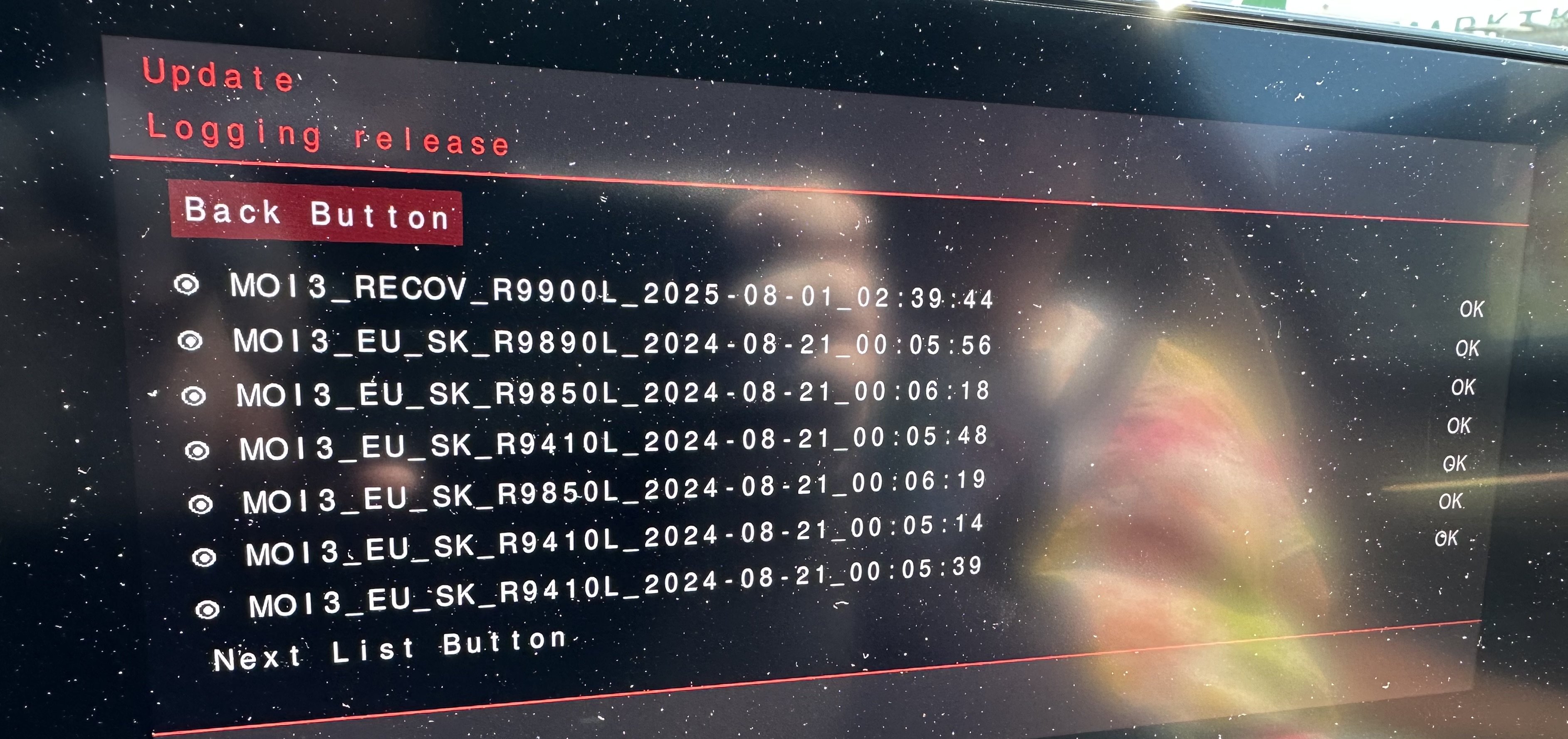
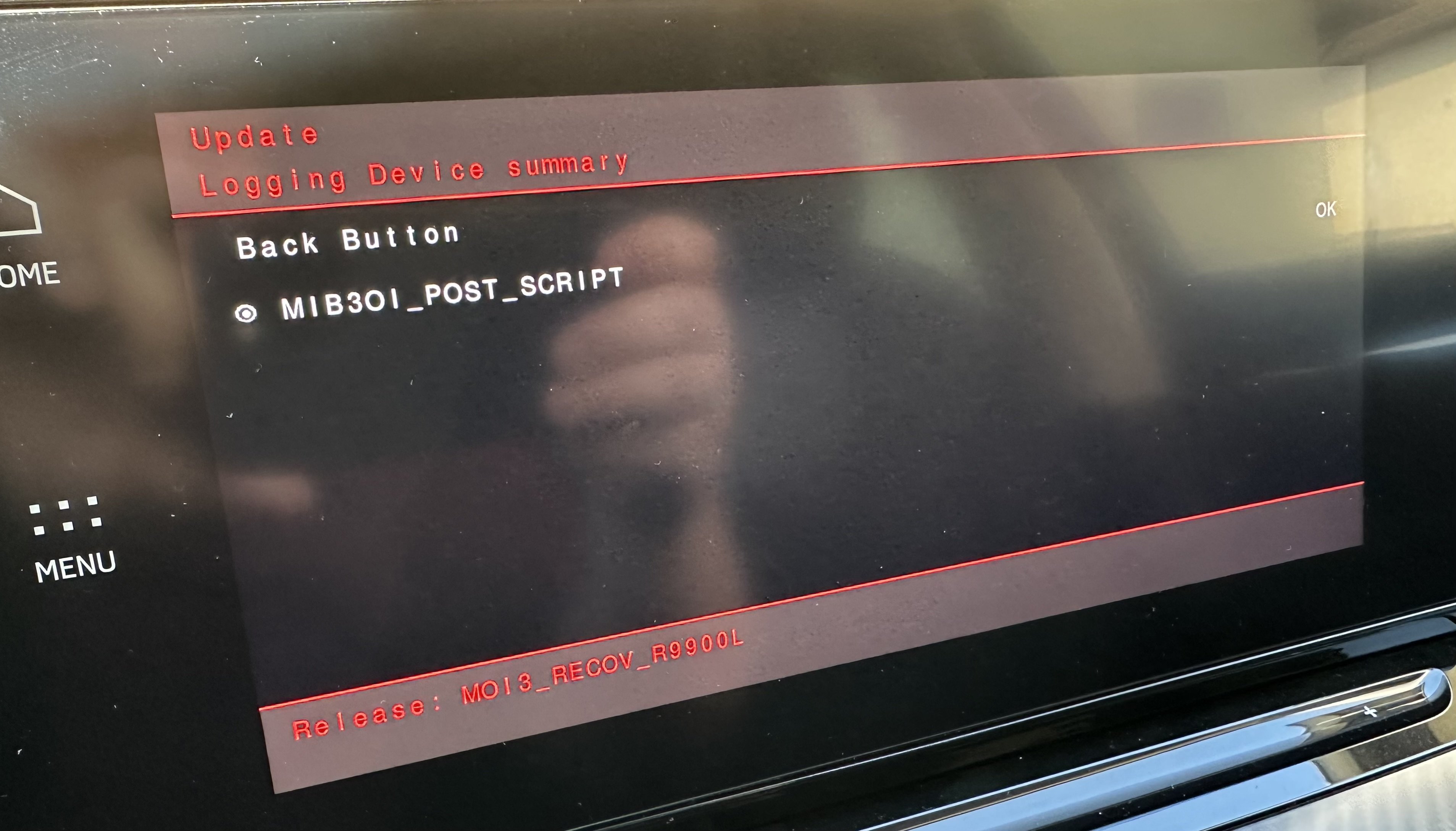
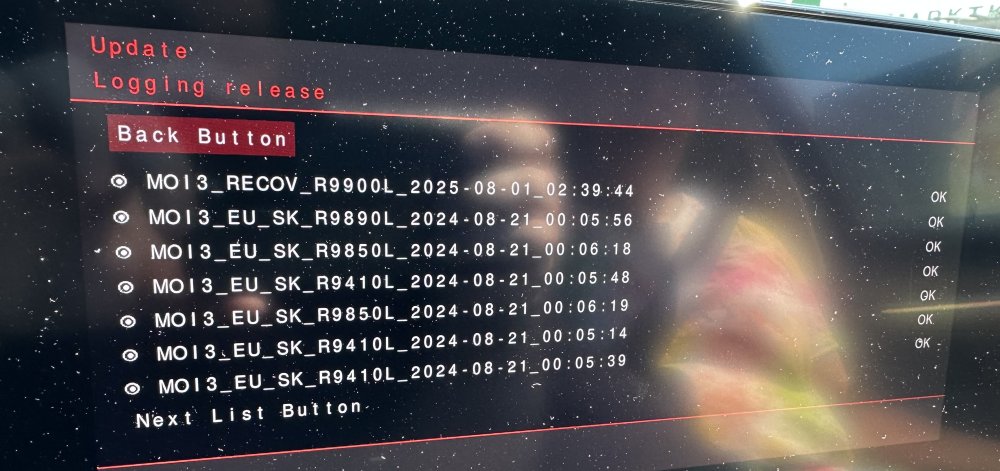
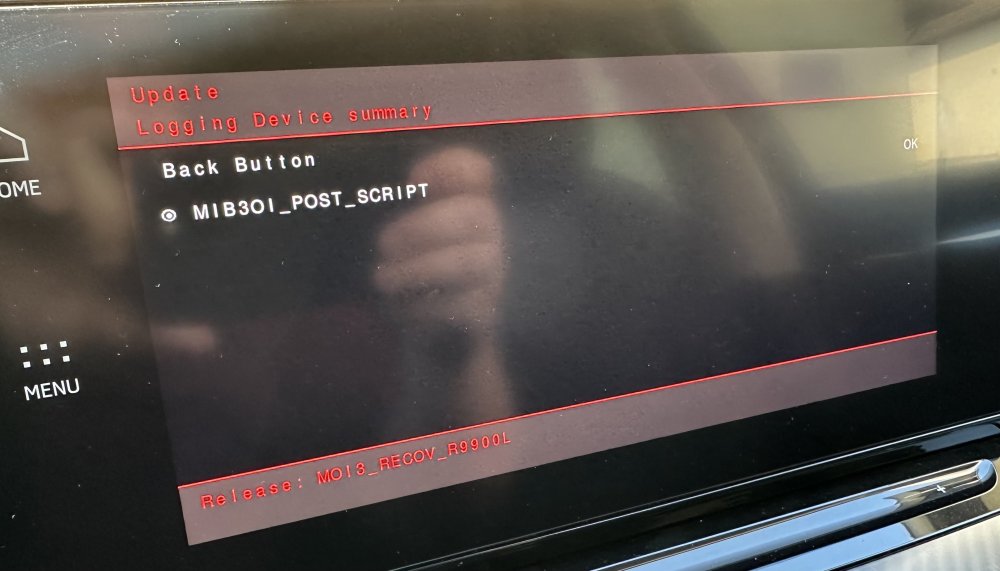
So the displayed software version didn’t change. What I can see is, in the Update Menu they tried installing a „MO13_RECOV_R9900L“ but in the log it says only Post script was done and no other components updated. So I don’t know what they did. Does anybody know, if there is a TPI for this problem with the Display?
-
Had the same problem with phantom touch and stuff. Thought dealer changes Display but I was told there is MIB Software 1999 which will be updated. I thought 1989 was the latest Version? Tomorrow I will get the car back.
-
Then I would suggest updating the Infotainment to the latest Firmware Version 1989
-
When u use the USB option to update your maps, you have to prepare the USB stick as described by Škoda. After you put it in the USB in the car you have to wait, there is no prompt or status of the update. Let it stick till under System Info the new Version Number will show. Some older FWs had problems with OTA Map Updates. To which Version did you update?
-
-
-
Is your Radio Database maybe old? https://www.phonostar.de/vw/en/download