
Davva
Finding my way
-
Joined
-
Last visited
Everything posted by Davva
-
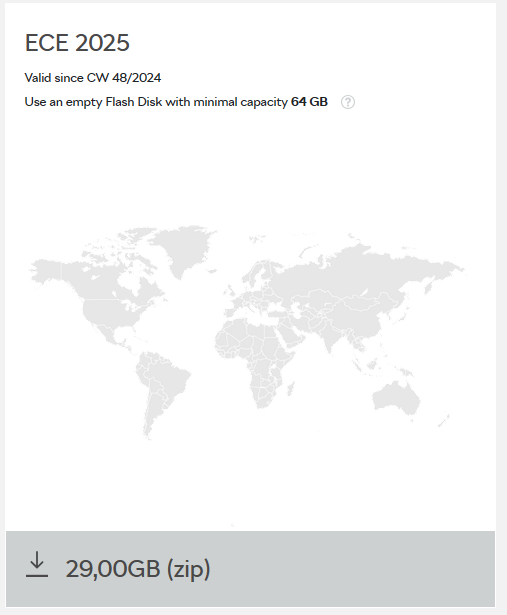
My System Information display looks identical to yours - device part number, h/w, s/w, display unit h/w & s/w and media codec all the same numbers - except for i have a later Nav DB version 25.6. I was having all the problems with the infotainment hanging, black-screen, rebooting, etc after the OTA update to 1989, and thanks to the guidance on this forum I did the Factory Reset via the settings menu which seems to have fixed it all for me. I did have to set up the user profiles all over again using the 2 keyfobs and entering an S-PIN. The only minor issue thats left is some "take foot off accelerator" warning message that sometimes pops up when approaching roundabouts that I have to figure out how to turn off (ECO Warnings settings, i think - i haven't dug into it yet). If your infotainment is fixed now, its an easy upgrade for the Nav DB - download the zipfile from the Skoda portal, unzip it to a USB-C stick and just put the stick into one of the slots in the centre console. Don't do anything else - no need to look for "update" options in any menus - the car will just update the Nav DB in its own sweet time (mine usually takes about 30mins). There'll be no messages about updates started or completed. Just leave it alone for an hour or so then check the System Info display again and the Nav DB version should have changed. Thats the only indication you'll get that its worked. Then you can remove the USB stick.
-
I would hope its a co-incidence - what does adjusting the door mirrors have to do with the infotainment system in order for it to be affected by a firmware update? Maybe the joystick is busted?
-
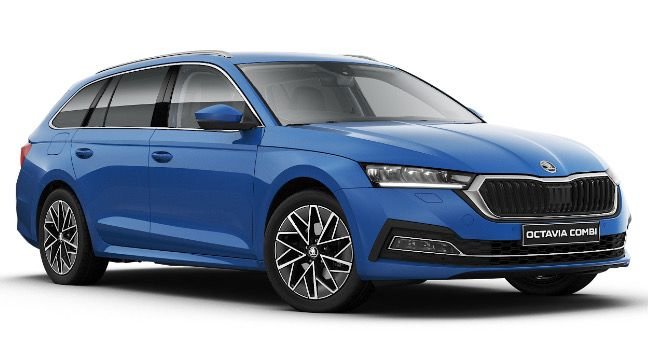
I've got an Octavia Mk4 Estate SE-L spec. All the profiles seem able to store are radio presets and which datapoints I've chosen to display in the centre of the dials on the virtual dash (MPG-since-start in the Rev Counter, and Range-to-empty in the Speedo dial). Other than that it reverts to a bunch of defaults every time I turn the car on that I have to re-select - such as driving mode, auto start-stop, lane-assist.
-
Please explain where. That's one that constantly drives me nuts. I have to turn it off every time I start the car using the steering wheel cruise control settings (ACC or Speed Limiter, and the Lane Assist is in that menu that pops up on the virtual dash display). I'd love to be able to turn it off and it will stay off over vehicle restarts. Thanks Edited: Never mind - I replied to the message (because its one of the things about my Octavia Mk4 that really bugs me!) before I'd scrolled down through the subsequent messages that explain you need an ODB scanner to set it to remember to stay off. I have a mate who's got one, so I might plug it in and see if it gives me an option to enable a memory function on that setting.
-
Ah, I'll try that. I usually select Eco based on wanting to get the best fuel consumption - I assumed it might accelerate less aggressively or activate some kind of 'lean burn' engine map when I'm not accelerating. But I then always have to go and turn off the stop-start. I'll try Sport mode and see what the difference is. Just out of interest, are the different mode settings documented anywhere - like an explanation of what each setting does? It'd be good if it remembered my selection though - its kind of a pain having to do to every time i get in the car. What's the point in user profiles if it doesn't remember your settings?
-
Big Thanks to everyone who suggested the Factory Reset option. I did it over the weekend and is seems to have worked, although I haven't taken the car any distance yet. It did ask me to accept another application update after the reset, but it only took a few seconds before it said it was complete and that it would take effect at next restart. I sat in the car and played with the Infotainment - turned the car off and back on a few times to check the infotainment started up ok, swapped between apps and the home screen, started up the Satnav and set a destination, went through the various assist and settings screens, reconnected my moby and fiddled about in carplay, etc - all seemed to be working flawlessly, albeit parked on the drive outside the house. It didn't specify any particular order for clicking unlock on the two keyfobs, so I don't know what that's done with regard to who it will recognise as Primary User? It did ask me for an S-PIN (which I don't ever remember setting, but found I had made a note of it in a password vault app I keep on my moby - must've done it when I first got the car then totally forgot about it) and I checked the tick-box to say "don't ask again". Touch-wood, thats the end of the mess after the last update. Gotta love Briskoda! Lots of confirmation of same issues experienced (which is a relief - it would have been far worse if it was only me!), and useful guidance to get it sorted. Thanks again everyone!
-
Only me and my wife my wife drive the Octavia. We're both happy to drive it the same way, with the same radio presets and listen to the same radio station, and have the dash set up the same way. Every time we start the car we get the "Welcome Nigel" message and buttons for OK or Change User. There is no other user. After maybe 5 or 10seconds, the message clears itself. So what's the benefit of having user profiles? Can I set it up in some way that its just a single user car so it doesn't present the "change user" option on the Welcome screen? Or even not display the Welcome screen at all? Every time we get in the car we have to set the driving mode to Eco, turn auto stop/start off, turn the irritating lane-asist off. So what is the user profile even saving?
-
Thanks. Sorry for causing confusion in the wrong thread. But Very Happy to learn other people having the same problems as me! It likely means I didn't do anything wrong (or we all did in which case I don't feel like such a dummy if other people did it too). And I've gotten some guidance about doing a 'factory reset' which others have reported fixes it all. Fingers Very Firmly Crossed!
-
Thats what that was? First time it ever happened to me yesterday and i wondered what was going on! I was driving on the M40 yesterday morning with the ACC on and set to 72mph. I was in lane1 and it detected the truck in front of me i was catching up to. I checked mirrors, nothing in lane 2, so I indicated right and pulled out into lane2. Car started to accelerate, then as we came up on the truck to overtake, a car icon appeared just to the left of the distance detection display and the car brakes down to match the speed of the truck! After the initial surprise, i found if i press the accelerator the car icon goes out and it will then proceed to speed back up to the set speed and overtake.
-
Same here. Update 1989 happened to me OTA last week. All seemed to go ok. But now the infotainment system is a complete mess. Every time I press the Home button it freezes and reboots. When I start the car and confirm my user, it takes quite a few seconds to populate all the icons on the menu screen. A friend sent me a location in a message on my iphone so i connected via Carplay and used the iphone map, rather than trying to find the address in the Skoda satnav. Started out ok, but if anything interrupted it - like receiving a phonecall - it hangs. Sometimes after about 30secs it'll figure out its hung and reboot. Other times I have to hold the power button to get it to reboot. Whenever I start the car or reboot the infotainment unit it tries to restart from where it was previously. A couple days ago this turned into an endless round of hangs and reboots that lasted for about 30mins! I don't know what app it was trying to load, but it must have kept crashing and rebooting. Eventually (after many attempts) I got it to reboot by holding the power button and it booted straight into the Satnav app ok. Occasionally when I start the car I get an amber warning light saying the parking sensor is not available. It will stay like that until I turn the car off and restart it. Sometimes it happens again when I restart, sometimes not. Sometimes while I'm driving and listening to the radio it'll randomly go blank screen and then reboot itself again. Sometimes this turns into a about 3 or 4 times in a loop, sometimes just the once. Sometimes even the latching buttons beneath the screen for Mode or Settings (where I can turn of auto stop/start) stop working. Its driving me crazy! I was on 1985 previously and didn't have any of these problems. Its a 70 plate second hand Octavia Estate Mk4 with the MIB3 unit. If I take it to a dealer they'll likely charge me a couple hundred to reset/reload it and hope for the best. I've seen some posts suggesting a "factory reset" might sort it out? Will this be in the installer menu (hold the menu button for 5secs)? What exactly does a factory reset do? Does it reset the infotainment back to its as-new out of the box firmware level and settings? And then hope if the OTA update kicks in again its not the same trainwreck it is now? Will it also factory reset the map database version? Any advice or guidance Very Gratefully Received please. Its driving me crazy as it is now.
-
@WaveyDavey Sorry, typo. Yes it is 1989. And since yesterday its getting worse. Now it randomly decides to disable the parking sensor but then its ok next time I turn the car on. And pressing the Home icon consistently causes the unit to hang and reboot itself. The Menu icon and screen seems to mostly be ok. I can access the apps like NAV or Phone or Radio and use them ok. Sometimes switching between apps causes the unit to freeze and reboot itself, but not always. Its starting to drive me nuts! Its a second-hand 70 plate Octavia Mk4 with MIB3, so its well out of warranty and if I take it to a Skoda dealer to get it looked at they'll probably charge me a couple hundred quid just to reset/reinstall it all. At this point, I'm considering trying a 'factory reset'. Anyone know exactly what this will do? I assume its going to revert the firmware and maps versions back to what they were when the car was new? And then the OTA firmware update will kick in again? And I can reload the latest maps database download from the Skoda portal? Thanks.
-
This update happened to me OTA last week. Update seemed to go ok. Message asking me to accept the download. Then another message asking me to accept the install and advising me to get out of the car, which was great because I'd just parked up for the night outside my house. Then next day, a message saying update was complete. Followed by another message asking me to accept "Application updates". All seemed to go ok, no error messages. But since then I've had nothing but problems with the Infotainment console. Switching between applications (e.g. from the SatNav to Phone, or from Phonecall to Home Screen) causes the system to just hang. Sometimes after a minute or so it will reboot itself, sometimes it just hangs and I have to hold the power on/off button to get it to restart. Switching to CarPlay worked ok to use the mobile phone SatNav, but then when I arrived at my destination the console stuck on the carplay map display. Trying to press the Home or Menu buttons did nothing. Infotainment also seems to take longer to 'settle down' once I start the car. It seems to try to start back up on the same screen that it was on when I turned it off. But when it starts up I get messages like "Carplay not available", or "Home not available" etc, before it all settles down after a couple minutes. If I can get it to respond, if I go into System Info, I can see its at firmware 1969, so the update has definately installed. Hoping either this stuff will all settle down as it maybe finishes cleaning up after the update, or if its an issue with buggy firmware, a new update will be coming soon that fixes it all.
-
I've just discovered that the iphone Skoda app is rubbish. Everything apart from some of the stuff in the "Inspect" section is a paid for feature. And even the "Inspect/Vehicle Health Report" is wrong. I've currently got an amber oil warning light on with the message "Oil sensor faulty. Please visit workshop." (its booked into a local garage later this week) but the Vehicle Health Report screen shows "All Good" with ticks across the board.
-
I got the 1985 s/w update over the air a couple weeks ago. When I started the car it told me an update was available and gave me the Update/Cancel options, so I selected Update. Then next time I started the car it told me the update was ready to install, Update/Cancel. Update again. I haven't noticed any major changes though. But I don't get map updates OTA. Only way to get my maps DB version to update is if I wait for the 29GB zip version to be updated on the Skoda Updates portal and download it to a USB and put that in the car. Works like a charm, after about 20mins of driving I parked up in a supermarket, and when I got back and started the car I checked system info and the map DB version is now 25.6 (was 24.6). I don't see any s/w updates on the portal though. Only maps and DAB station logos (which I've never got to work - I follow the instructions to put the USB in, on a station with no logo there should be an option to Add Logo, but then it doesn't show any logos to add.)
-
I had exactly this on my Octavia recently. An "Oil pressure sensor" warning message, and the oilcan symbol on the dash lit up orange. I checked the oil level and its ok. Phoned the garage straight away and the earliest they could book me in was in 2 weeks, but advised as long as I keep a manual check on the oil level, it would be ok to drive. The warning message appeared every time I started the engine, and the oil warning light stayed orange every time I drove the car until the day before it was due to go into the garage, and then the warning message and the oil light cleared. I took it to the garage anyway. They checked the sensor and reckon its ok. They told me the oil pressure sensor is a known fault on VAG cars, and if it happens again they'd swap out the sensor. Touch wood, it hasn't happened since.
-
Thanks everyone for your insights and advice. I've done a bit more research myself and it seems that the cheaper ones (under £100) only include engine fault codes. The more expensive ones appear to include SRS and ABS faults as well.
-
Hi All. Looking for some advice about OBD scanners please. I'm not a garage or a mechanic. Just an Octavia owner who doesn't mind doing some basic car maintenance. I can see a huge selection of these plug-in diagnostic devices on Amazon ranging in price from under £20 to over £200, and almost everywhere in between! They all say they can display information from the various sensors in the car. They all say they can lookup the 'DTC' error codes and display a description of the fault. And they all say they can clear faults to put any warning lights out (although why you'd clear a warning light without fixing the underlying problem is beyond me, unless you still have to clear the fault manually after fixing the problem?). Has anybody got one of these things? What's the difference between the lower priced ones and the higher priced ones? Is it worth getting one at all? Thanks.
-
Having got my Satnav reloaded and working again (thanks to Romeo26222's post on 6th Feb with a link to the re-install download file), I've also been able to successfully (I think) install the November maps update from the Skoda update portal. I downloaded and unzipped the file to a USB-C drive, put it in the car's USB-C slot - I didn't do anything else, no tinkering with engineering menu, nothing - and a couple hours later the map database version shown in system info is updated. The blurb on the update portal says it can take a while and suggests to leave the USB stick with the map updates inserted. My question is, how do I know when its complete? There's no progress bar, or "updating" or "updates complete" message anywhere, so how do I know when its finished and its safe to take that USB stick out? Is it finished as soon as the map version number is updated? Thanks.
-
I'm in the UK and it does appear I have UK (plus other places!) maps. I have noticed that when I start searching for a UK address, loads of foreign place names come up until my search criteria gets specific enough to narrow it down to the UK place I'm looking for. I've set the region to UK in settings but a Nav search seems to cast its net far and wide until it finds where I'm looking for.
-
FANTASTIC! Many thanks for that "Link Here" to what looks like the basic maps app and db reinstall package! I unzipped that file onto a 32GB USB drive, inserted it into the car, did the 5-second MENU press to get to the engineering menu, selected the USB drive to use, and it recognised a Map DB to load. Took about 15 mins to "verify" the update, and then about another 20mins to install it. After that the Infotainment console rebooted itself and I know have a working Satnav again! Maps DB version in System Info showed 21.4. I've just left the November update USB stick in the car for an hour or so and map db version is now showing 23.12. Happy days! I thought my statnav db was dead - since my previous attempt at doing an update the satnav wouldn't start and System Info has been showing blanks for the Nav DB version. But thanks to you its working like a charm again. Cheers!
-
I've got this same issue on a 2021 MkIV Octavia Estate. But it appears to be a reception strength issue rather than an on/off thing. If I put the rear demister on while listening to some DAB stations they cut out completely, but others (BBC R4, for example) stay on fine. Rear demister looks ok, no missing bars. My car also has the sharkfin towards the back of the roof. I thought it was maybe RF interference from the demister blocking the weaker DAB signals?
-
Thanks spcdust. I hope it doesn't come to that, but agree its starting looking likely. I'm going to have one more go at downloading the updates from the Skoda portal onto a new USB-C drive and try again. How is it so difficult? I also have a Hyundai Tucson with a satnav. I download and unzip the map and infotainment software updates from the Hyundai portal onto an SD card, pop it in the slot, start the car and the screen says "Found an update, please wait...." and takes about 2 minutes to load it! Done.
-
Is there a way to force it to restart? Or were you lucky and it took care of it on its own? I've got an issue with the maps database update - downloaded from the Skoda update portal, unzipped onto a USB stick and shoved it into one of the USB-C slots, but I've been driving the car around for weeks now - including a few 3hrs+ each way journeys - but the satnav still won't start and map database version shows as a blank. I've got no progress indicator on the map database update so I have no clue if its still crawling its way through the 1000's of files on the USB stick or if its stalled or failed. If there is a way to kick it into starting over, anyone know how to do it please?
-
-
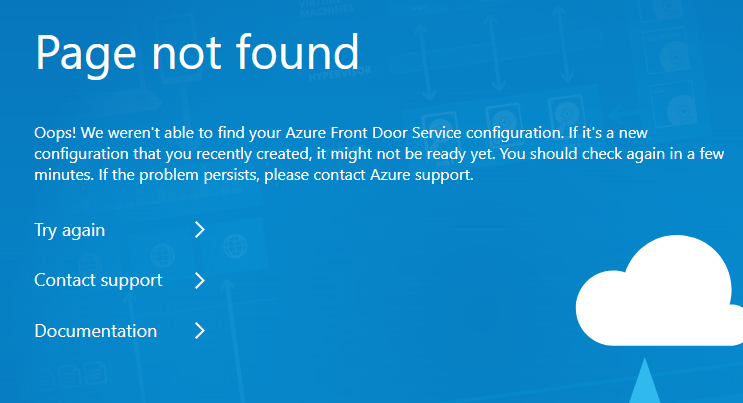
Just tried to download latest map updates from Skoda portal (https://updateportal.skoda-auto.com/en-GB) and entered my VIN. It shows me a download link for a new map database zip file, but when I click on the download I get some strange 'Page not found' message. If I click the "contact support" (thinking I could report the error to Skoda) it takes me so some Azure webpage. Has Skoda deleted the map update file?