



Skip to content

John625

Members
  • Joined

  • Last visited

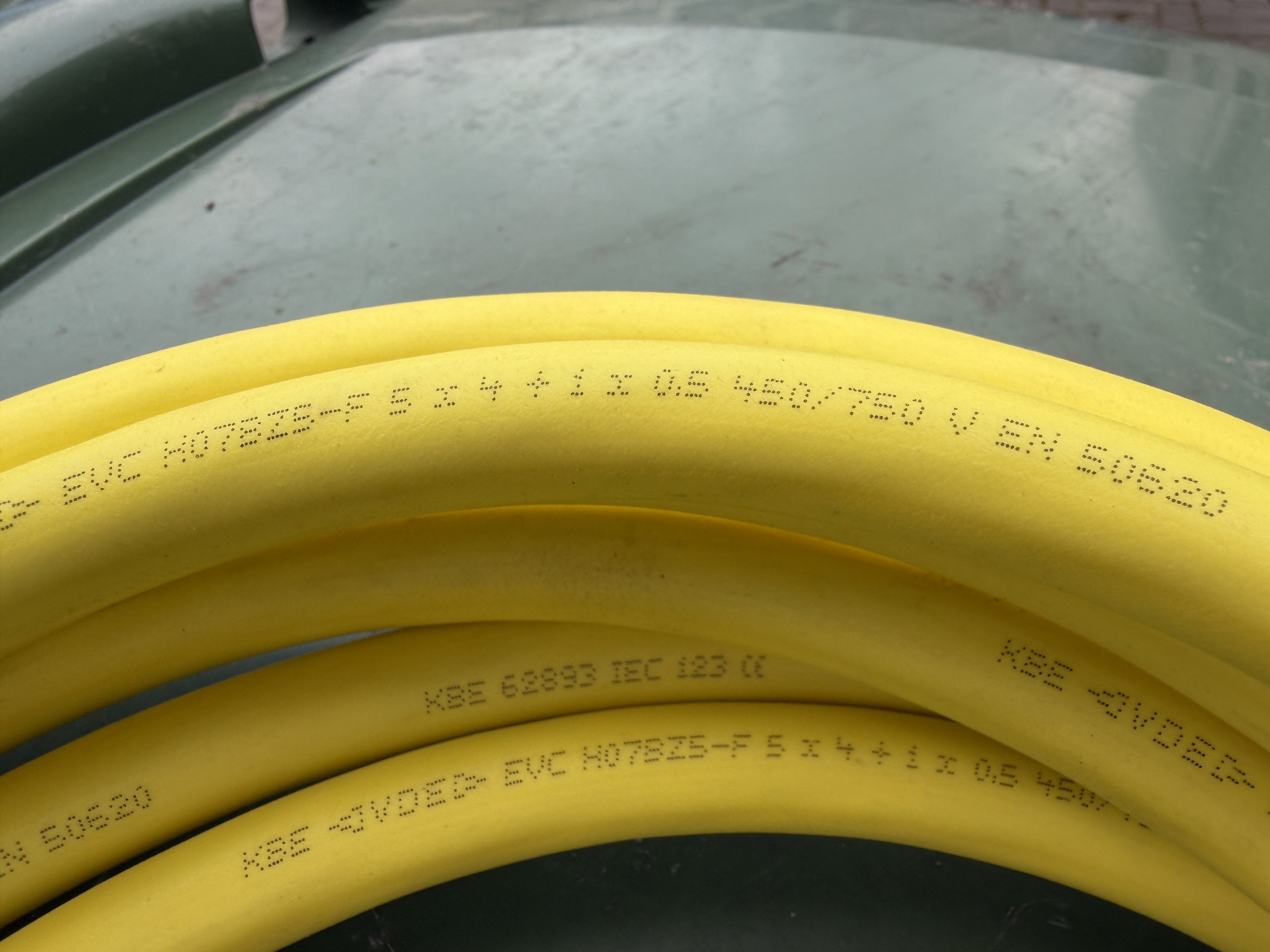
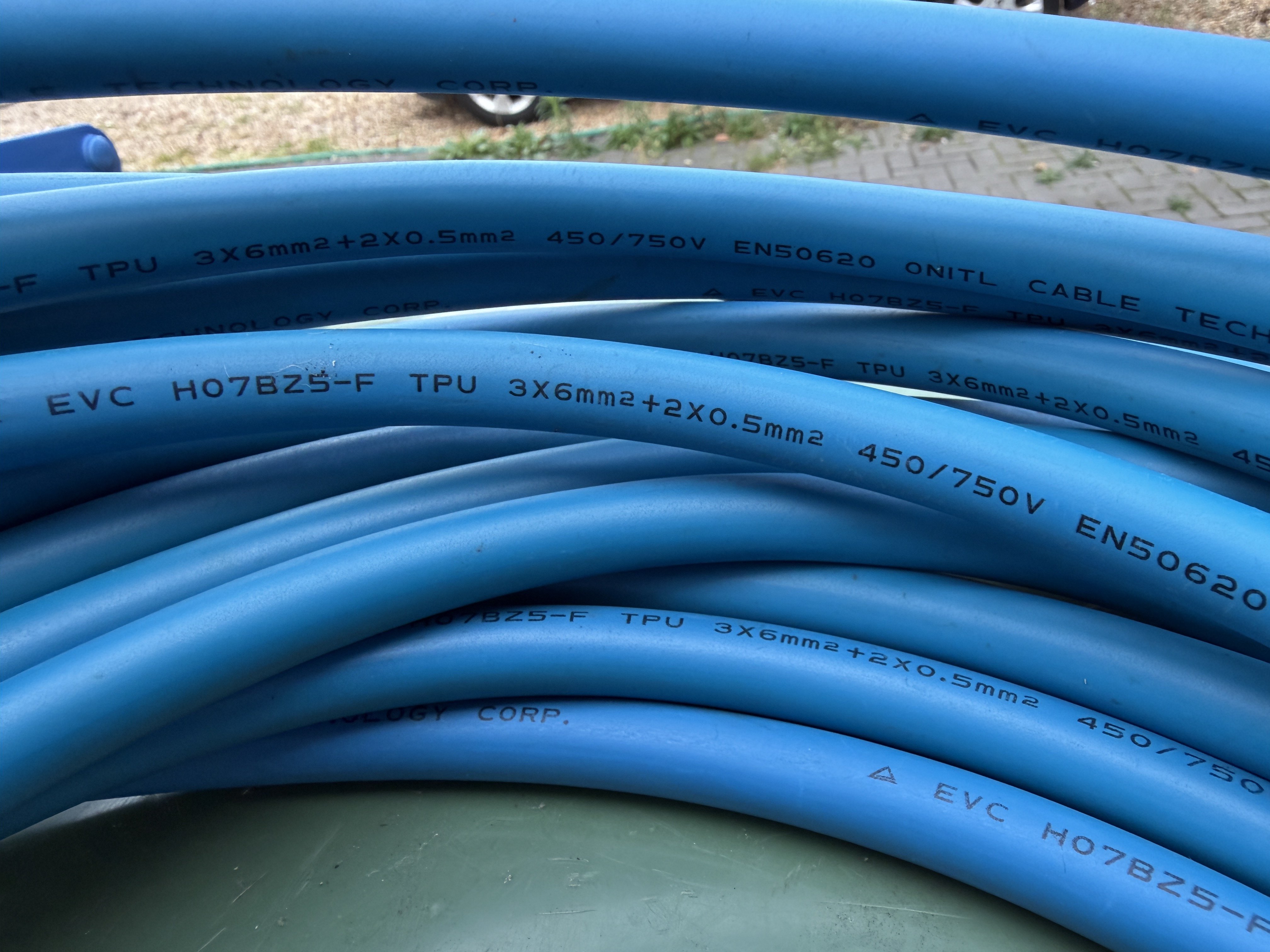
  1. My yellow 5Metre cable that came with the car is labelled 5x4 mm+ 1x0.5.mm The blue 12.5 metre cable that is suspect is labelled 3x6mm + 2x0.5mm.
  2. My wall box charges at 7kw. Don’t know the rating of the cable. Size marked on it is 3*6mm + 2*0.5mm.
  3. Hi Warrior, the cable in use is 3 cores of 6mm and 2 cores of 0.5mm for the signals.
  4. Not an extension cable. A commercial EV charging cable from my type 2 home charger. 12.5Metres long.
  5. Die to distance from my home charger my regular cable is 12.5 metres long. Occasionally it will charge 5% and stop. Unplug, replug and get another 5%. With my regular yellow cable never any problem. Has anyone else had problems using other than the supplied Skoda cable. 2024 Superb PHEV.
  6. My previous Citroen had a better night vision but the VAG day image is fine.
  7. I find Image in daylight is good. Superb PHEV 2024. Image after dark is rubbish.
  8. Had mine August 2024 , seem to remember around 12 or 13 hundred pounds.
  9. Check out other posts about after market towbars in this forum. You have saved yourself a lot of grief by going down the Skoda route. I had the Skoda bar fitted from new and agree with you it is a quality piece of kit. The total integration with my Superb systems justifies the price increase. I have had 2 Wittner bars fitted to previous, non Skoda cars and they come in around £800.
  10. No profile problems with mine. Currently in France looking for charging points. Petrol €1.90 per litre. About £1.64.
  11. Have checked on my 24 reg estate and no button. Must have been removed as a cost-cutting option.
  12. Thanks Warrior. Works the same on the Mk 4
  13. 👍
  14. How do I disable the alarm when lockinv the car? Handbook says long press on key fob when locking but didn’t work on recent ferry trip.
  15. My (December 2024) superb went in for the 2 day November update and it was kept 5 days as the software was difficult to install and needed several resets, but 3 weeks is unreasonable. With the update lots of minor niggles were solved
Important Information

Welcome to BRISKODA. Please note the following important links Terms of Use. We have a comprehensive Privacy Policy. We have placed cookies on your device to help make this website better. You can adjust your cookie settings, otherwise we'll assume you're okay to continue.

Account

Navigation

Configure browser push notifications

Chrome (Android)
  1. Tap the lock icon next to the address bar.
  2. Tap Permissions → Notifications.
  3. Adjust your preference.
Chrome (Desktop)
  1. Click the padlock icon in the address bar.
  2. Select Site settings.
  3. Find Notifications and adjust your preference.


