Skip to content

Vincent_83

Members
  • Joined

  • Last visited

Everything posted by Vincent_83

  1. https://ifinterface.com/prog/car/cp2/inprog.php
  2. I have retrofited this feature on my Kamiq but it's an option on the vehicule, so, it's easy. But on the Karoq, this option doesn't exist. The most difficult I think is to find the good shape for the protection rubber
  3. Where do you find coding for ABS module ?
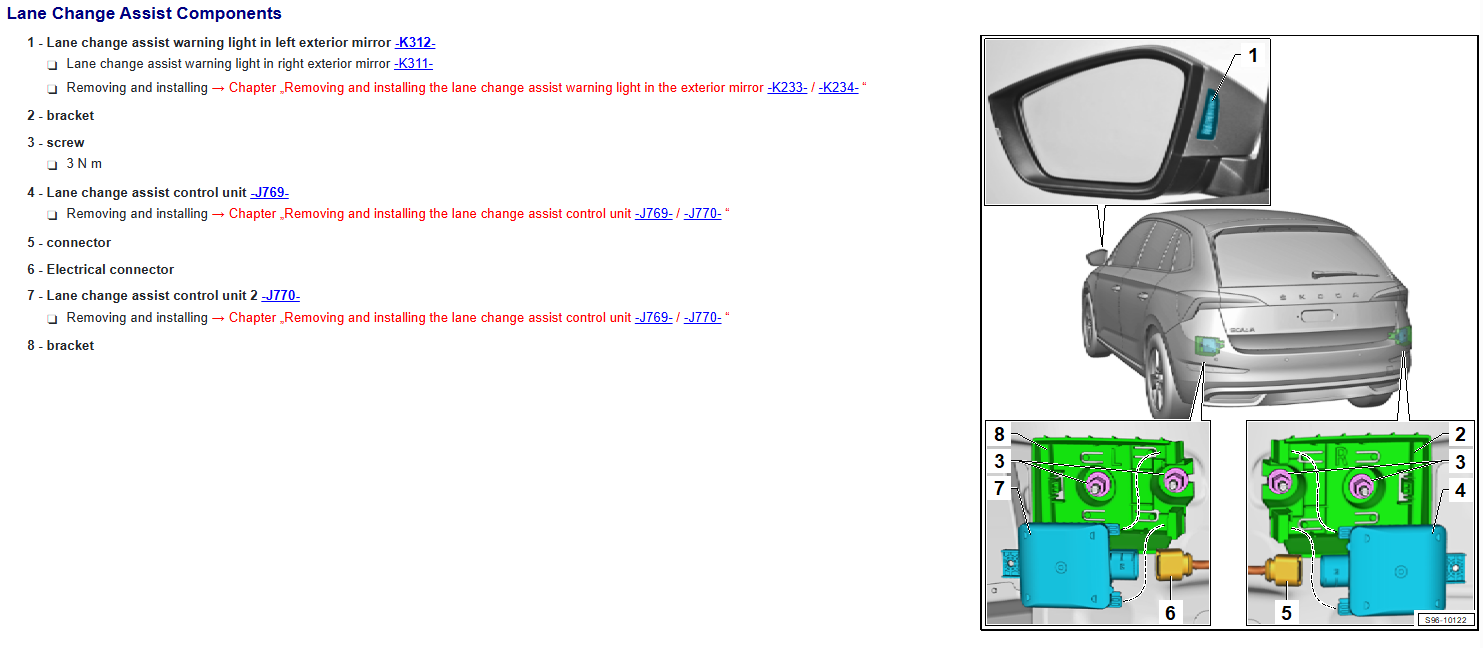
  4. On the official documentation, we see clearly the connector are inside the center of the vehicule (not than all other VAG car â˜šī¸ )
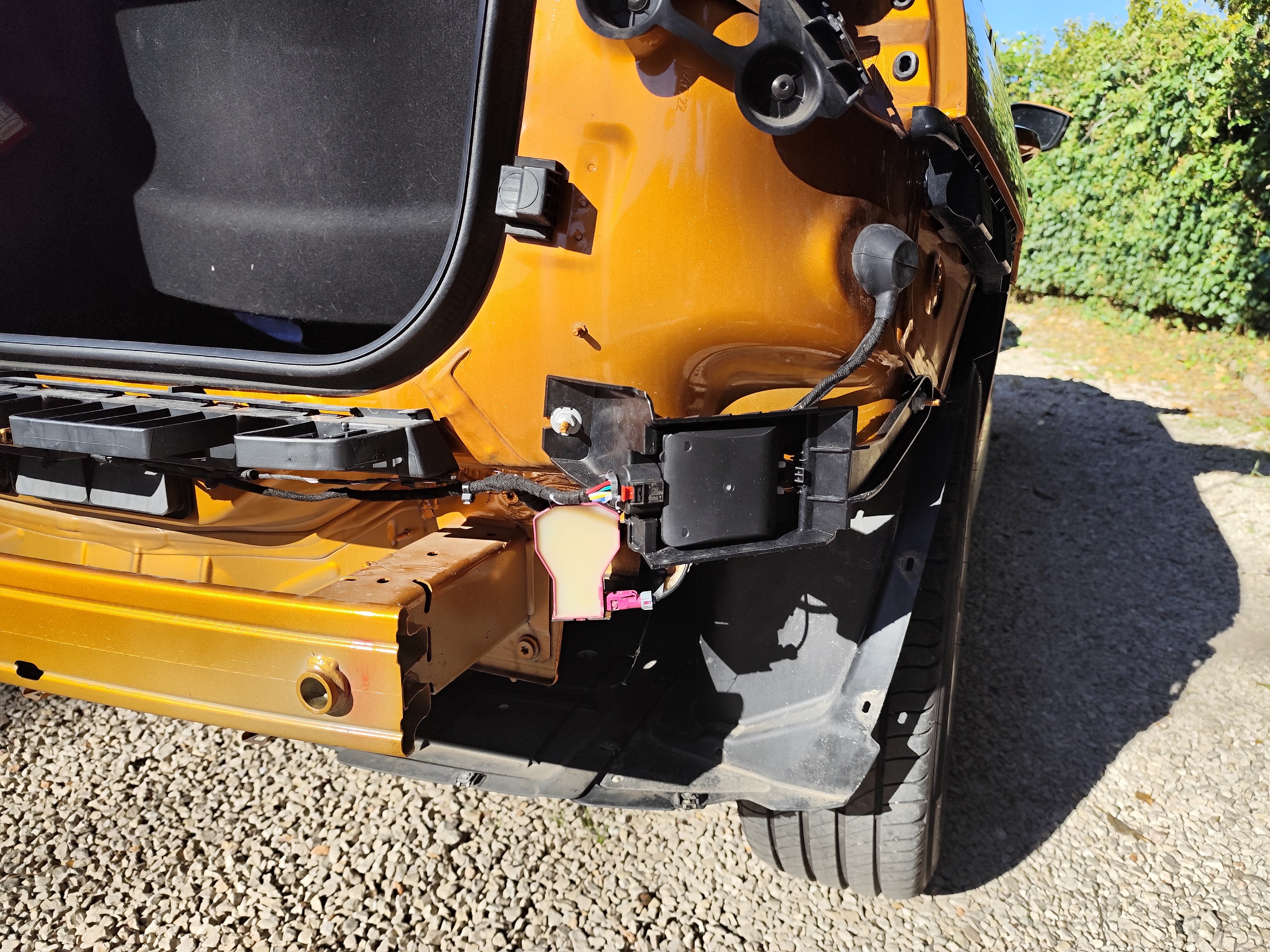
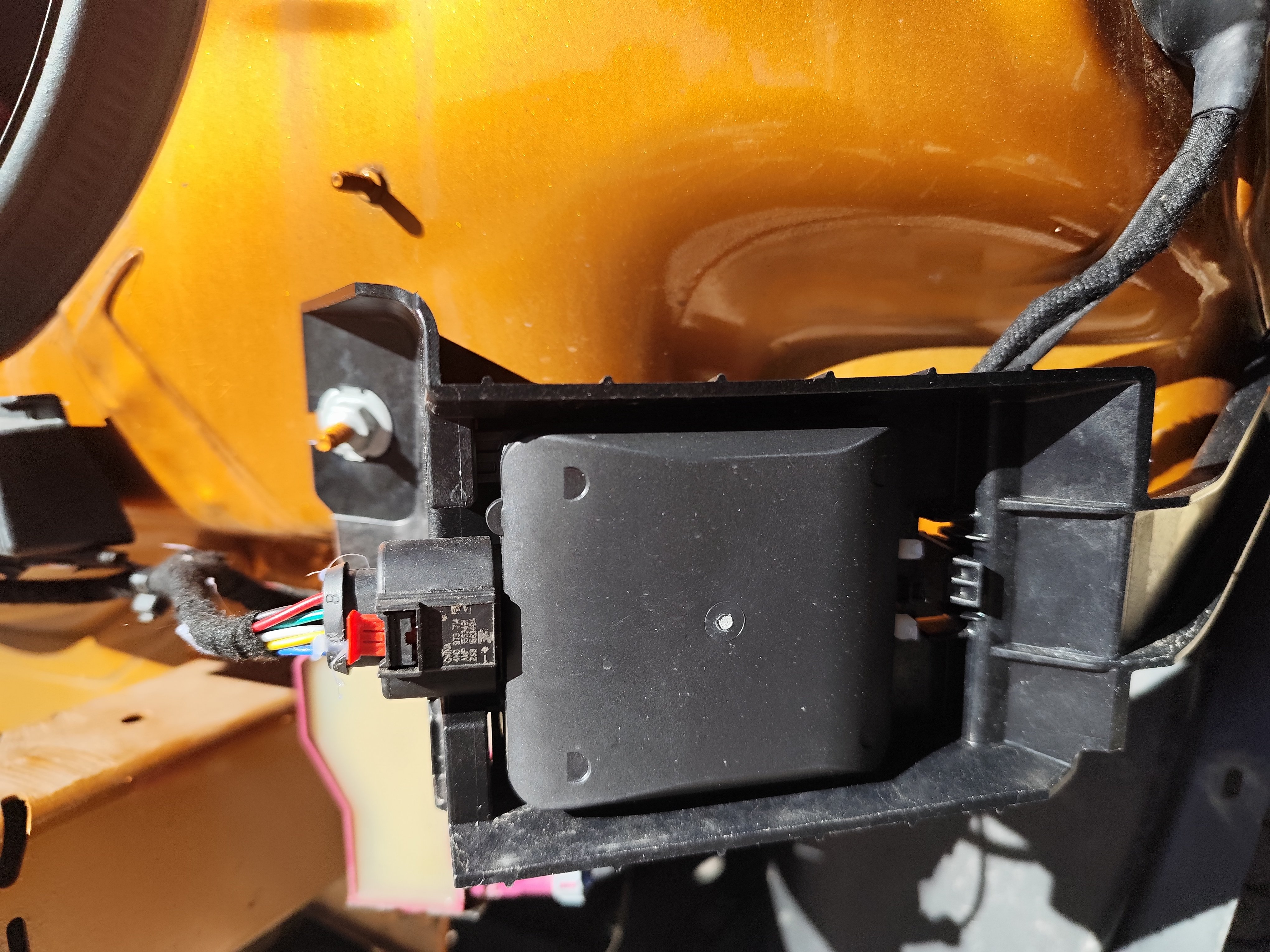
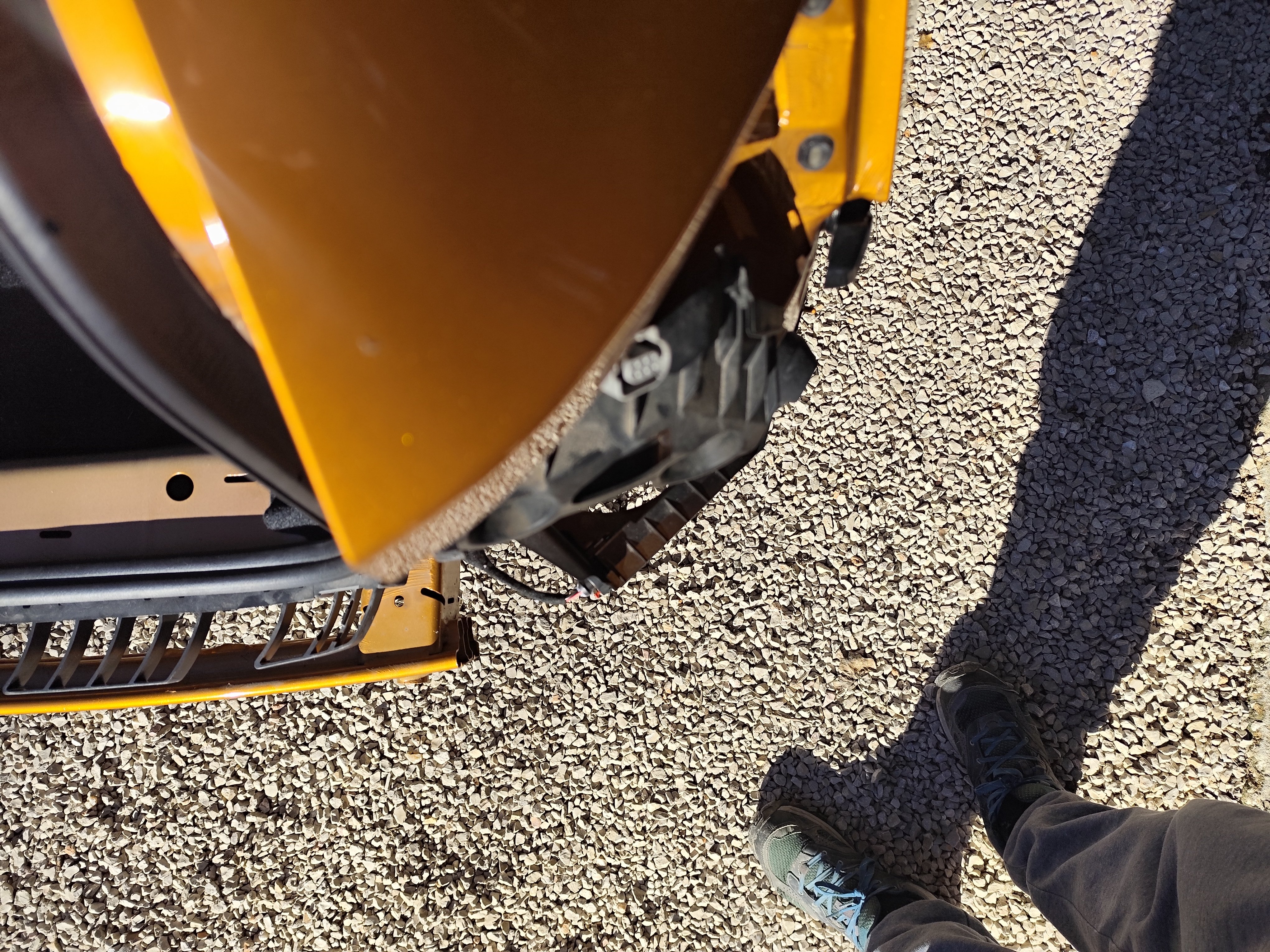
  5. For each side, I have 2 reference : RIGHT (master) with 2Q0 907 686 B radar : 657 907 456 --> I don't have this attachements points on my Kamiq (I think it's for Scala only) 658 907 456 --> Identified for Kamiq on somes shipping site and I have attachments points LEFT (slave) with 2Q0 907 685 B radar : 657 907 455 --> I don't have this attachements points on my Kamiq (I think it's for Scala only) 658 907 455 --> Identified for Kamiq on somes shipping site and I have attachments points I have installed 658 907 456 / 455 on my Kamiq
  6. Bracket with 657 are for Scala and 658 for kamiq
  7. Yes, 1 rÊf for Scala, other for Kamiq. I'm sure about brackets, it's the good one.
  8. On ETKA, there is Date de production 31.01.2023
  9. SOrry, I have mis reading your text. 685 LEFT and 686 RIGHT. You write the invert and I'm conform to ETKA installation What is the good installation for a Kamiq ? On ETKA, Scala and Kamiq reference are on the same page, it's not easy
  10. I don't find any retrofit of blind spot on Kamiq but according to ETKA reference, I have installed 658907456 bracket on the right side and 2Q0907686B radar on this. And it's not possible to invert
  11. Yes of course 🙃 It was just an installation issuie I think. Support are "flexible" with only 2 attachements points. I haven't photo of shim but for now, it's just a piece of hard foam and I'm modelling a real shim according to this in order to print a definitive shim.
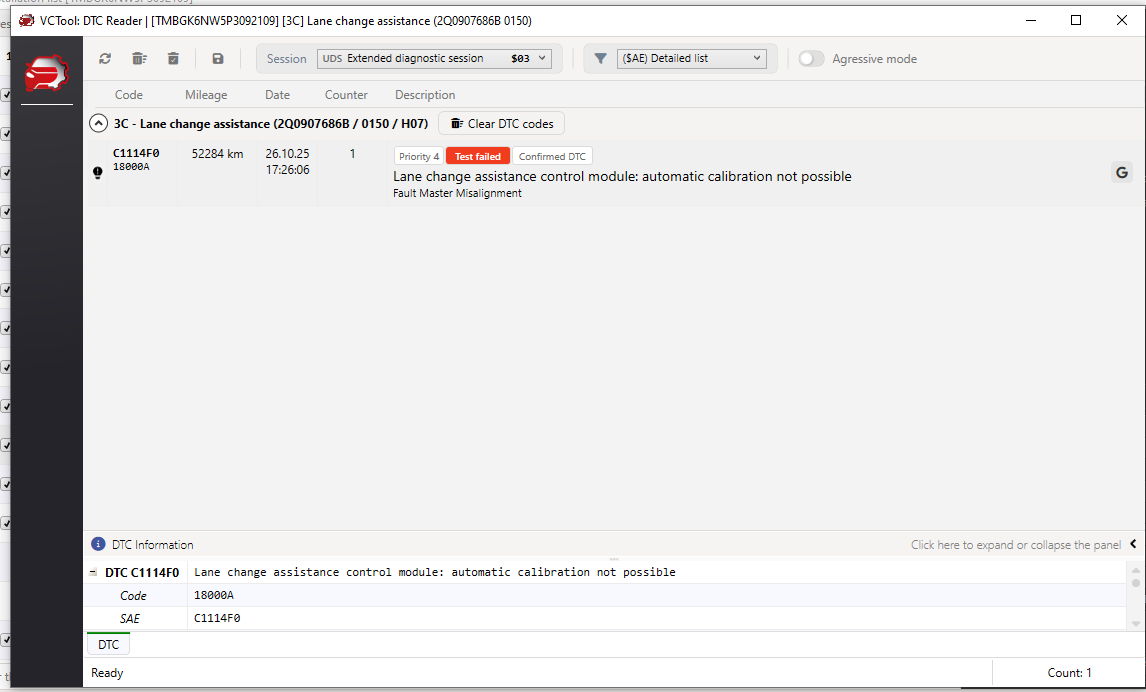
  12. I'm still stuck with this problem. The parking light indicator stays on all the time, even when I switch it to the OFF position (during the day). It seems like it "thinks" I need to turn my lights on.
  13. Vincent_83 replied to JRL's topic in Å koda Kamiq
    Road sign detection maybe ?
  14. I have rework my assembly and put a shim under the radar. Dynamic angle reduce to 8° to 1.5° so it's good. With these changes, all work perfectly.
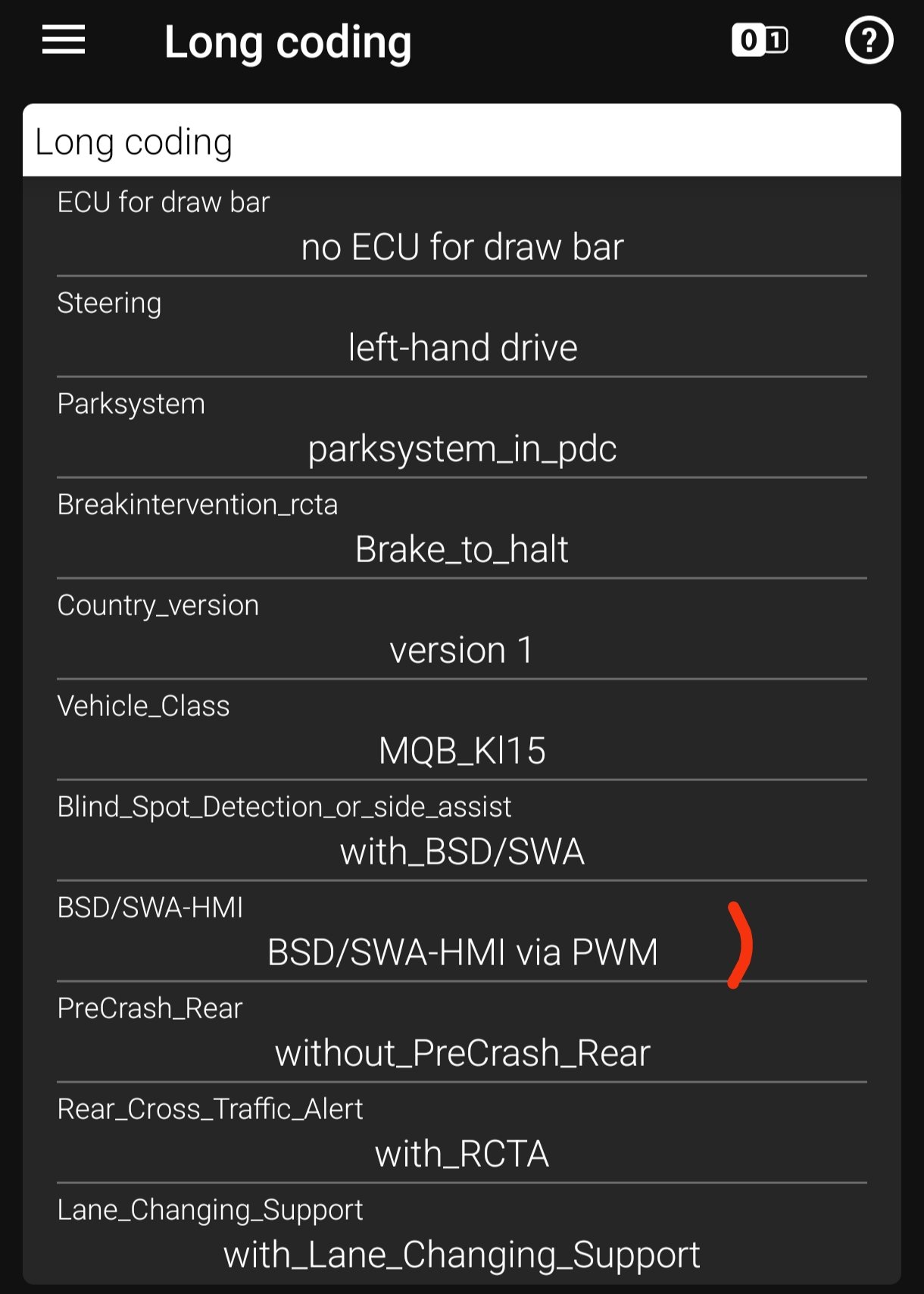
  15. Hi, I have a Kamiq 1.5 TSI with DSG7 and I have D1 -- D7 and S1 -- S7, N, R and P I can check my coding soon
  16. Hi HGFRENCH, (salut comme on dit par chez nous)
  17. So, I think the issue is due to the default on Master unit (on right side). For the left side (slave unit), the fault code is different. I have to check my fitting
  18. Correct brackets : I have installed 658907455 / 658907456 brackets and with the information I have, it's for Kamiq (not for Scala) : OK Correctly installed : I think but I see the fault is on Master side (right) and this unit come with a physical default on one of attach. --> to be investigated Correct dataset : I have installed dataset V03935363XP which is for Troc --> Maybe I have to installed for Kamiq but I don't find this (on VCTool) --> to be investigated
  19. Ho no, after somes kilometers, I have a error
  20. It was configured well but on the other hand, I updated the dataset coming from a T-Roc ( V03935363XP ) on the advice of cairus and there, the menu appeared 😁 Perhaps the original dataset ( V03935352AH ) did not allow this configuration.
  21. Ok, it's the multimedia interface. So this line refer to the mean for the system to communicate the power to the light. PWM or LIN
  22. I don't see any options in long coding, maybe this line but I can't change it : the other options is via LIN instead via PWM
  23. On my father's Karoq, there is slider into infotainment system to adjust the luminosity but on the Kamiq, only the on/off button

Important Information

Welcome to BRISKODA. Please note the following important links Terms of Use. We have a comprehensive Privacy Policy. We have placed cookies on your device to help make this website better. You can adjust your cookie settings, otherwise we'll assume you're okay to continue.

Account

Navigation

Configure browser push notifications

Chrome (Android)
  1. Tap the lock icon next to the address bar.
  2. Tap Permissions → Notifications.
  3. Adjust your preference.
Chrome (Desktop)
  1. Click the padlock icon in the address bar.
  2. Select Site settings.
  3. Find Notifications and adjust your preference.