Norbiva
Finding my way
-
Joined
-
Last visited
-
I got it from someone. Please close this thread.
-
Hello. Please can you send for me too that download link for the josi 5238 software? I cant find it anywhere :/
-
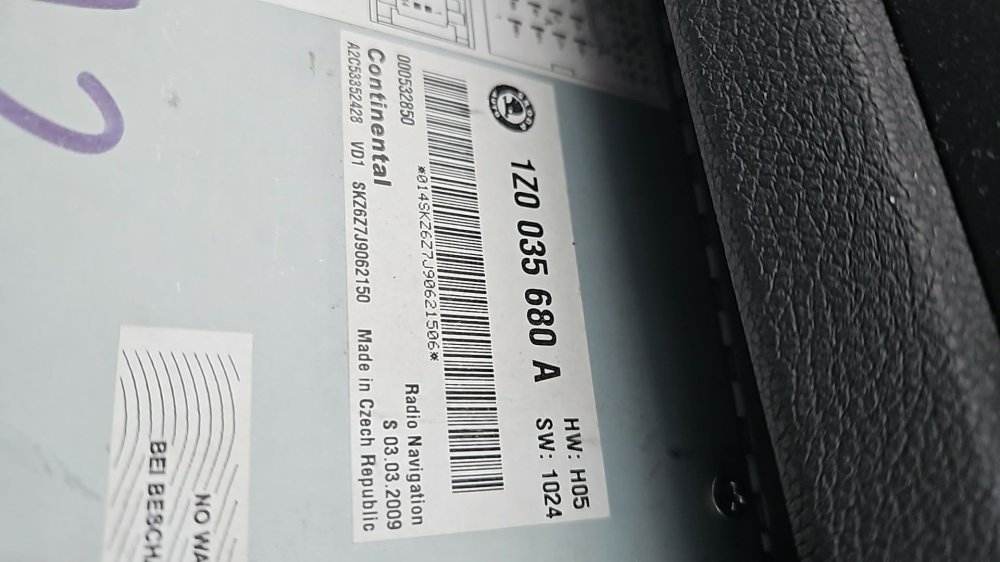
Hello everyone, I have an older 2009 RNS 510 Columbus head unit. The software on it is very outdated, and I would like to update it to the European Josi Modified 5238 version. Unfortunately, I haven't been able to find a working download link anywhere. Does anyone happen to have the software and could upload it somewhere? Or perhaps someone knows of a working download link? Thank you very much for any help.
-
Hello. I would like to install a new mib2 std pq head unit in my pre-facelift 2009 octavia 2. They wrote somewhere that I might need a can gateway update or replacement. Do you think I need it? If so, what do you think I need and what does such a replacement consist of? Do I need to code something afterwards? Or should I replace something else at this time?
-
Hello. I have a pre facelift octavia 2 rs. I want to put in it a mib2 std pq head unit. What else should i buy besides the head unit? What should i code in vcds? Can someone help me please?
-
Hi. Did you do the retrofit?
-
I saw a few videos on the youtube, where they did it. They said i can do it on a pre facelift octavia 2, but they didnt tell me what specific things i need for that. I hope someone will help here
-
I want to do it myself, i just need a little help for it.
-
Hello. Next week I'm buying a pre-facelift 2009 Octavia RS DSG Combi MK2 with CEGA engine code. Unfortunately, it has a steering wheel without multifunction. I've seen a few people who were able to solve the problem of getting a new multifunction heated steering wheel to work in the car, even an Octavia 4 RS steering wheel. I've already dug into the topic a bit and I know that in addition to the new steering wheel I'll also need a new steering wheel controller, a new steering wheel slip ring, maybe new steering column switches and an extra cable for the steering wheel heating. Unfortunately, I don't know yet what and how many parts I'll need. I also know that I'll need some extra module that will help the new parts work in the old car, but I don't know what that is. Has anyone ever put an Octavia 3 RS or Octavia 4 RS steering wheel in a pre-facelift Octavia 2 car so that the multifunction and steering wheel heating work? Can anyone help me with exactly what parts I should buy, what should be connected where, and what settings should be set in vcds? Thanks in advance for your help.
-
Hello. Next week I'm buying a pre-facelift 2009 Octavia RS Combi MK2 with CEGA engine code. Unfortunately, it has a steering wheel without multifunction. I've seen a few people who were able to solve the problem of getting a new multifunction heated steering wheel to work in the car, even an Octavia 4 RS steering wheel. I've already dug into the topic a bit and I know that in addition to the new steering wheel I'll also need a new steering wheel controller, a new steering wheel slip ring, maybe new steering column switches and an extra cable for the steering wheel heating. Unfortunately, I don't know yet what and how many parts I'll need. I also know that I'll need some extra module that will help the new parts work in the old car, but I don't know what that is. Has anyone ever put an Octavia 3 RS or Octavia 4 RS steering wheel in a pre-facelift Octavia 2 car so that the multifunction and steering wheel heating work? Can anyone help me with exactly what parts I should buy, what should be connected where, and what settings should be set in vcds? Thanks in advance for your help.