



Rifleman
Members
-
Joined
-
Last visited
Everything posted by Rifleman
-
-
That’s interesting. I recently posted an account of my car performing a sudden emergency stop while travelling at 70mph in the centre lane of the M20. It braked hard, locked the steering, came to a full stop and turned off the engine. I hadn’t given it much thought until you mentioned it but the common factor with your incident is that I too had the drowsy/take a break message just a few minutes before my incident. I wonder if it’s related 🧐 As a result of my incident I sold the Superb as I felt we had had a lucky escape, might not be so lucky next time. Picked up my new car this morning…
-
Mine is H10 too.
-
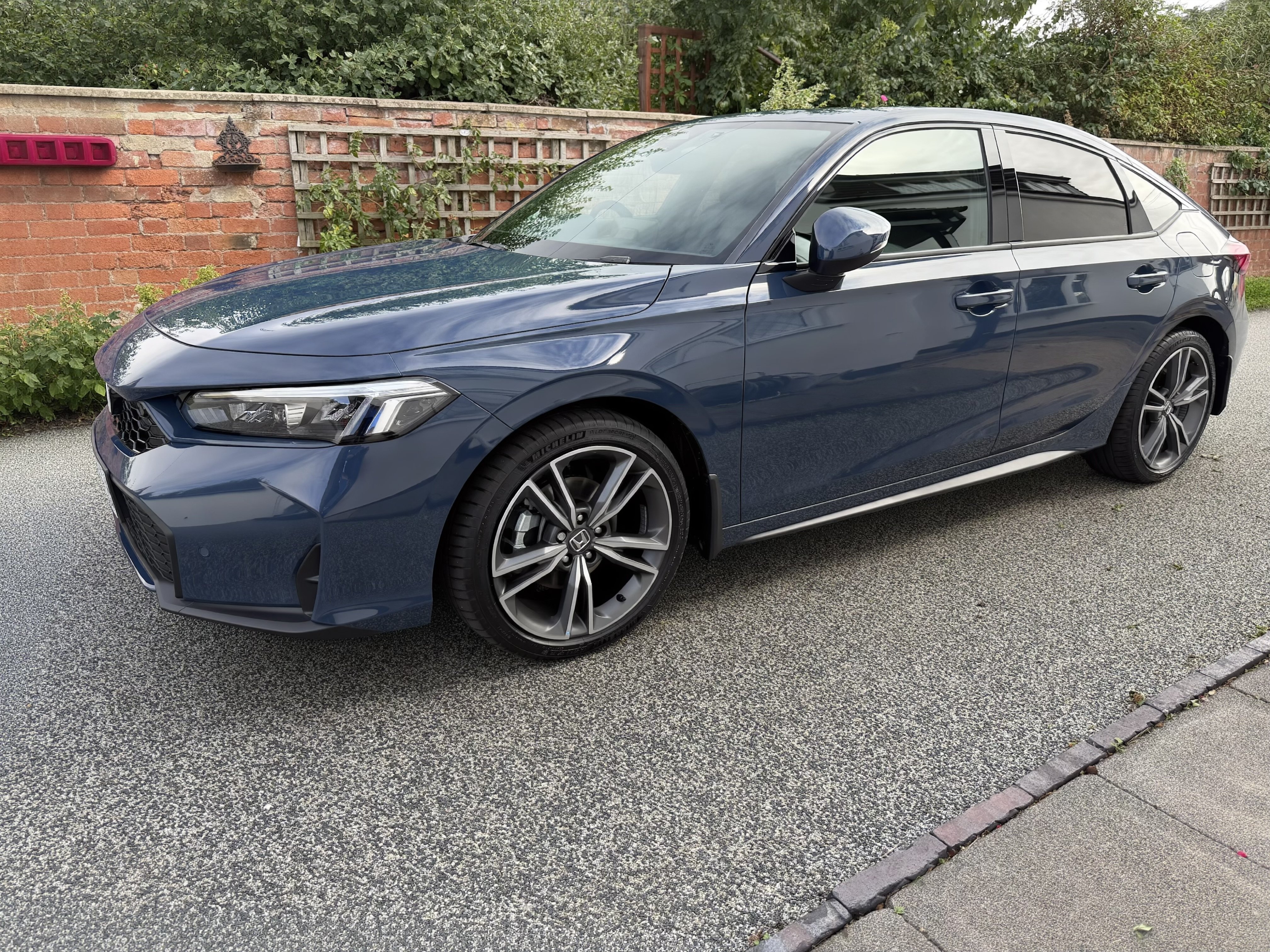
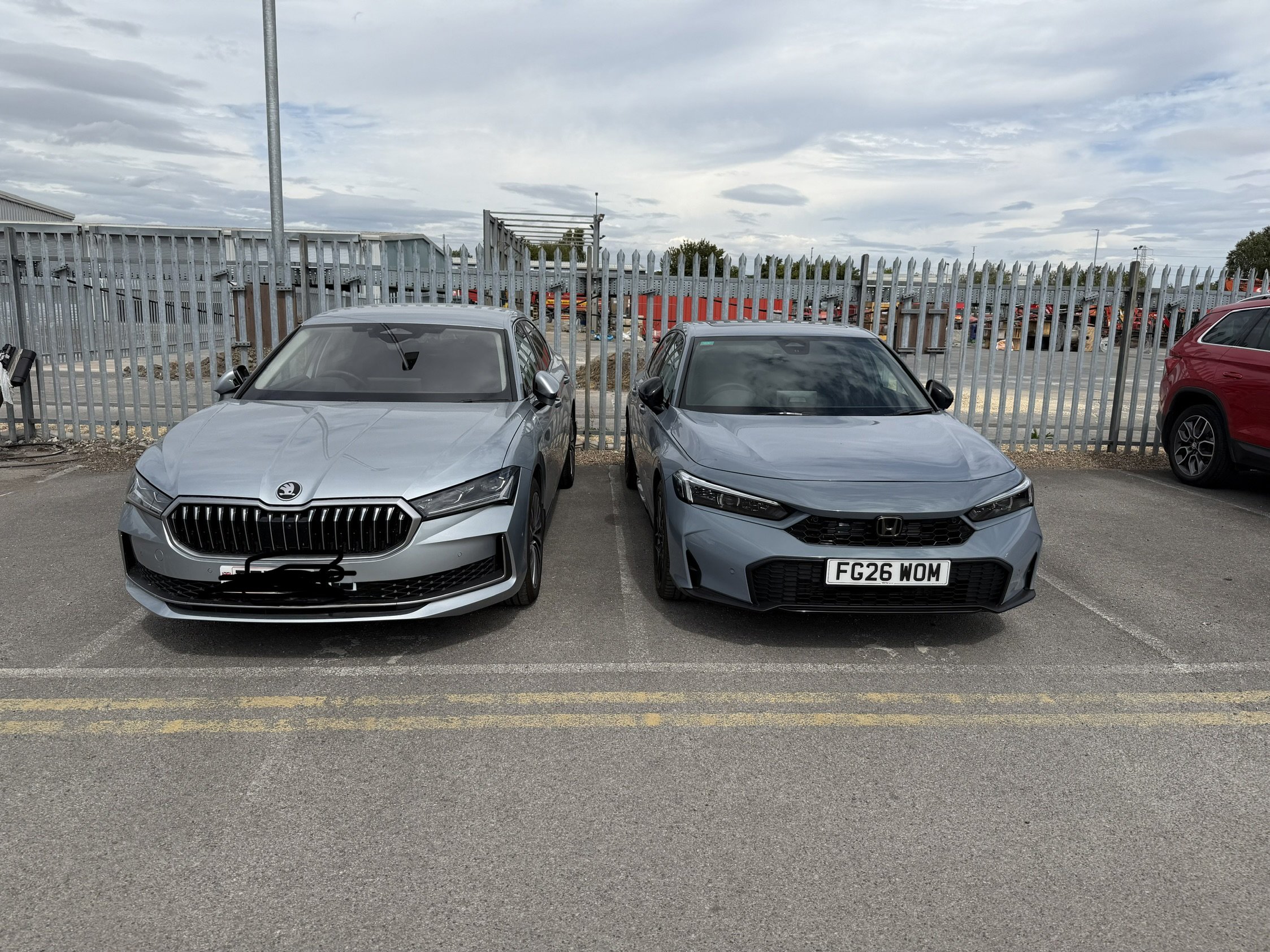
As a fellow ex-software engineer I couldn’t agree with you more. I’ve given up on my Superb after 18mths, I collect my brand new Honda Civic e:HEV in 3wks time. I won’t be coming back to Skoda/VAG unless they manage to get their act together, if that’s before the Chinese wipe them out…
-
I saw multiple lanes on my display while driving up the A1 earlier this week, the first time since I got the car 18mths ago. It was a two lane road, I was in the inside lane using ACC set at 70mph. Multiple cars passed me in the outside lane, no indication of multiple lanes or cars in the display when they passed. When I approached a car doing about 60mph in the outside lane much to my surprise a second lane showed up in the display with a car icon in it. My car automatically slowed to match the speed of the car in the outside lane obviously complying with the no undertaking rule. The second lane indicator went away when the car pulled into the inside lane and it didn’t come back when I then changed lanes and passed the car…
-
-
Got the call from the dealer today to say my new car has arrived at the dealership. 7 days from order to delivery! I had to wait 7 months for the Superb. A benefit of zero factory fitted options. It will no doubt have been sitting in a uk port for a while, Civics are built in Japan. I’ve booked it in at a professional detailers for a “new car” treatment. I’m going on holiday at the weekend so I’ll be collecting the car when I get back in a couple of weeks time. Thanks for all the help and advice over the last 18 mths guys 👍🏼
-
I put an order in for a new Honda Civic e:HEV this morning, will arrive at the dealer first week of September. If anyone is looking for a mk4 Superb 2.0TDi L&K 4x4 with only 4600miles on the clock in Pebble Silver then keep an eye on the Vertu used car pages next month. It has a bit of kerb rash on one of the alloys but the dealer said they will repair that before it’s sold, other than that it’s in very good condition. It has the HUD option and a space saver spare wheel.
-
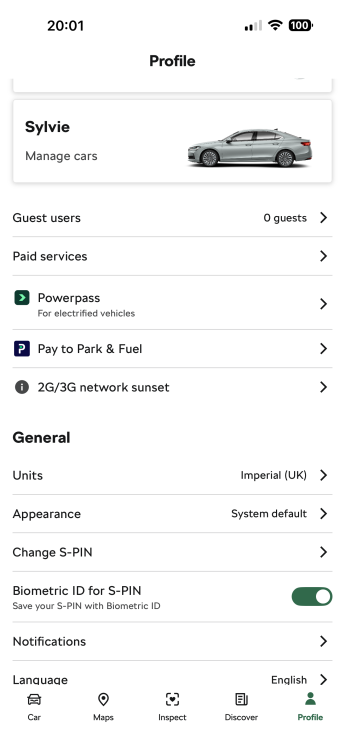
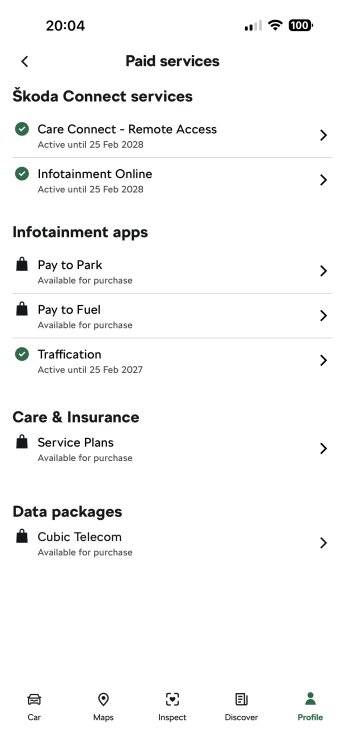
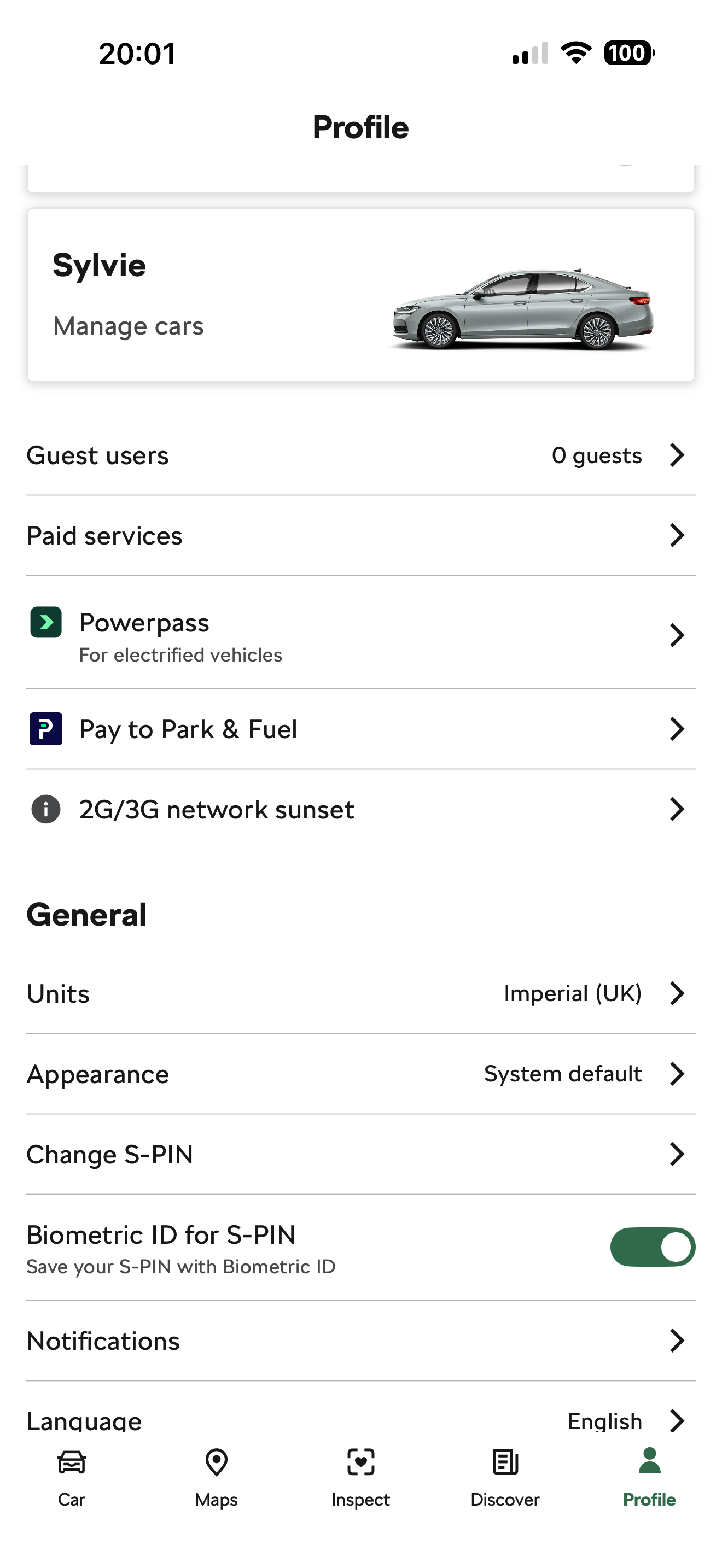
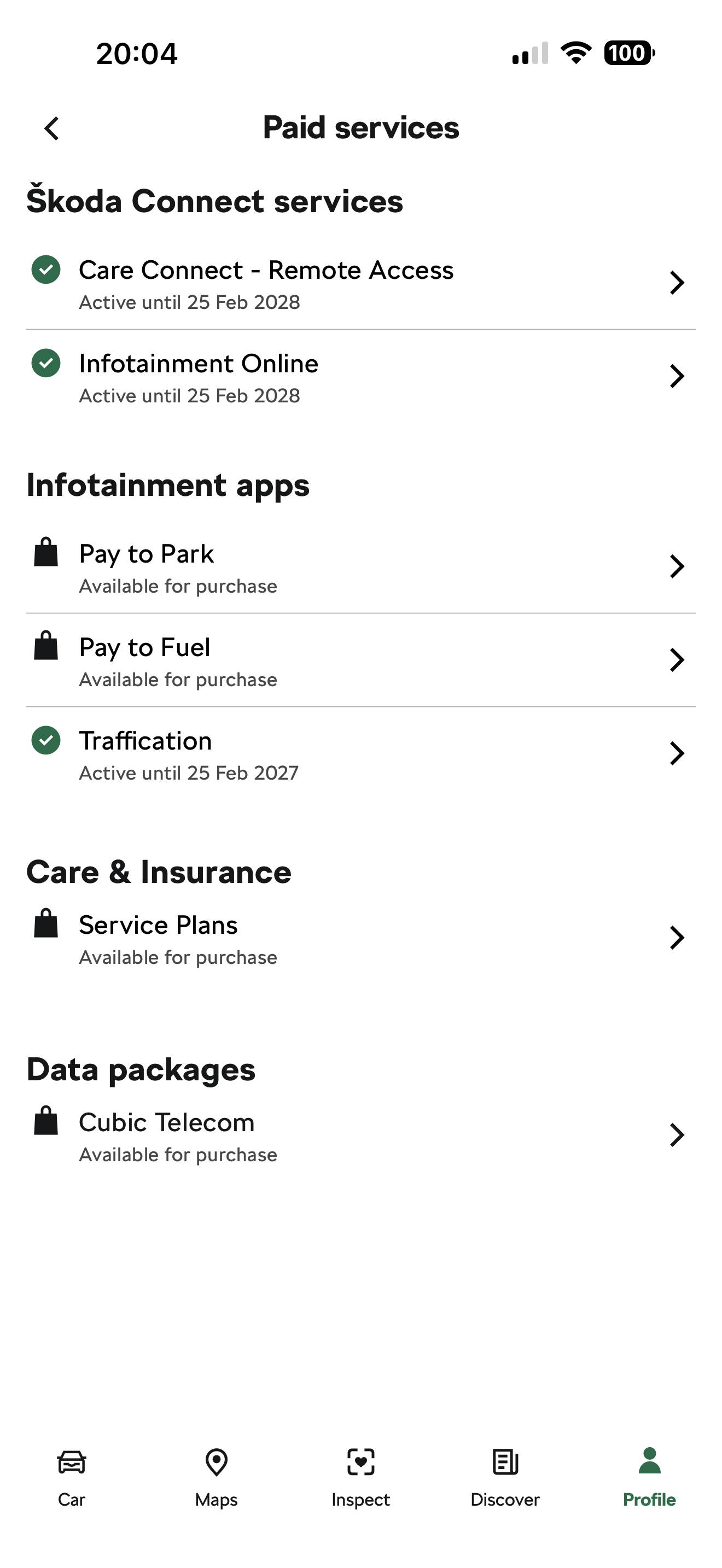
Strange, I have the same version of the app (on the iPhone). Here’s a screenshot
-
I believe traffication is subscription service, free for first year. If I recall correctly I think it cost £4.50 per year and you pay for it through the ŠKODA app. Look under PROFILE -> PAID SERVICES
-
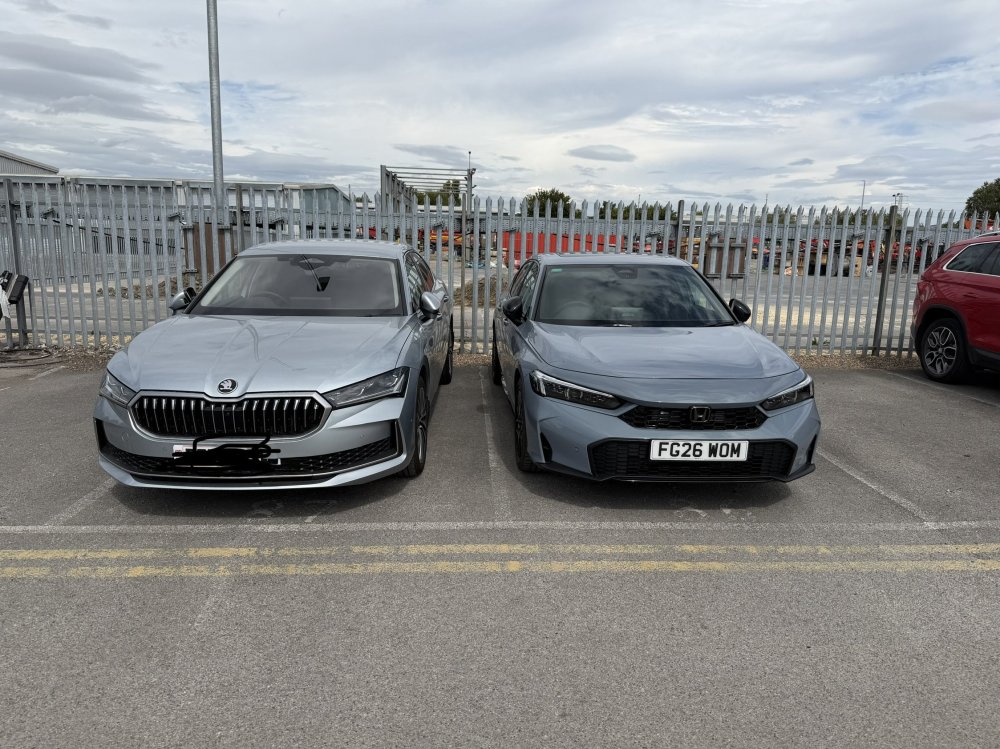
Thanks for your very comprehensive reply Arianne. I use exactly the format and folder structure you describe above on a Samsung 256GB usb-c stick. Also tried with other makes of sticks and a 1TB external ssd. Well that was my last shot at fixing my media playback woes. I’m in the process of ordering the Honda Civic eHEV in Advanced trim. I love it’s driving characteristics, fuel economy and ergonomic control layout. It comes with an 8 year guarantee too. Not as luxurious as the Superb but I can live with that, I came back from my test drive with a huge smile on my face!
-
I wish Škoda UK Customer Support lived up to the brand’s “Simply Clever” catchphrase but in my experience sadly not. I’ve mentioned before in this forum that I’ve been having problems with media playback from a usb stick. After many months of gritting my teeth and trying to live with it I decided to have one last attempt at finding a solution myself by checking that the folder and file structure I use on the usb stick complies with any limitations of the infotainment system. The manual only gives information of what type of media files are supported but nothing about any limitations on file size, folder size, max files in a folder, max files on the stick etc. etc. I emailed customer support saying that I have been experiencing problems with the infotainment system and so that I can check that I’m not exceeding any limitations could they please supply me with information regarding the items I mentioned above. Their reply was “we are sorry that you are experiencing problems with your infotainment system, please speak with your Skoda retailer to arrange for a diagnostic check of your system”. Considering too a recent experience in the Superb when it suddenly performed an emergency stop while travelling at 70mph in the middle lane of the M20 with no apparent reason it’s the last straw for me. I’m getting rid of the Superb and going elsewhere. I’ve had a number of test drives over the last week, the 2026 Honda Civic eHEV is top of my list. Not as luxurious or as spacious as the Superb and lacks some of the toys but boy what a fantastic drive! It’s a long time since I’ve driven a car that handles so well. The sort of car I’d find excuses for going out in rather than reasons for not going out in the Superb because of my frustrations with it. On my 40min test drive the trip meter said the car achieved 62mpg, Bose sound system beat the Canton hands down and the top trim comes in at a tad under £40k so no luxury car tax. As the song goes, “so long, farewell, it’s time for me to go…”
-
You do realise that the picture you posted is of a VW and not a Skoda? Quite possible they have different software, not all VAG cars are equal… Never seen more than 1 lane shown in my L&K.
-
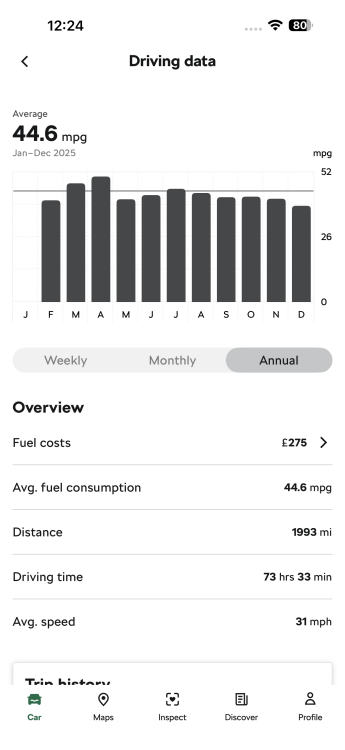
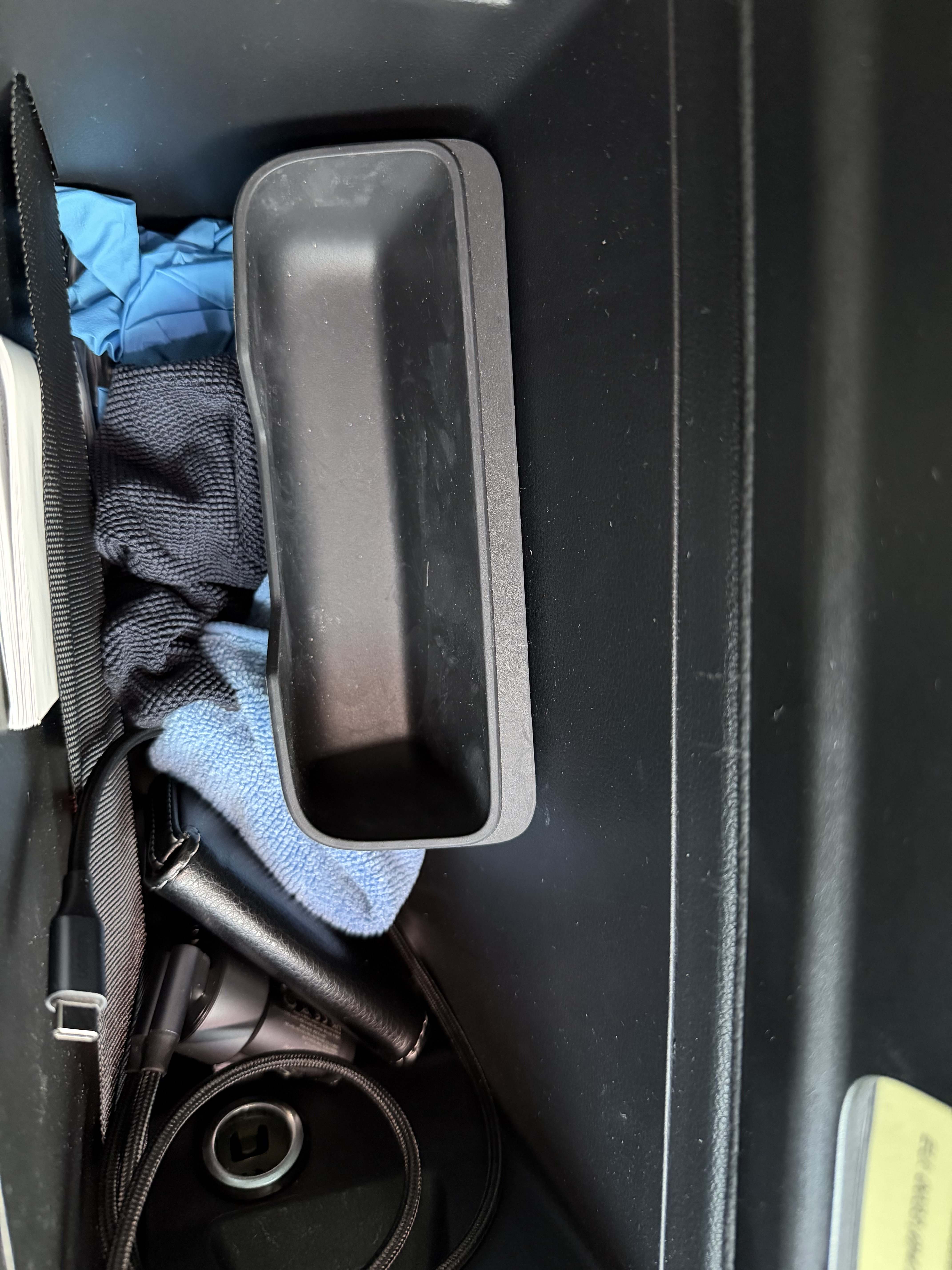
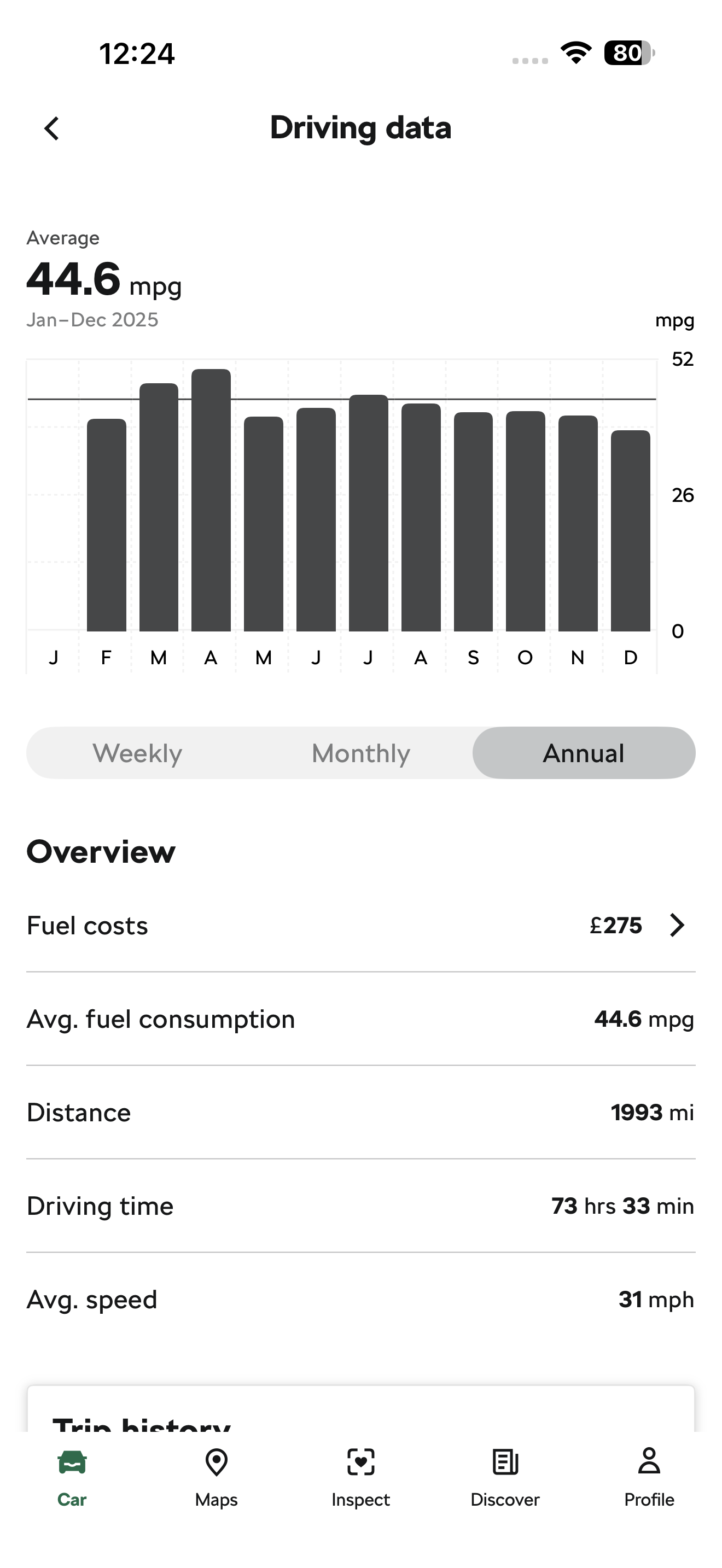
Looks like the spectacles holder which slots into the box inside the central arm rest. Does it have a couple of lugs on the back of it?The 2 l-shaped pieces are used to secure any loose boxes in the boot. Place them at opposite corners of the box, the Velcro will stick to the fabric of the boot liner and hold the box in place. No idea what the lipstick holder is. Can you post a picture of it?I’ve given up trying and learnt to live with it. Added it to my ever growing list of software faults.Be aware that the messages I got were transient. If I remember correctly they appeared after turning on the ignition but before starting the engine, after which the message went away until the next ignition on.I’m retired and my key fobs are hung in a metal key box mounted on the wall in a walk-in cupboard about 5m from the car for the vast majority of the time. The factory fitted key fob battery lasted a few days short of 15mths after delivery. As an indication of usage I’ve had the car for 19mths and only done 3000miles so far…I got repeated warnings over a few days recently, probably 4 or 5 journeys during that period, that the key fob battery needed replacing. As you say it’s quite easy to replace them…Info for anyone interested when travelling from UK to France, just completed the Eurotunnel crossing. I can confirm that the clock doesn’t change automatically, speed and distance units do not change automatically. You have to change them all manually and don’t forget to manually change the light settings for driving on the right too (although as someone else mentioned I suspect the light settings is more to do with the detection technology rather than light pattern). At least doing it manually I could set speed and distance units to kph and km but leave the fuel consumption units in mpg. Still would prefer it to change automatically though…Had a real brown trouser experience this afternoon on the M20 approaching Folkestone. I was doing 70mph in the middle lane, just passed a lorry in the near side lane, nothing in the outside lane. The car suddenly decided there was some sort of emergency, slammed on the brakes and turned the steering wheel slightly to the right and brought the car to a stop. It would not respond to any manual input from me to either the steering wheel or pedals! Thankfully there was a gap of 300-400 yds to the following traffic which all managed to avoid me. After a few seconds I managed to restart the car and get it to the side of the road. From there it restarted as if nothing had happened and I managed to get it to the Eurotunnel terminal. I’m due to drive 500km through France tomorrow, I’m not looking forward to it…The house is filled with speakers in my SONOS music system. Lossless format is essential to get the most out of it. All of my files are stored on my home server so makes sense just to copy the files I want from the server onto a usb stick and plug it in to the car… It took quite a while to rip all those cds but well worth it. All the original cds sit in my loft now gathering dust.My mk4 2.0 TDi 190hp, split is about 60% rural, 30% city, 10% motorway. Results from from last year…

Important Information
Welcome to BRISKODA. Please note the following important links Terms of Use. We have a comprehensive Privacy Policy. We have placed cookies on your device to help make this website better. You can adjust your cookie settings, otherwise we'll assume you're okay to continue.