scubasad
Members
-
Joined
-
Last visited
Everything posted by scubasad
-
Thanks.. the only real issue I had was getting the rubber boot back over my repair, but I did it and the boot operates as it should..How long for who knows...
-
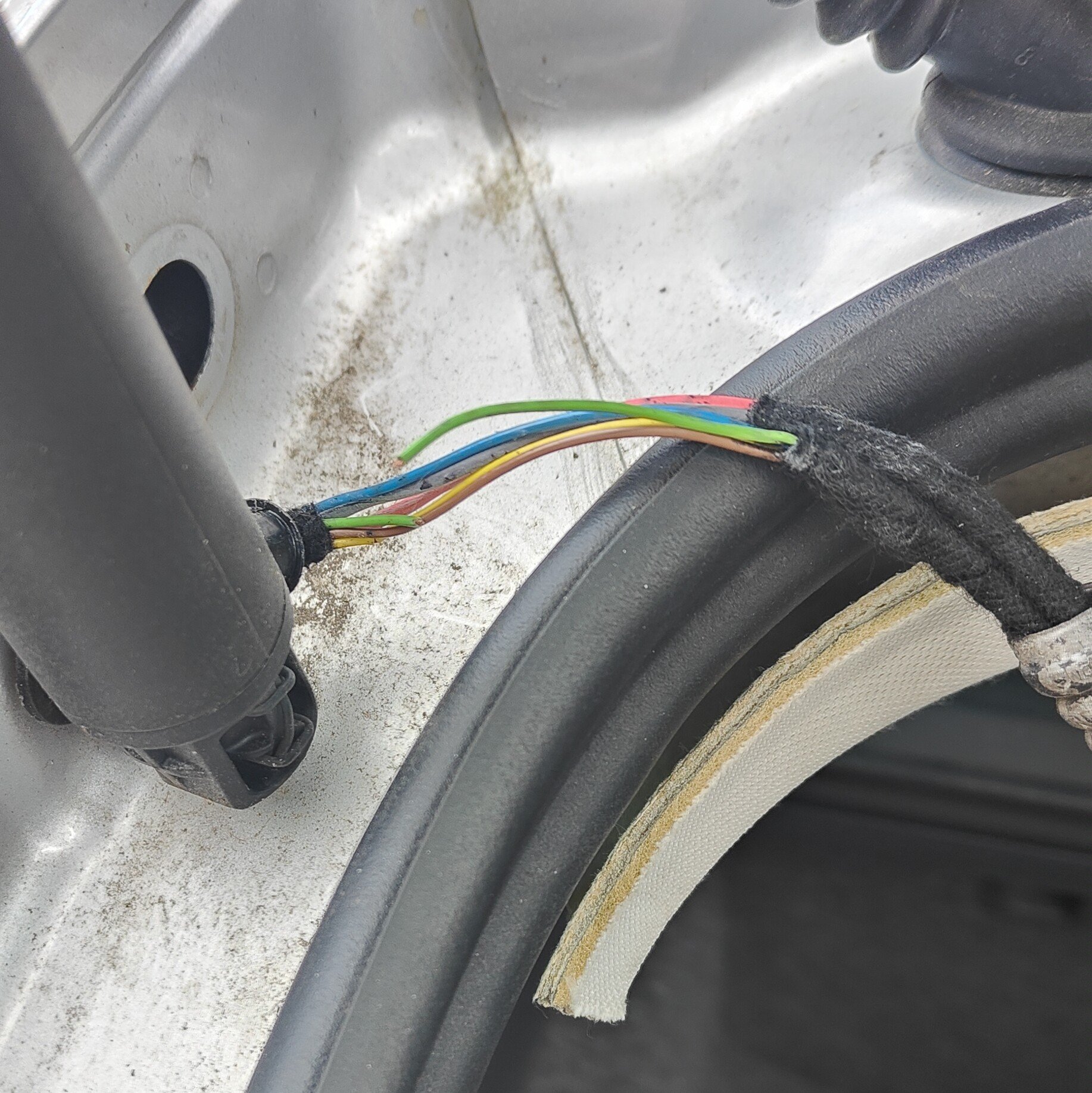
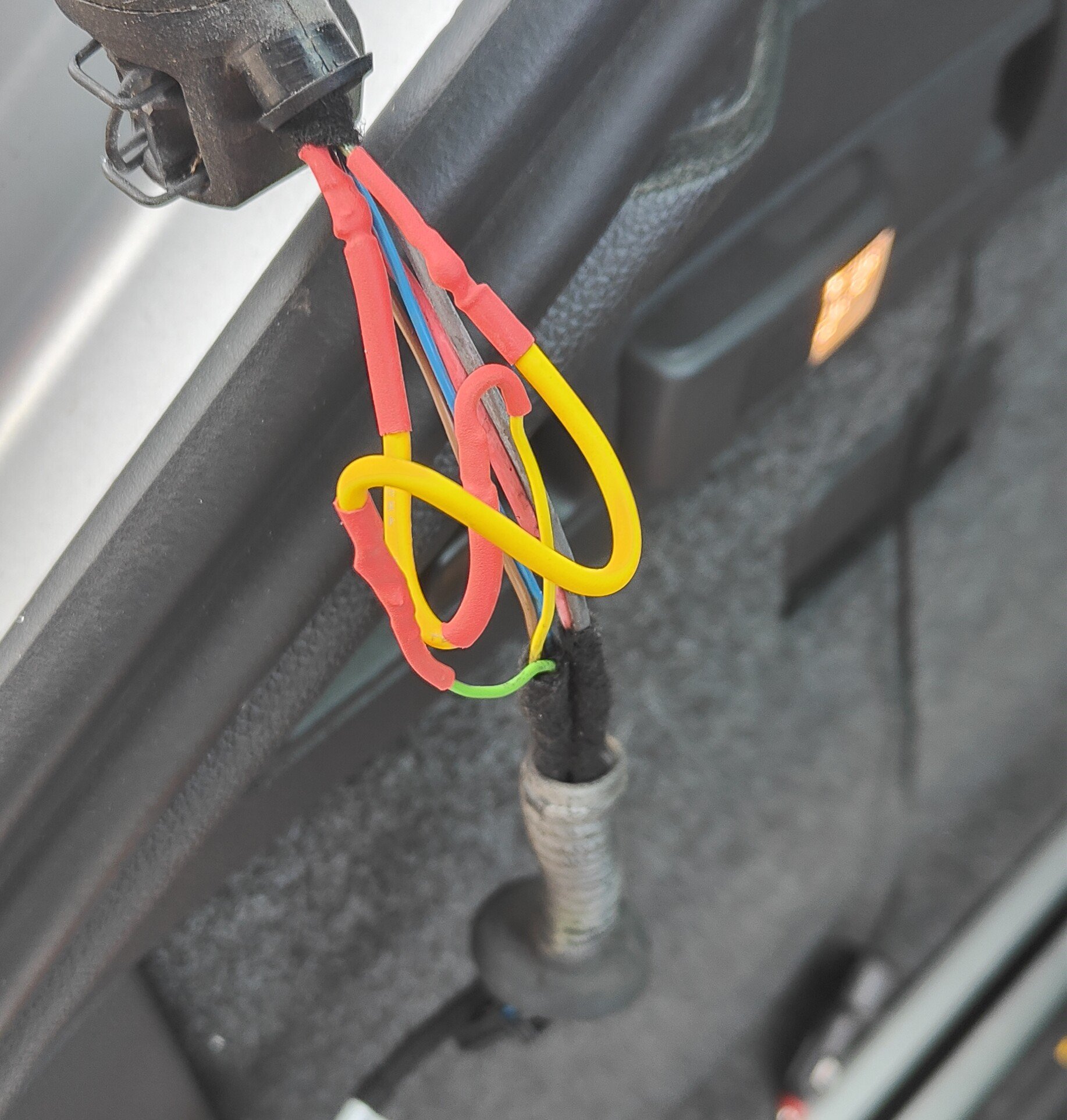
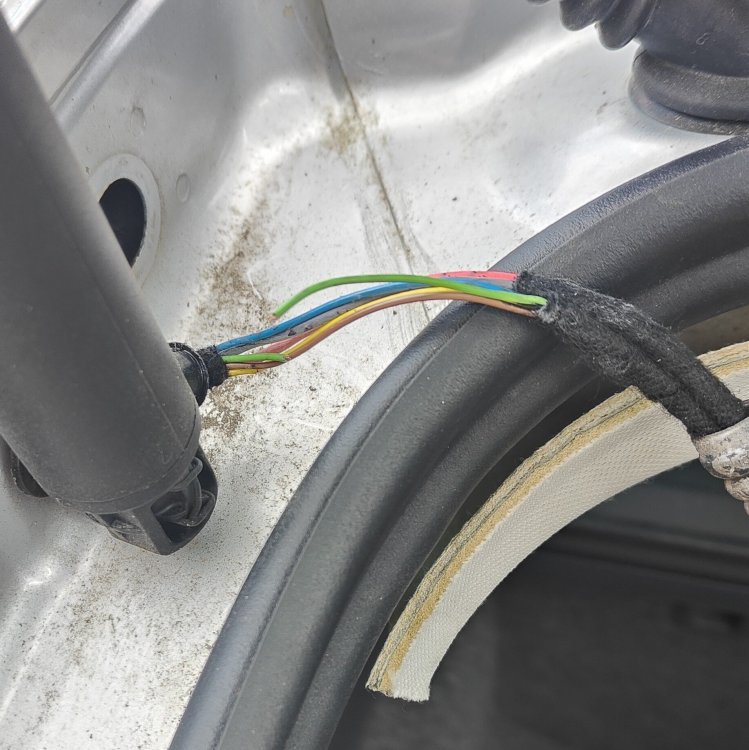
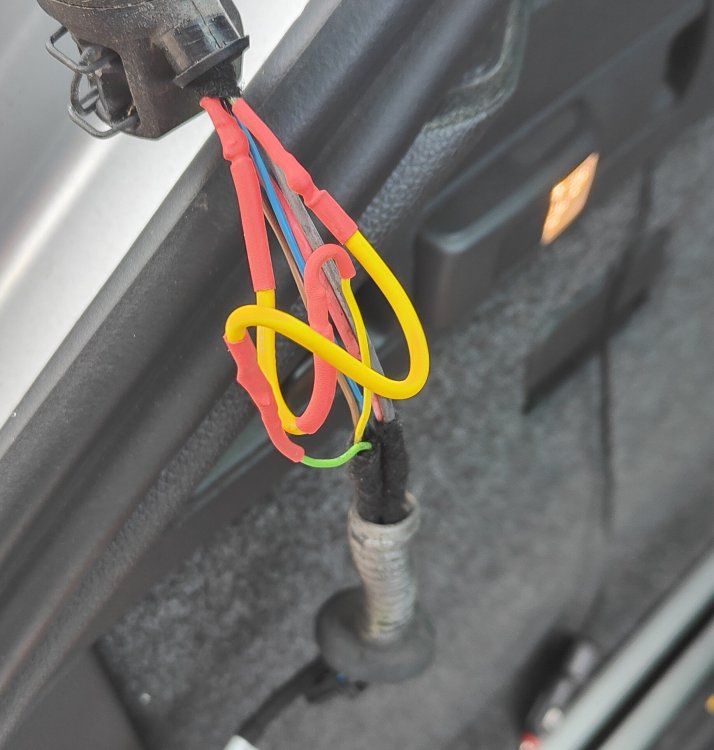
So after googling and a bit of youtube, had a look at the left hand side and found the green wire broken and the yellow on the way. Hadnt got any wire the same size and was a job to get the boot back over but two pieces soldered in with heatshrink and the boot now works as it should.. Will do for the time being, but will eventually get a couple of replacement struts when it goes again..
-
There is a post open on this recently but no one seems to be answering my query so apologies for another post on same subject... When I press the button to open the boot from the keyfob, it opens about 6" then closes again. If I open using the button on the boot, it opens the same distance but just sits there. When I manually push it up from this position, there is a certain amount of resistance and when open fully and I press the button on the boot to close it ,bleeps about 6 times and does nothing. Are there likely to be any fault codes that would indicate what the issue may be? I can`t think it would be a break in a wire as I`m guessing it wouldn`t open at all. If it were a faulty strut , how would you ascertain which one? or is it likely both could be faulty? Or indeed could it be something else entirely?
-
not strictly correct. had another try and the boot will open about 6" then stop and start bleeping at me. I then have to manually open and close. I`m guessing this is not a wire break or it wouldnt open at all, any ideas?
-
Mine have just decided to stop opening and just bleep at me instead. Any ideas what might be the issue? Were working fine yesterday..
-
well I`m going to admit defeat on this one. Can`t see any way round it unless Skoda do the decent thing and re evaluate doing map upgrades for older models.
-
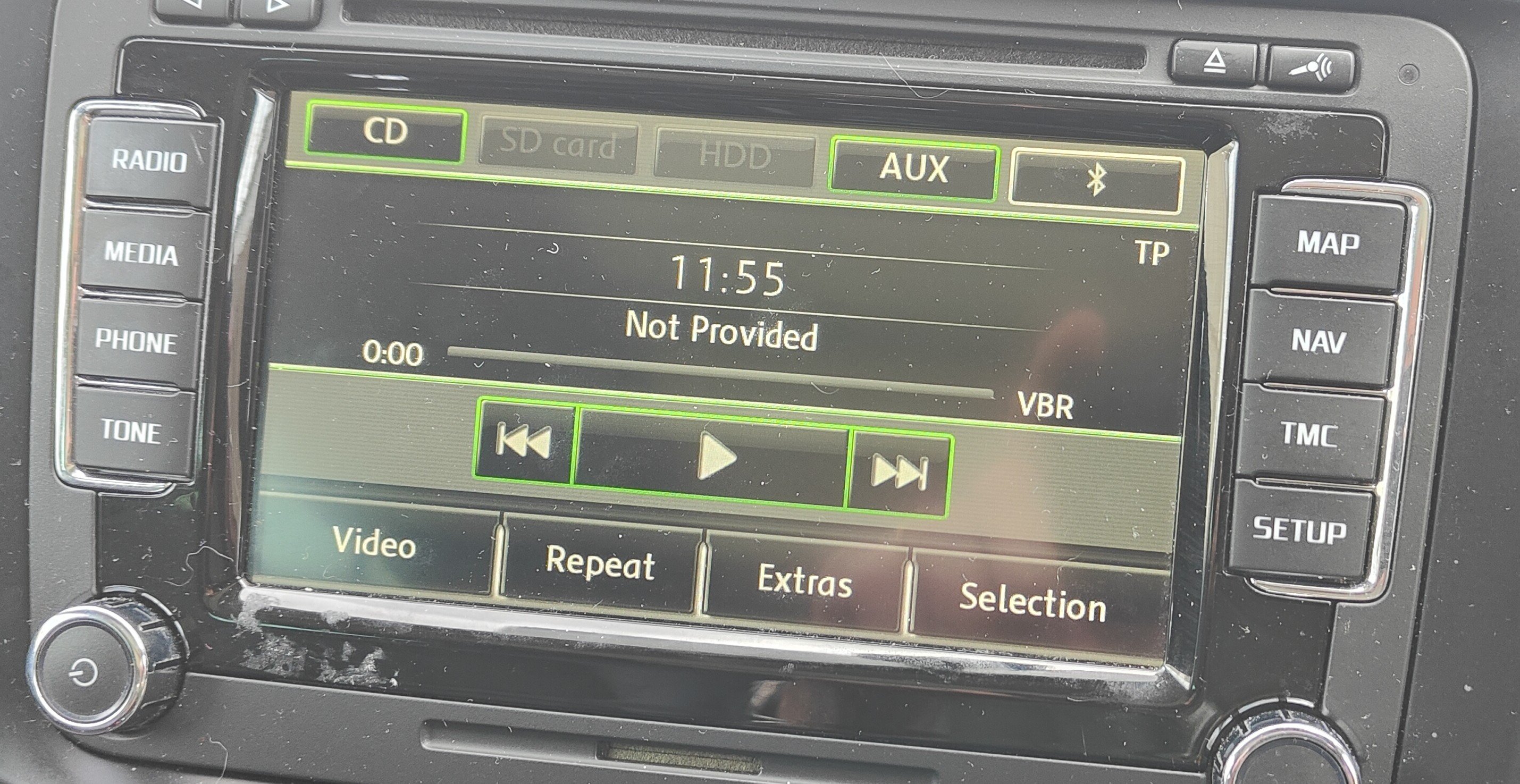
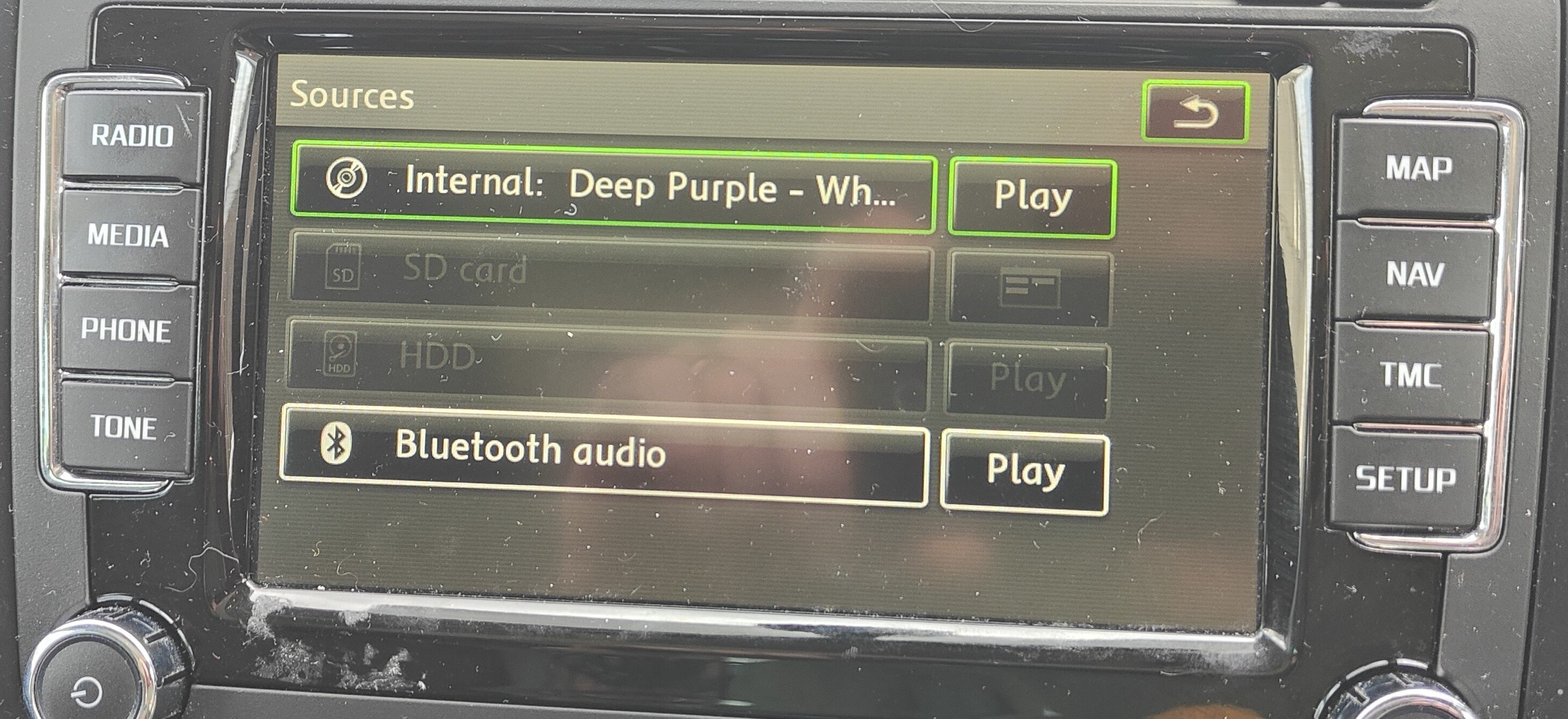
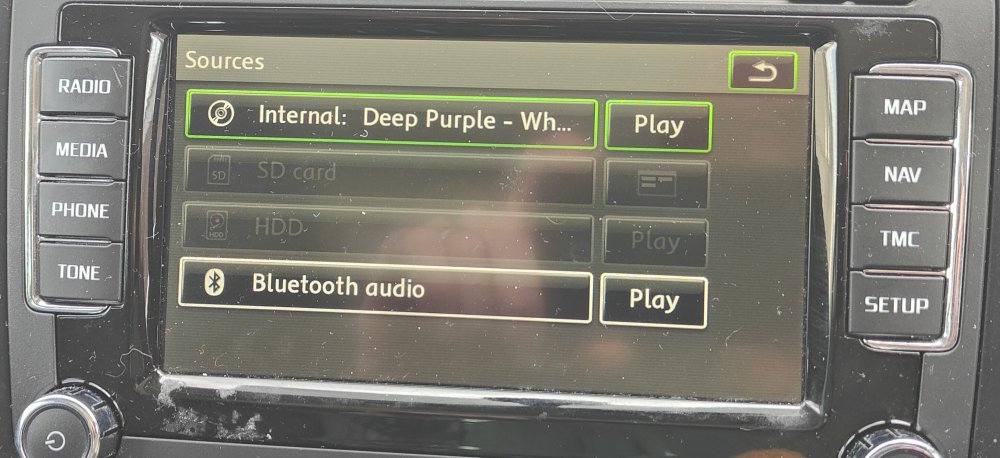
When I say greyed out, I mean to say that the buttons are not green indicating they are active. When they are green you can press them to do something, when they are not you cannot. I`m going to try disabling the AUX setting and see if that makes any difference.
-
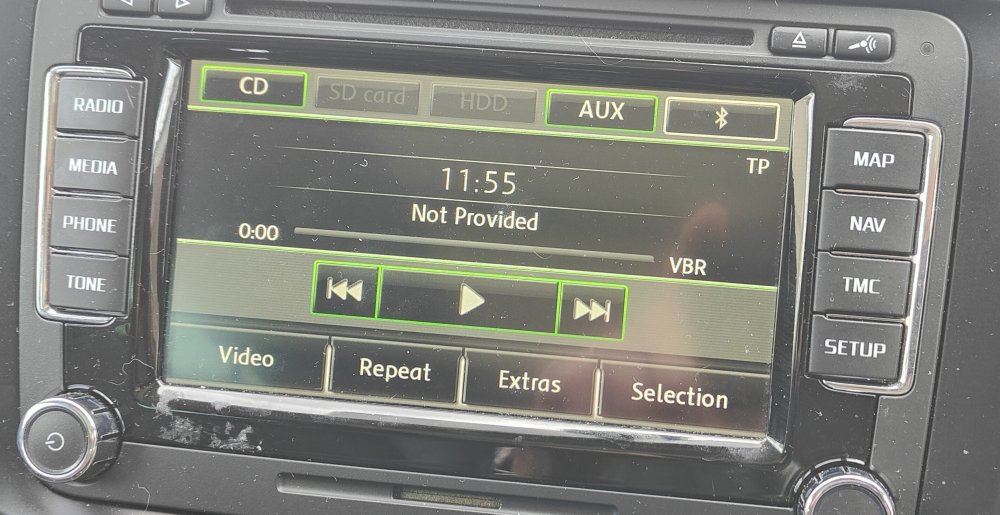
I`ve attached pics of the unit and as you can see when you look at the second pic, the bluetooth audio is greyed out and press it as much as you like that doesn`t change. When paired with the car andI check the phone settings it`s set to play blutooth audio through the skoda pairing so I really am at a loss to undestand why this won`t work..
-
Hmm, this may be the issue then as although the option is there to play bluetooth media the button is always "greyed" out?
-
treid pretty much everything as far as settings goes. cant even get volume through the phone on it`s own..
-
As there are no further updates available for the colombus unit in my superb, thought I `d try Waze for the satnav? As far as I can tell phone is set up correctly and paired to the car no issues, but I cannot get any voulme through the car speakers like it`s supposed to do. Anyone had similar issues and know how to get it to work or is my colombus just not compatible? 2014 Lauren +Klement Superb Estate..
-
Contemplating upgrading the Colombus infotainmanet system with an aftermarket version to enable sat nav upgrades etc and thinking maybe with a reversing camera? Wondered if anyone else had done similar and any pitfalls to be aware of? Also any recommendations for a decent but not over priced unit to accomodate sat nav upgrades/reverse camera?
-
Probably the sensor located on the wishbone. I had same issue and replaced via my mechanic and all ok after..
-
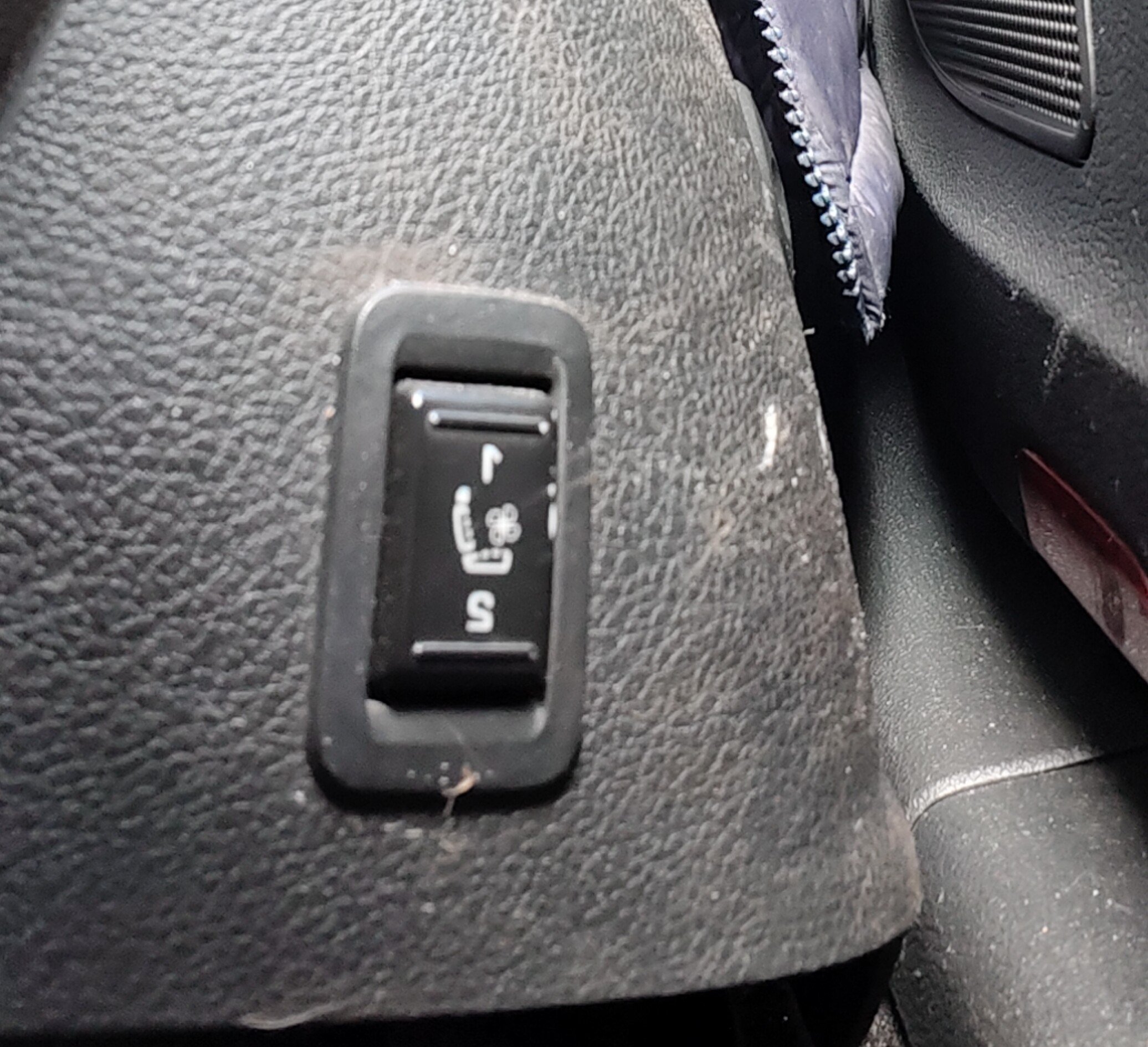
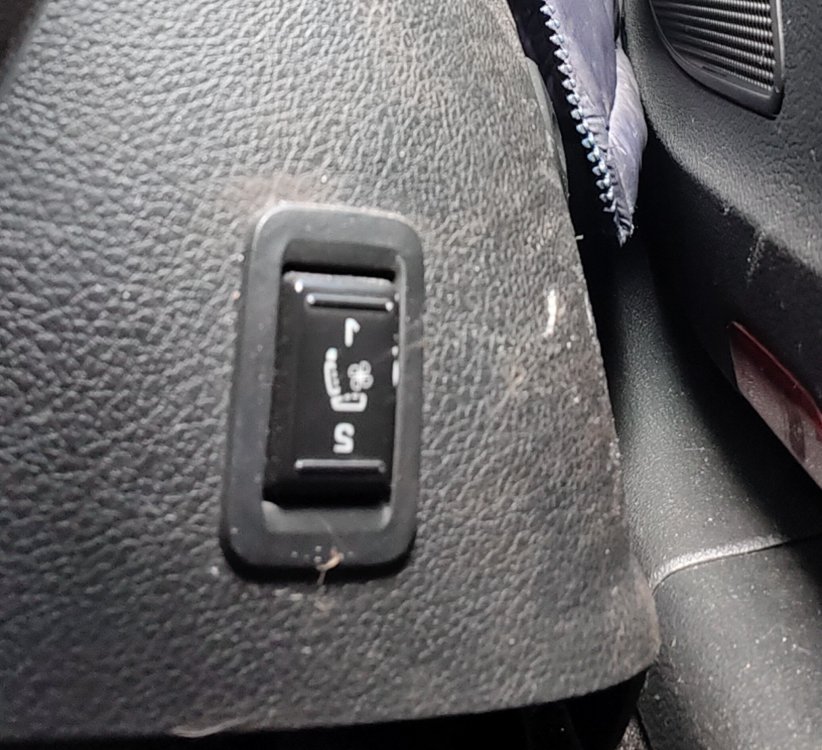
Hi all, I have the Lauren and Klement version of the Superb and wondered what this extra switch was for. There`s one on both front seats but no reference to them in the owners handbook. Is it something to do with cooling the seats maybe?
-
I changed the batteries and it does operate when boot opens and then goes off, but when removed it will not operate as a torch so I guess its knackered inside somewhere. Will have to look for a replacement..
-
Just wondering here if the boot torch should be on all the time? Been looking at several different Superbs via autotrader just out of boredom and I notice all the pics in the boot show the torch as on. I noticed mine was always on and on investigation found the terminals to be corroded from the leaky washer hose pipe so have removed and cleaned everything up ready to fit new batteries when they arrive. I`m assuming it should only come on if the boot is opened and on removal you should be able to turn on and off via the button? If as before , it is on when boot is shut would assume its either knackered or still and issue with the terminals for connection?
-
Panic over, quick google and gone for the dashboard lights. tickety boo!!
-
Just about to re install my dash cam and looking for a fuse in the drivers side fuseboard that is switched on with the ignition? the 12v cigarette type adaptors in the front and rear appear to be live permanently so looking to fit a secondary 12v lighter attachment via piggy back fuse in the fuse box area as loads of room to tidy wires etc. Can anyone tell me which fuses are definitley only on with the ignition please to save faffing about?
-
Having just done the satnav upgrade, it would appear my stop/start battery has died. I currently have it on charge to hopefully get me to Halfords to pick up a new battery ( I knew i`d have to get one at some point as the stop/start was a bit sporadic at best) My question is this.. Is there a code to input into the Colombus infotainment system following a battery change to get it to work again or does it just carry on as normal?
-
Any idea how long it takes for this to upgrade? Popped the disc in and opted for install rather than use disc but there doesn't appear to be any progress bar or anything to say the unit is actually doing anything other than the odd disc noise here and there. Been sat out here for an hour so far...
-
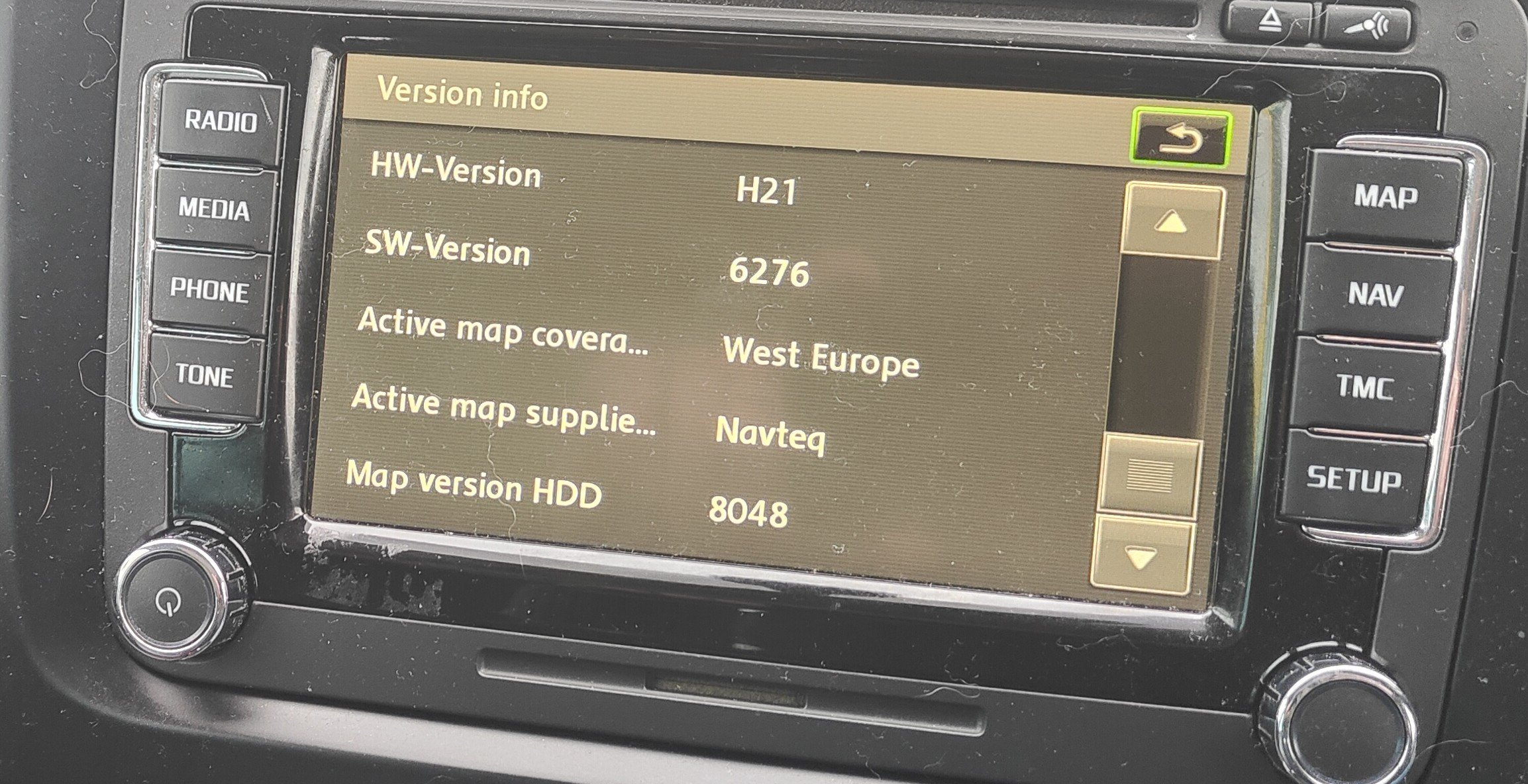
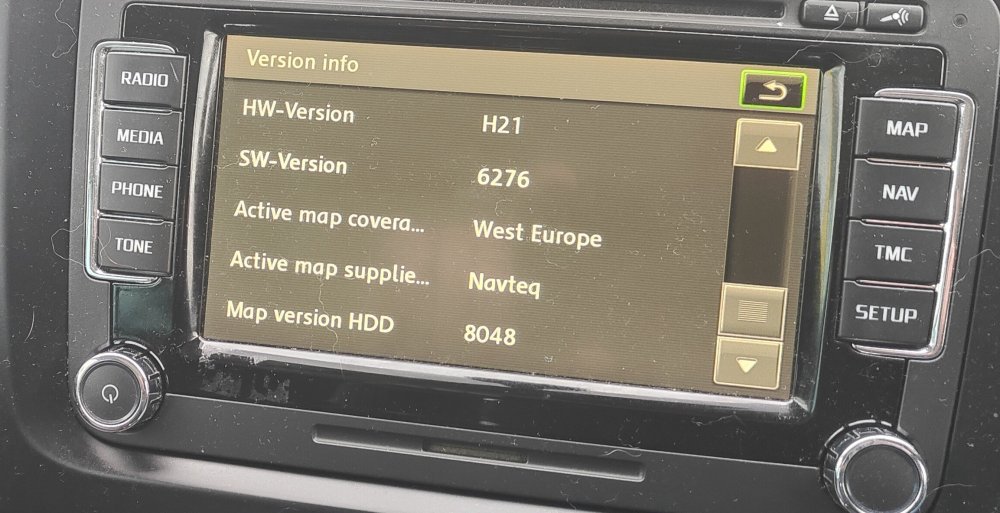
This is my version, so I`m guessing I can go for the upgrade?
-
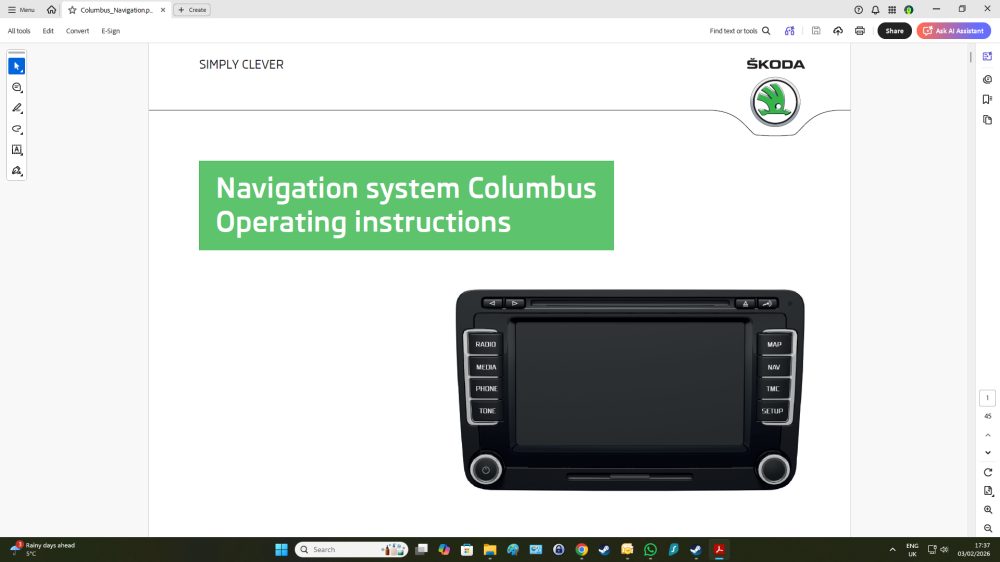
Would really appreciate an answer here chaps if possible?
-
Since I last posted on 7th Feb, we have had all sorts of rain, torrential, misty rain, normal rain, whatever you can think of and nothing has come in so I cancelled the appointment to investigate further. Last night we had 50mph winds and driving rain and when I looked inside car this morning a very tiny pool of water around 2" diameter was on the rubber mat.. This defies logic so for my own piece of mind can anyone tell me or show me a pic of where the drivers side sunroof drain actually comes out under the wheel arch please? I`m going to try threading some 3mm strimmer line down the drain and see if it comes out to confirm the drain is intact first off.
-
Ok, so fault code read and comes back with throttle body sensor so nothing to do with glo plugs whatsoever..... Been recalibrated and checked and all working within the parameters so will see if it comes back again. Now I`m wondering did this happen because I went to start the car in Drive rather than Park or could it be due to the water issues where the drivers footwell has had water coming in from time to time? Not exactly sure where the sensor is located but assuming somewhere in the vicinity of the throttle pedal?
-
I have no idea how old the battery is, as I bought car 2nd hand from what has turned out to be a not particularly honest used car sales place . Having had vehicles with this before, I know the battery has to be tip top for it to operate and once I was confident nothing else was wrong or likely to go wrong,I was going to replace it. (See my other posts regarding issues and you'll see what I mean re expense) I was just curious if it may be something else actually causing the issue, like the Glo plugs or if it is just simply the battery..