ejstubbs
Members
-
Joined
-
Last visited
Everything posted by ejstubbs
-
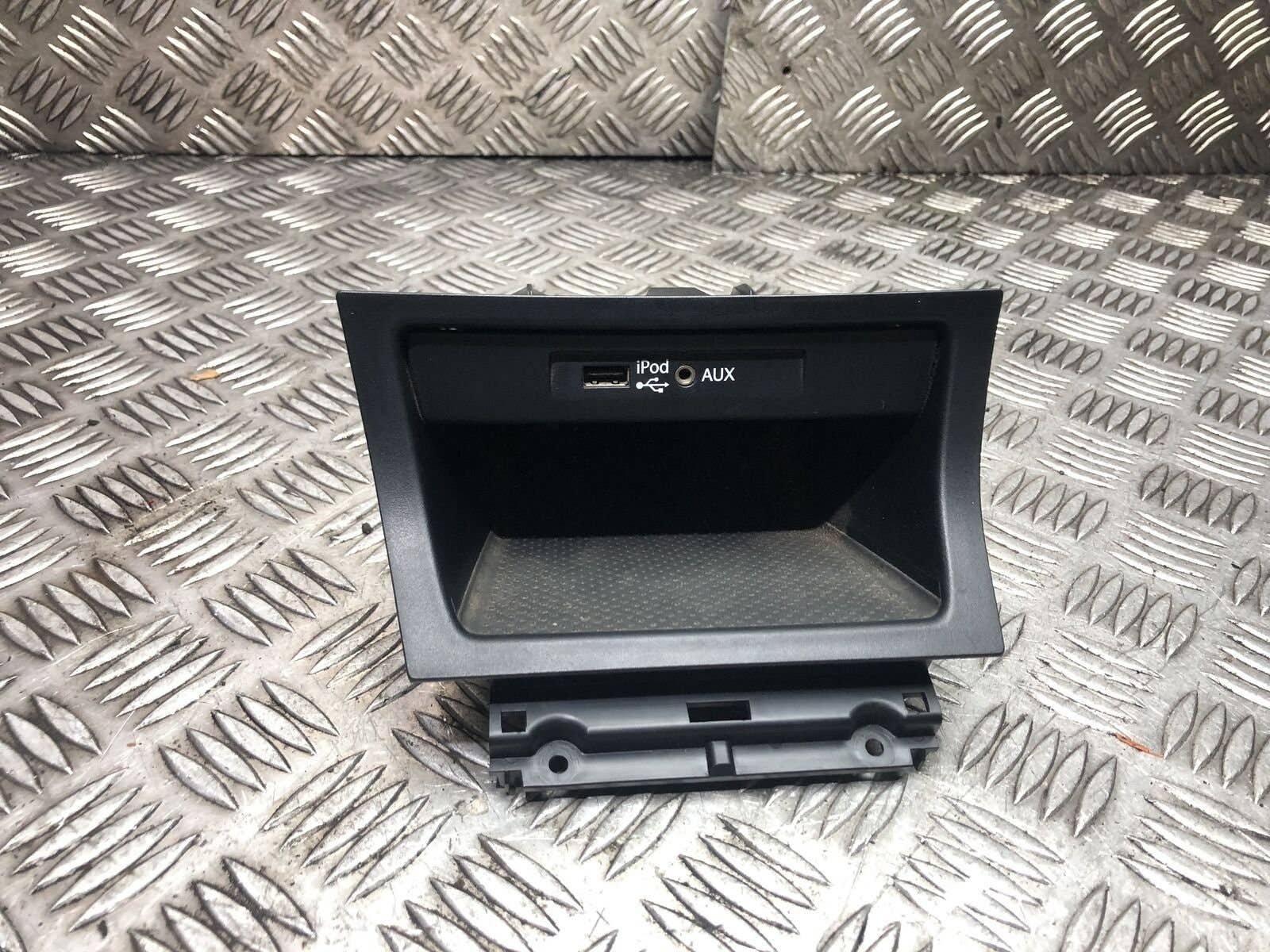
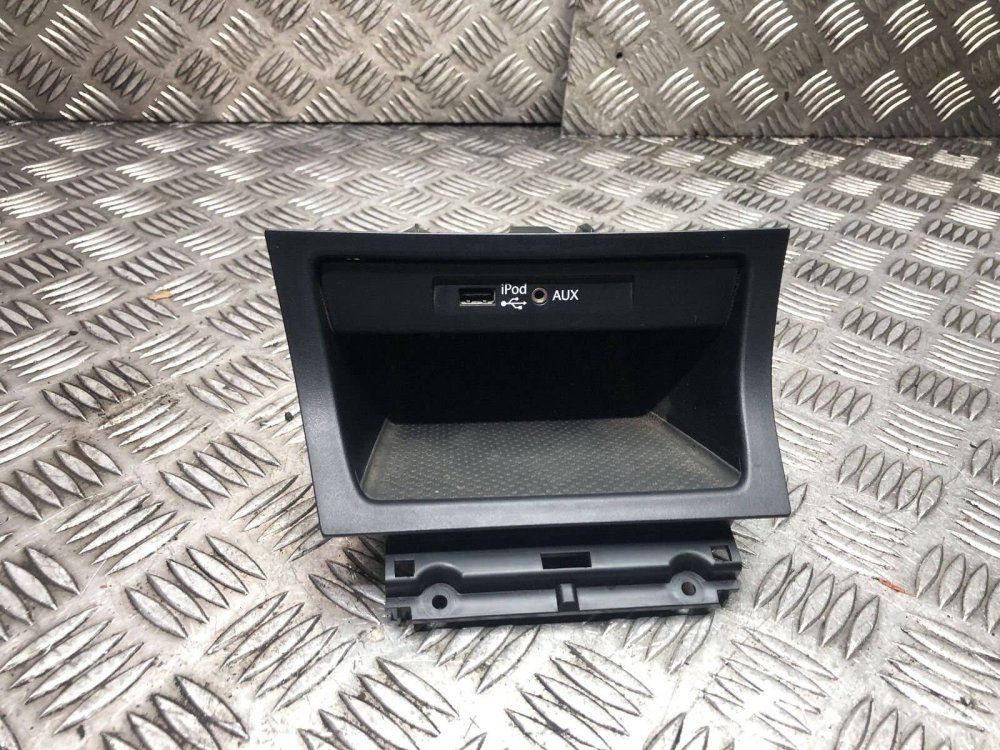
Thanks for the suggestions. There's nothing wrong with the USB plug - I've checked it for connectivity to other devices via their USB sockets and it works just fine. There is also no debris inside the socket - I've verified that visually, and given it a good going over with a vacuum cleaner using the crevice tool. The socket is very wobbly, as if it has become partially detached behind the panel. That could very easily have been down to something careless that I or one of the other users of the car have done in the past e.g. pulling the plug out without due care and attention. My suspicion is that, however this wobbliness was caused, it has also damaged one or more of the connections from the socket to the wiring loom, hence the repeated disconnects from Android Auto at the slightest disturbance of the cable. It appears, judging by the attached photo of the cubbyhole assembly I found online, that the panel with the USB and aux audio sockets is of one piece with the cubbyhole itself. There seem to be some large tabs at the lower front of the cubbyhole by which it is held in place. My question is: how much disassembly of other things would I need to do in order to be able to remove that assembly and attempt a repair, and is there any guidance available online or elsewhere as to how best to go about it? Given that the part seems to retail for anything up to £100, I'm a little reluctant to hand the job over to a dealer to fix.
-
Does anyone know how to remove the panel above the cubby hole below the environment/heated seats etc controls? The "iPod" USB socket that I plug my Pixel in to for Android Auto seems to be rather flaky, in that any nudge or knock to the cable near the socket - sometimes nothing more than the gear shifter brushing against the cable - sees Android Auto disconnecting. I'd like to get the panel off and see if I can repair or replace what I think is the source of this rather annoying problem.
-
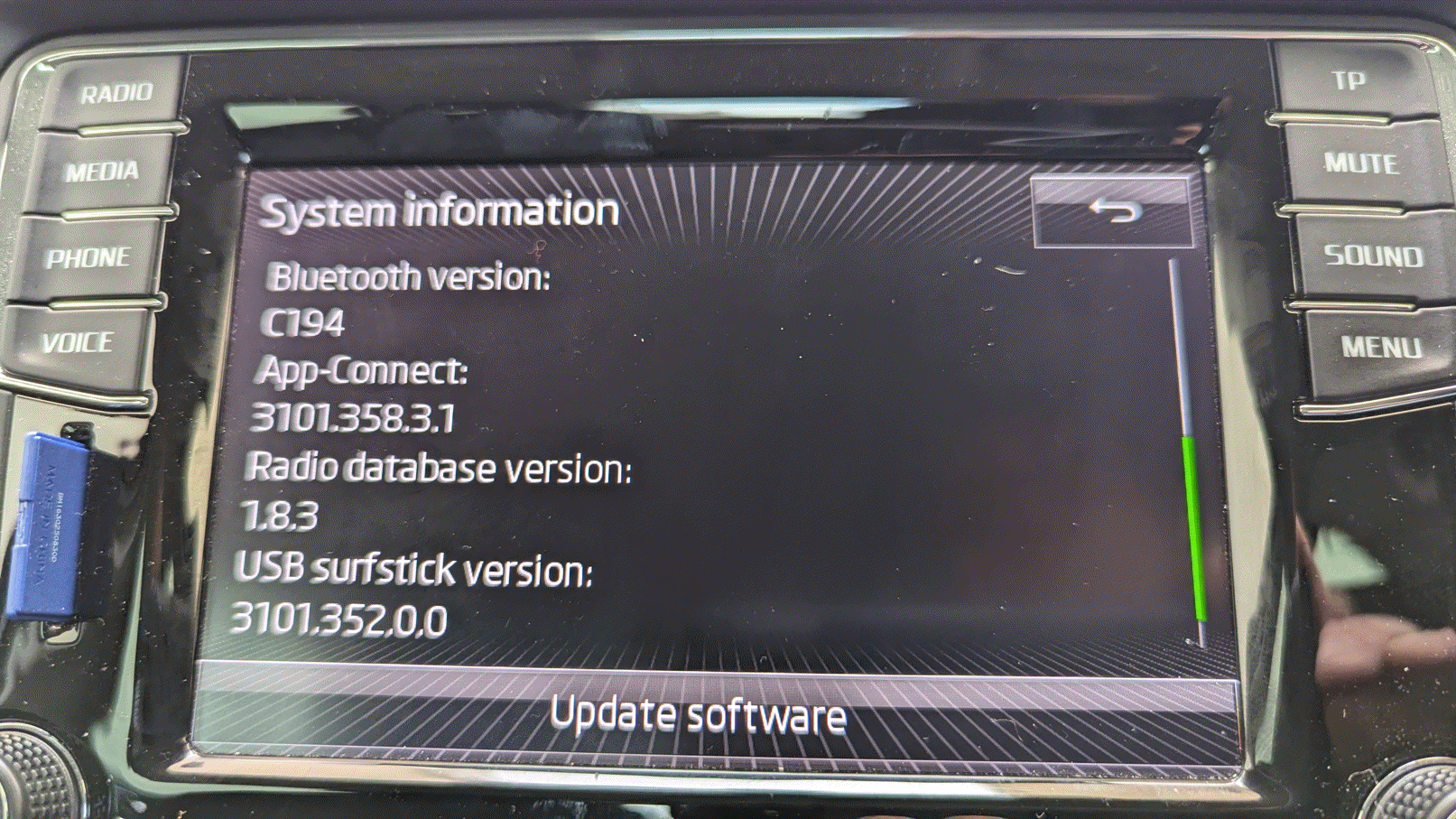
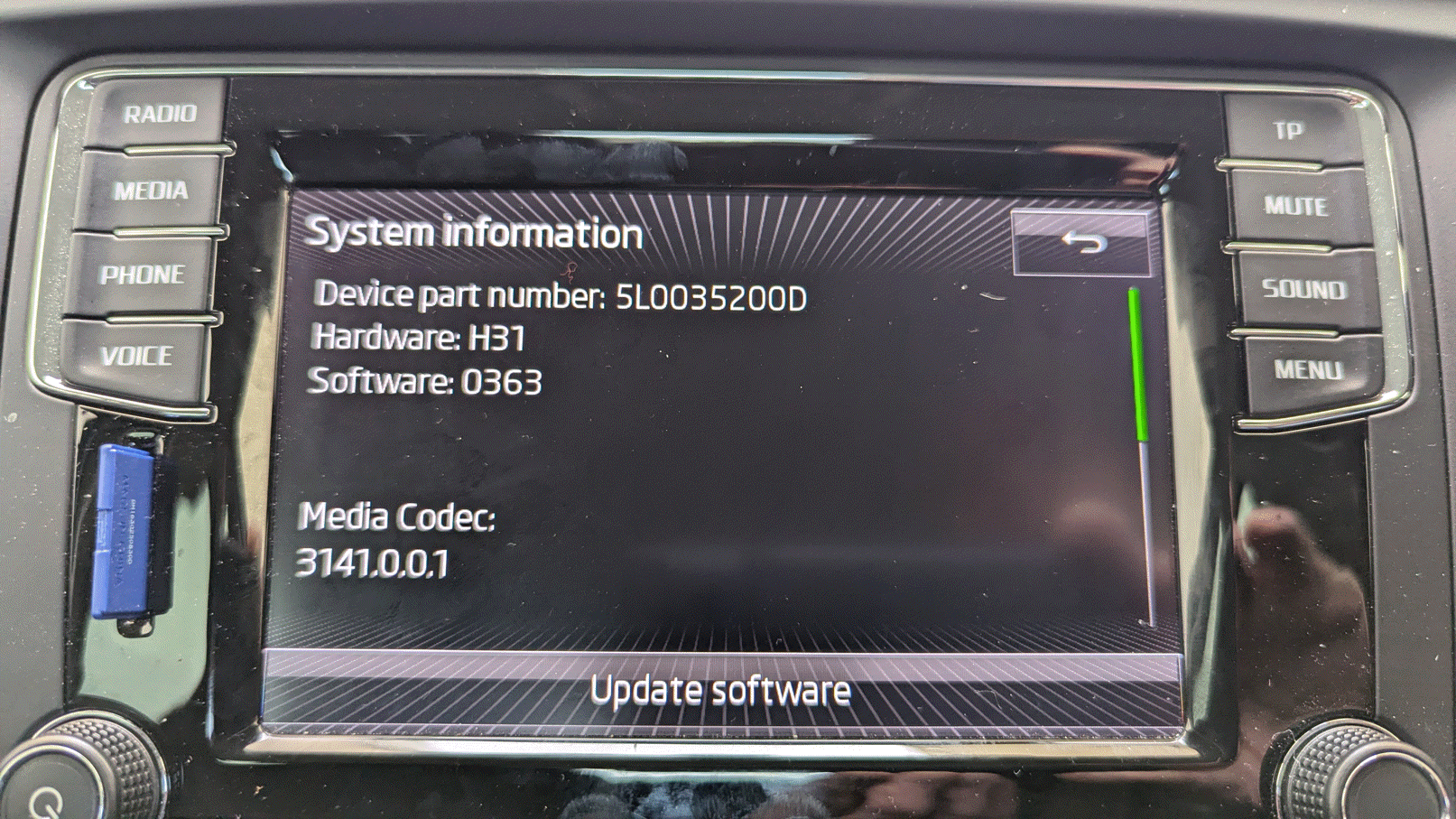
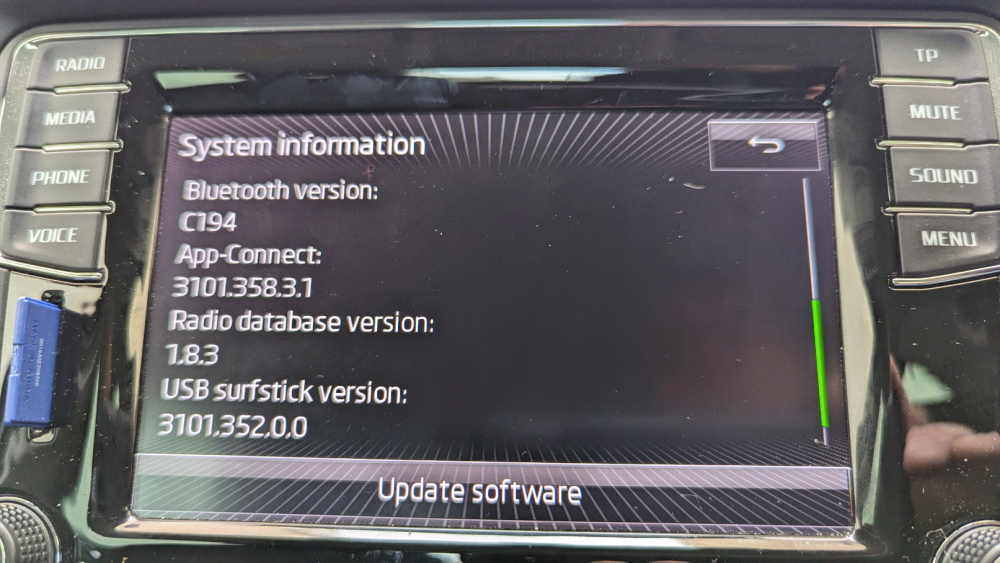
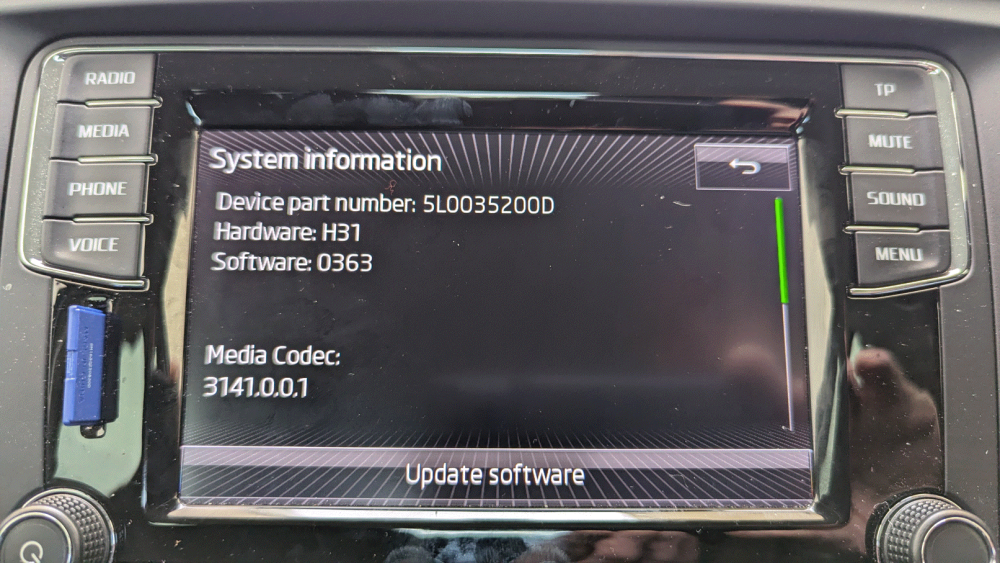
I've been noticing for a while now that the buttons on the right-hand side of the touchscreen on my Bolero* are not behaving themselves when I'm using Google Maps via SmartLink with AndroidAuto. Basically, it seems that the app is treating the part of the screen that they are on as being covered by the green navigation sub-window immediately to the left, as here: If I switch the "Driver seat location" setting in AndroidAuto to the left then the buttons work fine: At first I thought it might be a touchscreen fault, but when I tried a couple of different apps (Poweramp and Waze) that have buttons in the same place on the screen, they worked fine. Here's Poweramp: As far as I can see, all other functions on the Bolero that use the touchscreen also work fine. So that does seem to rule out a touchscreen fault. In case it might have been a problem with my phone, I tried another phone with the latest version of AndroidAuto installed, and the problem with Google Maps problem was still present. So, having ruled out the touchscreen and the phone, that seems to leave SmartLink, AndroidAuto or Google Maps as being the source of the problem. AndroidAuto and Google Maps I can complain to Google about, but what about SmartLink? I did notice that there is a reset function in the Settings app accessed via the Menu button on the Bolero, and SmartLink is one of the things that can be reset. I'm just a little wary of doing that in case it ends up breaking more then just Google Maps... Has anyone else encountered anything like this, or have any other idea as to how it could be fixed? * Bolero system information below: (I assume that updating the Bolero software would require an SD card with the update on it, or something like that.)
-
Thanks everyone for your advice. I'd forgotten that the rear seats moved back and forward because I only ever have them fully back. Except that, in this instance, the offside one had somehow shifted very slightly forward - barely noticeable alongside the other seats, but sliding it fully forward and then firmly back (sat in the seat and pushing with my legs) it released and folded just fine. So all is now good 👍 Now I just have to remember this next time it does it...
-
The bar moved upwards, the seat didn't.
-
Setting out to remove the rear seats to accommodate a large load today, I found that the offside rear seat wouldn't fold forward. When I pulled up on the release bar at the back of the seat squab it moved upwards, but the mechanism under the seat didn't release the retaining hook in the floor to allow the seat to fold forward. As far as I can see you can't release the catches at the front of the seat when it's in the normal position, meaning that it can't be removed. The other two seats came out no problem at all. When I pull on the release bar it seems to come up against the trigger-like mechanism that grips the retaining hook in the floor, but it doesn't seem to move the final small amount that's required to trip the mechanism to release. Either that, or the mechanism itself is jammed somehow and won't release. I had a look around the back end of the seat but there is very little clearance between the seat base and the floor, so access to the release mechanism when the seat is in place seems to be pretty much impossible 🙁 Has anyone else come across this problem before, and if so is there a straightforward way to un-jam the mechanism, or will it have to be a dealer job?
-
I've had two of those 1.89 litre bottles, both Skoda ones*, and both fractured at the neck on second or third use - sheared across as I was unscrewing it from the filler on the tank. They don't work out quite so cheap if that keeps happening. I have since acquired a VW Adblue filler hose which has the same automatic flow shutoff mechanism as the 1.8l bottles but I have yet to find a container that it will actually work with - it certainly doesn't seem to work with the 5l VW Adblue container which several online sources swore it would. I might have one more go with the 1.89l bottle, given the price of that Toyota one on Amazon. * When I tried to source a replacement from my local Skoda dealer I was told that they only do the 5l bottles now. They suggested I tried the local VW dealer who, not for the first time, turned out to be snobby and unhelpful.
-
I needed to get Smartlink activated on the Bolero in my 2017 SE (by my local dealer, cost ~£100 IIRC) to be able to use Android Auto. It sounds like your Amundsen unit doesn't have Smartlink, though whether it can be activated on yours I couldn't say. A dealer should be able to advise. You do need to have a USB socket as an aux input on the head unit, as that's how Android Auto connects to Smartlink, so if you don't have that then it may not be possible to have Smartlink enabled.
-
I think he means the "I" in TDI; ISTR that that was another part of the 'secret' colour-coding that Skoda used back in the day. Apart from anything else, they had to have something they could use instead of the "x" if the cars wasn't a 4x4 (on the 110PS versions - IIRC* the 140 and 170 were always 4x4). * Which happens increasingly rarely these days, so please feel free to correct me.
-
I did that when I first started using the 205/55 R16 winter tyres on my old Yeti, back in 2010. I "calibrate" the speedo against GPS on a straight, level road and I know what the Maxidot reports as my speed in kmph for each 10mph increment from 20mph up to 70mph (20mph is 37/38kmph, for example, and 70mph is 126/127kmph). My dashcam also shows the current speed in MPH, but that's more useful for reassuring for my front seat passenger than it is for keeping me informed, since the camera is sited so as to be out of my direct line of sight. I do use Google Maps, but on the Bolero via Android Auto/Smartlink rather than on the phone itself, and I've never seen a GPS speedo on the screen. Maybe I'm not looking in the right place (but then the Bolero screen wouldn't be a particularly great place to have to look to keep an eye on your speed anyway). Google Maps does display the current speed limit for your location, but only if you are following its navigation, not if you just have it open to check for e.g. possible congestion ahead on route you already know well. And it's not always correct anyway...
-
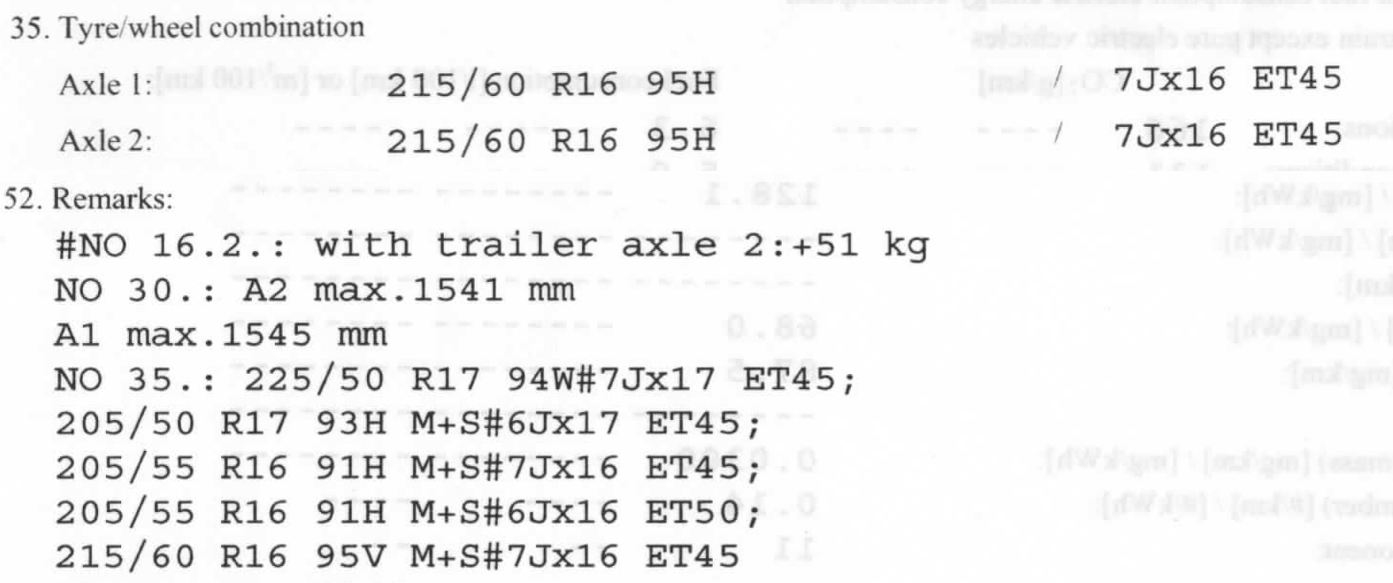
Every major tyre centre I've checked offers the 255/50 R17 with load rating, which tallies with the above. But as I say, I've got the 205/55 R16s which only need 91. The only one requiring 95 is the 215/60 R16.
-
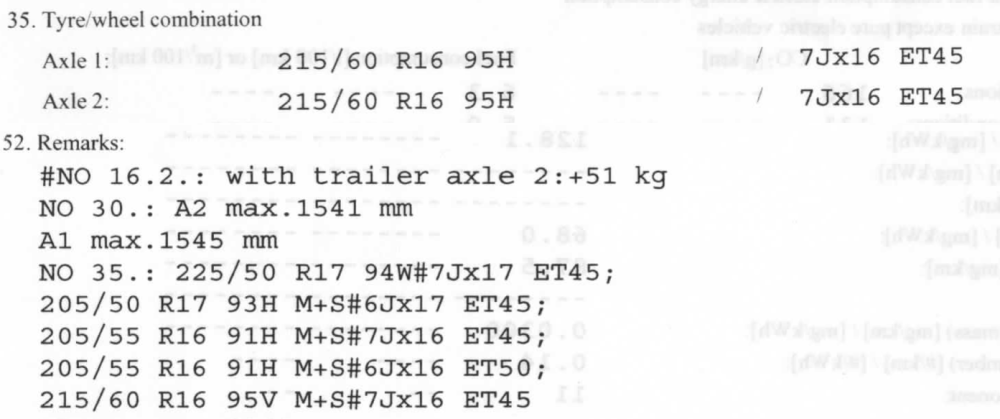
It's a 205/55 R16, which the EC Certificate of Conformity for my Yeti* says only needs a load index of 91: * It actually bears the Yeti's VIN, it's a not a generic document.
-
Alighting from the car the other day, the missus spotted this damage to the NS front tyre: https://live.staticflickr.com/65535/53020090273_054041b0b0_o.png https://live.staticflickr.com/65535/53019025002_3562a3367d_o.png Annoyingly, this is the third time that we've had tyre sidewall damage on this car. The previous two instances were full penetration punctures that flattened the tyre. One was definitely my fault - I know how it happened, though I didn't realise it at the time. The other occurred while the missus was using the car, although she had no recollection of kerbing the tyre. We also had to have a tyre replaced due to uneven wear (almost certainly due to the tracking having been knocked out of alignment due to another "wheel/obstacle interface incident" which neither of us recalls). As far as I can see (but I'm very willing to be told otherwise) this one doesn't penetrate as far as the plies inside the sidewall, but I'm still concerned that it may be unsafe. The tyre appears to be holding pressure just fine (for now) but I'd be interested in the informed views of the Briskoda motorati on the wisdom or otherwise of continuing to drive on it. If this one needs replacing too, that'll make four tyres having had to be replaced before their time in six years 🙄 The lesson we need to learn, obviously, is to be more bl00dy careful in future...
-
That's not a Skoda web site - click on "Fiche technique" in the breadcrumb trail in the page header (just to the left of "Acceuil") and you'll see lots of different manufacturers listed. In the UK you can get the certificate of conformity for your actual vehicle free from Skoda. This includes the tyre sizes that are homolgated for use on the vehicle (well, it does on mine, anyway). See this Skoda UK web page: Does Skoda France (or whatever they're called) not have similar information on their web site? I suppose you could even try sending your Yeti's chassis number to that e-mail address, telling them that you're moving to the UK and need the COC for the DVLA, and see what they say.
-
The scratch protection films you can get for mobile phones, smar****ches and digital camera screens are often available in anti-reflection/anti-glare forms. I wonder if there's such a thing for the Amundsen/Bolero screens? (AFAICT it's all basically the same stuff, just cut to size for the device it's sold to fit.) Note: the censored word above was "smȧrtwȧtches" 🙄
-
Thanks, I rather suspected that would be the case. You've saved me a tenner, anyway!
-
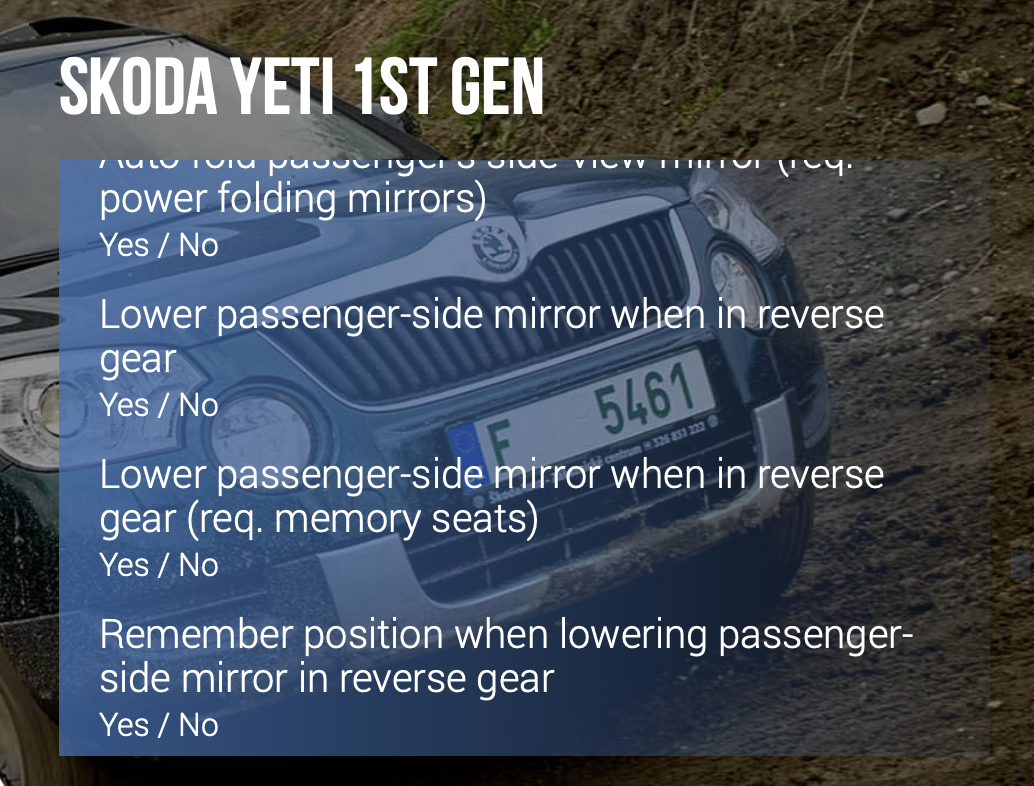
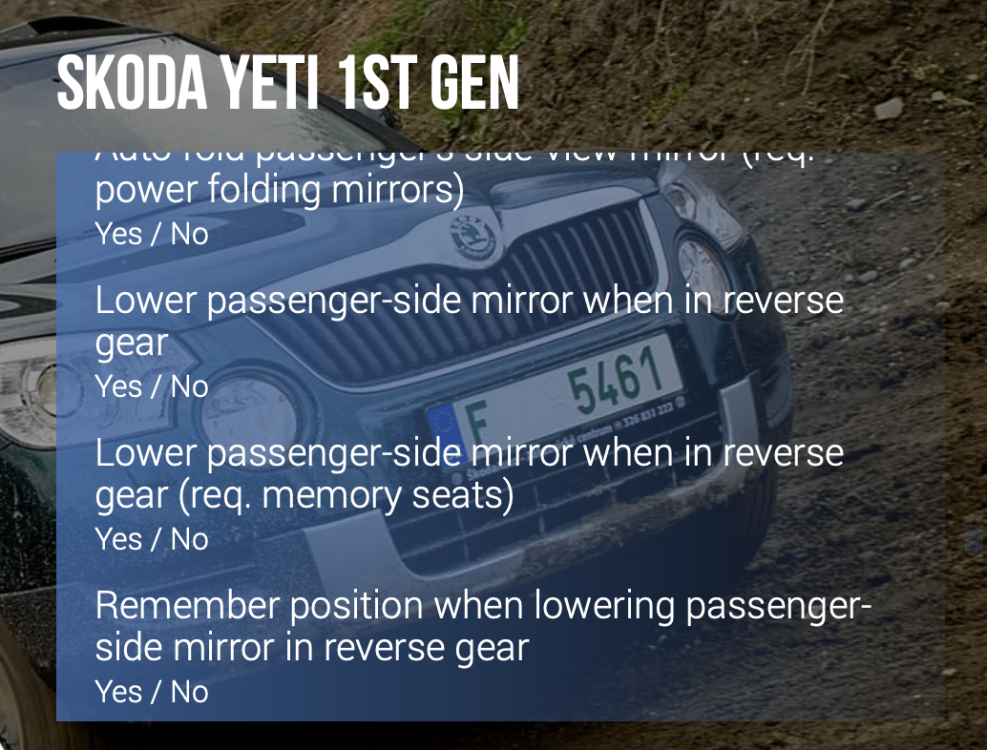
I realise that the function to tilt the nearside door mirror down on reverse being selected is usually only available on Yetis with the electrically adjustable seats. However, recent events* have led me to thinking that it could be a useful feature to have on my Yeti. I was wondering whether it is available as a customization in the Carista app but the information on their website seems a little unclear: (Note: the Carista web page doesn't seem to recognise that there are two 'generations' of Yeti.) Can anyone with full access to the Carista app confirm (or check) whether this customisation works on cars without "memory seats"? Bearing in mind also that Yeti is a DSG auto, not a manual. I don't maintain an ongoing subscription to the Carista app so I'm basically trying to find out whether it's worth buying a month's sub to effect that particular change. I have done this in the past for other customisations e.g. mph on the Maxidot, but in every case I've backed out the change after a few days because I preferred the way the car functioned as standard. But if the mirror tilt customisation would work on my Yeti then I can't see any reason why I wouldn't want to retain it. I know we're only talking about a tenner to check for myself, but if someone else has already tried it and it worked then that would make it easier for me to decided to pry my wallet open! * Specificially: the second time I've had to replace a tyre after sidewall damage from a protruding/damaged kerbstone while parking ☹️
-
The engine will restart if you take your foot off the brake in N, even with the handbrake applied. Never have understood why, though: you can't move the selector out of N without putting you foot back on the brake so there's no real safety element to it that I can see. OK, so a weak/badly adjusted handbrake could mean that the car could start to roll away on a hill, but the driver should be aware of what's going on - shouldn't they? As it is, the courtesy of using only the handbrake when stationary in traffic requires the extra step of moving the selector to P to avoid the engine restarting - at which point the handbrake becomes redundant anyway. It's almost as if the stop/start logic doesn't take the handbrake in to account at all. I'm told that plenty of other cars will happily sit in N with the stop/start active and just the handbrake on.
-
Many thanks. It shall be returned to its rightful home ASAP.
-
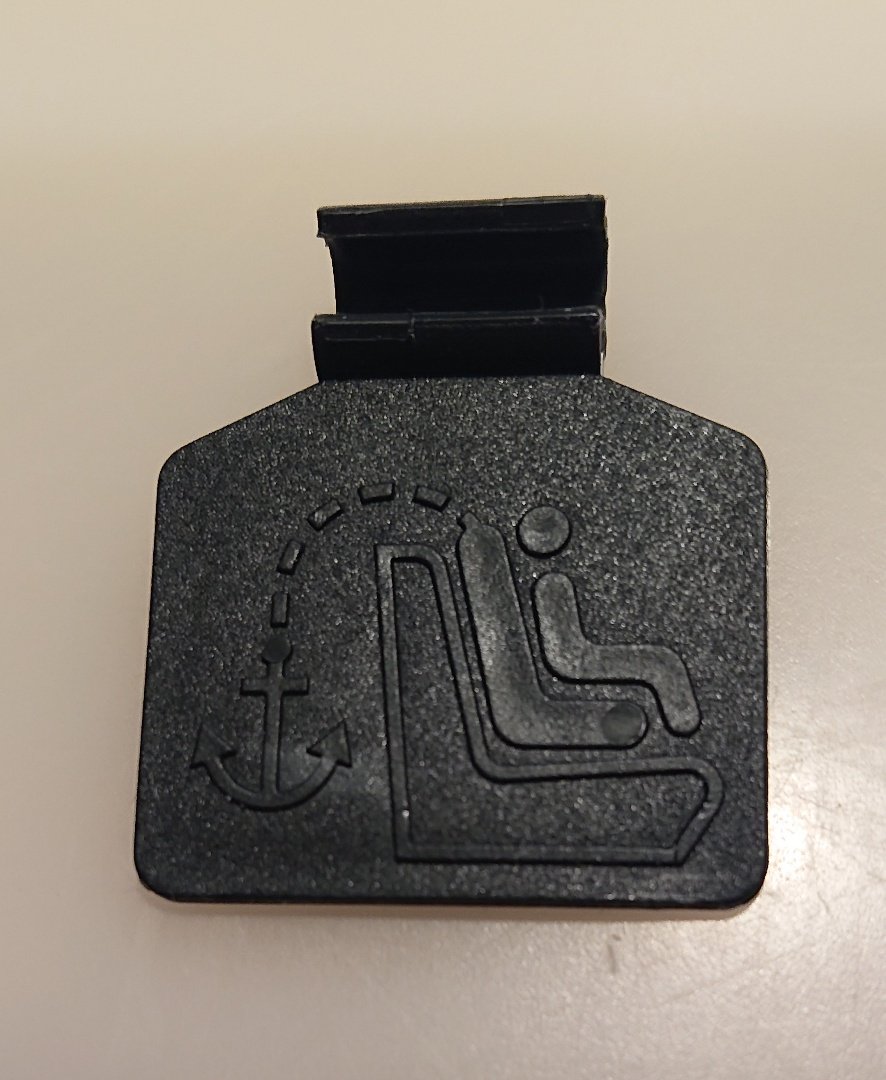
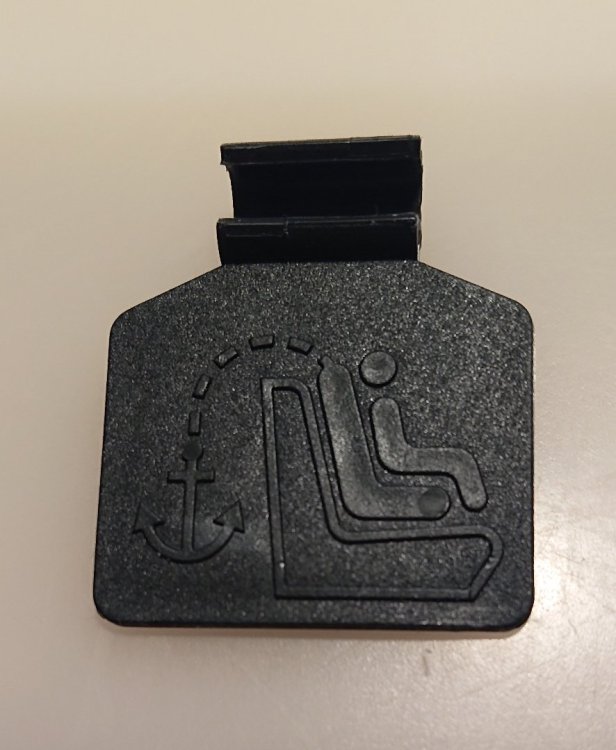
I found this on the floor under one of the rear passenger seats the other day, while cleaning and re-assembling the car's interior after transporting a Christmas tree and an ornamental cherry home from a local nursery: Can anyone shed any light on what it's for, and where it should go? I'm assuming it's something to do with fitting a child seat., but since I've never had to do that I've never bothered to notice it before. TIA
-
Regarding the certificate of completion you posted: I thought the code for the "dieselgate" fix was EA189. Anyone know what 23R6 was about - maybe the adblue dosing fix referred to above by cheezemonkhai?
-
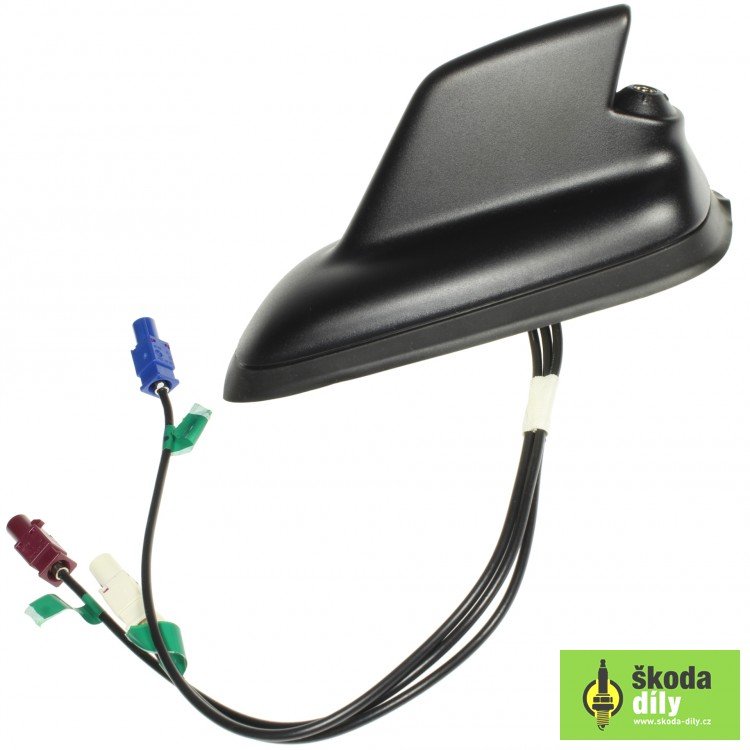
We're talking about sales people. Having worked with a fair number of such over the years (in IT sales organisations, even more technical than car sales) I can say that the ones who really know their company's products well are, unfortunately, in a minority. It's possible that the sales person saw that the car had DAB radio, which wasn't standard on the SE, and decided that that must mean that it was the Business variant, without checking the other things that it should have had as part of the spec. It's quite possible, though, that the original owner had specced DAB radio as a factory-fit option when they placed the order. AFAICS from the Autoexpress article, reversing sensors weren't part of the Business package. Contrariwise, Parkers says they were. From the brochures I have for that period they weren't standard on the SE at that time. Again, if yours has those then they might have been specced by the original owner at time of order. EDIT to add: I believe that another giveaway for the car having satnav is the "sharkfin" aerial for the GPS antenna at the root of the "bee sting" roof aerial for the radio. It looks like this: As I mentioned before, that's what started alarm bells ringing for me when I was looking to buy my current Yeti.
-
I've just unearthed another thread in which someone suggested a potential for confusion between the "Business" spec and the "Business Grey" paint colour. I wonder if the OP's dealer managed to mess up that way? I could actually see this being done 'deliberately by mistake' by an unscrupulous dealer, as in: "Your listing said Business so it should have satnav." "Sorry mate, it should have said Business Grey." Business spec should also have a DAB radio. If It doesn't have that either then I would strongly suspect it's not a Business spec car. EDIT to add: And there's this thread where someone bought a 2016 Yeti SE Business which had no satnav - the dealer said it was delivered that way due to "a mix up" (they did offer to enable SmartLink FoC instead, so it can be done).
-
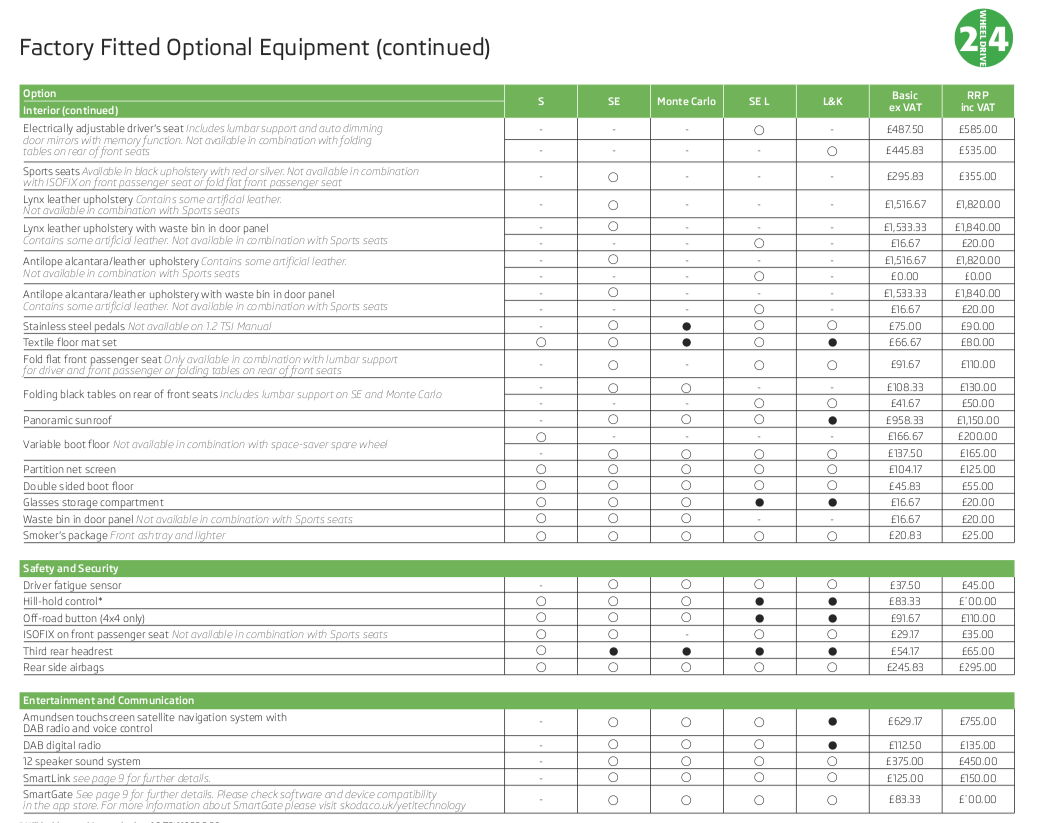
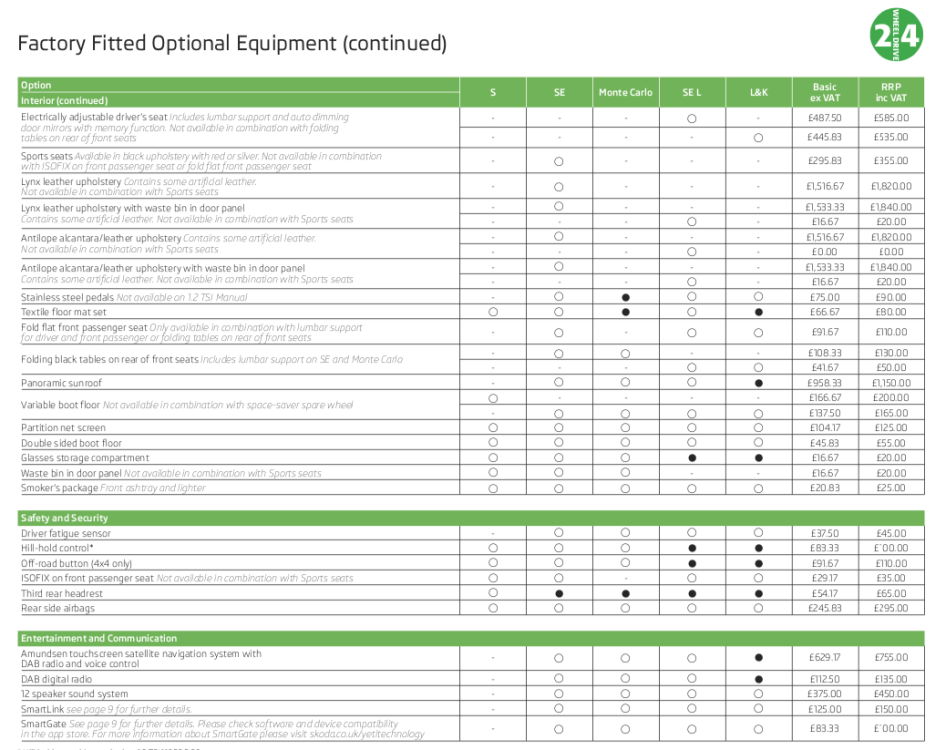
~£100 is pretty much the standard cost for getting SmartLink activated. The dealer is correct that that's what Skoda charges but I'm sure the dealer could absorb the cost themselves if they wanted to do - seems like they don't. SmartLink then gives you access to the Android Auto/Apple equivalent functions on the head unit - including Google Maps, which is what I use for navigation. One plus for Google Maps is that it never needs updating. Can get a bit flaky if you lose mobile signal for a while, but it is good at alerting you if it detects congestion building up on the route set at the start of the journey, and offering alternative routes. My current Yeti was advertised as having satnav when I bought it. I realised as soon as it was delivered that it didn't, because it didn't have the additional antenna on the roof, just the "bee sting" aerial. Being generous, I think the non-Skoda dealer was confused because there was a Skoda SD card in the glovebox. I think I still have that somewhere. You'd be welcome to have it if I can find it - drop me a DM through this forum if you're interested. I've had a look in the Yeti brochures I have to hand around the time that yours dates from and I can't find any mention of a "Business" model, just the S, SE, Monte Carlo, SE L and L&K. If the "Business" model ever did exist per that Autoexpress article then it seems to have been fairly short-lived (note also that the AutoExpress article doesn't mention SmartLink). Below is a screenshot of the specs from the brochure dated August 2016: The brochure dated February 2015 doesn't even list SmartLink as an option. I suspect that it didn't exist at the time of that AutoExpress article. I think there's a good chance that your car has been mis-described. Unless someone else knows better. EDIT to add: the service history that you posted shows the car as being an SE. EDIT again to add: the screenshot above shows the cost of the SmartLink option as £125. I think I paid a bit less than that to get mine done by my local dealer but I can't find the receipt for it right now. Also, if your car is a 2016 then it wouldn't have needed "the" fix. If it's throwing AdBlue errors now then that fairly clearly needs looked at properly.
-
The local Skoda dealer has just pointed out to me that there is a recommendation that the timing belt on my car be changed at five years old, which age it has now reached. I've read here, and elsewhere, that it's a good idea to get the water pump changed at the same time. Is that a time-based thing as well, or more related to mileage? I ask because, for various reasons, there are only 20,000 miles on the car. They quoted £469 for the timing belt change. Does that sound reasonable? The car is covered by a Skoda service plan & extended warranty so I think the timing belt change is pretty much unavoidable if I want to keep within the Ts & Cs.