



Skip to content

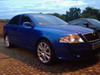
Fabia S2000 Testing

Featured Replies

S2000 testing for 2011 where all turbo charged WR cars will be no more :confused:

If this is the future of rallying it don't look that bad does it :)

Edit: Apart from the flashing lights :thumbdwn:

It's certainly loud! No turbo's? No anti-lag then, no more squirrel chattering through the corners :(

Hmmm, very nice. Like the look of those.

  • Author

All good stuff :)

It looks & sounds nice, something has to get in among the Citreon's & Fords, Subaru's ect :thumbup:

Hopefully these S2000's might create more interest in other manufactures.

Well if Citroen pull out of the WRC to go Le Mans racing we can expect Pugeot back as they an S2000 already.

Apparently the new S2000+ regulations were for Turbos to be added to the S2000 cars - along with a rear wing. The reason they went for turbos is because they it's easier and cheaper to produce more power. And because a Turbocharged engine has more torque than an Normally aspirated engine - which is required in Rallying.

However, there are now doubts about the new 2010 regulations, the meeting has been put back.

  • 5 weeks later...

I agree that the sounds of rally are becoming less evocative over time. Somebody needs to start up a replica Group B series where the cars aren't so precious and have some of the more fatal design issues fixed - putting the fuel tank in the Delta somewhere it won't blast your danglies up your nose when you stack it, for example. With tuning the way it is now I'm sure you could recreate a lot of the cars for a fraction of the cost of the originals.

Create an account or sign in to comment

Recently Browsing 0

  • No registered users viewing this page.

Important Information

Welcome to BRISKODA. Please note the following important links Terms of Use. We have a comprehensive Privacy Policy. We have placed cookies on your device to help make this website better. You can adjust your cookie settings, otherwise we'll assume you're okay to continue.

Account

Navigation

Configure browser push notifications

Chrome (Android)
  1. Tap the lock icon next to the address bar.
  2. Tap Permissions → Notifications.
  3. Adjust your preference.
Chrome (Desktop)
  1. Click the padlock icon in the address bar.
  2. Select Site settings.
  3. Find Notifications and adjust your preference.
