



Skip to content

Who's got the earliest VRS......
Featured Replies

Mines a 54 plate but I have a private plate to "disguise" it as a 51 reg.

I debadged the rear vrs logo but left the fabia.

My reg kinda says its a VRS now instead of the bootlid.

Is all part of my "stealth" project (ongoing...) as anybody who

knows their onions knows VRS's started in 03. :thumbup::thumbup::thumbup:

There is a chap who lives down the road from me who has the reg GN 03 KK? (not sure of the last letter) but it's black.

My first one I picked up new on 01/09/03 on a 53, my 2nd is 01/03/04 on an 04 (obviously)

But there are plenty older, a few on 03s around by me even though I bought my first one 'as soon as they came out' so to speak

  • 2 weeks later...

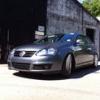
First registered 28/08/03 Believe this used to belong to Mr Grumpy.

First registered 28/08/03 Believe this used to belong to Mr Grumpy.

IIRC Graham had one of Fabia's stolen. A Red one if I'm not mistaken.

Correct. If it's a red one, with a Z in the last three letters, I also happen to know the first owner of that car too - he was the one who brought me to this site!

Will be interesting to hear how you came to buy it actually :)

Steve

I also happen to know the first owner of that car too - he was the one who brought me to this site!

Roo?

Nope, a guy called Liam. He's gone back to Fords :) (where I came from...)

I was pretty certain it was a 53-plate he had, but I could be wrong. Going back a bit now.

Steve

Create an account or sign in to comment

Recently Browsing 0

  • No registered users viewing this page.

Important Information

Welcome to BRISKODA. Please note the following important links Terms of Use. We have a comprehensive Privacy Policy. We have placed cookies on your device to help make this website better. You can adjust your cookie settings, otherwise we'll assume you're okay to continue.

Account

Navigation

Configure browser push notifications

Chrome (Android)
  1. Tap the lock icon next to the address bar.
  2. Tap Permissions → Notifications.
  3. Adjust your preference.
Chrome (Desktop)
  1. Click the padlock icon in the address bar.
  2. Select Site settings.
  3. Find Notifications and adjust your preference.
