



Skip to content

Fabia 1.4 Automatic Owner Feedback
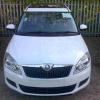
Featured Replies

SWMBO is having problems with her left foot. She is getting on a bit (but don't tell her I said it!) and is having trouble with pains in her left foot especially when crawling along in traffic.

The obvious solution is to swap her Micra for an automatic. I haven't started looking seriously yet - just considering a few options.

I had a Fabia 1.6 Auto (new model) as a courtesy car while my Octavia was in for service and was very impressed. Unfortunately funds will only stretch to a 3 or 4 yr old Fabia Mk1.

Does anyone have the 1.4 auto? On paper the performance looks pretty dire! SWMBO ain't exactly a girl racer but 17 seconds 0-60 seems pedestrian even for her! Her 1.4 Micra does it in 11.5

Most of her 5000 miles a year is round town but once a week or so she does a 45 mile round trip on A roads and Motorway. No long journeys - we use the Octavia for those.

What is it like to live with? Does it feel like the slug the figures suggest? Is it worth considering or should I try to stretch to the Fabia MkII?

  • Author

Hmmm.... I think the lack of response tells a story!

Does anyone out there own one of these?

I did several searches and finally managed to find 2 threads in this section. Judging from these and what I have found elsewhere it is indeed a fuel hungry slug!

I was so impressed with the Fabia II 1.6 auto that we are going to hang on a year or so and get one of those

Create an account or sign in to comment

Recently Browsing 0

  • No registered users viewing this page.

Important Information

Welcome to BRISKODA. Please note the following important links Terms of Use. We have a comprehensive Privacy Policy. We have placed cookies on your device to help make this website better. You can adjust your cookie settings, otherwise we'll assume you're okay to continue.

Account

Navigation

Configure browser push notifications

Chrome (Android)
  1. Tap the lock icon next to the address bar.
  2. Tap Permissions → Notifications.
  3. Adjust your preference.
Chrome (Desktop)
  1. Click the padlock icon in the address bar.
  2. Select Site settings.
  3. Find Notifications and adjust your preference.
