



Skip to content

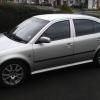
fabia is peeing my mate off
Featured Replies

my friends fabia 1.4 16v elegance similar to mine without the beige seats and mods, has a problem starting if he fills it with fuel or leaves it then comes back it wont start and it stinks of petrol any ideas?

Sounds like a leaking injector, definitely flooding.

  • Author

yh now i come to think of it it smells of petrol when its idleing

Coolant temperature sensor, I've seen a few of theses read correctly and the next second read a totally implausible figure, something like a correct 70 deg C followed by -10 deg C. It doesn't show an error as far as the ECU is concerned as it's reading within it's parameters.

Coolant temperature sensor, I've seen a few of theses read correctly and the next second read a totally implausible figure, something like a correct 70 deg C followed by -10 deg C. It doesn't show an error as far as the ECU is concerned as it's reading within it's parameters.

Sorry to dissagre, but i dont think it would be temp sender (unless the dash is giving funny readings too)

  • Author

tbh now you mention it i spoke to him about it, he says that his temp gage is behaving strangely, he can be on a long trip and it reads 0 then half way through it will jump up again, or it will stay at half way between cold and normal

I stand corrected.

BTW skoda charged me £35 for mine :doh:

  • Author

ouch, you know i reckon he buggered it up by putting rad weld in it ages ago to stop a leak, been telling him it needed replacing at his next service, do you reckon it mite be the injectors as well? it stinks of petrol when its idling or starting up you can smell it through the vents

ECU might be reading the Temp wrong off the Gauge and dumpin fuel in.

Might be an idea to swap the Temp sender and give the system a good flush at the same time. has he fixed the leak since?

  • Author

yh it was the fan switch that leaked

  • Author

how easy is it to replace it yourself? surely the part isnt that much? also how much is it for an expansion tank surely thats easy to fit aswell?

What i will say is, if it aint broke dont fix it.

I try that and end up breaking more.

Replace the fan switch, and the temp sensor, IIRC there is a guide on here for the temp sender, Really easy to do, the Vrs one is a PITA as its in a place you cant get too :rofl:

But clean out the system with a Rad Flush or something to get any contaminates out (rad weld), and get some G12++ while your at it ;)

Thats the 8v Temp sender location:

http://briskoda.net/forums/topic/61178-fabia-coolant-temp-sensor-how-to/

  • Author

btw its the 16 v but i recon its in the same place not sure tho, fan switch was fixed ages ago, its just the expansion tank is so murky you cant see in it haha, but ill see whats what

The 16v isn't in the same place it's next to the EGR valve at the front of the engine.

Tech1e saves the day agian :thumbup:

I love having him round :)

  • Author

he is useful isnt he i will have a look see if i cant get it hell have to garage it :)

  • Author

garage job may cost him :(

Piece of wee wee to do mate. :rofl:

Get the replacement sensor, push then pull the connector on the old one (trick to this), remove the circlip from around the sensor, slid out old sensor (dependant on where sender is get VERY wey) remove little o-ring washer and fit to new sensor, refit in hole, replace clip, plug back in, refill coolant where nessassary. :thumbup:

Edited by vRSsunroof

Create an account or sign in to comment

Recently Browsing 0

  • No registered users viewing this page.

Important Information

Welcome to BRISKODA. Please note the following important links Terms of Use. We have a comprehensive Privacy Policy. We have placed cookies on your device to help make this website better. You can adjust your cookie settings, otherwise we'll assume you're okay to continue.

Account

Navigation

Configure browser push notifications

Chrome (Android)
  1. Tap the lock icon next to the address bar.
  2. Tap Permissions → Notifications.
  3. Adjust your preference.
Chrome (Desktop)
  1. Click the padlock icon in the address bar.
  2. Select Site settings.
  3. Find Notifications and adjust your preference.
