



Skip to content

Interesting Taiwanese Creation
Featured Replies

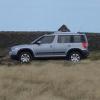
Amazingly what you can do with Photoshop.

Edited by Agerbundsen

I think the first one is an improvement, a better rear end than the real thing.

First one = Gopping :giggle:

Reduces available loading space even more?

1/ Vile

2/ Vile

3/ LR Yeti?? Interesting!!

I think the first one is an improvement, a better rear end than the real thing.

you are joking ??? :giggle:

and i don't much care for the other 2 either :thumbdown:

you are joking ??? :giggle:

and i don't much care for the other 2 either :thumbdown:

Sorry no!!!. I think the back end of the Yeti is design free, just a straight back line. It looks like the type of thing a kid would draw when they were 10yrs old. Picture one takes the edge off that at the top but still leaves the very useful straight down space where it is really needed.

Rear end of the Yeti is compromise for city-parking/luggage space.

It cannot be any different than what it is now, and hopefully the width of the car will remain same in new generation of Yeti.

One of the biggest advantages of Yeti is its compact size, lets not forget it.

1/ Vile

2/ Vile

3/ LR Yeti?? Interesting!!

I was going to say 'very LR ask, but you beat me too it...............................must be something the rear window emoticon-0112-wondering.gif

...............................must be something the rear window emoticon-0112-wondering.gif

... and the rear lights, the body colour C-pillar, the side vent beghnd the front wheels in the fender and the tell tale clamshell bonnet. So more than just the rear window was copied from the Disco and Freelander.

Create an account or sign in to comment

Recently Browsing 0

  • No registered users viewing this page.

Important Information

Welcome to BRISKODA. Please note the following important links Terms of Use. We have a comprehensive Privacy Policy. We have placed cookies on your device to help make this website better. You can adjust your cookie settings, otherwise we'll assume you're okay to continue.

Account

Navigation

Configure browser push notifications

Chrome (Android)
  1. Tap the lock icon next to the address bar.
  2. Tap Permissions → Notifications.
  3. Adjust your preference.
Chrome (Desktop)
  1. Click the padlock icon in the address bar.
  2. Select Site settings.
  3. Find Notifications and adjust your preference.
