



Skip to content

Mk1 Octavia 4x4 turbo
Featured Replies

Hi all, seems a good site and thought I would say hello

Ok so had the Octavia 4x4 turbo estate for a month nearly and about to give it a FULL service down to all the silly stuff (I have bad OCD) then chuck some software on as the 150bhp spec is quite bad! Had the same engine in my Renault 5 GT Turbo which I built and although that was the k04 it really highlights just how much this spec has been detuned

Then next year plan to spend some time with some changes

2.0 turbo S3 full conversion, keep the k04 and flash to 375bhp

Custom exhaust

R32 setup - suspension / ARB

Upgrade the brakes as the oe ones are not going to last long :p

Hopefully find some more supportive seats

And just use it as my daily / tow car / family car

Prob not even going to change the bumpers for that Q car look ;)

Oh need the rears tinting – dog and child in the car, anywhere recommended? Coventry way

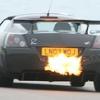
Sure I will do a small project thread when the time comes but needs to be a road car as trying to make a good track car also just does not work so hence have the race car (just converted to run on SR20DET power) and use this to tow. Also just started a conversion for a friend putting the Edition 30 lump in his vx220 turbo which should go well

Duncan

Hi and welcome aboard.

Welcome aboard.

Sounds like it should be a real sleeper once complete. emoticon-0148-yes.gif

Create an account or sign in to comment

Recently Browsing 0

  • No registered users viewing this page.

Important Information

Welcome to BRISKODA. Please note the following important links Terms of Use. We have a comprehensive Privacy Policy. We have placed cookies on your device to help make this website better. You can adjust your cookie settings, otherwise we'll assume you're okay to continue.

Account

Navigation

Configure browser push notifications

Chrome (Android)
  1. Tap the lock icon next to the address bar.
  2. Tap Permissions → Notifications.
  3. Adjust your preference.
Chrome (Desktop)
  1. Click the padlock icon in the address bar.
  2. Select Site settings.
  3. Find Notifications and adjust your preference.
