



Skip to content

Window Issue

Featured Replies

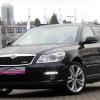
I fitted new headlight bulbs etc in my vRS over the weekend (dismantled complete front end of car :wall: & received various cuts and scars, what a job to change bulbs).

As part of the job I disconnected and removed the battery.

Before doing this I was able to close my Drivers window with one pull on the switch but now I have to hold the switch until the window closes. Does disconnecting the battery reset something and if so how do I set it back to how it was, also is there anything else I may have upset by removing the battery.

Cheers

Hi

I think if you put the window up and when it is closed let the button go and then pull it again as if you were closing the window you will hear what could be described as a click and that resets your windows I think but if I'm wrong someone will be along soon with the answer

Regards Whoosh

Loads of threads explaining how to reset the one touch. Basicly hold it 'down' until the windows are at the bottom, then hold it up until they get to the top and keep the switch 'up' for ten seconds after that, and the one-touch should start working.

Why dismantle front of car to change headlight bulbs? There's oodles of room.

  • Author

Why dismantle front of car to change headlight bulbs? There's oodles of room.

Really. On the battery side its impossible to remove the back of the headlight without removing the battery and the other side has the diesel filter housing in the way, this side is somewhat easier (maybe dismantle is a little exageration) but its by far the worst car I have ever had to change bulbs on. I have Xenons so I dont know if that makes a difference to the process over standard lights.

@Whoosh & Mort Thanks for the info

Create an account or sign in to comment

Recently Browsing 0

  • No registered users viewing this page.

Important Information

Welcome to BRISKODA. Please note the following important links Terms of Use. We have a comprehensive Privacy Policy. We have placed cookies on your device to help make this website better. You can adjust your cookie settings, otherwise we'll assume you're okay to continue.

Account

Navigation

Configure browser push notifications

Chrome (Android)
  1. Tap the lock icon next to the address bar.
  2. Tap Permissions → Notifications.
  3. Adjust your preference.
Chrome (Desktop)
  1. Click the padlock icon in the address bar.
  2. Select Site settings.
  3. Find Notifications and adjust your preference.
