



Skip to content

Columbus full post code search upgrade - yes you can!
Featured Replies

Thought I'd pop this up since I've seen a few people ask how or whether you can upgrade Columbus with partial post code search to full post code search. The answer appears to be "Yes"

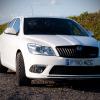
My Octy vRS is a 2010 10 plate and came with a Columbus from a dealers (second hand) but with only partial post code search. I have just this very morning taken it into my local Skoda Dealer (not the same one I bought it from) and spoke to a very nice chap in the service department. I asked him if this can be sorted and he prompty produced a DvD (v7.2 I think) slotted it in my Columbus and about 45 minutes later I have full post code search (along with new maps). What a Star!

So after asking numerous people and getting various answers ranging from "no mate" to "uh that needs a new unit at £1500" It gets sorted quicky and easily (and um very cheaply) when you finally speak to someone who knows at a dealer who is prepared to give excellent customer service.

Not trying to advertise (I have no affiliation - just a very happy customer) but i think i should say Big up to Royce Roberts inm Hull and Big Up to his service chap. I shall happily spend cash there in the future. :thumbup:

Good result needs full post code search big time! How much did dealer charge?

  • Author

Good result needs full post code search big time! How much did dealer charge?

Nothing. They did it as a bit of excellent customer relations. All it cost them was about an hour of my car sitting in a corner of their workshop with a dvd in its slot while the mechanic kept an eye on it in between other jobs. But its the kind of customer service that makes me (and others) want to spend many more pounds with them. One loyal customer in the bag!

Nothing. They did it as a bit of excellent customer relations. All it cost them was about an hour of my car sitting in a corner of their workshop with a dvd in its slot while the mechanic kept an eye on it in between other jobs. But its the kind of customer service that makes me (and others) want to spend many more pounds with them. One loyal customer in the bag!

Fantastic that's bloody good of them result and a half there.

Boozyfloosy, many thanks. I was one of the members asking just that question.

I also have a 2010 vRS with Columbus.

I'll be on to the dealer on Monday.

Cheers

Dunc.

There has been a lot of talk about this for a while, seems that it not only depends on what map version you have installed but also which firmware is there too. You can have v7.2 maps but if you don't have a late enough version of firmware then you are stuck with 5 digit postcode search.

Ian

Correct you need V7 maps or newer plus the suitable firmware and hey presto you can all have 7 digit postcode search.

  • 4 weeks later...

Very RS, many thanks. Into dealer today - upgraded to full postcode search and latest maps. Happy days.............

you guys must have good dealers nearby, around here they charge. Cant remember quite how much but it was silly money when I enquired.

Lots of info about this in the "ICE" section. I ended up getting the disk myself and updating it, was simple job with good results. There was no need to upgrade Frimware, just the maps. V8 (VW) is out now.

(alternatively, a mate simply took a brand new car for a test drive and borrowed the disc from the glovebox which the dealer had conveniently left in there :) )

Think it helps to be in warranty and to have bought the car from the dealer in question. At least in my case. Jesters, glad you got it sorted anyway!

Update!

When I picked up the car yesterday, it had seven figure capability. I tested it on my home address.

Now today it has reverted back to five figure.

Thoughts anyone?

You require the following for 7 Digit Postcode searching

Firmware 2684 or higher

V7 Maps or higher

Otherwise you will have 5 digit search function

You require the following for 7 Digit Postcode searching

Firmware 2684 or higher

V7 Maps or higher

Otherwise you will have 5 digit search function

Thanks Carl. Understood. So how come it was working with seven digit when I picked it up & then seems to have reverted to five digit since?

If the software wasn't up to it, surely it wouldn't have worked in the first place?

Cheers,

Dunc

No idea mate without looking at the unit.

Do you know what FW you have and what map version you have?

No idea mate without looking at the unit.

Do you know what FW you have and what map version you have?

Carl, no & no unfortunately. No idea in fact!

Was made up when I picked the car up yesterday. Did a couple of searches & had the full 7 figure capability. Thought all was sorted - happy days.

I was slightly surprised, however, to find all my nav settings & previous destinations had been preserved. Had expected all that to be deleted.

Either way, when I turned it all on today, I was back to the old 5 figure system.

If I don't have the necessary FW, how come it was working on 7 digits when I collected the car?? Weird?

No idea.

If you were closer i would take a look at it for you but your a bit far away from me.

Thanks Carl. Appreciate the thought!

Will be in for service in 1500 miles anyway, so will ask the dealer then. Haven't had a chance to discuss with their techs yet!

I'll be nearer to you soon - moving to the Bristol area this summer.

Nice part of the world, Salisbury! Parents-in-law from Warminster so not too far from you.

I'm moving in about 4 weeks so will be miles away from you (North Yorkshire) :)

Hope move goes well. Cheers.

Create an account or sign in to comment

Recently Browsing 0

  • No registered users viewing this page.

Important Information

Welcome to BRISKODA. Please note the following important links Terms of Use. We have a comprehensive Privacy Policy. We have placed cookies on your device to help make this website better. You can adjust your cookie settings, otherwise we'll assume you're okay to continue.

Account

Navigation

Configure browser push notifications

Chrome (Android)
  1. Tap the lock icon next to the address bar.
  2. Tap Permissions → Notifications.
  3. Adjust your preference.
Chrome (Desktop)
  1. Click the padlock icon in the address bar.
  2. Select Site settings.
  3. Find Notifications and adjust your preference.
