



Skip to content

colubus fitted but with a problem
Featured Replies

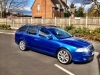
hi all ive fitted the columbus into my 57 plate vrs however have a few issues. im unsure which wires to change round for the aux/cd changer to work so could anyone post a pic up to show me which ones i need to change as im not sure with the diagram ive seen. also the nav doesnt work in my maxidot even though i had mfd2 before?? finally anyone who swapped from mfd2 to mfd3 did you notice how the nav aerial plug (the black connector i think) doesnt quite fit in the columbus slot quite as well and is a little smaller?? other than that im so glad i swapper over the maps are 10 times better and the sound is also a lot better

Edited by jebby80

  • Author

Can anyone help please??

You may need to recode the columbus. Depending on which car it came from, it may or may not be coded for BAP protocol for communication with Maxidot.

You will need to deselect BAP to work with a pre-FL car.

The CDC is easy - just the earth wire needs to move, your columbus should have a pin-out diagram on it showing where the CDC earth needs to be.

  • Author

it does but i cant figure out which wire it is lol!! i was wondering if anyone could post a pic up and show me which wires to move as i need to move the aux wire to get that working

  • Author

Cheers but not being great at wiring I still don't understand that so I just need someone to either tell me what colour wires, where they are and what to do with them

Create an account or sign in to comment

Recently Browsing 0

  • No registered users viewing this page.

Important Information

Welcome to BRISKODA. Please note the following important links Terms of Use. We have a comprehensive Privacy Policy. We have placed cookies on your device to help make this website better. You can adjust your cookie settings, otherwise we'll assume you're okay to continue.

Account

Navigation

Configure browser push notifications

Chrome (Android)
  1. Tap the lock icon next to the address bar.
  2. Tap Permissions → Notifications.
  3. Adjust your preference.
Chrome (Desktop)
  1. Click the padlock icon in the address bar.
  2. Select Site settings.
  3. Find Notifications and adjust your preference.
