



Skip to content

mfd2 sat nav for sale
Featured Replies

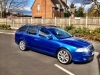
hi all im selling my mfd2 out of my octavia as ive just upgraded to the mfd3. its in excellent condition and will come with a gps aerial aswell.

looking for £260 posted via royal mail special delivery

post-43809-0-57731300-1337460108_thumb.jpg

post-43809-0-36126300-1337460120_thumb.jpg

  • Author

Open to sensible offers

  • Author

Bump

  • Author

will take offers seriously as i have no use for this now and is a great little upgrade for someone with the standard stereo

Nice unit, would this fit a 2011 fabia?

  • Author

Not sure mate you would have to ask one of the guys on here

  • Author

£230 posted

  • Author

Bump

Does this come with security code and gps antenna?

  • Author

Yes mate it does

  • Author

Bump

  • 2 weeks later...
  • Author

Bump

Will this still work with parking sensors?

Hi

Will this fit in a 2007 model

Yes, I have one in my 2008

Doesn't work with the parking sensors though. You still hear the noise though. I don't miss the display. I really like my MFD2.

  • Author

No it doesn't the mfd3 should but doesn't in earlier pre facelifts

  • Author

Will fit in 2007 yes

  • 2 weeks later...
  • Author

Now 220 posted

you have a PM

  • Author

bump

bump

What year octy did this come out of mate?

  • Author

What year octy did this come out of mate?

It came from a 2007 07 plate

I'm interested in this, I'll do a bit of digging and check out the compatibility with 2011 octy

  • Author

Well I put the Columbus in and only had to change 2 wires over to get the cd changer to work. Other than that it was a case of just coding it on Vcds

Create an account or sign in to comment

Recently Browsing 0

  • No registered users viewing this page.

Important Information

Welcome to BRISKODA. Please note the following important links Terms of Use. We have a comprehensive Privacy Policy. We have placed cookies on your device to help make this website better. You can adjust your cookie settings, otherwise we'll assume you're okay to continue.

Account

Navigation

Configure browser push notifications

Chrome (Android)
  1. Tap the lock icon next to the address bar.
  2. Tap Permissions → Notifications.
  3. Adjust your preference.
Chrome (Desktop)
  1. Click the padlock icon in the address bar.
  2. Select Site settings.
  3. Find Notifications and adjust your preference.
