



Skip to content

Octy 4x4 manual Haldex controller
Featured Replies

Hi all,

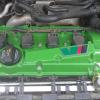
My latest mod on my Octy 4x4, a manual Haldex controller (more pics will follow). My initial thoughts on the standard system was that it reacted to slow so the solution was a blue controller....? Well i thought i would go a different way. My mate used to drag race a 4x4 golf and had a billet valve housing and adjuster designed and built to adjust and 'lock' the Haldex in full time 50/50 (well nearly) 4x4 with a switch to turn the Haldex pump on and off.

With the pump off you are front wheel drive only (no pressure in haldex/diff) and flick the switch = pump on and bingo.... full time 4x4 :happy:

This has proved great at traffic light grand prix' but in the twisties has highlighted a woefully inadequate standard front diff.... I have a TT 'box and Peloquin diff to go in the front when i get time...

Future trials pending :bandit:

http://i87.photobuck...rs/IMAG0614.jpg

http://i87.photobuck...rs/IMAG0616.jpg

Interesting solution.

Still tempted to get an LSD myself.

this is what snowmuncher has done with his he has diff front and rear ;-) the ultimate toy

  • Author

Oh, forgot to mention... the ASR switch is the one i added for an 'O.E.' look. It is actually a heated rear screen switch with an ASR front so it would 'latch'

Just need another heated rear screen switch so i can work on a 'power on' light.

  • Author

I'm saving for rear diff and a very nice man is on the case with the switch ;)

That's a cleverer version of the SQS unit :thumbup:

you might shorten the life of the haldex clutch a bit :rofl:

Octavia_4x4_Bits_201007_LSD_01.jpg

Create an account or sign in to comment

Recently Browsing 0

  • No registered users viewing this page.

Important Information

Welcome to BRISKODA. Please note the following important links Terms of Use. We have a comprehensive Privacy Policy. We have placed cookies on your device to help make this website better. You can adjust your cookie settings, otherwise we'll assume you're okay to continue.

Account

Navigation

Configure browser push notifications

Chrome (Android)
  1. Tap the lock icon next to the address bar.
  2. Tap Permissions → Notifications.
  3. Adjust your preference.
Chrome (Desktop)
  1. Click the padlock icon in the address bar.
  2. Select Site settings.
  3. Find Notifications and adjust your preference.
