



Skip to content

v5 Question?

Featured Replies

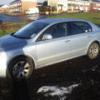
hi there guys the superb s v5 came through today but on it its listed as a "greenline" but its not its just a normal 1.6 tdi anyone else had any issues

Probably best to write to the DVLA asking them to correct it. Make sure you include a covering letter highlighting that it's a correction and not a change. If you don't then you might save a bit on road fund licence (not sure what the CO2/km difference is), but it might lead to problems when you sell it and technically it's an offence under the Serious Organised Crime and Police Act 2005, but they would have to be really out to get you to throw that at you.

hi there guys the superb s v5 came through today but on it its listed as a "greenline" but its not its just a normal 1.6 tdi anyone else had any issues

I assume it's a brand new car? If so it's not your problem...the dealer screwed up. They registered the car so get them to fix it.

  • Author

I assume it's a brand new car? If so it's not your problem...the dealer screwed up. They registered the car so get them to fix it.

yes its a brand new 1.6 TDI CR S type not a greenline the car was registard on the 21st of jan 2013

I assume it's a brand new car? If so it's not your problem...the dealer screwed up. They registered the car so get them to fix it.

What matters is the CO2 figure listed on the V5 - is it 130 or 114?

Whats the road tax or co2 emission?

Sent from my iPhone using Tapatalk whilst in a taxi rank

Mine was registered with wrong emissions, dealer was the idiot that probably got in wrong, they were not interested,

Skoda UK gave me the runaround and the hitlers at the DVLA were seriously rude and arrogant jobswoths.

It took me a year to get it corrected, I had to get a "headed" letter from Skoda to pass on to the DVLA hitlers, along with a covering letter, and this Skoda letter will only be accepted if its Skoda UK headed WITH the Milton Keynes address.

Have fun

Create an account or sign in to comment

Recently Browsing 0

  • No registered users viewing this page.

Important Information

Welcome to BRISKODA. Please note the following important links Terms of Use. We have a comprehensive Privacy Policy. We have placed cookies on your device to help make this website better. You can adjust your cookie settings, otherwise we'll assume you're okay to continue.

Account

Navigation

Configure browser push notifications

Chrome (Android)
  1. Tap the lock icon next to the address bar.
  2. Tap Permissions → Notifications.
  3. Adjust your preference.
Chrome (Desktop)
  1. Click the padlock icon in the address bar.
  2. Select Site settings.
  3. Find Notifications and adjust your preference.
