



Skip to content

I spoke to soon... problems and its not even a month old.. :(
Featured Replies

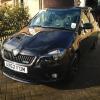
After a brisk drive home from work in my Fabia VRS DSG, going round a bend and braking hard but nothing stupid, my car decided to throw a brake fluid warning light up on the dash...

I thought okay.. strange to use so much brake fluid up in 800 miles but I'll top it up when I get home.

Checked it when I got home about a hour a go to find that theres nothing wrong with the level..

I decided to top it up a little anyways and still warning lights.

( I checked the ABS system on a little bit of gravel so I know thats working)

Now got skoda assistance to come out and check to make sure theres no leaks and off to the dealer I go..

****ed to say the least!

Spesh as I need the car to get about!

GRRRRRRR.

  • Author

RAC turned up and checked the wiring... the connection to the sensor seemed to be intermittent so he unplugged it and cleaned it put it back in.. so far so good. Going to keep an eye on it and see if the sensor rears its ugly head :)

nothing serious, don't worry :)

I had this problem with my old octi vrs and when Skoda assistance came out they did the same procedure and never had that problem again, so I wouldn't worry to much about it as long as the car us still stopping as normal

Sent from my XT925 using Tapatalk 2

  • Author

Cheers guys! Yeah, I'm pretty happy that its all fine. I would say my luck with cars is quite bad so was fearing the worst!

Create an account or sign in to comment

Recently Browsing 0

  • No registered users viewing this page.

Important Information

Welcome to BRISKODA. Please note the following important links Terms of Use. We have a comprehensive Privacy Policy. We have placed cookies on your device to help make this website better. You can adjust your cookie settings, otherwise we'll assume you're okay to continue.

Account

Navigation

Configure browser push notifications

Chrome (Android)
  1. Tap the lock icon next to the address bar.
  2. Tap Permissions → Notifications.
  3. Adjust your preference.
Chrome (Desktop)
  1. Click the padlock icon in the address bar.
  2. Select Site settings.
  3. Find Notifications and adjust your preference.
