



Skip to content

Silverline

Featured Replies

Saw my first ever mk1 silverline earlier. It looked really nice. The wheels are a great design too

Seen a few theres a couple local to me

Sent from my iPhone 4s

Took me seeing about 3 of these before I realise it must be a trim level and not a pikey vrs copy


The spoilers looks terrible anyway, but with the chinless bumper too - look totally unbalanced :sick:


just in imho ;)

had to google search to see the silverline.


I now know what my standard Octy would like if i did stick a vRS spoiler on the back and not do the bumpers to match...

 not quite right...

bumpers and spoilers are an all together package or nothing it seems...


is the interior trim different to the standard as well?

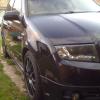
for ref a silverline (wheels and the vrs spoiler)


silverline.jpg

One of the ones ive seen has the smaller spoiler like on the 4x4

Sent from my iPhone 4s

One of the ones ive seen has the smaller spoiler like on the 4x4

Sent from my iPhone 4s

that doesn't sound like it would be too bad?

I'd considered the lip spoiler myself.

The Octavia Silverline and Blueline Special Editions continue the theme in the family car segment. They combine the style of the normal range of Octavias with the sporty cues from the popular Octavia vRS. Available in hatchback, the Octavia Silverline and Blueline come with a choice of either Škoda’s popular a 1.6 MPI, 102 bhp petrol engine or 1.9 TDI diesel engine with 90 bhp.

Standard head-turning equipment includes a distinctive rear spoiler and 16" alloy wheels. Driver and passenger comfort, style and safety are standard as well, with ABS brakes, front airbags, electrically-operated front and rear windows, air conditioning, leather trim pack and a 6-disc CD autochanger incorporated into the RDS stereo/ cassette.

Skoda Blueline Joins Silverline Special Edition Models

Theres actually one for sale local to me at a dealer. I spyed it yesterday

Sent from my iPhone 4s

Create an account or sign in to comment

Recently Browsing 0

  • No registered users viewing this page.

Important Information

Welcome to BRISKODA. Please note the following important links Terms of Use. We have a comprehensive Privacy Policy. We have placed cookies on your device to help make this website better. You can adjust your cookie settings, otherwise we'll assume you're okay to continue.

Account

Navigation

Configure browser push notifications

Chrome (Android)
  1. Tap the lock icon next to the address bar.
  2. Tap Permissions → Notifications.
  3. Adjust your preference.
Chrome (Desktop)
  1. Click the padlock icon in the address bar.
  2. Select Site settings.
  3. Find Notifications and adjust your preference.
