



Skip to content

central locking

Featured Replies

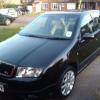
hi all.went to unlock my 04 fabia vrs this morning,all the doors unlocked but the passenger side,i can not even open it from the inside,seems like its deadlocked or something,iv never had any trouble with locking befor.how would i open the door,to get the door card off? or would the car need taking to skoda?

Does the lock motor make a noise?


Try pulling the inside handle or lock pin at the same time as pressing the unlock button.

  • Author

hi softscoop.iv had ago at pulling handle while pressing unlock button,still nothing.as for the sound,there is no noise coming from passenger side motor,seems like its knacked lol,how on earth would i get the door open to get to door card off?

if the door has deadlocked it is impossible to get the door open. you have to carefully dismantle the door from the inside which is a bstrd to do i ended up doing both my back doors ( both failed within three days of one another) it took me a month to fix them in the end. once the door card is removed you need to gaffer tape your window to the roof from the outside and drill the rivets for the inner door carrier and remove the carrier (the window reg is bolted on to the inside of the carrier. you can then break the deadlock using a dremmel to cut into the main mechanism housing of the door lock once inside get ah hammer an chisels and smash the crp out of the innards of the lock and the door should open. the replacement lock costs £125 from skoda or £40 from eBay (cheap aftermarket) and the rivets are about 60p i think its about 8-12 rivets per door, a normal rivet gun wasn't up to the task i had to get a heavy duty rivet gun which looks like a set of bolt cutters. a garage usually charges £300 -500 a door for this as it is such a ball ache to sort out.

if you need any more advice just drop me a pm. :)

If your Fabia is an early 04, you may be lucky and have bolts on the carrier instead of rivets :)

Create an account or sign in to comment

Recently Browsing 0

  • No registered users viewing this page.

Important Information

Welcome to BRISKODA. Please note the following important links Terms of Use. We have a comprehensive Privacy Policy. We have placed cookies on your device to help make this website better. You can adjust your cookie settings, otherwise we'll assume you're okay to continue.

Account

Navigation

Configure browser push notifications

Chrome (Android)
  1. Tap the lock icon next to the address bar.
  2. Tap Permissions → Notifications.
  3. Adjust your preference.
Chrome (Desktop)
  1. Click the padlock icon in the address bar.
  2. Select Site settings.
  3. Find Notifications and adjust your preference.
