



Skip to content

fab1 vrs warning lights?
Featured Replies

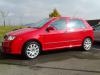
Problems this morning :devil:  any advice would be welcome,not used car for a week went out this morning and a mile down the road all these lights came on dash and speedo as stopped working (i don't know if speedo wasn't workin before lights came on)

fab_zps7ee81160.jpg

cheers Stu

Wow, that's a good collection of lights! With that kind of collection I'd be thinking an electrical fault could be causing your problems. What's the condition of the battery? Is the charging system working?


A scan might help illuminate :blush: the problem.

With the recent rain, you may find you've a soaked engine bay loom.. Some people used to find they would split their casings, and fill with water at the lowest part, causing the christmas tree effect in wet weather.. 

You'll have to search on here, I've not been keeping up to date but I know it was, well, not common.. but a few people had the problem.

As said above though, a weak battery can also casue all kinds of issues... get the meter on it, you want near 12 when off, and 14 when idling.

  • Author

Cheers guys I've just been back out in it and there's just one light on now the funny shaped one EPC light, speedo has started to work as well

Still worth checking your battery health.. do you know when it was last renewed? They're only good for 4 years unless you're lucky.. tThat's not like a supermarket best before either, they really do start getting weak and causing issues like this going into the colder months.

Create an account or sign in to comment

Recently Browsing 0

  • No registered users viewing this page.

Important Information

Welcome to BRISKODA. Please note the following important links Terms of Use. We have a comprehensive Privacy Policy. We have placed cookies on your device to help make this website better. You can adjust your cookie settings, otherwise we'll assume you're okay to continue.

Account

Navigation

Configure browser push notifications

Chrome (Android)
  1. Tap the lock icon next to the address bar.
  2. Tap Permissions → Notifications.
  3. Adjust your preference.
Chrome (Desktop)
  1. Click the padlock icon in the address bar.
  2. Select Site settings.
  3. Find Notifications and adjust your preference.
