



Skip to content

Greetings from Bulgaria
Featured Replies

Hi,

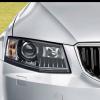
My name is Kamen and I come from Bulgaria. I'm driving Skoda Fabia II 1.2 HTP - company car (government administration job) and Renault Clio II 2004 as a family car. Now, after 10 years using the Clio, It's time for a new car: on 03/12/2013 I ordered Skoda Octavia III Hatch Elegance 1.6 TDI from my local Skoda dealer and now I'm waiting for conformation info from Skoda plant.

More details about the ordered car:

Skoda Octavia III 1.6 TDI 77 kW brilliant silver metallic

Elegance - it's a bit different from UK's elegance - some of the features are absent +

Chrome package - the chrome lining around the windows

BiXenon + front and rear LED lights

Front and rear parking sensors

Rear wiper

Performance mode selection

Sunset glass

Simply clever package

3 spoke multifunction steering wheel

Columbus sat nav

Heated front seats

Hill hold control

Total price: £20000 (after Christmas discount: £18500)

Thing that I'll not have in my new car (out of budget):

Intelligent light assistant

Intelligent park assistant

Lane assistant

ACC

Heated windscreen

KESSY

Now, I have only to wait for my car. My location is just 1500 km from Mlada Boleslav, I hope they 'll deliver my car until the end of April 2014.

Wish me luck :)

post-111210-0-99989600-1386851686_thumb.jpg

Edited by kamengk

Welcome :)

Welcome to Briskoda, Kamen. :)

Hi and welcome aboard.

Welcome.

Create an account or sign in to comment

Recently Browsing 0

  • No registered users viewing this page.

Important Information

Welcome to BRISKODA. Please note the following important links Terms of Use. We have a comprehensive Privacy Policy. We have placed cookies on your device to help make this website better. You can adjust your cookie settings, otherwise we'll assume you're okay to continue.

Account

Navigation

Configure browser push notifications

Chrome (Android)
  1. Tap the lock icon next to the address bar.
  2. Tap Permissions → Notifications.
  3. Adjust your preference.
Chrome (Desktop)
  1. Click the padlock icon in the address bar.
  2. Select Site settings.
  3. Find Notifications and adjust your preference.
