



Skip to content

Recently bought Octavia Scout 2.0TDi
Featured Replies

Hello to all!

Just thought I would quickly introduce myself!

My names Jake, im 19 and I live in West Wales, and live down a bumpy little lane so the scout was ideal! Had it just over a month now, although it has been back to the garage a couple of times under their warranty! So far I have had the mirror glass fall out on the drivers side, the alternator belt shredded and the turbo pipe went! But they are sorting it out so cannot complain. Hopefully after I get it back tomorrow I wont have any other problems!

It is an awesome car though. I quite easily get 55 mpg out of it, it goes up and down my drive with ease! Its off roading ability is A LOT better than my old frontera! ( except ground clearance ). It also handles extremely well and always seem to pull itself around corners!

Things I plan to do / change on it:

= Upgrade the stereo to factory fitted Sat Nav

= Replace or cover the surround around the stereo as there is a really annoying scratch just at the top of it! ( looks like a womans nail has been dug into it )

= Maybe some new alloys at some point as they are starting to flake in places

= Possibly a remap as they say it goes up to 170bhp! Which sounds fun!

Cant wait for some snow to come down to go and play!

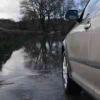
Thanks in advance for any help I get on the site! And I've uploaded a pic of my car for you all to see!

Jake

post-110296-0-09275200-1386882261_thumb.jpg

Welcome to Briskoda, Jake. :) I recommend that you have a good read of our Octavia II forum.

  • Author

Thank you Denis, will be having a more detailed look in there later :)

Create an account or sign in to comment

Recently Browsing 0

  • No registered users viewing this page.

Important Information

Welcome to BRISKODA. Please note the following important links Terms of Use. We have a comprehensive Privacy Policy. We have placed cookies on your device to help make this website better. You can adjust your cookie settings, otherwise we'll assume you're okay to continue.

Account

Navigation

Configure browser push notifications

Chrome (Android)
  1. Tap the lock icon next to the address bar.
  2. Tap Permissions → Notifications.
  3. Adjust your preference.
Chrome (Desktop)
  1. Click the padlock icon in the address bar.
  2. Select Site settings.
  3. Find Notifications and adjust your preference.
