



Skip to content

Removing coffee stains!
Featured Replies

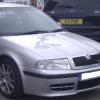
So long story short, after coming out of a Costa's and being somewhat bleary eyed, I turned a tad too sharply and 3 full coffee's slopped out into the passenger footwell of the vRS.


And yes, it's a mk1 with the lovely light coloured carpet :(


The rest of the interior is in brilliant condition for a 54 plate car, so I'm incredibly annoyed with myself for letting this happen. I've tried in vain to get the stains out, but it's just not shifting. Usually the Autoglym Interior Shampoo moves anything (even oil off the white door cards!) but it's just not touching it. To make matters worse, there were 3 different types of coffee so I have 3 different coloured stains! That's the last time I try to be nice and take the team a Friday morning coffee.


Any advice on what can shift the stains would be greatly received!


Ta!


Nathan

Bio Brisk - AutoSmart


Fabric Stain Remover - AutoGlym


(Thats if you can get to one of the vans)


Or as above.


Really anything thats bio active, so that it "eats" the stain etc


Borrow a George.

A little Googling..


http://www.wikihow.com/Remove-a-Coffee-Stain-from-Carpet


http://voices.yahoo.com/auto-care-remove-coffee-stains-carpet-39763.html


Or, as Chris suggested, you can get a Rug Doctor - the best solution would be the Rug Doctor, as you can do the entire interior and it will look even, clean just the stain and you end up with a clean mark compared to the rest, even if it looks immaculate - I guarantee that after it's been cleaned in one area, you will notice the difference.

Quick, quick, call the 'rug doctor'!


njp-can-get-hairy-meme-generator-busines

  • 5 weeks later...

Try scrubbing a hot solution of soda crystals.  That'll get it out :)

Create an account or sign in to comment

Recently Browsing 0

  • No registered users viewing this page.

Important Information

Welcome to BRISKODA. Please note the following important links Terms of Use. We have a comprehensive Privacy Policy. We have placed cookies on your device to help make this website better. You can adjust your cookie settings, otherwise we'll assume you're okay to continue.

Account

Navigation

Configure browser push notifications

Chrome (Android)
  1. Tap the lock icon next to the address bar.
  2. Tap Permissions → Notifications.
  3. Adjust your preference.
Chrome (Desktop)
  1. Click the padlock icon in the address bar.
  2. Select Site settings.
  3. Find Notifications and adjust your preference.
