



Skip to content

New fabia vrs owner

Featured Replies

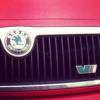
Hey everyone.... Just upgraded my mk1 pug 106 1.1 for the mighty mk1 fabia vrs 1.9tdi and I'm extremely impressed with it!!! Hopefully looking to start modding and personalising soon so if anyone has done any work on these cars yet feedback would be much appreciated .

Hi and welcome aboard.

I went from a 1.4 saxo to my fur by lol hell of a difference iam after the same as you just want a few tips on things like colour codeing the front grill and things what colour is your beast mate??.. :) I got the mighty black magic 1 with a cupra splitter and black gloss alloys :) needs my touch now lol.

Welcome  :happy:

sad-gorilla-waving-smiley-emoticon.gifsad-gorilla-waving-smiley-emoticon.gifsad-gorilla-waving-smiley-emoticon.gif

  • Author

Mines red and gonna get the alloys powder coated black or ankathrite haven't decided yet , gonna eventually get round to getting the cupra splitter and militek exhaust

I dident really fancy the red until I came on here I think black alloys is a very good Poland I like the black on the red really sets the car of its a dream of mine to get the miltek but with a 2 year nipper running about real a bit guilty splashing on the car first things first for me is a remap :)

I dident really fancy the red until I came on here I think black alloys is a very good Poland I like the black on the red really sets the car of its a dream of mine to get the miltek but with a 2 year nipper running about real a bit guilty splashing on the car first things first for me is a remap :)

Why on earth has it said Poland :/ it meant to say idea lol.

  • Author

Yeah get it in coilovers aswell will look good with the militek and as you said a nice remap ;)

welcome ;)

Welcome   :hi:

Hi & welcome

Hello there and welcome.

Create an account or sign in to comment

Recently Browsing 0

  • No registered users viewing this page.

Important Information

Welcome to BRISKODA. Please note the following important links Terms of Use. We have a comprehensive Privacy Policy. We have placed cookies on your device to help make this website better. You can adjust your cookie settings, otherwise we'll assume you're okay to continue.

Account

Navigation

Configure browser push notifications

Chrome (Android)
  1. Tap the lock icon next to the address bar.
  2. Tap Permissions → Notifications.
  3. Adjust your preference.
Chrome (Desktop)
  1. Click the padlock icon in the address bar.
  2. Select Site settings.
  3. Find Notifications and adjust your preference.
