



Skip to content

Buyers guide Any Common faults on vrs ?
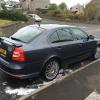
Featured Replies

Am looking to get a mk2 octavia vRS soon likely petrol but not bothered either way, and wonder if there is any bad faults with them. Am tryin not to sound stupid but here's what I mean . I have a 2009 mondeo titanium x and after nearly a year of ownership have found it's got a thing called flat battery syndrome where the car drains the battery over night and Ford won't admit to this problem and have no cure for it. It's affected hundreds of post 2008 Mondeos, focus, s-max and kugas.

I just don't want to be stung with another car with a un curable or expensive to fix problem.

I have had 2 mk1 Octavia's one a vRS and the other a vRS WRC no.73 so know about the cars but just wondering what to look for on a 2009-10 petrol vRS no higher than 35,000miles .

So far, I've had:


Steaming up of windows, wind noise from rear door, rear window wiper missing about an inch band of window when wiping, wheel alignment and 2 new tyres due to that. 


Mine is a 13 plate FL, so I'm assuming almost all of mine are teething issues. It's in for warranty work as we speak.

Condensation and road noise. Apart from that I love my 09 tdi cr vrs.

  • Author

Have heard about the road noise problem and the same fault my old 2 mk1 vrs' had was the rear window washer not getting water due to leekibg pipe below drivers feet

  • Author

Am goin from a diesel mondeo titanium x to a petrol vRS so will be louder anyways

Mainly related to the diesel:


Injectors (ensure they've been replaced under the official VOSA recall).

Whistling turbo.

Frequent DPF (Diesel Particulate Filter) lights.

Corroded oil cooler.

Leaking fuel filter housing.

DMF (Dual Mass Flywheel).

Sawtoothing (rear wheel alignment).

Wet spare wheel well (rear washer pipe / boot seal).

Create an account or sign in to comment

Recently Browsing 0

  • No registered users viewing this page.

Important Information

Welcome to BRISKODA. Please note the following important links Terms of Use. We have a comprehensive Privacy Policy. We have placed cookies on your device to help make this website better. You can adjust your cookie settings, otherwise we'll assume you're okay to continue.

Account

Navigation

Configure browser push notifications

Chrome (Android)
  1. Tap the lock icon next to the address bar.
  2. Tap Permissions → Notifications.
  3. Adjust your preference.
Chrome (Desktop)
  1. Click the padlock icon in the address bar.
  2. Select Site settings.
  3. Find Notifications and adjust your preference.
