



Skip to content

Rear window washer

Featured Replies

Hi guys

I can't for the life of me find the rear window washer on my fabia mark one classic 1.4 8v. There are no jets mounted on the rear spoiler like on the feebie and l can see no hoses fitted into rear window wiper either. When l push rear wiper wash stalk l can hear pump working but l am now thinking that maybe my fabia didn't come with rear washer as standard even though car is fitted with rear wiper.

Is this the case that skoda supplied cars with rear wiper but no washer facility?

All input is appreciated guys thanks colzie64.

should come out of the nozzle in the circular piece of the washer blade (at the bottom)


However, pipes become disconnected on route to the jet (various threads on here about repairs for this on briskoda)


Rear wiper jet should be able to be activated by pushing right hand side stalk all the way forward!


Hope this is of some help

  • Author

Thanks jgraf will have a look tomorrow

  • Author

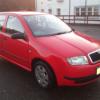
I still cant find where the water would come out on the rear of my furbie which leads me to believe my motor didn,t have a rear wash fitted at source. Here are a couple of pics for perusal.


o6l5yg.jpg underside of wiper cant see any sign of pipe work to deliver fluid to rear screen.


ri6yk8.jpg rear spoiler with no sign of jet mounting as fitted on felicia models.

Its in the centre of the wiper arm, its part of the bolt, you can see it under where the cap should be but looks like yours is broke

I still cant find where the water would come out on the rear of my furbie which leads me to believe my motor didn,t have a rear wash fitted at source. Here are a couple of pics for perusal.


o6l5yg.jpg underside of wiper cant see any sign of pipe work to deliver fluid to rear screen.


rear spoiler with no sign of jet mounting as fitted on felicia models.


It's the thing sticking out of the centre nut!

It works like this:


3536215838_2c6e8c44a2.jpg


Edit: pic taken from the above thread.

Edited by Jim H

Create an account or sign in to comment

Recently Browsing 0

  • No registered users viewing this page.

Important Information

Welcome to BRISKODA. Please note the following important links Terms of Use. We have a comprehensive Privacy Policy. We have placed cookies on your device to help make this website better. You can adjust your cookie settings, otherwise we'll assume you're okay to continue.

Account

Navigation

Configure browser push notifications

Chrome (Android)
  1. Tap the lock icon next to the address bar.
  2. Tap Permissions → Notifications.
  3. Adjust your preference.
Chrome (Desktop)
  1. Click the padlock icon in the address bar.
  2. Select Site settings.
  3. Find Notifications and adjust your preference.
